If you have a question about how anything works or have come across something you haven't seen explained here, get in touch with our community of fellow users and Mambuvians where someone will lend a hand.
* If you don't already have an account you will be prompted to create one when you first visit the site.
--- # Card Transactions and Authorization Holds URL: https://docs.mambu.com/docs/card-payments-and-authorization-holds/ Most bank clients today expect to be able to function in a fully cashless way, using debit and credit cards to make and receive payments as well as make direct withdrawals from debit accounts and cash advances against credit. Mambu fully supports industry standard [authorization hold](https://en.wikipedia.org/wiki/Authorization_hold) flows for card payments and allows you to request, adjust, reverse and settle holds against Current Account and Revolving Credit type products. :::note All capabilities for configuring the flow between Mambu and your card acquirer are available [via API only](/api/api-v2/cards/cards). ::: :::warning Card authorization holds are separate from **transaction holds**, which may be applied to any deposit transaction. For more information, see [Transaction Holds](/docs/transaction-holds). ::: ## Requirements * You will need to have the **Cards** functionality enabled for your instance. * A card token reference must be associated with the account. :::note A *card token reference* is used to identify a credit or debit card without needing to always provide sensitive information such as the card number and, as such, is a shared reference between your Mambu tenant and your card issuer’s system.A paragraph.
| 10000 | Assets | |
| 11000 | Fixed Assets | |
| 11001 | Cars | |
| 11002 | Furniture | |
| 12000 | Short Term Assets | |
| 12100 | Cash | |
| 12101 | Cash Branch 1 | |
| 12102 | Cash Branch 2 | |
| 12200 | Bank | |
| 12201 | Bank 1 | |
| 12205 | Bank 2 | |
| Term | Definitions |
|---|---|
Accepted Settlement Completed (ACSC) |
The status of a payment order when it is completed and the SEPA message has been sent to the callout URL. |
Accepted Settlement In Process (ACSP) |
The status of a payment order when it has been executed and the corresponding transaction has been posted in Mambu core. |
Accepted Technical Validation (ACTC) |
The status of a payment order when it has been accepted at the requested execution time. |
account |
A record of all the financial transactions of each of an organization's clients or an organization's assets, liabilities, equity, expenses, and income. In a loan account, Mambu stores all the information related to disbursements, repayments, interest rates, and withdrawals. In a deposit account, Mambu keeps track of all deposits, withdrawals, and the interest rates associated with it. |
account origination |
An upstream component type. Connectors that are part of this component type assist with onboarding new customers, providing access to tools like ID verification, and know your customer and anti-money laundering compliance. |
account servicing institution |
The financial institution that services the account owned by the account holder. In the context of payment orders, both the originator bank and the beneficiary bank are account servicing institutions. |
accrued |
The amount of interest or penalty that has not been paid by the borrower or received by the lender. |
active (account state) |
The status of an account that allows transactions like withdrawals, disbursements, or deposits. A loan account is considered to be active after being disbursed and a deposit account will become active after being approved. Both will remain active until they are closed. |
approved (account state) |
The status of an account after the approval of the account creation request. |
active (client state) |
The status of a client with open accounts in Mambu or a client with no open accounts at the moment but who remains eligible for financial services in an organization. |
administrator (admin) |
A user type in the Mambu UI and API with the most permissions associated with it, by default, users assigned with it can do any operation in Mambu. |
anti-money laundering (AML) |
A general term for policies, laws, and regulations to prevent financial crimes. Global and local regulators around the world create anti-money laundering (AML) policies and requirements. See also know your customer. |
API call node |
A type of node in a Mambu Process Orchestrator process that performs an external API call with parameters. |
API Reference |
The api.mambu.com site, containing all the information required to work with Mambu's APIs. |
arrears |
The status of an active loan account with one or more overdue payments. The Mambu platform lets customers define a specific arrears tolerance period or amount. |
assets |
Items owned by an organization and which have a monetary value associated to them for example, loans, equipment, or cash. |
automated clearing house (ACH) |
An alternate term for a clearing and settlement mechanism (CSM). |
backdate |
To log a transaction that happened on a date earlier than the date on which it took place instead of the current date. |
balance |
The amount of money left in an account after a transaction like a deposit, withdrawal, or repayment. It includes principal, interest, and any available overdraft limit. |
balance sheet |
A financial report that gives a Mambu customer information about their organization's assets, liabilities, and equity at a given point in time. It shows how the organization is performing as well as its value. |
bank |
A general term for a financial institution. Without additional context, "bank" might refer specifically to a traditional bank, or more broadly to nontraditionals and other types of financial institution. |
beneficiary |
The party that receives the funds moved in a payment order that is initiated by the originator. |
beneficiary bank |
The payment service provider (PSP) that processes the payment order received from the originator’s PSP. |
branch |
The default label for an organization's subdivision operating locally or having a particular function. Often branches represent a geographical subdivision of an organization or a product line. Each branch can have multiple centres assigned to it. |
business banking accounts |
Transactional accounts with typical banking capabilities, such as debit or credit cards, for business use. |
business deposits |
Savings accounts, term deposits, and similar products for SMEs or corporations. Examples include savings account, fixed deposit, and savings plan. |
business lending |
Loans made to businesses rather than individuals. See SME lending and commercial lending. |
call process node |
A type of node in a Mambu Process Orchestrator process that calls another process. |
centre |
The default label for a subdivision of a branch. It can be considered a sub-branch. Each branch can have multiple centres assigned to it. |
chart of accounts |
All of the general ledger accounts ordered by their type - assets, liabilities, equities, expenses, or income - and with standard codes associated to each. |
clearing and settlement mechanism (CSM) |
The institution(s) that route funds between accounts as part of a payment order. The clearing and settlement steps might be performed by the involved payment service providers as part of an existing arrangement, or by one or more third parties. |
client |
A single person or entity that is receiving services from a Mambu customer and has a client profile in Mambu. In other words, client refers to the customers of Mambu's customers. |
client ID |
A unique identifier that Mambu automatically assigns to clients when their profile is created. |
closed |
State of an account that doesn't allow transactions anymore. Mambu keeps a closed account associated to the client who owned it. |
code node |
A type of node in a Mambu Process Orchestrator process that executes a block of code. |
collateral |
An asset offered as part of a secured loan to be forfeited in case of default. |
collection order |
An order to transfer money between two bank accounts, initiated by the creditor, based on a pre-existent mandate given by the debtor. Also known as a direct debit transfer. |
commercial lending |
Complex loans for larger corporations often involving high-value principal with multiple credit lines. These loans are used to fund major capital expenditures, operational costs, and/or the purchase of equipment. Commercial loans often require collateral such as property or equipment. |
commercial mortgages |
Collateral-backed loans for commercial real estate. |
composable architecture |
A modular software design methodology consisting of small, self-contained, and easily interchangeable building blocks. An orchestration layer such as Mambu Process Orchestrator directs all interactions between components, providing flexibility and integration with other services. |
composable banking |
Mambu's value proposition using composable architecture to improve the delivery of financial solutions. See also fintech. |
condition node |
A type of node in a Mambu Process Orchestrator process that determines the routing of an object based on a condition. Possible conditions are: equal (=), not equal (!=), less than (<), greater than (>), and regex. |
Configuration as Code (CasC) |
A set of API endpoints that allows customers to batch configure Mambu entities using YAML. Using CasC, customers can quickly configure new Mambu tenants and standardize, version-control, and transfer configurations between tenants. |
connector |
Mambu functionality that allows customers to connect the Mambu cloud banking platform with vetted third-party services via the Mambu Process Orchestrator. Connectors can be built and maintained by Mambu or Mambu partners, and are used to process payments; onboard new customers; manage data and accounting; and more. Connectors might be described as “Integration as a Product.” |
consumer loans |
See purchase financing. |
copy task node |
A type of node in a Mambu Process Orchestrator process that copies a task in a different process. |
counterparty |
The opposite party in a payment order. For example, the beneficiary bank is the counterparty to the originator bank, and vice versa. |
credit (accounting) |
The value entered in accounts which shows a decrease in the assets or expenses or increases in the liabilities, revenue, and capital. |
credit arrangement |
The maximum amount a client (individual client or group) can take out in loans and overdrafts. |
credit cards |
See purchase financing. |
credit officer |
A user type in the Mambu UI and API whose responsibilities are directly related to the management of loan accounts from the application stage till the loan account is closed or withdrawn. Mambu allows users to assign clients to credit officers and keep track of their individual performance. |
credit union |
A cooperative financial institution that is owned and operated by its own members. Credit unions are mostly non-profit and typically provide traditional banking services within a specific community. |
creditor |
The party to which funds are deposited through a credit transaction. |
cryptocurrency |
A digital currency that can be used to buy goods and services, and which uses an online ledger with strong cryptography (typically a blockchain) to record and secure transactions. |
currency |
The form of money used by an organization. |
current account |
An account at a financial institution that supports deposits, withdrawals, and overdrafts. Debit cards can be connected to current accounts. See also daily banking accounts. |
custom field |
A type of additional field that can be created in Mambu UI (that is also accessible via the Mambu API) in order to capture any additional information required for an organization's business processes. Access to custom fields can be restricted to certain roles. Every custom field must be part of a custom field set. Compare with native field. |
custom field set |
A way to group custom fields. |
custom view |
A tool to generate reports on the fly and easily retrieve filtered lists of information in the Mambu UI. We refer to custom views as either view or custom view, these terms are interchangeable. |
customer |
An organization that consumes services from Mambu. Customers are associated with one or more instances. |
Customer Service Portal |
The self-service website that allows Mambu customers to manage their support cases, view case reports and dashboards, update contact information, view invoices, perform sandbox operations, and access documentation. |
daily banking accounts |
Transactional accounts with typical banking capabilities, such as debit or credit cards, for personal use. |
debit (accounting) |
The value entered in accounts increasing the assets or expenses or decreasing the liabilities, revenue, or capital. |
debtor |
The party from which funds are withdrawn through a debit transaction. |
dedicated instance |
A Mambu instance that is dedicated to one Mambu customer and is performance-isolated from other customer instances, with all data and services logically and physically isolated. Compare with shared instance. |
delay node |
A type of node in a Mambu Process Orchestrator process that delays a task for a defined period of time. |
deposit |
The amount of money transferred to a client's deposit account. Mambu keeps track of the method used for the transfer such as cash, check, or bank transfer and stores this information in the history of transactions of that specific account. |
deposit account |
An account with an amount deposited by a client to earn interest according to the terms defined in the deposit product. |
deposit product |
A customizable Mambu template used to create individual deposit account instances. Each deposit product represents a collection of settings that differentiates the behavior of deposit accounts. |
detail account |
A category of accounts in the general ledger containing the transaction's balances. |
digital wallet |
A type of stored value account that allows for issuing and managing prepaid instruments. |
disbursement |
The act of releasing the loan amount to the borrower. Mambu identifies the loan account as active and can automatically calculate the loan repayment schedule once disbursed. |
domestic payment |
A payment where the beneficiary is within the same payment network operations region as the originator, using the same currency—for example, a SEPA payment. |
dormant |
The state of a deposit account. In this state no more interest is accrued on the account and no automated transactions can be posted to it. |
downstream data |
A component type for connectors that helps extract and load data into a customer's existing tools (general ledgers, data analytics platforms, etc). |
Early Access |
The stage in the Mambu release cycle, where a feature or capability is available to a limited number of Mambu customers upon their request. |
ecosystem |
See Mambu ecosystem. |
end client |
See client or user. |
end node |
A node used to end a Mambu Process Orchestrator process. There are two types: end: error node and end: success node. |
end user |
See client or user. |
end: error node |
A type of end node in a Mambu Process Orchestrator process that labels tasks with process errors. |
end: success node |
A type of end node in a Mambu Process Orchestrator process that labels successfully processed tasks. |
engine |
A core component of a complex software system, such as the Mambu cloud banking platform itself. |
entity |
A general term for a basic feature, construct, or object in Mambu. Examples include clients, groups, loan products, accounts, currencies, and branches. |
equity |
The organization's value which is property of the shareholders. It corresponds to the value of assets minus the liabilities. |
execution |
See payment execution. |
expense |
The value of assets that is used to sell an organization's services. |
federated authentication |
A form of authentication that allows users to log in to Mambu using single sign-on (SSO). User identities in this scheme are managed by an identity provider (IdP). |
fee |
A fixed price charged to a loan account. |
fiat currency |
An internationally-accepted currency that is usually issued by a government or central bank. It is included in the ISO 4217 currency list. |
field |
A stored value associated with a Mambu entity. For example, a client entity includes fields like ID, Client Type, and Creation Date. Fields can be native fields, which Mambu provides by default, or custom fields, which the user creates. “Field” might also refer to the container in the Mambu UI where a user edits a field. |
financial inclusion |
A broad term to describe the goal of making financial products and services available to all potential clients, regardless of location or income level. Microfinance institutions are a common solutions provider for financial inclusion. |
fintech |
Short for financial technology. A broad term for the industry of technology platforms that compete with traditional platforms to deliver financial products and services. |
fintech (organization type) |
A bank that offers one or more banking products and services without a physical branch network. The term might broadly include neobanks or specifically refer to smaller institutions that focus on selected product lines like remittance or deposits. See also traditional bank and nontraditional. |
fixed deposits |
As the name suggests, fixed deposits have a fixed term after which they should be withdrawn or closed. With this type of product, clients are able to make deposits until the minimum opening balance has been reached. At this point, you can begin the maturity period, during which they will be unable to deposit, but will be able to withdraw. |
foundation platform |
The conceptual component of the Mambu core (alongside the technical platform and product factory) that facilitates services such as output management, notifications, and operational reporting. |
function |
A collection of nodes that Mambu Process Orchestrator can use repeatedly in different processes. |
General Availability |
The stage in the Mambu release cycle where a feature or capability is available to all Mambu customers (provided there is compatibility with the cloud service provider). |
get from queue node |
A type of node in a Mambu Process Orchestrator process that receives tasks from the queue. |
GL code |
The number used to identify an account in the general ledger. |
grace period |
The period of time defined by the number of installments in which the loan repayments don't include interest. The grace period is defined when you're creating loan products. |
group |
A type of client composed of at least two members who also need to have an individual profile in Mambu. |
header accounts |
A category of account that is only used to group detail accounts of the same type. |
identity provider (IdP) |
A service for storing and managing user identities that allows you to connect to Mambu using single sign-on (SSO) when federated authentication is enabled. |
income |
The amount received by an organization for the services provided, sales, or profit from investments. |
Increase Last Installment (ILI) |
A Mambu setting for loan products used to determine what to do with interest in arrears. If Increase Last Installment is selected, Mambu will not adjust the overdue installments, which results in an underpayment of principal. The principal is then recouped in the final installment. |
incumbent |
See traditional bank. |
infrastructure |
The logical arrangement of Mambu's software environment that includes the Mambu core engine and offers networking, database, and other software services. The infrastructure hosts multiple instances that each include multiple tenants. |
installment |
A single scheduled payment for a loan. See also repayment. |
instance |
A logically distinct copy of Mambu's cloud banking platform hosting multiple tenants. Instances are associated with a single Mambu customer, and can be dedicated or shared with other customers. |
interest |
Money paid regularly at a defined rate to a lender or a savings account holder. The interest rate is typically expressed as an annual percentage of the principal, but can also be determined by an external standard. |
interest calculation method |
The formula used to calculate the interest on a loan or savings account. |
internal transfer |
See intrabank payment. |
international payment |
A payment where the beneficiary is from a different payment network operations region from the originator —for example, a SWIFT payment. |
intrabank payment |
A payment where both originator and beneficiary accounts are serviced by the same payment service provider. |
journal entries |
The records of all the transactions in an organization which have accounting implications. They can be automatic or manually entered. |
know your customer (KYC) |
The process of verifying information about clients before or during transactions with a financial institution to confirm their identity, suitability, and risk. KYC rules vary by country and region and are a part of anti-money laundering (AML). |
label |
The terminology used to refer to various entities and concepts within Mambu. Default labels may be edited and labels can be customized for each language available in Mambu. |
lease |
A form of financing in which an institution lends a physical asset or service to an individual or business client for defined payments and duration, sometimes with a provision to purchase the asset at the end of the contract. Leases can be issued by single-purpose leasing companies or by larger banks. |
leasing company |
A company that offers leases on physical assets or services. Unlike traditional banks or other financial institutions, leasing companies are single-purpose companies. |
lender |
The financial institution that offers loans to borrowers. Lenders might be single-purpose institutions or larger institutions that offer additional financial products, for example, traditional banks. |
lending |
The temporary giving of money or assets to a borrower (a loan) with an agreement that it will be repaid according to certain terms and conditions. Mambu offers a variety of lending products. |
liabilities |
What an organization owes to others both currently and in the future. For example, clients deposits are considered to be a liability as the amount will be returned to the clients. |
loan |
The amount that an institution lends to a client; or the loan account that corresponds to the loan and specifies the loan terms and conditions. |
loan account |
In Mambu, an individual account used to track the corresponding loan and client. Terms and conditions that you define when creating a loan product—interest rates, the repayment schedule, applicable fees, and so on—apply to all of the loan accounts created using that product. |
loan origination (connector type) |
A Mambu connector component type that provides tools for managing applications, credit decisioning, and responding when loans go into arrears. |
loan product (Mambu template) |
A customizable Mambu template used to define and create individual loan accounts. |
loan rescheduling |
An operation used in Mambu to refinance a loan (by changing the interest rate and capital amount), restructure it (by changing the payment frequency or term), or both. |
Mambu Apps |
An integration to create selectable frames in the Mambu UI that render an externally-hosted application’s data. |
Mambu Champion |
An employee at the organization that receives services from Mambu (one of Mambu's customers) who is designated as the primary contact for Mambu and its partners. |
Mambu cloud banking platform |
The collective functionalities of Mambu’s core banking software including the Mambu core, Mambu Process Orchestrator, connectors, and so on. |
Mambu core |
The central piece of the Mambu cloud banking platform representing Mambu software itself. The Mambu core consists of the foundation platform, technical platform, and product factory (including the deposit engine and lending engine). The Mambu core interacts with the rest of the Mambu ecosystem using Mambu Process Orchestrator. |
Mambu display language |
The language a user chooses to see displayed in Mambu. |
Mambu ecosystem |
The composable and modular framework that integrates the Mambu cloud banking platform and Mambu Process Orchestrator with third-party financial service providers. |
Mambu Payment Gateway (MPG) |
The component that facilitates one-time and recurring transactions using the Single Euro Payments Area (SEPA) scheme. It has its own interface for configuration, managing users, and auditing transactions, and its own suite of APIs for making, receiving, rejecting, and refunding standards-based payments. |
Mambu Process Orchestrator (MPO) |
The orchestration layer that enables Mambu customers to exchange data between the Mambu core and other API-enabled systems. |
Mambu UI |
The graphical user interface for Mambu itself. |
Mambu User Guide |
The support.mambu.com site, with comprehensive documentation about Mambu’s products, with a particular focus on the Mambu UI. |
MambuCast |
A webinar series produced by Mambu Partner Enablement to train Mambu partners on a variety of topics. |
maturity |
The date on which a fixed deposit becomes due, meaning that it won't continue to accrue interest and the clients can withdraw their money with the already accrued interest. |
menu item |
An option on the navigation bar in the Mambu UI. There are two categories of menu items: menu items with views and menu items without views. Views are also referred to as custom views, these terms are interchangeable. |
microfinance institution (MFI) |
A financial institution that serves individual or business clients who lack access to conventional financial services, typically low-income or geographically isolated clients. See also financial inclusion. |
modify task node |
A type of node in a Mambu Process Orchestrator process that updates a task in another process. |
mortgage |
A secured loan used either to buy real estate or to raise funds against the value of owned real estate. For the relevant Mambu product, see retail mortgage. |
mortgage with redraw facility |
A mortgage that allows the borrower to make payments higher than the minimum schedule requires. These additional payments can either be withdrawn at by the borrower at a later date or be applied to the interest due over the term of the loan. |
multi-tenancy |
The ability for a single Mambu software instance to support multiple tenants. |
native field |
A field in the Mambu UI (that is also accessible via the Mambu API) that is both part of an entity by default and is accessible to any user of that entity. Compare with custom field. |
neobank |
A bank that offers traditional banking products and services without a physical branch network. Neobanks might have a formal relationship with traditional banks or operate independently and compete with them. See also nontraditional and fintech (organization type). |
node |
A logical unit that executes an action. Nodes are used to create a process in the Mambu Process Orchestrator. |
Non-Production Preview |
The stage in the Mambu release cycle where a feature or capability is available to a limited number of Mambu customers chosen by Mambu. |
non-traditional currency |
An alternative store of value that a user can define in Mambu. Examples of non-traditional currencies include loyalty points, such as Amazon Coins, and pseudo-currencies, such as the Unidades de Inversion (UDIs) used in Mexico to protect investments from high inflation. |
nontraditional |
A smaller, newer financial institution that might offer lending or deposit services, but not both. Examples include e-commerces, telcos, and retail outlets that offer financial services like credit cards, buy-now-pay-later options, consumer lending, and so on. See also neobank and traditional bank. |
offset mortgage |
A mortgage that is linked to a savings account held by the same financial institution. The savings account balance is used to reduce, or “offset,” the mortgage interest that the borrower is charged. |
orchestration layer |
The software in a composable architecture system that exchanges data between architecture components. Mambu Process Orchestrator (MPO) is the orchestration layer between the Mambu core and third-party services. See also downstream systems and upstream systems. |
organization |
A Mambu customer, including staff members and the different branches. |
originator |
The party that initiates a payment order that is received by the beneficiary. |
originator bank |
The payment service provider (PSP) that services the originator's account. They receive the payment order instruction from the originator, in order to be executed and sent towards the beneficiary’s PSP. |
outstanding principal |
The amount of principal on a loan that remains to be repaid. |
overdraft |
A deficit in a bank account caused by withdrawing more money than the account holds. The institution that manages the account may charge fees or higher interest rates when an account is overdrafted. |
partner accreditation |
Mambu's program to train partners on working with Mambu and its customers. Accreditation is appropriate for sales and solutions partners, and also for services partners when partner certification is not yet available. |
partner certification |
Mambu's program to train partners to serve existing Mambu customers. Certification training includes lab components and a proctored exam and is intended for services partners who work directly with customers. |
Partner Enablement |
Mambu's organization for training current and future Mambu partners. Enablement products include partner accreditation and partner certification. |
payment execution |
The process of moving money from the originator account to the beneficiary account as specified in a payment order. When executing a payment, Mambu determines whether both accounts are in Mambu and selects the appropriate processing mechanism. |
payment network operations region |
A single country, multiple countries, or an economic bloc where payments are settled in the same manner, through the same mechanism. |
payment order |
An order to transfer money between two bank accounts: the originator account and the beneficiary account. Also known as a credit transfer. |
payment order initiation |
The process of submitting a payment order for subsequent execution. |
payment processing |
A connector component type that helps the Mambu cloud banking platform integrate with payment processing and transaction monitoring services. |
payment service provider (PSP) |
The financial institution that services an account sending or receiving a payment order. Terms like "bank" or "financial institution" might be used to describe a payment service provider. |
Mambu Payments Gateway API |
An API available through Mambu’s API Reference that allows customers to process domestic and international payments made via the Single Europe Payments Area (SEPA) payments scheme. |
peer-to-peer (P2P) lending |
A lending platform that connects lenders with borrowers. Either party in peer-to-peer lending (P2P lending) might be a business or individual. The P2P lending platform does not lend money, but establishes loan terms and conditions. |
penalty |
A defined fee that an organization may charge to clients when a specific term of the loan contract is violated—most commonly, when the client is late repaying a loan. |
permission |
The authorization given to users that enables them to view a type of information or to perform an action in the Mambu UI or via the Mambu API. Permissions can either be assigned directly to users or assigned to them through a role. |
personal deposits |
Savings accounts and term deposits for individuals. |
personal lending |
Interest-bearing personal loans for individual use. Personal loans can be secured or (in most cases) unsecured, meaning they are not backed by collateral. Examples include microfinancing, payday loans, cash advances, and car and boat loans. |
prepaid card account |
A type of stored value account that allows issuers to store monetary value onto prepaid cards. A prepaid card is not linked to a bank account. |
Prepayment Recalculation Methods |
A Mambu setting to adjust how to handle prepayment of a loan, regarding recalculating the loan principal and repayment schedule. |
principal |
The original amount borrowed for a loan or deposited in an interest-bearing account, excluding interest, fees, and penalties. See also outstanding principal. |
process |
A series of actions built in Mambu Process Orchestrator from individual nodes. |
product |
Any specific type of loan or deposit that an organization creates for its clients. Any loan account or deposit account will be part of a product, so the terms and conditions defined when a product is created will then be used to set the constraints of the account. |
product actions |
Actions that represent the transactions that are automatically logged by Mambu, once products are linked to general ledger accounts. |
product factory |
The product configuration engines—lending engine and deposit engine—that Mambu customers use to create a new product using pre-defined parameters. The product factory is one of the three components of the Mambu core alongside the technical platform and foundation platform. |
production |
A tenant provided by Mambu which is used for processing end-client data. It's the live application. Also known as production tenant. |
purchase financing |
Consumer finance loans offered by a business or retail e-commerce to its clients, such as point-of-sale financing, “buy now pay later” programs, or credit cards. |
queue node |
A type of node in a Mambu Process Orchestrator process that implements queue logic. |
Received (RCVD) |
The status of a payment order when it has been received and the input has been validated. |
reduce amount per installment (RAI) |
A method to recalculate the schedule by reducing the installment amount when a client makes a prepayment. |
reduce number of installments (RNI) |
A method to recalculate the schedule by reducing the number of installments when a client makes a prepayment. |
Rejected (RJCT) |
The status of a payment order when it has been rejected. |
repayment |
The amount that borrowers need to pay on a loan as determined by a repayment schedule. Repayments can include principal, interest, fees, and penalties. |
Repayment Schedule Versioning (RSV) |
A system for tracking the history of repayments on a loan in Mambu. |
reply to process node |
A type of node in a Mambu Process Orchestrator process that replies to a call from another process. |
retail mortgage |
A collateral-based mortgage for individuals. Despite the name, retail mortgages are for non-commercial real estate. |
RFI |
Short for Request for Information. A request to suppliers for information on the products and services that they can provide, typically used to gather information about potential future suppliers. RFIs are typically followed by an RFP or RFQ. |
RFP |
Short for Request for Proposal. A request that describes a project and solicits bids to complete it. An RFP is appropriate when the requester doesn't know specifically how they want to solve a problem. |
RFQ |
Short for Request for Quotation. A request for pricing proposal for a particular product or service, appropriate when the requester has a specific solution in mind but not how much it will cost. |
RFX |
Short for Request for X. A blanket term for RFP, RFI, and/or RFQ. |
role |
A way to group permissions and to control other forms of access within Mambu UI and API. Each user in Mambu may be assigned a role. The user will then have all the permissions that are a part of that role. Also known as user role. |
sandbox |
A tenant within a given Mambu instance that customers can use for development and testing. Also known as sandbox tenant. |
savings accounts |
Individual tenants associated with a Mambu deposit product. Savings account holders typically earn interest and can make deposits and withdrawals when they wish. For the relevant Mambu products, see personal deposits and business deposits. |
savings plan |
A savings product that allows a client to make deposits during the maturity period, but not withdrawals. Once the maturity period ends, a client can make withdrawals but not deposits. |
schedule |
The repayment plan for a loan, typically including repayment amounts, dates, accrued interest, and required fees. |
secured loan |
A loan whose value is secured by collateral. |
SEPA |
Short for Single Euro Payments Area. An EU initiative to integrate euro-based transfers between banks in EU and other participating countries. |
set parameter node |
A type of node in a Mambu Process Orchestrator process that sets or modifies a parameter value in the task. |
set state node |
A type of node in a Mambu Process Orchestrator process that implements storage logic and task state distribution. |
shared instance |
A Mambu instance shared among multiple Mambu customers, each with its own isolated data and configuration. The workload of all tenants in the instance is spread across the same infrastructure and software processes. Compare with dedicated instance. |
single sign-on (SSO) |
an authentication scheme, available when federated authentication is enabled, that allows users to log into multiple systems with a single identity. |
SME lending |
Interest-bearing secured or unsecured loans granted to small and medium-sized enterprises (SMEs) to help them to start or expand their business or support their operational needs. Examples include working capital loans, term loans, and SME lines of credit. |
sponsor bank |
A bank that is a member of an approved bank card system such as Visa or Mastercard. Sponsor banks offer credit cards and other lending options related to the bank card system. |
state (loan and deposit account) |
The stage of an account in an organization. Loan accounts can be in a pending approval, approved, active, active (in arrears), closed (with obligations met), closed (rescheduled) or closed (written off) state. Deposit accounts can be in a pending approval, active, closed, or dormant state. |
stored value accounts |
Transactional accounts that support digital wallets or prepaid card accounts. Stored value accounts don't offer typical bank account features like interest. |
Streaming API |
An API available through Mambu’s API Reference that allows customers to subscribe to real time data streaming from Mambu. |
sum node |
A type of node in a Mambu Process Orchestrator process that adds up a series of values and returns the sum. |
task |
A logical set of parameters that represents data passing through the nodes of a process in the Mambu Process Orchestrator (MPO). The MPO routes and transforms the task according to the logic and functions of the nodes. |
technical champion |
An employee at the organization that receives services from Mambu (a customer) who is designated as the primary contact for the integration consultant and other technical contacts at Mambu. |
technical overdraft |
See overdraft. |
technical platform |
The conceptual component of the Mambu core (alongside the foundation platform and product factory) that includes supporting services such as account sub-ledgers, customer information, and access management. |
teller |
A user type in the Mambu UI and API that represents the “front office” customer service in financial institutions that are usually responsible for processing client transactions, such as making deposits or withdrawals or processing loan repayments and disbursements. |
tenant |
A logically isolated access point in a Mambu instance with its own URL, database, accounting, and configuration. Each instance includes at least two tenants (production and sandbox) but supports more if needed (for example, a bank operating in multiple regions). |
total due |
The loan amount due to be paid by the borrower, factoring in the loan principal, interest, fees, payments, and penalties. |
traditional bank |
A typical financial institution that handles both individual and business clients. Most traditional banks maintain a physical presence and often employ older technology. See also neobank and nontraditional. |
transaction |
Any operation implying changes in the balance of an account such as deposits, withdrawals, or disbursements. Mambu tracks all transactions and associates them to the clients' accounts where they occurred. |
unauthorized overdraft |
See overdraft. |
unsecured loan |
A loan that is not secured with collateral. |
user |
Anyone who accesses and uses Mambu via the UI or the API. Each user has a user account with unique credentials and may have a role, user type, and/or permissions assigned to them. |
user type |
A user setting in the Mambu UI and API that assigns certain access settings to a user or an API consumer. There are three available user types, administrator, credit officer, and teller. |
username |
A short identifier, usually an abbreviation of the user's name which is determined when the their profile is being created in the Mambu UI or API. |
waiting for callback node |
A type of node in a Mambu Process Orchestrator process that requests and waits for a response from an external system. |
withdrawal (deposit account) |
The action of taking money out of a deposit account. |
withdrawal (state) |
The removal of a loan application from Mambu. |
write-off |
The action of closing a loan account after determining that the amount won't be recoverable. Written off loans will be automatically considered as an expense for accounting purposes. |
BRANCH_VIEW: Shown as a tab under a branchCENTRE_VIEW: Shown as a tab under a centreCLIENT_VIEW: Shown as a tab under clients' profilesDEPOSIT_ACCOUNT_VIEW: Shown as a sub-tab for clients' deposit accountsDEPOSIT_PRODUCT_VIEW: Shown as a tab under a deposit productEXTENSION_MENU: Shown as a drop-down menu item under the App viewGROUP_VIEW: Shown as a tab under a group's profileLINE_OF_CREDIT_VIEW: Shown as a sub-tab for clients' credit arrangementsLOAN_ACCOUNT_VIEW: Shown as a sub-tab for clients' loan accountsLOAN_PRODUCT_VIEW: Shown as a tab under a loan productREPORTING_VIEW: Shown as a tab under the reporting view USER_VIEW: Shown as a tab under users' profiles/ > < | : & ? * [ ] # \* `**
:::
## Managing documents
You can make changes to the title and description of the documents, download them to your local machine, or simply delete them.

### Previewing documents
To preview a document:
1. Open the loan account.
2. Go to the **Attachments** tab.
3. In the list of documents, find the one you want to preview and, on the right-hand side of the row, select **Actions** > **Preview**.
### Downloading documents
To download a document:
1. Open the loan account.
2. Go to the **Attachments** tab.
3. In the list of documents, find the one you want to download and on the right-hand side of the row, select **Actions** > **Download**.
Or, you can click directly on the document name.
### Editing documents
To edit a document:
1. Open the loan account.
2. Go to the **Attachments** tab.
3. In the list of documents, find the one you want to edit and on the right-hand side of the row, select **Actions** > **Edit**.
4. Make the desired changes.
5. Select **Save Changes**.
### Deleting documents
To delete a document:
1. Open the loan account.
2. Go to the **Attachments** tab.
3. In the list of documents, find the one you want to delete and on the right-hand side of the row, select **Actions** > **Delete**.
4. Confirm.
---
# Loan account goes in arrears
URL: https://docs.mambu.com/docs/loan-account-goes-in-arrears/
## Business case
A 3rd party system must be notified when a loan account with a loan amount higher than 1 million goes into arrears. This will apply for individual clients only. The receiving end is exposing an API which is able to receive POST calls with a JSON payload containing the client id, loan id, the current date when the loan goes into arrears, and the loan amount.
***
## Configuration

***
---
# Loan Account Life Cycle and States
URL: https://docs.mambu.com/docs/loan-account-life-cycle-and-states/
From the moment you create a new loan account, it will go through different states, each of them with specific implications which are shown in the following diagram and described in more detail below.
:::warning
For all the examples below, the underlying assumption is that users have the right permissions to perform each of the actions.
:::
## Set up the initial state of a loan account
When [setting up a new loan product](/docs/setting-up-new-loan-products), in the **New Account Settings** section of the form, choose what you want the initial state of the account to be: `Partial Application` or `Pending Approval`.
### Partial Application
When a loan is in `Partial Application`, it means that the loan application is missing information and is not yet complete.
As soon as all the documents are collected and the application is complete, you can request approval which will set the loan account to `Pending Approval` state, so that it can be evaluated.
If at this stage a decision is made not to proceed with the application at all, it can be `Rejected` by the organization or `Withdrawn` by the client.
:::note
In this state it is still possible to edit the loan account terms, such as loan amount, interest rate, or number of installments.
:::
### Pending Approval
When a loan is `Pending Approval`, it means that the loan application is under evaluation and can be either:
* Approved
* Rejected (by the organization)
* Withdrawn (by the client)
* Set as Incomplete (if there is still information or documentation missing from the application, you can send the application back to `Partial Application`).
:::note
In this state it is still possible to edit the loan account terms, such as loan amount, interest rate, or number of installments.
:::
### Reject an application
When an application is `Rejected`, the account will be automatically closed and classified as `Closed (Rejected)`.
The loan account will remain associated to the client or group who requested it and all the information that was entered, like comments or notes will remain associated to the account allowing you to keep track of the reasons for the rejection.
This information can be used later, in case the client makes a new request and you want to consider it for the new evaluation process.
:::note
You can **Undo Reject** and send the account back to its previous state by selecting the option available under **More**.
:::
### Withdraw an application
If the client chooses to **Withdraw** the loan application, it will be automatically closed and classified as `Closed (Withdrawn)`.
:::note
You can **Undo Withdraw** and send the account back to its previous state by selecting the option available under **More**.
:::
## Approved
Once all the account terms are evaluated and agreed upon, the loan application can be approved.
To approve a loan account, select **Approve**, add any comments you might have and confirm.
After being approved, the loan terms such as loan amount, interest rate, or number of installments cannot be changed anymore.
At this stage, the loan can either be `Disbursed` or can be `Withdrawn` by the client.
:::note
You can **Undo Approve** and send the account back to its previous state by selecting the option available under **More**.
:::
### Disburse a Loan
As soon as the application is approved, it's ready to be disbursed.
After being disbursed the loan account becomes automatically `Active`.
:::note
You can **Undo Disbursement** and send the application back to the `Approved` state by selecting the option available under **More**.
:::
## Active
This is the state of an account immediately after being disbursed.
It will remain in the `Active` state as long as the account remains in good standing.
## Active (in Arrears)
When a loan account has at least one late repayment, Mambu will automatically change its state to `Active in Arrears` until all repayments are made.
The late repayments will then be displayed under each account's repayment schedule.
## Locked
When there are unexpected events, or a client is having problems repaying a loan, you can lock the account and suspend interest, penalties and fees from being applied on the account.
When the account will be unlocked, the interest, fees and penalties that were accrued during the account locked state will be applied on the account.
## Terminated
When you terminate a loan, the total outstanding principal plus all accrued charges become due immediately (as of the termination date).
This feature is currently available for:
* Dynamic Loans
* Interest calculation method: Declining Balance Equal Installments
* Pre-payment allocation: On upcoming pending installment only
* Pre-payment recalculation: Reduce Number of Installments (RNI)
* Pre-payment recalculation: Reduce Amount per Installment (RAI)
* Types of fee allowed: Manual Fees only
To terminate a loan account, select **Close** > **Terminate**.
Add any notes you wish to this transaction for auditing purposes. These notes will be stored with the history of transactions for this account.
:::note
You can **Undo Terminate** and send the loan account back to its previous state by selecting the option available under **More**. The interest will still be applied, though.
:::
## Closed
Loan accounts can be closed in several situations presented below.
### All Repayments Made
When the client finishes repaying all the installments, the account can be closed and will be stored under the client's profile as `Closed (all obligations met)`.
:::note
Mambu will automatically calculate the "Completed Loan Cycles" whenever a loan account is closed with "All Obligations Met", meaning the loan has been either fully repaid or paid-off early.
:::
### Paid Off
When a client pays the whole amount of the loan earlier, the account can be closed for that client.
To pay off a loan account, select **Close** > **Pay-off**.
If part of the outstanding loan amount is not collected, you can choose to write off any remaining balances for interest, fees and penalties.
Add any notes you wish to this transaction for auditing purposes. These notes will be stored with the history of the transactions for this account.
The paid-off loan account will be stored under the client's profile as `Closed (all obligations met)`.
### Writen Off
When repayments are no longer expected on a loan account that is in arrears, it should be closed and written off.
To write off a loan account, select **Close** > **Write off**.
Add any notes you wish to this transaction for auditing purposes. These notes will be stored with the history of the transactions for this account.
The written-off loan account will be stored under the client's profile as `Closed (Written Off)`.
### Rescheduled
If for instance, due to an unexpected event, a client is having problems repaying a loan, you can choose to reschedule the loan, therefore adjusting its terms in order to prevent it from going into arrears.
To reschedule a loan, select **Close** > **Reschedule**, add notes about the reasons for rescheduling and confirm the new state.
When you reschedule a loan, the current loan will be closed, its state will change to `Closed (Rescheduled)` and a new loan with the new terms will be automatically created with a link to the original account (this is often a requirement in an auditing process).
If the rescheduled account had interest, fees or penalties due, you can choose to either capitalize them on the new account principal balance or to writte them off when the new loan account is created.
### Refinanced
If you decide to top-up a loan account, you can choose to refinance the loan by adding an additional amount to the current balance of the loan.
To refinance a loan, select **Close** > **Refinance**, add notes about the reasons for refinancing and confirm the new state.
When you refinance a loan, the current loan will be closed, its state will change to `Closed (Refinanced)` and a new loan account with the new terms will be automatically created with a link to the original account (this is often a requirement in an auditing process).
If the refinanced account had interest, fees or penalties due, you can choose to capitalize them on the new account principal balance or to write them off when the new loan account is created.
---
# Loan Account Overview Details
URL: https://docs.mambu.com/docs/loan-account-overview-details/
Balance information can be retrieved from a loan account via API v2 by using the [Loan Accounts - getById](/api/api-v2/loans/get-by-id) endpoint. The same information is also available in the UI account overview, under **Details**.

| Balance | Description |
| --- | --- |
| **Total Balance** | The total amount of the loan, which consists of the principal plus any interest, fees, and penalties that may have been charged. |
| **Principal Balance** | The total amount of principal. |
| **Interest Balance** | The total amount of interest. |
| **Interest from Arrears Balance** | The total amount of interest from arrears. |
| **Interest Accrued** | The amount of interest accrued by the current date. |
| **Interest from Arrears Accrued** | The amount of interest accrued from arrears by the current date. |
| **Fee Balance** | The total amount of fees. |
| **Total Due** | The total amount that is currently due. |
| **Principal Due** | The principal amount that is currently due. |
| **Interest Due** | The interest amount that is currently due. |
| **Interest from Arrears Due** | The interest from arrears amount that is currently due. |
| **Fees Due** | The total amount of fees that is currently due. |
| **Penalty Due** | The total amount of penalties that is currently due. |
| **Total Paid** | The total amount that has been paid. |
| **Principal Paid** | The total principal amount that has been paid. |
| **Interest Paid** | The total interest amount that has been paid. |
| **Interest from Arrears Paid** | The total interest from arrears that has been paid. |
| **Fees Paid** | The total amount of fees that has been paid. |
| **Penalty Paid** | The total amount of penalties that has been paid. |
## Days in arrears vs. days late
There is a difference between how many days an account is in arrears and how many days an account is late. In the example provided in the screenshot, a grace period of 12 days was set up.
* **Days in Arrears**: For products with no grace period, a loan account will be marked as `In Arrears` from the day following the due date. For products with grace period, the days in arrears will be counted from the day following the arrears tolerance period.
* **Days Late**: If a loan has a grace period, the loan will intially be marked simply as late. The days late are calculated from the day following the due date.
## Regular interest vs. late interest
In the **Details** section of the loan account, you can also see more information about interest from arrears including how much of the total interest comes from interest from arrears. Here is the difference between the regular interest and the late interest:
* **Interest Balance**: shows the total interest.
* **Interest from Arrears Balance**: shows how much of **Interest Due** is coming from arrears.
* **Interest from Arrears Accrued**: shows how much of **Interest Accrued** is coming from Arrears.
:::note
* **Interest Balance** already contains **Interest from Arrears Balance**.
* **Interest Accrued** already contains **Interest from Arrears Accrued**.
:::
## Foreign currency loans
When your tenant is first created, you will be asked to choose a base currency. Later on, you may create additional fiat, crypto, and non-traditional currencies which you will use to create your products and accounts. For more information, see [Currencies](/docs/currencies). Foreign currency loans are loans in a currency other than you base currency. Foreign currency loans is an early access feature.
:::note
You can make transactions between loan accounts and deposit accounts only if their respective GL accounts are set in the same currency.
:::
---
# Loan Auto Approve workflow
URL: https://docs.mambu.com/docs/loan-auto-approve-workflow/
## Business case
Approve a loan account of an individual client if the client has at least 5 years of service at at the current working place, the loan amount is greater than 1000 and the credit score captured at account level is greater than 2.
:::warning
In the conditions outline below, there is an `Account State` check which is not part of the business criteria but instead is necessary from a technical point of view. This check serves to prevent API calls from being made for every account activity performed after the account is approved, since the other conditions would then already have been met. This is referred to as a "notification breaker" criteria.
:::
***
## Configuration

***
---
# Loan Fees Setup
URL: https://docs.mambu.com/docs/loan-fees-setup/
Fees can be applied to loan accounts after being created or activated under each product.
## Setting up a new fee
To set up a new loan fee:
1. When creating a new loan product or editing an existing loan product, go to the **Product Fees** section of the form.
2. Select **Add Fee**.
3. Enter the name of the fee (this is the name that will be shown in different screens, when applying the fee to the account, when reporting, in the account statements, and so on).
4. Select the type of the fee (see more details about each fee type below).
5. Enter an Id for the fee. If you leave this field empty, an id will be automatically generated.
6. Define how the amount of the fee will be calculated, either as a fixed amount or as a percentage (the available calculation options will differ depending on the fee type).
7. Select if the fee is **Optional** or **Required** (only available for certain fees).
8. If accounting is enabled, and if applicable, select the specific General Ledger (GL) accounts.

After fees are applied to an account, they will be paid according to the [allocation order](/docs/repayment-allocation-order) defined for that product.
## Deactivating and reactivating fees
If a fee is not applicable anymore, you can deactivate it by selecting the small green square next to it and then saving your changes. When the fee is deactivated, the small green square will turn from green to grey.

To reactivate a fee, follow the same procedure: select the grey square, then save your changes. When the fee is reactivated, the small grey square will turn from grey to green.
## Deleting fees
Fees can be deleted only if they have never been applied to any account. This option is only available for specific cases when a fee was created by mistake and we strongly recommend you to use it with care.
To delete a fee, select the red **Delete** button next to the fee name, then save your changes.
If the fee has already been used and you try to delete it, Mambu will show you a warning message preventing you from doing so. In that case, you must **Deactivate** the fee. After you deactivate the fee, it will no longer be applied to any accounts created under that product.
## Nontaxable fees
Nontaxable fees are available for *Dynamic Loans*.
When adding a new fee, if you enable taxes on fees, then you can either choose to use the default tax rate source or not to apply taxes at all.
When [creating a new loan product](/docs/setting-up-new-loan-products#taxes), if in the **Taxes** section of the form you select **Value Added Tax**, and in the **Fees** section you select **Apply taxes to** > **Fees**, then all the fees are subject to taxation by default.
Besides the default behaviour, you have the option to mark a fee as being tax exempt by going to the **Fees** section and selecting **Nontaxable** under **Tax Source**, meaning that for the selected fee, the tax is neither going to be calculated, nor applied.
:::note
* Once the product is created, the tax source can no longer be edited.
* You cannot reduce the fee balance of products with Nontaxable Fees.
:::
## Manual fees
Manual fees can be applied to a loan account at any point in time. This type of fee applies when the event that triggers a fee application cannot be planned or predicted. For example: bounced cheques, lost cards, additional administration fees due to specific documents that had to be prepared, and so on.
For Manual fees, the available calculation options are:
* **Flat amount**: Can be set to a fixed amount if the fee amount is the same for all loans in this product or left empty, in which case you can enter the applicable fee amount on a case-by-case basis.
* **% of Disbursement Amount**: Calculated as a percentage of the approved loan amount.
## Planned fees
Planned fees are manual fees that can be set up in advance and added to the due date of future installments of all product types except for Revolving Credit. They represent an alternative to payment due fees, available for fixed loans only, but with added flexibility.
When planned fees are being set up, they appear in the loan schedule as part of regulatory or business requirements, and are only applied on the due date of the installment. This allows for timely notification of payments to customers and transparent loan schedules from the moment you create the loan.
Planned fees allow you to apply any sort of payment due fee you wish. They can be calculated externally at any time, and can be created to any installment you choose. You can adjust amounts whenever necessary, as long as they haven't been applied yet.
You can add planned fees at any point during a loan account's lifecycle, before or after disbursement.
Planned fees are automatically applied on their due dates, or they can be manually applied under the following circumstances:
* When performing a backdated disbursement, in the installments with exceeded due date.
* When entering a late repayment.
* When adding a new fee or editing an existing fee, in installments with exceeded due date.
:::warning
You may only apply planned fees in future installments if the installments are not in the **Grace** or **Payment Holiday** state.
:::
Planned fees are also available via API v2. For more information, see our [Loan Accounts - Planned Fees](/api/api-v2/loans/get-all-planned-fees/) in our API Reference.
If you need to pay off a loan, make early repayments or overpayments and you want to have all the fees applied on the schedule before you do that, you can apply one or more planned fees using the POST call of the `/api/loans//plannedfees:apply` endpoint.
:::note
Planned fees are not applied automatically when making early repayments or paying off a loan but they are applied on the due date of the installment, unless that installment is paid.
:::
Once the fee is applied, it is handled like a manual fee, in the following sequence:
* a transaction is logged
* accounting is logged
* the fee balance can be reduced, in which case a write-off transaction will be logged
## Editing planned fees
All planned fees can be edited at any time as long as they haven't been applied yet.
To edit a planned fee:
1. Open the loan account.
2. On the right-hand side of the screen, select **More** > **Edit Planned Fees**.
3. In the **Edit Planned Fees** dialog, make changes to any of the defined planned fees, delete all the planned fees, or add a new fee.
4. Select **Save Changes**.
## Applying planned fees
Planned fees, as the name suggests, are usually applied in future installments. You can also apply a planned fee on the account earlier than the due date of the installment if, for example, the client makes a repayment or a complete pay-off of the loan.
To apply one or more fees:
1. Open the loan account.
2. On the right-hand side of the screen, select **More** > **Edit Planned Fees**.
3. In the **Edit Planned Fees** dialog, you will see a list with all the planned fees per installment.
4. Select which fees you wish to apply on the next installment or select **Apply on Date** to apply the fee on another date during the installment period.
5. Select **Save Changes**.

:::note
* The Apply on Date functionality does not support time stamps. The fees will be applied at 00:00:00.
* The Apply on Date functionality cannot be set in the past, it needs to be set after the current organization date.
:::
## Deducted Disbursement fees
As the name suggests, this type of fee will be deducted from the approved principal amount at disbursement, meaning the client receives less money as actual disbursement, but still has to repay the full loan amount by the end of the loan term. In other words, the fee will be effectively "paid" upfront.
For deducted disbursement fees the available calculation options are:
* **Flat amount**: Can be set to a fixed amount if the fee amount is the same for all loans created under this product or left empty, in which case you can enter the applicable fee amount on a case-by-case basis. For example, if the fee amount is calculated based on a very specific formula or logic that Mambu doesn't automatically replicate.
* **% of Disbursed Amount**: Calculated as a percentage of the approved loan amount.
Additionally, disbursement fees can be either **Required** or **Optional** — the required fees will be applied to all loan accounts disbursed under this product, while the optional fees can be selected to be applied or not at disbursement.
:::note
Any additional **% of Disbursed Amount** fees added on the account after disbursement will be calculated based on the sum of the loan amount and the deducted disbursement fee amount.
:::
### Example
Loan amount = USD1,000
Deducted Disbursement Fee = USD100
Disbursed amount = USD900
Manual fee as 10% of disbursed amount = `(USD900 + USD100) * 10%` = USD100
## Capitalized Disbursement fees
As the name suggests, this type of fee will be added to the approved principal amount at disbursement, meaning the client receives the approved amount as actual disbursement, but has to repay a higher amount, including the loan fees, by the end of the loan term. Thus, the fees are effectively "paid" upfront but financed by the lender.
Capitalized Disbursement Fees are identical to the Deducted Disbursement fees in all other respects: same fee amount calculation options, as well as the "required / optional" feature, are available.
:::note
Any additional **% of Disbursed Amount** fees added on the account after disbursement will be calculated based on the sum of the loan amount and the capitalized disbursement fee amount.
:::
### Example
Loan amount = USD1,000
Capitalized Fee = USD100
Manual fee as 10% of disbursed amount = `(USD1,000 + USD100) *10%` = USD110
## Upfront Disbursement
As the name suggests, the upfront disbursement will be applied on the account as a “Fee” transaction, immediately after the account is disbursed and will be paid with one of the future payments. It can be selected when defining the disbursement details for a loan or when performing the disbursement.
Fixed Term Loans and Payment Plans will have the upfront fees automatically allocated on the first due installment and then you can change these fees when editing the schedule. Dynamic Term and Tranched Loans will have the fee marked as due immediately.
Upfront disbursement fees can’t be adjusted by themselves, but they will be automatically adjusted when the disbursement is undone.
:::note
A Tranched Loan product with required disbursement fees converts these required fees to optional on the next disbursement because they are meant to be applied only once during the loan's life cycle.
:::
## Late Repayment fees
Late repayment fees will be applied any time the client misses an installment. That installment is set to **Late** in the schedule.
For late repayment fees, the available calculation options are:
* **Flat amount**: It can be set to a fixed amount if the fee amount is the same for all loans under this product; since this fee is applied to all payments in the schedule in advance, it can't be left empty and specified on a case-by-case basis.
* **% of Disbursement Amount**: Is calculated as a percentage of the approved loan amount.
* **% of Repayment Principal Amount**: Is calculated as a percentage of the principal amount that was expected with the installment that was missed.
:::note
When triggered, the late payment fee will take into account the arrears tolerance period defined for that product. For example, if there is a tolerance period of two days, the late payment fee will only be applied to the account two days after the due date of the installment.
:::
## Payment due fees
The specificity of these fees is that they are calculated in advance and added to the loan's repayment schedule, along with the interest and principal due with each installment.
For payment due fees the available calculation options are:
* **Flat (€)**: It can be set to a fixed amount if the fee amount is the same for all loans under this product. Because this fee is applied to all payments in the schedule in advance, it can't be left empty and specified on a case-by-case basis.
* **Flat (€) / Num of Installments**: When the loan is disbursed, the fee will be charged on each installment based on the formula: `the flat amount of the payment due fee divided by the number of installments`.
* **% of Disbursement Amount**: Is calculated as a percentage of the approved loan amount.
* **% of Disbursement Amount / Num of Installments**: When the loan is disbursed, the fee will be charged for each installment, calculated as a percentage of the approved loan amount divided by number of installments.
In the **Fee Application** dropdown, choose to mark the fee as **Required** or as **Optional** at product level.
The Payment Due fees marked as **Optional** can be linked to the account when:
1. Creating the loan account, by clicking on the "+" icon and selecting the **Payment Due** fee from the dropdown menu from the **Disbursement Details** section.
2. Disbursing the loan account by selecting the Payment Due fee from the dropdown menu displayed on the **Disbursement** dialog.
The Payment Due fees (Required or Optional) will be displayed in **Disbursement Details** section at loan account creation and in the **Disbursement Dialog** at loan account disbursement.
:::note
Payment Due fees are not available for Tranched Loan products.
:::
### Fee included in Total Due
The **Fee included in Total Due** calculation method is designed for products where a fee - typically calculated as a percentage of the principal balance - must be integrated into the equal installment (PMT) formula:
`PMT = ( (Interest Rate + Fee Rate) / 12 , Number of Installments, -Loan Amount )`
This capability addresses regulatory or business requirements in various markets where financial institutions must include certain fees, such as insurance, as part of the total loan installment amount. These fees are characteristically calculated based on a percentage of the remaining principal.
To use this feature, you must create new Loan products with the following configuration:
* **Product Type**: Dynamic Term Loan
* **Interest Calculation**: Declining Balance (Equal installments)
* **Interest Type**: Simple Interest
* **Payment Method**: Optimized Payments
* **Prepayment Allocation**: On Upcoming Pending Installments Only (RNI)
* **Overdue Payment**: Increase Overdue Installments
**Fee Included in Total Due**
The Fee Included in Total Due fee type is found under the *Product Fees* section of the **Creating a New Loan Product** form. This fee is marked as Required and can be defined as a percentage (%).
Currently, no amortization profile is available for this fee type. The accounting rules for the associated General Ledger (GL) accounts follow the standard Mambu fee accounting structure.
This particular type of fee operates by mirroring both the interest accrual and penalty application mechanisms. It is accrued and applied on a daily basis.
In instances of late payments, the fee's value within the schedule is updated daily with its application, and it is specifically allocated to the corresponding late installment, adhering to the logic used for penalties.
When prepayments occur, the fee amount is recalculated based on the outstanding principal balance. Any accrued fee amounts are applied at the time of the repayment.
For this fee type, the following actions are permissible:
* Account closures (pay-off, write-off, reschedule/refinance)
* Fee rate changes
* Locking or unlocking accounts
:::important
If this fee type is configured at the product level, it will not be possible to configure Payment Holidays.
:::
:::info
If you wish to use the new **Fee included in Total Due** computation method, please get in touch with your Mambu Customer Success Manager or contact us through [Mambu Support](/docs/mambu-support) to discuss your requirements.
:::
## Arbitrary fees
Arbitrary fees can be applied manually to the accounts at any point during the accounts' lifecycle and with any given amount. By default, this option is not checked when creating a new product, so if you need to apply arbitrary fees to the accounts under that product, you must select the **Allow Arbitrary Fees** checkbox.

The difference between a manual and an arbitrary fee is that a manual fee is pre-defined, meaning it has a pre-set name and amount that the user can't change when applying the fee. An arbitrary fee is completely flexible—no predefined name and/or amount, it is up to you to input when applying such a fee onto the account.
Arbitrary fees should be used with caution. We recommend setting manual fees for more granular reporting and control.
## Fee amortization
Fee amortization is available for recognising up-front fees over the whole lifecycle of the loan. This option only becomes available if **Accrual Accounting** methodology is selected in the **Accounting Rules** section of the **Creating a New Loan Product** form.
:::warning Please be aware
For the Tranched Loan and Revolving Credit product types, there is no option to set up fee amortization profiles.
:::
After you add a fee as per the above steps, under **Product Fees**, you can choose an Amortization Profile.

There are three calculation methods (“Amortization Profiles”) available:
* [Sum-of-Year Digits](https://en.wikipedia.org/wiki/Depreciation#Sum-of-years-digits_method): A declining balance amortization that uses the number of installments and the sum of number of installments to calculate the amortization rate. This method is available only for *Deducted Fees*.
* [Straight Line](http://www.accountingcoach.com/bonds-payable/explanation/6): A flat amortization method that equally divides the fee over the loan term. This method has a custom amortization frequency that can be defined for custom intervals or full term of the loan for manual fees ([Straight Line Manual Fees Amortization Method.xlsx](https://s3.amazonaws.com/mambu-notifications/Resources/Straight_line_manual_fees_amortization_method.xlsx)) and account installments due dates amortization frequency which is available for Manual, Deducted Disbursement and Capitalised Disbursement.
* [Effective Interest Rate (EIR)](http://www.accountingcoach.com/bonds-payable/explanation/10): A declining balance amortization profile that uses the scheduled periodic payment and interest rate to calculate the amortization rate. This method is available for all types of predefined fees.
* When selecting the EIR method you have the option to choose amortization frequency. To custom define the term select "Custom Interval" under "Amortization Frequency". You can define the frequency (in days, weeks, months, years) and over how many intervals the EIR is amortised. Mambu will apply the EIR calculation based on the Frequency and Period selected.
* For Capitalised Disbursement, Deducted Disbursement and Payment Due fee types, there is an additional option for amortization frequency: "Account Installments Due Dates (Daily Booking)" and the calculation for this frequency is still based on the repayment frequency, however the accounting booking is performed daily.
For Manual, Deducted Disbursement, Capitalised Disbursement, Upfront Disbursement fees with **Straight Line** or **Effective Interest Rate** amortization method and amortization frequency **Account Installments on Due Dates** or **Account Installments Due Dates (Daily Booking)**, it will be possible to choose if the amortization will end on the original account or if the amortization will continue on the rescheduled or refinanced account.

The **Fee Amortization upon Reschedule/Refinance** dropdown menu will have as default value **End Amortization on the Original Account** and it will be possible to reschedule or refinance the account with any product, regardless of the product setup.
The default option can be changed with **Continue the Amortization on the Rescheduled/Refinanced account**. This option implies that the reschedule or refinance has to be done with the same product.
For detailed examples of these methods and calculation formulas please see [Amortization_Profiles.xlsx](https://s3.amazonaws.com/mambu-notifications/Resources/Amortization_Profiles.xlsx)
**How it works:**
When the account is disbursed, Mambu will book the fee as Deferred Fee Income (liability)
DR Portfolio Control
CR Deferred Fee Income
CR Deferred Taxes (if applicable)
Then on each installment due date, a part of the amount (determined by the amortization profile) will recognise the deferred amount as actual fee income, generating an additional Journal Entry as follows:
DR Deferred Fee Income / DR Deferred Taxes (if applicable)
CR Fee Income / CR Taxes Payable (if applicable)
If the loan is paid off (settled/ closed early), the remaining fees that are not yet amortised will be booked in accounting as income (same entry as above).
:::note
The Amortization Profile cannot be changed for the fees that are in use.
:::
:::warning
Adjusting the disbursement and the disbursement fees will also adjust the deferred income and amortization journal entries, posted in accounting.
:::
:::warning
If **Fee Amortization** is enabled, a Deferred Fee Income GL account has to be specified. This can be either a specific GL account for each fee or one generic account for all fees, if specified in the **Accounting Links** section.
:::
## Accounting
If accounting is enabled for the loan product, the Fee Setup screen allows you to link each fee to specific GL accounts for accounting purposes, as well as to define fee amortization profiles for some fees. For more information, see [Fees Accounting](/docs/fees-accounting).
---
# Loan Fractionalisation - P2P Lending
URL: https://docs.mambu.com/docs/loan-fractionalisation-p2p-lending/
:::warning
API v1 is no longer being actively developed. We strongly recommend that all customers use our API v2 endpoints for all new integrations and transition to API v2 endpoints for existing features wherever possible. For more information, see [Using API v1 and API v2](/docs/mambu-apis#using-api-v1-and-api-v2).
:::
### Description
Starting with Mambu 3.13, a P2P lending functionality was added to allow loan accounts to be funded by investor deposit accounts.
## URL
`/api/loans`
`/api/loans/`
## Get accounts
The funders information for a loan account can be found in the loan account JSON. Using [GET API](/api/api-v2/loans/get-by-id) for Loan Accounts the funders for a loan account can be seen.
### Usage example
`GET /api/loans/ZNTS744`
### Sample Response
**Sample response isolated with funds from loan account**`json
```json
"funds":[
{
"encodedKey":"8a818779565191ba015654a723aa5843",
"guarantorKey":"8a818779565191ba0156548ce7b15811",
"guarantorType":"GROUP",
"savingsAccountKey":"8a818779565191ba0156548d6aaf581e",
"amount":"4000",
"type":"INVESTOR"
},
{
"encodedKey":"8a8186f4564c7aa2015654beb82813b4",
"guarantorKey":"8a8187ce5525555f0155256c9ab40081",
"guarantorType":"CLIENT",
"savingsAccountKey":"8a81872a555e47e8015572bf0a5573a0",
"amount":"1000",
"type":"INVESTOR"
}
]
```
***
## Creating accounts
New accounts can be created using the [Loan Accounts API](/api/api-v2/loans/create).
`POST /api/loans`
```json
{
"loanAccount":{
"id":"11255",
"accountHolderType":"CLIENT",
"accountHolderKey":"40288a7d4f45f0fd014f45f18b8400ec",
...//Other account info
"funds":[
{
"guarantorKey":"GUARANTOR_KEY",
"savingsAccountKey":"SAVINGS_ACC_KEY",
"amount":"500"
}
]
}
}
```
| **Parameter** | **Value** |
| guarantorKey | The encoded key of the client that will invest in the loan |
| savingsAccountKey | The client savings account encoded key. It needs to be an active loan of type Funding Account |
| amount | The amount to be funded by the savings account. The account should have enough balance to cover this amount |
The most common method, where the penalty rate is applied on the principal due late amount and the number of late days.
If the Penalty rate is changed the accrued penalty amount is not recalculated.
| | (Overdue Principal + Overdue Interest) * Number of Late Days * Penalty Rate |This method is similar to the previous one, but includes the overdue interest in the calculation.
If the Penalty rate is changed the accrued penalty amount is not recalculated.
| |(Overdue Principal + Overdue Interest + Overdue Fees) * Penalty Rate * Number of Days |This method is similar to the previous one, but includes the overdue fees in the calculation.
If the Penalty rate is changed the accrued penalty amount is not recalculated.
| | Outstanding Principal * Number of Late Days * Penalty Rate |This method mirrors adding a penalty interest rate on top of the usual interest rate.
If the Penalty rate is changed the accrued penalty amount is recalculated.
| :::note Arrears settings control how a loan's days in arrears should be calculated. These settings affect anything ßderived from a loan's days in arrears, such as penalties. For more information, see [Arrears Settings](/docs/arrears-settings). ::: ## Penalty tolerance period The *penalty tolerance period* is the number of days before which no penalties will be applied to an account even if there is a late repayment. Penalties start accruing once a payment is late (for example, if Days late = 1, it results in penalties accrued for one day), but they are applied if the payment is still not paid only after the number of days specified in the **Penalty tolerance period** defined in the **Penalties Settings** section of the **Creating a new loan product** form. After the penalty tolerance period is over, the accrued penalties are applied on the basis of overdue principal balance and the number of days late. :::warning The penalty tolerance period is set per installment and is valid for the payment due amount of the respective installment. ::: ### Examples Penalty Calculation Method: `Overdue Principal * Number of Late Days * Penalty Rate` | | Arrears tolerance period | Penalty tolerance period | Days late | Penalty is applied | | --- | --- | --- | --- | --- | | Example 1 | 32 days | 40 days | 34 days | No | | Example 2 | 32 days | 40 days | 41 days | Yes | | Example 3 | 40 days | 32 days | 34 days | No | | Example 4 | 40 days | 32 days | 41 days | Yes | #### Example 1 Arrears Tolerance Period: 32 days Penalty Tolerance Period: 40 days Account 34 days late (2 days in arrears) The penalty is not applied yet because the penalty tolerance period is still ongoing. #### Example 2 Arrears Tolerance Period: 32 days Penalty Tolerance Period: 40 days Account 41 days late (9 days in arrears) The penalty is applied and is calculated based on the number of days late (41). #### Example 3 Arrears Tolerance Period: 40 days Penalty Tolerance Period: 32 days Account 34 days late The installment is within the Arrears Tolerance Period so there are no penalties applied. #### Example 4 Arrears Tolerance Period: 40 days Penalty Tolerance Period: 32 days Account 41 days late (1 day in arrears) The penalty is applied and is calculated based on the number of days late (41). ## Penalty rate When [setting up a loan product](/docs/setting-up-new-loan-products), in the **Penalties Settings** section of the form, enter the rate you want to apply as penalty. You can either define a default, a minimum, a maximum rate or all of them. For the two methodologies where the penalties are calculated on the Overdue Principal, the penalty rate you define is a **daily** penalty rate. :::warning If you're using a monthly penalty rate, for instance, you can simply divide your current rate by 30 to obtain the daily penalty rate. ::: When the penalties are calculated on the outstanding principal, the penalty rate frequency always follows the interest rate frequency. For example, if the interest rate of a product is 30% per year, the penalty rate frequency for all the accounts created under this product can only be a yearly one. ### Accrued overdue penalties With this feature enabled, penalties are accrued daily and applied nightly, at cron jobs. The accrued overdue penalties will be displayed at account level but if the balance of the accrued overdue penalty is zero, then they will not be displayed. ### Accrued outstanding penalties Penalties are accrued daily and applied when you chose to apply them in the product settings. :::note Here are a few things you should consider when setting up and working with loan penalties: * If penalties are enabled for a loan product, the penalty rate can be defined individually per loan account. When viewing the loan account details, select **More** > **Edit Penalty Rate**. * For loan products where the “Interest Rate Type” is “None” and penalties are calculated on outstanding balance, the default penalty charge frequency is % per year. * Changing the penalties settings for an existing loan product with active accounts will affect only newly created accounts. For the existing ones penalties will keep being calculated with the methodology that was enabled when the accounts were created. ::: ## Reversal or adjustment When you reverse penalty accrued amounts in Mambu, they will be recalculated with the next cron job update. You can also backdate transactions for reversed penalties and they will be recomputed. In that case, if the recomputed amount is zero, penalty transactions are not reapplied. ## Edit schedule In Mambu you have an option to change the due date of repayments, meaning the number of days late can be increased or decreased. Holidays and Non-working days are excluded when computing the penalty accrued amount, if requested by product settings. Under **Edit Schedule**, you can update the penalty accrued amount when the number of days late is changed. :::note It will not be possible to edit an installment, if a penalty applied transaction has been made on or after its due date. ::: ## Lock account If the account is locked, the penalty amount will still be accrued, but it will not be applied. The penalty amount will be applied when the account is unlocked again. ## Change rate At change rate, the penalty accrued amount will be recalculated and updated with the new penalty rate. For more information on the impact of changing penalty rates on recalculating penalty charges, see the [Penalty calculation methods](/docs/loan-penalties-setup#penalty-calculation-methods) section above. ## Closure At closure the penalty accrued amount will be applied automatically. --- # loan-products-configuration URL: https://docs.mambu.com/docs/loan-products-configuration/ --- id: loan-products-configuration title: "Loan Products Configuration" --- A loan product allows you to set up, in advance, the parameters for a type of loan that you wish to offer. Loan products are flexible and highly customizable templates for creating individual loans. For more information, see [Setting Up New Loan Products](/docs/setting-up-new-loan-products). With *Configuration as Code* (CasC), you may batch configure your loan products configuration via Mambu API v2 using YAML. For general information on CasC, see [Configuration as Code Overview](/docs/configuration-as-code-1/). ## API operations CasC for loan products supports two operations. | Action | Endpoint | Description | | --- | --- | --- | | `GET` | `/configuration/loanproducts.yaml` | Get current loan products configuration. | | `PUT` | `/configuration/loanproducts.yaml` | Write a new loan products configuration to Mambu. | :::note If you write a `PUT` configuration to Mambu, any loan products not included in the new YAML configuration will be deleted - if possible. If the loan products cannot be deleted, you will receive warnings. ::: ## Requests For general information on CasC requests such as authentication and required headers, see [Configuration as Code Overview](/docs/configuration-as-code-1/). The following section shows sample requests using curl and basic authentication. For all examples, replace `TENANT_NAME` with your actual tenant name. `` is the base64 encoded value of `username:password`. For more information, see [Authentication](/api/pages/api-v2/authentication) in our API reference. ### Additional headers You may send synchronous or asynchronous `PUT` requests. :::warning If you have more than 60 loan products, we recommend you make your request asynchronous. ::: To use the endpoint asynchronously, you must provide two additional headers: * `X-Mambu-Async` with a value of `true`. * `X-Mambu-Callback` with the callback URL. The expected status code in case of a successful asynchronous request is `202 Accepted`. When the update configuration operation is completed, a message will be posted to the provided URL with information about whether the updated request completed successfully or not. ## GET configuration ### Get loan products for all product types ```bash curl -X GET 'https://TENANT_NAME.mambu.com/api/configuration/loanproducts.yaml' \ -H 'Accept: application/vnd.mambu.v2+yaml' \ -H 'Authorization: Basic ' ``` ### Get loan products for specific product types To retrieve loan products for specific product types, you may use the `type` query parameter. You may specify more than one product type. The following example returns all loan products for the revolving credit and dynamic term loan product types. ```bash curl -X GET 'https://TENANT_NAME.mambu.com/api/configuration/loanproducts.yaml?type=REVOLVING_CREDIT&type=DYNAMIC_TERM_LOAN' \ -H 'Accept: application/vnd.mambu.v2+yaml' \ -H 'Authorization: Basic ' ``` ## PUT configuration ```bash curl -X PUT 'https://TENANT_NAME.mambu.com/api/configuration/loanproducts.yaml' \ -H 'Accept: application/vnd.mambu.v2+yaml' \ -H 'Content-Type: application/yaml' \ -H 'Authorization: Basic ' \ --data-binary @loanproducts.yaml ``` `@loanproducts.yaml` represents the absolute path of the file on your device. Use the `--data-raw` flag if you want to specify the YAML body inline. ### Configuration body example ```yaml --- id: "6354" name: "house_mortgage" notes: "loan product secured by a property that the loan applicant already owns" type: "DYNAMIC_TERM_LOAN" category: "COMMERCIAL" state: "INACTIVE" loanAmountSettings: loanAmount: minValue: 1 maxValue: 100 defaultValue: 10 trancheSettings: maxNumberOfTranches: 1 scheduleSettings: repaymentScheduleMethod: "FIXED" scheduleDueDatesMethod: "FIXED_DAYS_OF_MONTH" defaultRepaymentPeriodCount: 4 repaymentPeriodUnit: "MONTHS" fixedDaysOfMonth: - 2 - 4 shortMonthHandlingMethod: "LAST_DAY_IN_MONTH" roundingSettings: roundingRepaymentScheduleMethod: "NO_ROUNDING" repaymentCurrencyRounding: "ROUND_TO_NEAREST_WHOLE_UNIT" repaymentElementsRoundingMethod: "ROUND_ALL" numInstallments: defaultValue: 77 maxValue: 7 firstRepaymentDueDateOffset: defaultValue: 77 maxValue: 7 repaymentScheduleEditOptions: - "ADJUST_NUMBER_OF_INSTALLMENTS" - "ADJUST_FEE_PAYMENT_SCHEDULE" repaymentReschedulingMethod: "NEXT_WORKING_DAY" billingCycles: enabled: true startDays: - 9 - 5 - 7 previewSchedule: previewScheduleEnabled: true numberOfPreviewedInstalments: 3 paymentSettings: paymentMethod: "VERTICAL" amortizationMethod: "OPTIMIZED_PAYMENTS" prepaymentSettings: prepaymentRecalculationMethod: "RECALCULATE_SCHEDULE_KEEP_SAME_NUMBER_OF_TERMS" elementsRecalculationMethod: "PRINCIPAL_EXPECTED_FIXED" prepaymentAcceptance: "ACCEPT_PREPAYMENTS" futurePaymentsAcceptance: "ACCEPT_FUTURE_PAYMENTS" applyInterestOnPrepaymentMethod: "AUTOMATIC" principalPaidInstallmentStatus: "PARTIALLY_PAID" latePaymentsRecalculationMethod: "LAST_INSTALLMENT_INCREASE" repaymentAllocationOrder: - "FEE" - "PRINCIPAL" principalPaymentSettings: amount: minValue: 1 maxValue: 100 defaultValue: 10 percentage: minValue: 1 maxValue: 100 defaultValue: 10 principalPaymentMethod: "OUTSTANDING_PRINCIPAL_PERCENTAGE" totalDuePayment: "OUTSTANDING_PRINCIPAL_PERCENTAGE" defaultPrincipalRepaymentInterval: 6 principalCeilingValue: 5 principalFloorValue: 3 totalDueAmountFloor: 2 includeFeesInFloorAmount: true gracePeriodSettings: gracePeriod: defaultValue: 77 maxValue: 7 gracePeriodType: "NONE" newAccountSettings: idGeneratorType: "RANDOM_PATTERN" idPattern: "@@@###" accountInitialState: "PENDING_APPROVAL" interestSettings: interestApplicationMethod: "REPAYMENT_DUE_DATE" interestBalanceCalculationMethod: "PRINCIPAL_AND_INTEREST" interestCalculationMethod: "DECLINING_BALANCE" daysInYear: "ACTUAL_ACTUAL_ISDA" scheduleInterestDaysCountMethod: "REPAYMENT_PERIODICITY" interestType: "SIMPLE_INTEREST" indexRateSettings: indexSourceId: "index source id" interestRate: minValue: 1 maxValue: 100 defaultValue: 10 interestRateSource: "FIXED_INTEREST_RATE" interestRateTerms: "TIERED" interestChargeFrequency: "EVERY_DAY" interestRateReviewUnit: "MONTHS" interestRateReviewCount: 6 interestChargeFrequencyCount: 9 accrueInterestAfterMaturity: true interestRateCeilingValue: 34 interestRateFloorValue: 12 allowNegativeInterestRate: true interestRateTiers: - endingBalance: 17 interestRate: 45 - endingBalance: 17 interestRate: 45 accrueLateInterest: true compoundingFrequency: "DAILY" interestRateSettings: - interestRateSource: "INDEX_INTEREST_RATE" indexSourceId: "index rate source id" interestRate: minValue: 1 maxValue: 100 defaultValue: 10 interestRateCeilingValue: 45 interestRateFloorValue: 87 interestRateReviewCount: 7 interestRateReviewUnit: "DAYS" - interestRateSource: "INDEX_INTEREST_RATE" indexSourceId: "index rate source id" interestRate: minValue: 1 maxValue: 100 defaultValue: 10 interestRateCeilingValue: 45 interestRateFloorValue: 87 interestRateReviewCount: 7 interestRateReviewUnit: "DAYS" penaltySettings: penaltyRate: minValue: 1 maxValue: 100 defaultValue: 10 loanPenaltyCalculationMethod: "OUTSTANDING_PRINCIPAL" loanPenaltyGracePeriod: 4 arrearsSettings: toleranceCalculationMethod: "ARREARS_TOLERANCE_PERIOD" dateCalculationMethod: "ACCOUNT_FIRST_WENT_TO_ARREARS" nonWorkingDaysMethod: "EXCLUDED" toleranceFloorAmount: 45 tolerancePeriod: defaultValue: 77 maxValue: 7 tolerancePercentageOfOutstandingPrincipal: minValue: 1 maxValue: 100 defaultValue: 10 monthlyToleranceDay: 4 feesSettings: allowArbitraryFees: true fees: - name: "fee_name" id: "fee_id" amount: 10 amountCalculationMethod: "LOAN_AMOUNT_PERCENTAGE" trigger: "ARBITRARY" feeApplication: "OPTIONAL" state: "INACTIVE" applyDateMethod: "FIRST_OF_EVERY_MONTH" accountingRules: - glAccountId: "gl_account_code" financialResource: "FUND_SOURCE" transactionChannelId: "transaction_channel_id" - glAccountId: "gl_account_code" financialResource: "FUND_SOURCE" transactionChannelId: "transaction_channel_id" percentageAmount: 4.5 amortizationSettings: frequency: "CUSTOM_INTERVAL" periodUnit: "DAYS" periodCount: 5 intervalType: "PREDEFINED_INTERVALS" intervalCount: 7 amortizationProfile: "EFFECTIVE_INTEREST_RATE" feeAmortizationUponRescheduleRefinanceOption: "END_AMORTIZATION_ON_THE_ORIGINAL_ACCOUNT" taxSettings: taxableCalculationMethod: "CUSTOM_TAX" - name: "fee_name" id: "fee_id" amount: 10 amountCalculationMethod: "LOAN_AMOUNT_PERCENTAGE" trigger: "ARBITRARY" feeApplication: "OPTIONAL" state: "INACTIVE" applyDateMethod: "FIRST_OF_EVERY_MONTH" accountingRules: - glAccountId: "gl_account_code" financialResource: "FUND_SOURCE" transactionChannelId: "transaction_channel_id" - glAccountId: "gl_account_code" financialResource: "FUND_SOURCE" transactionChannelId: "transaction_channel_id" percentageAmount: 4.5 amortizationSettings: frequency: "CUSTOM_INTERVAL" periodUnit: "DAYS" periodCount: 5 intervalType: "PREDEFINED_INTERVALS" intervalCount: 7 amortizationProfile: "EFFECTIVE_INTEREST_RATE" feeAmortizationUponRescheduleRefinanceOption: "END_AMORTIZATION_ON_THE_ORIGINAL_ACCOUNT" taxSettings: taxableCalculationMethod: "CUSTOM_TAX" accountingSettings: accountingMethod: "ACCRUAL" interestAccruedAccountingMethod: "DAILY" interestAccrualCalculation: "NONE" accountingRules: - glAccountId: "gl_account_code" financialResource: "FUND_SOURCE" transactionChannelId: "transaction_channel_id" - glAccountId: "gl_account_code" financialResource: "FUND_SOURCE" transactionChannelId: "transaction_channel_id" accountLinkSettings: enabled: true linkableDepositProductId: "deposit id" linkedAccountOptions: - "AUTO_CREATE_LINKED_ACCOUNTS" - "AUTO_LINK_ACCOUNTS" settlementMethod: "FULL_DUE_AMOUNTS" taxSettings: taxesOnInterestEnabled: true taxesOnFeesEnabled: true taxesOnPenaltyEnabled: true taxSourceId: "here_should_be_an_id" taxCalculationMethod: "EXCLUSIVE" internalControls: dormancyPeriodDays: 4 lockSettings: lockPeriodDays: 4 cappingMethod: "OUTSTANDING_PRINCIPAL_PERCENTAGE" cappingConstraintType: "HARD_CAP" cappingPercentage: 9 fourEyesPrinciple: activeForLoanApproval: true securitySettings: isGuarantorsEnabled: true isCollateralEnabled: true creditArrangementSettings: creditArrangementRequirement: "NOT_REQUIRED" fundingSettings: enabled: true requiredFunds: 10 funderInterestCommissionAllocationType: "PERCENTAGE_OF_LOAN_FUNDING" organizationInterestCommission: minValue: 1 maxValue: 100 defaultValue: 10 funderInterestCommission: minValue: 1 maxValue: 100 defaultValue: 10 lockFundsAtApproval: true availabilitySettings: branchSettings: forAllBranches: true availableProductBranches: - "branchid1" - "branchid2" availableFor: - "SOLIDARITY_GROUPS" - "INDIVIDUALS" offsetSettings: allowOffset: true redrawSettings: allowRedraw: true allowCustomRepaymentAllocation: true currency: code: "AED" ``` ## Input requirements The input requirements are in addition to any existing validations or input requirements for loan products. The same loan product requirements apply whether a loan product is made via the Mambu UI, Mambu API v2, or through CasC. ### Basic fields | Name | Validations | Required | | --- | --- | --- | | `id` | Must not be empty, must not exceed a length of 16 characters, and must not be duplicate. | YES | | `name` | Must not be blank, and must be between 1 and 255 characters. | YES | ### Credit Arrangement Settings | Name | Validations | Required | | --- | --- | --- | | `creditArrangementSettings` | - | NO| | `creditArrangementRequirement` | If `creditArrangementSettings` are defined, must not be null. | YES | ### Offset Settings | Name | Validations | Required | | --- | --- | --- | | `offsetSettings` | - | NO| | `allowOffset` | If `offsetSettings` are defined, must not be null. | YES | ### Redraw Settings | Name | Validations | Required | | --- | --- | --- | | `redrawSettings` | - | NO| | `allowRedraw` | If `redrawSettings` are defined, must not be null. | YES | ### Currency | Name | Validations | Required | | --- | --- | --- | | `currency` | - | NO| | `code` | If `currency` is defined, must not be null and must contain existing currencies. | YES | ### Loan Amount Settings | Name | Validations | Required | | --- | --- | --- | | `loanAmountSettings` | - | NO| | `trancheSettings.`| Column Name | Data Type | Description |
|---|---|---|
| encodedkey | `varchar(32)` | The encoded key for this database entry. This field should not be changed as it may be used as a foreign key to link with other tables. |
| monthlytoleranceday | `int(11)` | Represents the monthly arrears tolerance day value. |
| tolerancepercentageofoutstandingprincipal | `decimal(50,20)` | Indicates the amount by which an account will be allowed to go into arrears as a percentage of the outstanding principal. |
| toleranceperiod | `int(11)` | The allowed period for loan to be in arrears. |
| Column Name | Data Type | Description |
|---|---|---|
| arrearssettingskey | `varchar(35)` | The encoded key of the entry in the `arrearssettings` table holding the arrears settings. |
| loanaccountkey | `varchar(32)` | The encoded key of the loan account. |
| loantransactionkey | `varchar(32)` | The encoded key of the transaction which records the change of terms. |
| Column Name | Data Type | Description |
|---|---|---|
| accountencodedkey | `varchar(32)` | Reference to the account (loan/savings) `encodedkey` for which this entry is logged. |
| accountid | `varchar(32)` | Reference to the account (loan/savings) ID for which this entry is logged. |
| accrualtype | `varchar(32)` | The type of interest being accrued. For regular interest accrued, that isn’t paid already `INTEREST_ACCRUED`. For interest accrued that is already paid after a prepayment `PREPAID_INTEREST_ACCRUED`. |
| amount | `decimal(50,10)` | The amount accrued. |
| bookingdate | `datetime` | Booking Date of the referenced GL Journal Entry |
| branchencodedkey | `varchar(32)` | Reference to the branch encoded key for which this entry is logged. |
| creationdate | `datetime` | Date and time, in UTC, at which this entry was created. |
| entryid | `bigint(20)` | Reference to GL Journal Entry entry id for which this entry is logged. |
| entrytype | `varchar(32)` | Accounting entry type, for example, `DEBIT` or `CREDIT`. |
| glaccountencodedkey | `varchar(32)` | Reference to the GL Account for which this entry is logged |
| glaccounttype | `varchar(32)` | Type of GL Account for which this entry is logged, for example `ASSET`or `INCOME`. |
| id | `bigint(64)` | Accounting interest accrual breakdown id |
| processed | `tinyint(1)` | Flag for marking if this entry has been successfully processed and can be removed from this table. |
| productencodedkey | `varchar(32)` | Reference to the product encoded key for which this entry is logged |
| producttype | `varchar(32)` | Reference to the product type for which this entry is logged |
| sent | `tinyint(1)` | Flag for marking is this entry was sent to the internal message broker |
| transactionid | `varchar(32)` | Reference to GL Journal Entry transaction id for which this entry is logged. |
| Column Name | Data Type | Description |
|---|---|---|
| accountencodedkey | `varchar(32)` | The unique identifier of the account. |
| accountid | `varchar(32)` | The ID of the account. |
| assignedbranchkey | `varchar(32)` | The unique key of the branch to which this account is assinged. |
| interestamount | `decimal(50,10)` | The amount of interest. |
| productinterestaccrualcalculation | `varchar(256)` | The method used to calculate interest accrual. Can be one of `NONE`, `BREAKDOWN_PER_ACCOUNT`, or `AGGREGATED_AMOUNT`. |
| producttypekey | `varchar(32)` | The unique key of the product used to create this account. |
| Column Name | Data Type | Description |
|---|---|---|
| encodedkey | varchar(32) | A unique key for this row. |
| accountkey | varchar(32) | The encoded key of the loan product. |
| validfrom | datetime | Start date of the interest rate. |
| interestratetype | varchar(256) | The type of interest rate source (FIXED_INTEREST_RATE or INDEX_INTEREST_RATE). |
| indexsourcekey | varchar(32) | The encoded key of the index rate source. |
| interestrateceilingvalue | decimal(50,20) | The maximum (ceiling) value of interest rate. |
| interestratefloorvalue | decimal(50,20) | The minimum (floor) value of interest rate. |
| interestrateviewcount | int | Interest rate review frequency unit count. |
| interestratereviewunit | varchar(255) | Interest rate review frequency measurement unit DAYS, WEEKS, MONTHS. |
| interestrate | decimal(50,20) | The rate based on which the interest is accrued and applied for accounts with fixed interest rate. |
| interestspread | decimal(50,20) | The rate based on which the interest is accrued and applied for accounts with index interest rate. |
| Column Name | Data Type | Description |
|---|---|---|
| body | `mediumtext` | |
| creationdate | `datetime` | |
| destination | `varchar(1024)` | |
| encodedkey | `varchar(32)` | The encoded key for this database entry. This field should not be changed as it may be used as a foreign key to link with other tables. |
| event | `varchar(256)` | |
| failurecause | `varchar(256)` | |
| failurereason | `varchar(255)` | |
| gljournalentrykey | `varchar(32)` | |
| id | `varchar(256)` | |
| numretries | `int(11)` | |
| senddate | `datetime` | |
| state | `varchar(256)` | |
| templatekey | `varchar(32)` | |
| type | `varchar(256)` |
| Column Name | Data Type | Description |
|---|---|---|
| accountingnotificationmessage_encodedkey_oid | `varchar(32)` | |
| creationdate | `datetime` | |
| encodedkey | `varchar(32)` | The encoded key for this database entry. This field should not be changed as it may be used as a foreign key to link with other tables. |
| lastmodifieddate | `datetime` | The date on which this row was last modified. As UTC. |
| state | `varchar(256)` |
| Column Name | Data Type | Description |
|---|---|---|
| encodedkey | `varchar(32)` | A unique key for this row. |
| enddate | `datetime` | The last date on which this rate will be valid. |
| fromcurrencycode | `varchar(3)` | Foreign key pointing to a currency defined in the `currency` table which is to be converted from. |
| rate | `decimal(50,20)` | The currency conversion rate. |
| startdate | `datetime` | The first date on which this rate is valid. |
| tocurrencycode | `varchar(3)` | Foreign key pointing to a currency defined in the `currency` table that is the output currency of the conversion rate. |
| userkey | `varchar(32)` | Unique key of a user who entered this exchange rate. Foreign key to the `user` table. |
| Column Name | Data Type | Description |
|---|---|---|
| creationdate | `datetime` | The date when the link was created - Stored as UTC |
| encodedkey | `varchar(32)` | A unique ID used as a key for this table. |
| lastmodifieddate | `datetime` | The date when the link was changed - Stored as UTC |
| loanaccountkey | `varchar(32)` | The key of loan account with which the deposit account is linked. **Required** |
| savingsaccountkey | `varchar(32)` | The key of deposit account linked to the loan account.Required |
| Column Name | Data Type | Description |
|---|---|---|
| accountkey | `varchar(32)` | The encoded key for the loan account which has been granted a payment holiday. |
| encodedkey | `varchar(32)` | The encoded key for this database entry. This field should not be changed as it may be used as a foreign key to link with other tables. |
| interestaccrued | `decimal(50,10)` | The interest accrued during the payment holiday. |
| Column Name | Data Type | Description |
|---|---|---|
| activitychanges_integer_idx | `int(11)` | For single changes this will always be `-1`. When a single activity contains multiple changes, this field will indicate the position in the list of changes, starting from 0. For example if multiple holidays can be added for an organization and will be applied when the save button is clicked, there will be one activity of the type `HOLIDAY_SETTINGS_CHANGED` and multiple activities of the type `ENTITY_ADDED`. The `parent_key` will point to the main activity in the set. |
| assignedcentrekey | `varchar(32)` | The key of the centre involved in this activity |
| assigneduserkey | `varchar(32)` | Set to a user who is assigned to be notified about this activity (such being the owner of the clients) also, is used as the assigned user key of the entity for whom the activity is placed (the credit officer of the client, for example) |
| branchkey | `varchar(32)` | Set to branch encoded key if the activity is associated with a particular branch |
| centrekey | `varchar(32)` | Set to centre encoded key if the activity is associated with a particular centre |
| clientkey | `varchar(32)` | Set to client encoded key if the activity is associated with a client |
| encodedkey | `varchar(32)` | The encoded key for this database entry. This field should not be changed as it may be used as a foreign key to link with other tables, in this case, the `fieldchangeitem` table. |
| entitykey | `varchar(32)` | Used for generic activities and specifies the key of the linked entity (`CLIENT`, `GROUP`, etc) |
| entitytype | `varchar(30)` | Field used for generic activities and specifies entity type (Eg. `CLIENT`, `GROUP`, `BRANCH`) |
| fieldchangename | `varchar(256)` | The field which corresponds to this activity in the case when it is a sub-activity |
| glaccountkey | `varchar(32)` | Set to gl account encoded key if the activity is associated with a particular gl account |
| glaccountsclosurekey | `varchar(32)` | Set to GlAccountClosure encoded key if the activity is associated with a particular accounting closure |
| groupkey | `varchar(32)` | Set to group encoded key if the activity is associated with a group |
| lineofcreditkey | `varchar(32)` | The key of the line of credit involved in this activity |
| loanaccountkey | `varchar(32)` | Set to loan account encoded key if the activity is associated with a particular loan account |
| loanproductkey | `varchar(32)` | Set to loan product encoded key if the activity is associated with a particular product (eg. account activity) |
| notes | `varchar(256)` | The notes logged within the activity. |
| parent_key | `varchar(32)` | Specifies the parent activity if any. The parent is another entry in this table. |
| savingsaccountkey | `varchar(32)` | Set to loan account encoded key if the activity is associated with a particular loan account |
| savingsproductkey | `varchar(32)` | Set to loan product encoded key if the activity is associated with a particular product (eg. account activity) |
| taskkey | `varchar(32)` | The key of the task involved in this activity |
| timestamp | `datetime` | The time when the activity was logged. |
| transactionid | `bigint(20)` | The id of the transaction contained in the activity. |
| type | `varchar(256)` | The type of the activity. See our API v1 reference listing available Activity types. |
| userkey | `varchar(32)` | The user key of the user (activity actor) who was logged in and performed the activity |
| Column Name | Data Type | Description |
|---|---|---|
| addresstype | `varchar(256)` | Type of address. Unused |
| city | `varchar(256)` | City of the address |
| country | `varchar(256)` | Country of the address |
| encodedkey | `varchar(32)` | The encoded key for this database entry. This field should not be changed as it may be used as a foreign key to link with other tables. |
| indexinlist | `int(11)` | Order of the address if the parent holder has multiple addresses for display/formatting purposes. That is, 0 is displayed before 1, etc. |
| latitude | `decimal(9,6)` | The latitude of the address point. |
| line1 | `varchar(256)` | First line of the address |
| line2 | `varchar(256)` | Second line of the address |
| longitude | `decimal(9,6)` | The longitude of the address point. |
| parentkey | `varchar(32)` | Foreign key as to who this address belongs to. For instance may refer to a client or a group, etc. **Required** |
| postcode | `varchar(256)` | Postal code of the address |
| region | `varchar(256)` | Sub-region of the address. Unused. |
| Column Name | Data Type | Description |
|---|---|---|
| amortizedamounts_encodedkey_own | `varchar(32)` | Encoded key of an entry in the `predefinedfeeamount` table. |
| amortizedamounts_integer_idx | `int(11)` | In the case this there are more than one amortized amount relating to the same entry in the `predefinedfeeamount` table, this field shows the index in that list for the current amount. |
| amount | `decimal(50,10)` | The amount amortized by this instance. **Required** |
| branchkey | `varchar(32)` | Encoded key of the branch. |
| centrekey | `varchar(32)` | Encoded key of the centre. |
| creationdate | `datetime` | The system date when this entry was logged (as UTC). **Required** |
| encodedkey | `varchar(32)` | The encoded key for this database entry. This field should not be changed as it may be used as a foreign key to link with other tables. |
| entrydate | `datetime` | The date when this amount was recognized as amortized (as Organization Time). **Required** |
| reversalamountkey | `varchar(32)` | In the case when this amount is reversed the `reversalAmountKey` represents the key of an entry in this table containing the amount which reversed this current one |
| taxamount | `decimal(50,10)` | The amount of taxes amortized by this instance. |
| type | `varchar(32)` | The type of the amortization(regular amortization, reversal, etc.) - `AMORTIZATION`, - `AMORTIZATION_ADJUSTMENT` |
| Column Name | Data Type | Description |
|---|---|---|
| content | `varchar(256)` | A key used in encrypting data. |
| creationdate | `datetime(6)` | The date and time at which this key was created, in UTC. |
| encodedkey | `varchar(32)` | A unique key for this row. |
| iv | `varchar(256)` | An initialisation vector used in encrypting data. |
| lastmodifieddate | `datetime(6)` | The date and time, in UTC, on which the key was last modified or replaced. |
| Column Name | Data Type | Description |
|---|---|---|
| accountkey | `varchar(32)` | The key of the account linked with the authorization hold. |
| amount | `decimal(50,10)` | The amount to hold. **Required** |
| cardacceptorkey | `varchar(32)` | Link to the entity used for keeping card acceptor provided details like, the state, country, etc from which the request was made |
| cardreferencetoken | `varchar(72)` | The card reference token used to reference the user card. |
| creationdate | `datetime(6)` | As UTC. **Required** |
| creditdebitindicator | `varchar(256)` | Indicates whether the hold is positive or negative. `DBIT` is a normal positive hold for card payments, `CRDT` indicates this hold will add money to the card-holder’s account, for example, for refunds &c.. |
| currencycode | `varchar(3)` | The ISO currency code, in which the request was made |
| encodedkey | `varchar(32)` | The encoded key for this database entry. This value is auto-generated and should not be changed. |
| exchangerate | `decimal(50,10)` | The exchange rate used at the time of the transaction to convert between the original and account currency. |
| externalreferenceid | `varchar(256)` | The external reference Id to be used to reference this request in the subsequent requests |
| isadvice | `bit(1)` | Whenever the given request should be accepted without any validations. **Required** |
| lastmodifieddate | `datetime(6)` | The date on which this row was last modified. As UTC. |
| originalamount | `decimal(50,10)` | The amount of the transaction in the original currency in the case that this transaction was made in a currency different to that of the account. |
| originalcurrency | `varchar(32)` | The currency of the transaction in the case that it was anything other than the currency of the account. |
| referencedateforexpiration | `datetime(6)` | The date to consider as start date when calculating the number of days passed until expiration (stored as UTC). |
| source | `varchar(32)` | Indicates the source of the authorization hold. Can be: - `CARD`: The authorization hold has been created using the Cards functionality. - `ACCOUNT`: The authorization hold has been created directly in the account. |
| state | `varchar(256)` | The current Authorization Hold state. Can be: - `CANCELED`: The previously registered was canceled and the balances updated, - `PENDING` : The request was registered, the available amount was updated, but the transaction was not applied yet, - `SETTLED`: The request was registered and the specific transaction was applied in Mambu. **Required** |
| usertransactiontime | `varchar(256)` | The moment of time at which the transaction occurred. The format is caller dependant and it not restricted in anyway. Could be dates, timestamps, epoch millis etc. |
| Column Name | Data Type | Description |
|---|---|---|
| creationdate | `datetime(3)` | When this process was created. Stored as Organization Time |
| encodedkey | `varchar(32)` | The encoded key for this database entry. This field should not be changed as it may be used as a foreign key to link with other tables. |
| enddate | `datetime` | When this process was ended. Stored as Organization Time. |
| lastheartbeatdate | `datetime(3)` | The date and time at which it was last checked that this process is still running. |
| retryattempts | `int(11)` | The number of times the process was retried in the case of failure. |
| simpleexception | `varchar(3000)` | A simple exception information summary for failed processes |
| startdate | `datetime` | When this process was started. Stored as Organization Time. |
| state | `varchar(256)` | The current status of this process: - `IN_PROGRESS` - `COMPLETE` - `NOT_FOUND` - `CANCEL` - `ERROR` - `OVERRIDDEN` **Required** |
| type | `varchar(256)` | The type of the action: - `ACCOUNTING_BALANCE_SHEET_REPORT` - `ACCOUNTING_PRODUCT_LEDGER` - `ACCOUNTING_TRIAL_BALANCE_REPORT` - `ACCOUNTING_PROFIT_AND_LOSS_REPORT` - `STORE_HOLIDAYS` - `STORE_HOLIDAYS_FOR_BRANCH` - `CRON_JOBS` - `GENERATE_GL_ACCOUNTS_CLOSURE` **Required** |
| userkey | `varchar(32)` | The key of the user that started this process. |
| Column Name | Data Type | Description |
|---|---|---|
| currentprogress | `decimal(50,20)` | The process current progress |
| encodedkey | `varchar(32)` | The encoded key for this database entry. This field should not be changed as it may be used as a foreign key to link with other tables, in this case, the `backgroundtask` table. |
| progresstype | `varchar(256)` | How this progress is measured |
| totalprogress | `decimal(50,20)` | The process total progress that need to be executed (includes the progress that was executed and the one that needs to be executed) |
| Column Name | Data Type | Description |
|---|---|---|
| encodedkey | `varchar(32)` | The encoded key for this database entry. This field is autogenerated and should not be changed. |
| entitykey | `varchar(32)` | The entity key which for which this task was created. |
| entitytype | `varchar(256)` | The type of the entity for which this task was created |
| input | `mediumtext` | Input of the task, JSON serialized version |
| processkey | `varchar(32)` | Foreign key to the `backgroundProcess` table. The associated background process to this task, it contains information about process state and progress. |
| progresskey | `varchar(32)` | Foreign key to the `backgroundProcessProgress` table. The associated background process progress to this task. |
| result | `mediumtext` | Result of the task, JSON serialized version |
| taskid | `bigint(20)` | Incremented id used for ordering. (UNIQUE INDEX ‘TASKID_UNIQUE’) |
| Column Name | Data Type | Description |
|---|---|---|
| datecalculationmethod | `varchar(256)` | How arrears dates are calculated. Can be one of - `ACCOUNT_FIRST_WENT_TO_ARREARS` - `LAST_LATE_REPAYMENT` |
| encodedkey | `varchar(32)` | The encoded key for this database entry. This field should not be changed as it may be used as a foreign key to link with other tables, in this case, the `accountarrearssettings` and `productarrearssettings` tables. |
| nonworkingdaysmethod | `varchar(256)` | Whether the non working days are taken in consideration or not when applying penalties/late fees or when setting an account into arrears. Either `INCLUDED` or `EXCLUDED`. |
| tolerancecalculationmethod | `varchar(256)` | The method used to compute arrears day. Must be one of: - `ARREARS_TOLERANCE_PERIOD` - `MONTHLY_ARREARS_TOLERANCE_DAY` **Required**" |
| toleranceflooramount | `decimal(50,20)` | The minimum threshold for marking an account as being in arrears. For example, if the floor is set as 15 euros and a loan account has a tolerance of 10% with 100 euros outstanding principal, it will not be marked as being in arrears as the amount is only 10 euros and so less than the 15 euro floor. |
| Column Name | Data Type | Description |
|---|---|---|
| encodedkey | `varchar(32)` | The encoded key for this database entry. This field should not be changed as it may be used as a foreign key to link with other tables. |
| entitykey | `varchar(32)` | Maintains the key of the migrated entity. **Required** |
| exception | `mediumtext` | Exception of the failed update process. |
| successful | `bit(1)` | Maintains the state of the migrated entity. |
| type | `varchar(32)` | Holds the type of migration that contains the row information. |
| Column Name | Data Type | Description |
|---|---|---|
| encodedkey | `varchar(32)` | The encoded key for this database entry. This field should not be changed as it may be used as a foreign key to link with other tables. |
| entitykey | `varchar(32)` | Maintains the key of the migrated entity. **Required** |
| exception | `mediumtext` | Exception of the failed update process |
| successful | `bit(1)` | Maintains the state of the migrated entity. |
| type | `varchar(32)` | Holds the type of migration that contains the row information. |
| Column Name | Data Type | Description |
|---|---|---|
| accountkey | `varchar(32)` | The encoded of the account for which a certain amount will be blocked. |
| amount | `decimal(50,10)` | The amount of the account owner’s funds which are blocked. |
| creationdate | `datetime` | The date on which this seizure was created. |
| encodedkey | `varchar(32)` | The encoded key for this database entry. This field should not be changed as it may be used as a foreign key to link with other tables. |
| externalreferenceid | `varchar(512)` | A reference ID to refer to the blocked funds which is used when unblocking or withdrawing all or part of these funds. |
| lastmodifieddate | `datetime` | The date on which this seizure was last modified. |
| notes | `varchar(256)` | Notes recorded by the user when initiating the seizure. |
| seizedamount | `decimal(50,10)` | The amount which has been blocked for this seizure. |
| state | `varchar(256)` | The state of this block; `PENDING`, `REMOVED` or `SEIZED`. |
| Column Name | Data Type | Description |
|---|---|---|
| blockfundkey | `varchar(32)` | The `encodedkey` of the blocked funds. This links to the `blockfund` table |
| blockfundreferenceid | `varchar(512)` | The reference ID for the blocked funds. This referes to the `externalreferenceid` column of the `blockfund` table. |
| savingstransactionkey | `varchar(32)` | The encoded key of the savings/deposit account transaction. Links to the `savingstransaction` table. |
| Column Name | Data Type | Description |
|---|---|---|
| creationdate | `datetime` | The date on which the branch was fdirst created. Stores in the organization’s local time. |
| emailaddress | `varchar(256)` | The email address defined for a branch |
| encodedkey | `varchar(32)` | The encoded key for this database entry. This ID can be used to refer to this entity when using our API. |
| id | `varchar(32)` | A unique user defined ID. **Required** |
| lastmodifieddate | `datetime` | The date on which the entry was last modified. Stored in the organization’s local time. |
| name | `varchar(256)` | The name of the branch. |
| notes | `mediumtext` | Notes for the branch, usually stored as HTML |
| phonenumber | `varchar(256)` | The phone number defined for a branch |
| state | `varchar(255)` | Indicates whether the branch is `ACTIVE` or `INACTIVE`. |
| Column Name | Data Type | Description |
|---|---|---|
| definitionids | `mediumtext` | Holds the list of the custom field encodedkeys generated from the JSON held in the `values` column. |
| linkedentitykeys | `mediumtext` | Holds the list of `linkedentitykeys` generated from the JSON held in the `values` column. These will be the entities to which this custom field is linked for custom fields of type `CLIENT_LINK`, `GROUP_LINK` or `USER_LINK`. |
| parentkey | `varchar(32)` | The `encodedkey` of the entity holding the custom values within the `values` JSON column. This will be the `encodedkey` of the entity with which these custom field values are associated. |
| values | `json` | Holds all the custom field data in a JSON structure, including keys, IDs, values and indexes. |
| Column Name | Data Type | Description |
|---|---|---|
| bulkitemtemporarilyuuid | `varchar(32)` | |
| bulkkey | `varchar(32)` | |
| creationdate | `datetime` | |
| encodedkey | `varchar(32)` | |
| persistedentitykey | `varchar(32)` |
| Column Name | Data Type | Description |
|---|---|---|
| city | `varchar(256)` | The city of the acceptor. |
| country | `varchar(256)` | The country of the acceptor. |
| encodedkey | `varchar(32)` | The encoded key for this database entry. This field should not be changed as it may be used as a foreign key to link with other tables, in this case, the `authorizationhold` table. |
| mcc | `int(11)` | The business code of the acceptor, the code can be used for authorization holds expiration. For example for some MCC values, the hold could expire faster. |
| name | `varchar(256)` | The name of the acceptor. |
| state | `varchar(256)` | The state of the acceptor. |
| street | `varchar(256)` | The street and house number of the acceptor. |
| zip | `varchar(256)` | This is the zsip. |
| Column Name | Data Type | Description |
|---|---|---|
| accountkey | `varchar(32)` | Keeps the encoded key of the account for which the cart was referenced. **Required** |
| cardreferencetoken | `varchar(72)` | Keeps the card id reference token. **Required** |
| encodedkey | `varchar(32)` | The encoded key for this database entry. This field should not be changed as it may be used as a foreign key to link with other tables, in this case, the `authorizationhold` table. |
| type | `varchar(32)` | The type of card, ie. debit or credit. |
| Column Name | Data Type | Description |
|---|---|---|
| amount | `decimal(50,10)` | The amount to be debited. **Required** |
| cardreferencetoken | `varchar(72)` | The card reference token used to reference the user card. |
| cardtransactionexternalreferenceid | `varchar(256)` | The reference ID of the corresponding card transaction external reference id |
| creationdate | `datetime(6)` | Keeps the encoded key of the savings account for which the cart was referenced. **Required** |
| currencycode | `varchar(3)` | The ISO currency code, in which the request was made. |
| encodedkey | `varchar(32)` | The encoded key for this database entry. |
| externalreferenceid | `varchar(256)` | The external reference ID to be used to reference this request in the subsequent requests. |
| originaltransactionkey | `varchar(32)` | A reference to the original transaction that is being reversed here. |
| transactionchannelid | `varchar(32)` | Foreign key for the `transactionChannel` table which points to the transaction channel used for this card transaction. |
| transactionkey | `varchar(32)` | The ID for this transaction. |
| Column Name | Data Type | Description |
|---|---|---|
| amount | `decimal(50,10)` | The amount to be debited. **Required** |
| cardacceptorkey | `varchar(32)` | The `encodedkey` of a row in the `cardacceptor` table containing details of the acceptor for this transaction. |
| cardreferencetoken | `varchar(72)` | The card reference token used to reference the user card. |
| creationdate | `datetime(6)` | Keeps the encoded key of the savings account for which the cart was referenced. **Required** |
| currencycode | `varchar(3)` | The ISO currency code, in which the request was made. |
| encodedkey | `varchar(32)` | The encoded key for this database entry. |
| externalauthorizationreferenceid | `varchar(256)` | The external authorization hold reference ID, which relates this card transaction to a previous authorization hold. |
| externalreferenceid | `varchar(256)` | The external reference ID to be used to reference the card transaction in subsequent requests.. |
| isadvice | `bit(1)` | Whenever the given request should be accepted without any validations(i.e. advice). **Required** |
| lastmodifieddate | `datetime(6)` | The date on which this row was last modified. As UTC. |
| linkedtransactionkey | `varchar(32)` | The encodedKey of the linked financial transaction. |
| linkedtransactiontype | `varchar(32)` | The type of the linked transaction (`DEPOSIT` / `LOAN`). |
| transactionchannelid | `varchar(32)` | The ID of the channel through which the payment is done. |
| usertransactiontime | `varchar(256)` | The date&time string at which the transaction was created by the merchant. |
| Column Name | Data Type | Description |
|---|---|---|
| assignedbranchkey | `varchar(32)` | Foreign key to a Branch. It defines the branch to whom this centre belongs to. **Required** |
| creationdate | `datetime` | The date on which the centre was created. Stored in the organization’s local time. |
| encodedkey | `varchar(32)` | The encoded key for this database entry. This ID can be used with our API to get details on a specific Centre. |
| id | `varchar(32)` | An unique user defined ID. **Required** |
| lastmodifieddate | `datetime` | The date on which the entry was last modified. Stored in the organization’s local time. |
| meetingday | `varchar(256)` | The day of week when the meeting is scheduled. The clients/groups that are associated to a centre, that have a meeting day, can have the repayments due date in the specified meeting day. The meeting day can be: - `MONDAY` - `TUESDAY` - `WEDNESDAY` - `THURSDAY` - `FRIDAY` - `SATURDAY` - `SUNDAY` |
| migrationeventkey | `varchar(32)` | Foreign key to a specific Migration Event. A centre might be imported using the Data Import feature and all the data imported from a file will be a part of a specific migration event (when this event will be reverted, all the data associated with it will be removed from the system) |
| name | `varchar(256)` | The name of the centre. **Required** |
| notes | `mediumtext` | Optional notes that can be entered when the centre is created/edited. |
| state | `varchar(255)` | State of the Centre: `ACTIVE`/`INACTIVE`. |
| Column Name | Data Type | Description |
|---|---|---|
| definitionids | `mediumtext` | Holds the list of the custom field encodedkeys generated from the JSON held in the `values` column. |
| linkedentitykeys | `mediumtext` | Holds the list of `linkedentitykeys` generated from the JSON held in the `values` column. These will be the entities to which this custom field is linked for custom fields of type `CLIENT_LINK`, `GROUP_LINK` or `USER_LINK`. |
| parentkey | `varchar(32)` | The `encodedkey` of the entity holding the custom values within the `values` JSON column. This will be the `encodedkey` of the entity with which these custom field values are associated. |
| values | `json` | Holds all the custom field data in a JSON structure, including keys, IDs, values and indexes. |
| Column Name | Data Type | Description |
|---|---|---|
| dayofmonth | `tinyint(4)` | The new day of the month on which installments are due. |
| transactionkey | `varchar(32)` | Foreign key which links to an entry in the `loantransaction` table of the type `DUE_DATE_CHANGED`. |
| Column Name | Data Type | Description |
|---|---|---|
| activationdate | `datetime` | The date when the account was set into `ACTIVE` state (when an active account was created for him) (UTC) |
| approveddate | `datetime` | The date when the client was set into `APPROVED` state (UTC) |
| assignedbranchkey | `varchar(32)` | Foreign key to the Branch table indicating which branch the client belongs to |
| assignedcentrekey | `varchar(32)` | Foreign key to the Centre table indicating to which centre the client belongs to. |
| assigneduserkey | `varchar(32)` | Foreign key to the Users table indicating who the the user assigned to the client is (ie: which credit officer is responsible for them) |
| birthdate | `datetime` | Date of when the client was born (Organization Time) |
| clientrolekey | `varchar(32)` | The key of the the client role this client belongs to |
| closeddate | `datetime` | The date when the client was Exited or Blacklisted (UTC) |
| creationdate | `datetime` | The date on which this client was first entered into the system. |
| emailaddress | `varchar(256)` | Email address of the client |
| encodedkey | `varchar(32)` | The encoded key for this database entry. This ID can be used with our API to get details on a specific Client and is also used as a foreign key to link with other tables, such as the `groupmember`, `grouprole`, `passwordresetrequest`, `identificationdocument` tables, among others. |
| firstname | `varchar(256)` | The first name(s) of the client. **Required**. |
| gender | `varchar(256)` | Gender of the client. Must be one of: MALE or FEMALE. |
| grouploancycle | `int(11)` | The client’s current group loan cycle. That is, how many successful loans they’ve been part of as a group. Auto-incremented on successful account closure. |
| homephone | `varchar(256)` | The home phone number of the client |
| id | `varchar(32)` | A unique (for Clients) human-readable identifier for the the client id. Generated automatically when storing a client through the application but can be set to anything during import. **Required** |
| lastmodifieddate | `datetime` | The date on which some aspect of this client entry was last modified. |
| lastname | `varchar(256)` | The last name(s) of the client. **Required** |
| loancycle | `int(11)` | The client’s current individual loan cycles. Auto-increment on successful account closure. |
| middlename | `varchar(256)` | The middle name(s) of the client. |
| migrationeventkey | `varchar(32)` | Foreign key to a specific Migration Event. A client might be imported using the Data Import feature and all the data imported from a file will be a part of a specific migration event (when this event will be reverted, all the data associated with it will be removed from the system) |
| mobilephone1 | `varchar(256)` | Mobile phone number of the client |
| mobilephone2 | `varchar(256)` | Mobile phone number of the client (secondary) |
| notes | `mediumtext` | HTML rich-text detailed notes about the client |
| portalpreferenceskey | `varchar(32)` | Foreign key to the client’s portal preferences object - if preferences have been defined for this client. These is created when the portal is first activated for the client |
| preferredlanguage | `varchar(32)` | The language preference for this user. Must be one of `ENGLISH`, `PORTUGUESE`, `RUSSIAN`, `SPANISH`, `FRENCH`, `CHINESE`, `GEORGIAN`, `INDONESIAN`, `ROMANIAN`, `BURMESE`, `GERMAN`. |
| profilepicturekey | `varchar(32)` | Foreign key to the Images table containing the image of the client’s profile picture |
| profilesignaturekey | `varchar(32)` | Foreign key to the Images table containing the signature image for this client |
| state | `varchar(256)` | Like the accounts, the clients might go to an approval process, by the MFIs. A client can be: - `PENDING_APPROVAL`: is waiting for approval - `INACTIVE`: has only inactive accounts - `ACTIVE`: has at least one active account - `EXITED`: was closed normally - `BLACKLISTED`: was closed and blacklisted |
| Column Name | Data Type | Description |
|---|---|---|
| definitionids | `mediumtext` | Holds the list of the custom field encodedkeys generated from the JSON held in the `values` column. |
| linkedentitykeys | `mediumtext` | Holds the list of `linkedentitykeys` generated from the JSON held in the `values` column. These will be the entities to which this custom field is linked for custom fields of type `CLIENT_LINK`, `GROUP_LINK` or `USER_LINK`. |
| parentkey | `varchar(32)` | The `encodedkey` of the entity holding the custom values within the `values` JSON column. This will be the `encodedkey` of the entity with which these custom field values are associated. |
| values | `json` | Holds all the custom field data in a JSON structure, including keys, IDs, values and indexes. |
| Column Name | Data Type | Description |
|---|---|---|
| canguarantee | `bit(1)` | Whether this role can guarantee for other clients/groups |
| canopenaccounts | `bit(1)` | Whether this role can open loan/savings accounts. |
| clienttype | `varchar(255)` | The category addressed by this role: - `CLIENT` - `GROUP` |
| createdbyuserkey | `varchar(32)` | The key of the user who created the role |
| creationdate | `datetime` | The date when the role was created (as UTC). |
| description | `varchar(256)` | Description text for client roles |
| encodedkey | `varchar(32)` | The encoded key for this database entry. |
| id | `varchar(255)` | The id of the client role |
| idpattern | `varchar(32)` | The patterm used to generate IDs when new clients are created. |
| index | `int(11)` | The index giving the order of the roles |
| name | `varchar(255)` | The name of the client role |
| requireid | `bit(1)` | Whether it is mandatory for the client to have an ID |
| usedefaultaddress | `bit(1)` | Field to indicate if this the default address should be used |
| Column Name | Data Type | Description |
|---|---|---|
| customconfigurationinfo_encodedkey_oid | `varchar(32)` | Foreign key to `customConfiguration` table with reference to the entity holding common information for the custom configuration enitites |
| encodedkey | `varchar(32)` | The encoded key for this database entry, this is an autogenerated and globally unique ID. |
| includetimestamp | `bit(1)` | Whether to include timestamp or not. |
| includetotals | `bit(1)` | Specifies whether to include total values for the numeric and money columns |
| sortingcolumn_encodedkey_oid | `varchar(32)` | Foreign key to the `fieldColumn` table pointing the column used for sorting. |
| sortingorder | `varchar(256)` | Order of sorting, can be: - `ASCENDING` - `DESCENDING` |
| Column Name | Data Type | Description |
|---|---|---|
| creationdate | `datetime` | The date when the comment has been created. |
| encodedkey | `varchar(32)` | The globally unique encoded key for this comment. |
| lastmodifieddate | `datetime` | The date on which this row was last modified. As UTC. |
| parentkey | `varchar(32)` | The parent of the comment is the object it belong to (eg, a client) |
| text | `mediumtext` | The comment text. |
| userkey | `varchar(32)` | The user who left the comment. |
| Column Name | Data Type | Description |
|---|---|---|
| creationdate | `datetime(6)` | Date when the contract was created. **UTC** |
| encodedkey | `varchar(32)` | Primary key of the contract table. |
| lastmodifieddate | `datetime(6)` | Date when the contract was last time modified. **UTC** |
| oldcontractkey | `varchar(32)` | Encoded key of the old contract entity (i.e SavingsAccount). |
| productkey | `varchar(32)` | Encoded key of the product used by the contract. |
| userkey | `varchar(32)` | Encoded key of the user which triggered the action to create the contract. |
| Column Name | Data Type | Description |
|---|---|---|
| accountkey | `varchar(32)` | Identifier of the account which is mapped to the contract. |
| accountmnemo | `varchar(256)` | Indicate the type of the account which is mapped to the contract (i.e `MAIN`, `OVERDRAFT`, etc) |
| closeddate | `datetime(6)` | Date when the account was closed, null if the the account is not closed yet. **In Organization Time Zone** |
| contractkey | `varchar(32)` | Encoded key of the contract to which the account belongs. |
| creationdate | `datetime(6)` | Date when the account mapping was created. **UTC** |
| encodedkey | `varchar(32)` | Primary key for this table. |
| lastmodifieddate | `datetime(6)` | Date when the account mapping was last time modified. **UTC** |
| userkey | `varchar(32)` | Encoded key of the user which determined the account mapping to be created. |
| Column Name | Data Type | Description |
|---|---|---|
| code | `varchar(3)` | Official ISO 4217 code, for example: CAD, USD or EUR. For more information, see ISO 4217 on Wikipedia. |
| creationdate | `datetime` | UTC date of creation |
| currencysymbolposition | `varchar(256)` | Possible values: - `BEFORE_NUMBER` - `AFTER_NUMBER` |
| digitsafterdecimal | `int(11)` | Number of digits which the currency has after the decimal places for display |
| isbasecurrency | `bit(1)` | Whether the currency is the base one used by the organization |
| lastmodifieddate | `datetime` | Date of last modification. As UTC. |
| name | `varchar(256)` | Name of the currency, for example “Canadian dollar” |
| symbol | `varchar(256)` | Short symbol like ‘$’ |
| Column Name | Data Type | Description |
|---|---|---|
| currencycode | `varchar(32)` | The currency code associated to this product. **Required** |
| index | `int(11)` | Column used to sort currencies inside list. **Required** |
| parentkey | `varchar(32)` | The encoded key of the parent, foreign key to the `currency` table. |
| Column Name | Data Type | Description |
|---|---|---|
| creationdate | `datetime` | UTC date of creation |
| dataviewtype | `varchar(256)` | View type for this configuration: - `LOANS` - `SAVINGS` - etc. |
| encodedkey | `varchar(32)` | The encoded key for this configuration, this is an autogenerated and globally unique ID. |
| indexinlist | `int(11)` | Specifies the position in an outside collection of custom configurations. |
| lastmodifieddate | `datetime` | UTC last modified date |
| name | `varchar(256)` | The name of the custom configuration |
| shared | `bit(1)` | Specfiies whether this configuration is shared with all users. |
| userkey | `varchar(32)` | The key of the user who created this configuration |
| Column Name | Data Type | Description |
|---|---|---|
| amounts | `mediumblob ` | With our custom fields, it’s easy to assign value amounts to certain field selections. This is really beneficial for social performance monitoring. It assigns values to custom fields selections and allow performing reporting and interface analysis on them. |
| availableforall | `tinyint(1)` | The field that stores the value for the "Available for all" toggle under the Custom Field setup. |
| builtincustomfieldid | `varchar(255)` | The field that is part of the builtIn custom fields (custom fields whose values are store in entity table for example Client.firstName). |
| creationdate | `datetime` | The date when the custom field was created - Stored as UTC |
| customfieldset_encodedkey_oid | `varchar(32)` | Links this entry to a custom field set definded in the `customfieldset` table. |
| datatype | `varchar(256)` | Type of value which is to be stored (refers to the representation of CustomFieldValue.value). Must be one of: - `STRING` - `SELECTION` **Required** |
| description | `varchar(256)` | A short description of the specific custom field. |
| editusagerightskey | `varchar(32)` | The usage rights that describes the edit access to the Custom Field. Foreign key to the `usageRights` table. |
| encodedkey | `varchar(32)` | The encoded key of this custom field. **Please note:** this is an automgenerated ID and not the same as the user defined custom field ID. |
| id | `varchar(32)` | Unique, user-defined ID for the custom field object |
| id_generated | `int(10) unsigned auto_incremented` | Unique identifier, non-editable, auto-incremented. Currently not in use. |
| indexinlist | `int(11)` | Index of the custom field in the list of all custom fields with the same type; -1 means that this custom field was never ordered by the application |
| isdefault | `bit(1)` | Whether the field is to be displayed as a default field when creating the client/group/etc. **Required** |
| isrequired | `bit(1)` | Whether the field is required when creating the client/group/etc. **Required** |
| lastmodifieddate | `datetime` | The last date when the custom field was changed - Stored as UTC |
| name | `varchar(256)` | The name of the custom field. Such as ‘Education’**Required** |
| state | `varchar(256)` | Custom field state - `NORMAL` - The default state for a custom field - `DEACTIVATED` - Used to mark the custom field as deactivated |
| temporaryid | `varchar(32)` | Temporary field, valid form of the id |
| type | `varchar(256)` | Type of custom field. Defines for whom this field is applicable. Some fields are for clients, whereas other are for groups, etc. Must be one of: - `CLIENT_INFO` - `GROUP_INFO` - `BRANCH_INFO` - `CREDIT_OFFICER_INFO` **Required**. |
| unique | `bit(1)` | Indicates that the values for this custom field needs to be unique. It can be used only for text type custom fields |
| validationpattern | `varchar(256)` | If validation has been set for the custom field, for example, the value should only be digits or should be in the format 123-456, the validation pattern will be held in this field. |
| valuelength | `varchar(256)` | Whether the custom field is `SHORT` or `LONG`, this mostly has an impact on how the data from this custom field is displayed in the Mambu UI, generally all custom field values have a maximum length of 2048 characters. |
| values | `mediumblob ` | Used to store the predefined values for the dataType.SELECTION customFields. For example: - name = ‘Occupation’; - values = ‘Teacher’, ‘Student’; |
| viewusagerightskey | `varchar(32)` | The usage rights that describes the view access to the Custom Field. Foreign key to the `usageRights` table. |
| Column Name | Data Type | Description |
|---|---|---|
| customfieldlinks_encodedkey_own | `varchar(32)` | The key to the custom field. **Required** |
| encodedkey | `varchar(32)` | The encoded key for this link, this is an autogenerated and globally unique ID. |
| entitylinkedkey | `varchar(32)` | The key to the loan, savings product, or client type, this custom field might be assigned to. When the key is set, the custom field can be used for the accounts made after that product. **Required** |
| isdefault | `bit(1)` | Whether the linked custom field is displayed by default when creating a new entity. **Required** |
| isrequired | `bit(1)` | Whether the linked custom field is displayed by default for the linked entity. **Required** |
| linktype | `varchar(32)` | Specifies the link type, like product or a client role. **Required** |
| Column Name | Data Type | Description |
|---|---|---|
| constraintkey | `varchar(32)` | The key of the constraint that keeps the dependency on the parent custom field. Can be null if no parent is assigned. |
| customfieldkey | `varchar(32)` | The key of the custom field associated with this selectible value |
| encodedkey | `varchar(32)` | The encoded key for this selectible value, this is an autogenerated and globally unique value. |
| id | `varchar(32)` | An automatically generated ID for the selectible value. |
| score | `decimal(19,0)` | The score for the selectible value (credit scoring feature). |
| selectionindex | `int(11)` | The index in list for this selectible value. |
| value | `varchar(255)` | Value that appears in the dropdown and can be selected by the user. |
| Column Name | Data Type | Description |
|---|---|---|
| builtintype | `varchar(255)` | Represents the special sets which contains the configurations for fields that are part of the entities |
| createddate | `datetime` | The date when this set was created (as UTC). |
| encodedkey | `varchar(32)` | The encoded key for this set of custom fields, this is an autogenerated and globally unique ID. |
| id | `varchar(32)` | The custom field set identifier. |
| indexinlist | `int(11)` | Index of the set in the list of all sets with the same type. |
| lastmodifieddate | `datetime` | The date when this set was last modified (as UTC). |
| name | `varchar(256)` | The name of the custom field set. **Required** |
| notes | `mediumtext` | A short description of the specific custom field set. |
| temporaryid | `varchar(32)` | Temporary field, valid form of the id |
| type | `varchar(256)` | Type of custom field set. Defines for whom this set is applicable to. Some fields are for clients, whereas other are for groups, etc. Must be one of: - `CLIENT_INFO` - `GROUP_INFO` - `BRANCH_INFO` - `CREDIT_OFFICER_INFO` **Required**. |
| usage | `varchar(32)` | Custom field set usage. Enum used for deciding how the Custom field set will be used in the UI and how the custom field values will be stored. - `SINGLE` - Default behavior, when the custom field set is displayed in the UI and can be used only once on one entity. The custom fields can be add/removed from the custom field set. - `GROUPED` - Custom field set is allowed multiple times for the same entity. The entity can have multiple custom field values for the same custom field. |
| Column Name | Data Type | Description |
|---|---|---|
| amount | `decimal(50,10)` | With our custom fields, it’s easy to assign value amounts to certain field selections. This is really beneficial for social performance monitoring. It assigns values to custom fields selections and allow performing reporting and interface analysis on them. |
| customfieldkey | `varchar(32)` | Foreign key to the CustomField. **Required** |
| customfieldsetgroupindex | `int(11)` | Field used for deciding which is the order of the custom field sets for {@link CustomFieldSet.Usage}.GROUPED. Where a custom field set can be duplicated and used multiple times for the same entity |
| encodedkey | `varchar(32)` | The encoded key for the value of this custom field, this is an autogenerated and globally unique ID. |
| indexinlist | `int(11)` | Order of the address if the parent holder has multiple addresses (for display/formatting purposes. That is, 0 is displayed before 1, etc. |
| linkedentitykeyvalue | `varchar(32)` | Key of the linked entity stored as value for the custom field |
| parentkey | `varchar(32)` | Foreign key to the holder of this custom field. That is, may refer to the Client.encodedKey or Group.encodedKey, etc. **Required** |
| value | `varchar(2048)` | Value of the field (such as `Bachelors` if the CustomField was `Education`) |
| Column Name | Data Type | Description |
|---|---|---|
| customconfigurationinfo_encodedkey_oid | `varchar(32)` | Foreign key to the entry in the `customConfigurationInfo` table containing a configuration information for the current filter |
| encodedkey | `varchar(32)` | The encoded key for this filter, this is an autogenerated and globally unique ID. |
| Column Name | Data Type | Description |
|---|---|---|
| customfieldkey | `varchar(32)` | The custom field key after which the filtering is done. A reference to the `customfield` table. |
| datafieldtype | `varchar(256)` | Field type: - `NATIVE` - `CUSTOM` |
| datafieldvalue | `varchar(256)` | The name of the data field. For example the constraint “Loan Purpose EQUALS Agriculture Loan” will have as data field value Loan Purpose. |
| dataitemtype | `varchar(256)` | Item type: - `LOANS` - `SAVINGS` - etc. |
| datatype | `varchar(256)` | Data type: - `BIG_DECIMAL` - `DATE` - `LONG` - `MONEY` - etc. |
| encodedkey | `varchar(32)` | The encoded key for this row, used as the primary key for this table. |
| filterconstraints_encodedkey_own | `varchar(32)` | A reference to the `encodedkey` field of the entry in the `customfilter` table to which this constraint relates. |
| filterconstraints_integer_idx | `int(11)` | If one or more filter constraints are set for the same custom filter, this field shows their position in the list. The first constraint having index 0, the second 1 and so on. |
| filterelement | `varchar(256)` | Filter element: - `EQUALS` - `MORE_THAN` - `LESS_THAN` - `STARTS_WITH` - `BETWEEN` - `ON` - `AFTER` - `BEFORE` - `TODAY` - `THIS_WEEK` - `THIS_MONTH` - `THIS_YEAR` - `LAST_DAYS` |
| groupnumber | `int(11)` | Specifies the group expression number for which this constraints is part of. |
| linkingoperator | `varchar(32)` | The operator on which this constraint is linking to the previous expression. Eg. `AND loan.id='B'` it is the `AND` operator part - `AND` - `OR` |
| secondvalue | `varchar(2048)` | The first filtering value of the filter. For example the constraint “Loan Purpose `EQUALS` Agriculture Loan And Science” has as second value “Science”. |
| value | `varchar(2048)` | The first filtering value of the filter. For example the constraint “Loan Purpose `EQUALS` Agriculture Loan And Science” has as (first) value “AgricultureLoan”. |
| Column Name | Data Type | Description |
|---|---|---|
| creationdate | `datetime` | The date when the custom menu item was created - Stored as UTC |
| encodedkey | `varchar(32)` | The encoded key for this menu item, this is an autogenerated and globally unique ID. |
| includecollections | `bit(1)` | Whether to include collections item in custom transactions menus |
| lastmodifieddate | `datetime` | The last date when the custom menu item was changed - Stored as UTC |
| name | `varchar(255)` | The name of the custom menu item |
| state | `varchar(255)` | Holds the state which defines the accessibility for the current custom menu item |
| type | `varchar(255)` | The type of the custom menu item (LOANS, SAVINGS etc) |
| userkey | `varchar(32)` | The key of the user who created this menu item. |
| viewusagerightskey | `varchar(32)` | Foreign key to the `usageRights` table entry containing the usage rights that describes the view access to the Custom Menu Item. |
| Column Name | Data Type | Description |
|---|---|---|
| custommenuitempositions_encodedkey_own | `varchar(32)` | Foreign key linking to an entry in the `userpreferences` table. |
| encodedkey | `varchar(32)` | A unique key for this row. |
| index | `int(11)` | The index of this row. |
| menuitemkey | `varchar(32)` | The ID of the menu item. Foreign key to the `custommenuitem` table. |
| Column Name | Data Type | Description |
|---|---|---|
| amount | `decimal(50,10)` | The custom payment amount introduced by the client. |
| custompaymentamounts_encodedkey_own | `varchar(32)` | The key of the entry in the `loantransaction` table recording this repayment. |
| custompaymentamounts_integer_idx | `int(11)` | Index in a list when the total sum of this custom payment is allocated to more than one type of charge (eg, interest and princpal or late payment fees and pentalties). |
| custompaymentamounttype | `varchar(32)` | Indicates to which part of the loan this portion of the custom payment relates (`UPFRONT_DISBURSEMENT_FEE`, `INTEREST`, `PRINCIPAL`, `MANUAL_FEE`, `LATE_REPAYMENT_FEE`, `PAYMENT_DUE_FEE`, `PENALTY`, etc). |
| encodedkey | `varchar(32)` | A unique key for this row. |
| taxonamount | `decimal(50,10)` | the tax over the custom payment amount introduced by the client. |
| Column Name | Data Type | Description |
|---|---|---|
| amount | `decimal(50,10)` | Custom amount for the fee |
| encodedkey | `varchar(32)` | The encoded key for this fee, this is an autogenerated and globally unique ID. |
| predefinedfeekey | `varchar(32)` | Foreign key to the entry int the `predefinedFee` table containing the predefined fee to be customized. |
| Column Name | Data Type | Description |
|---|---|---|
| custompredefinedfeekey | `varchar(32)` | The encoded of the predefined fee to be applied. Foreign key to `custompredefinedfeekey` table. |
| index | `int(11)` | |
| parentkey | `varchar(32)` | Link to the entity that caused the fee to be charged, for example, if the fee is incurred on disbursement, this will link to an entry in the `disbursementdetails` table. |
| Column Name | Data Type | Description |
|---|---|---|
| encodedkey | `varchar(32)` | The encoded key for this set of preferences, this is an autogenerated and globally unique ID. |
| indexinlist | `int(11)` | Index of the user custom preference in the list of all custom preferences with the same type; -1 means that this custom preference was never ordered by the application |
| preferencetype | `varchar(32)` | Containing values for the opening columns in Trial Balance report. |
| preferenceviewtype | `varchar(32)` | Containing view that offer column preferences functionalities |
| usercustompreferences_encodedkey_own | `varchar(32)` | Foriegn key to link this entry to one in the `userpreferences` table. |
| value | `bit(1)` | If the column is displayed or not. |
| Column Name | Data Type | Description |
|---|---|---|
| customsettings_encodedkey_own | `varchar(32)` | |
| encodedkey | `varchar(32)` | The encoded key for this database entry, this is an autogenerated and globally unique ID. |
| loantransactionkey | `varchar(32)` | The key of the loan transaction which caused this custom settings |
| source | `varchar(32)` | The source of the settings (how the custom settings were created). - `USER_INPUT`, - `INSTALLMENT_PAID` **Required** |
| type | `varchar(32)` | The type of the settings which were customized by the user for the repayment to which this entity is linked. - `CUSTOM_DUE_DATE` - `CUSTOM_PRINCIPAL` **Required** |
| Column Name | Data Type | Description |
|---|---|---|
| encodedkey | `varchar(32)` | A unique key. |
| installmentkey | `varchar(32)` | The key of the installment. |
| prepaymentrecalculationmethod | `varchar(256)` | one of: - `NO_RECALCULATION`, - `RESCHEDULE_REMAINING_REPAYMENTS`, - `RECALCULATE_SCHEDULE_KEEP_SAME_NUMBER_OF_TERMS`, - `RECALCULATE_SCHEDULE_KEEP_SAME_PRINCIPAL_AMOUNT`, - `RECALCULATE_SCHEDULE_KEEP_SAME_TOTAL_REPAYMENT_AMOUNT`, - `REDUCE_AMOUNT_PER_INSTALLMENT`, - `REDUCE_NUMBER_OF_INSTALLMENTS`, - `REDUCE_NUMBER_OF_INSTALLMENTS_NEW`. |
| repaymenttransactionkey | `varchar(32)` | Foreign key linking to an entry in the `loantransaction` table |
| Column Name | Data Type | Description |
|---|---|---|
| creationdate | `datetime` | The date on which this report was created. As UTC. |
| description | `mediumtext` | A description of this report. This will show up to users when they view the report in the Mambu UI. |
| encodedkey | `varchar(32)` | The encoded key for this report, this is an autogenerated and globally unique ID. |
| filter | `varchar(256)` | Indicates the entity covered by this report. Can be one of `BRANCH`, `SAVINGS_PRODUCT`, `LOAN_PRODUCT`, `CENTRE`, `OFFICER`. |
| indicators | `mediumblob ` | An array of indicators used in the report. |
| lastmodifieddate | `datetime` | The date on which this row was last modified. As UTC. |
| name | `varchar(256)` | The name of the report. |
| Column Name | Data Type | Description |
|---|---|---|
| columnconfiguration_encodedkey_oid | `varchar(32)` | The columns used by the view |
| customconfigurationinfo_encodedkey_oid | `varchar(32)` | Holds view data like name, view type |
| encodedkey | `varchar(32)` | The encoded key for this view, this is an autogenerated and globally unique ID. This ID is used to call up this view in our UI. |
| filter_encodedkey_oid | `varchar(32)` | The custom filter used by the view |
| parentmenuitemkey | `varchar(32)` | The key of the custom menu item under which this custom view can be found. **Required** |
| viewmode | `varchar(255)` | The mode in which the custom view is shown: - `DETAIL` - `LIST` **Required** |
| viewusagerightskey | `varchar(32)` | The usage rights that describes the view access to the Custom View. **Required** |
| Column Name | Data Type | Description |
|---|---|---|
| customviewspositions_encodedkey_own | `varchar(32)` | The encoded key of an entry in the `userpreferences` table to which these position settings belong. |
| encodedkey | `varchar(32)` | The ID of this entry. |
| favoritecustomviewspositions_encodedkey_own | `varchar(32)` | |
| index | `int(11)` | Index in list for the corresponding view. |
| parentkey | `varchar(32)` | The key of the parent entity relative to which the custom views ordering takes place. Currently, it represents the key of the parent CustomMenuItem or Dashboard for favorited custom views displayed in the dashboard. |
| viewkey | `varchar(32)` | The encoded key of the view from the `customview` table. |
| Column Name | Data Type | Description |
|---|---|---|
| customviewkey | `varchar(32)` | Foreign key pointing to an entry in the `customview` table which defines this view. |
| encodedkey | `varchar(32)` | A unique key for this row. |
| isfavorite | `bit(1)` | Whether or not this view has been marked as a favourite by the user. |
| userkey | `varchar(32)` | The encoded key of the user who has set these preferences. |
| Column Name | Data Type | Description |
|---|---|---|
| activitytypes | `mediumblob ` | An array of activity types displayed on this dashboard. |
| createdbyuserkey | `varchar(32)` | Unique key of the user who created this dashboard. Foreign key pointing to an entry in the `user` table. |
| creationdate | `datetime` | The date on which this dashboard was created. **UTC** |
| encodedkey | `varchar(32)` | A unique key for this row. |
| filterloggedinuseractivities | `bit(1)` | Whether the dashboard activity widget diplays all activities or has been filtered. |
| filterloggedinuserfavoriteviewsdata | `bit(1)` | Whether there has been a filter applied to the favourite views widget on this dashboard. |
| filterloggedinuserindicators | `bit(1)` | Whether there is a filter applied to the indicators displayed on this dashboard. |
| indicators | `mediumblob ` | An array of indicators displayed on this dashboard, for example, the number of active clients or gross loan portfolio. |
| lastmodifieddate | `datetime` | The date on which this dashboard was last edited. **UTC** |
| Column Name | Data Type | Description |
|---|---|---|
| creationdate | `datetime(6)` | |
| dashboardconfigurations_encodedkey_own | `varchar(32)` | |
| encodedkey | `varchar(32)` | |
| name | `varchar(256)` |
| Column Name | Data Type | Description |
|---|---|---|
| author | `varchar(255)` | The database user who created the change. |
| comments | `varchar(255)` | Any comments relating to the changes made. In most cases our release notes will contain more information. |
| contexts | `varchar(255)` | Whether the changes are `pre_migration` or |
| dateexecuted | `datetime` | The date and time at which the change was made. |
| description | `varchar(255)` | Indicates what kind of change was made. |
| exectype | `varchar(10)` | Jobs are run `pre_migration` and `post_migration`. Post migration jobs are generally to check consistency of data once everything has been migrated to a new schema. |
| filename | `varchar(255)` | The file containing the script to execute and details of the changes. |
| id | `varchar(255)` | An id for reference. |
| labels | `varchar(255)` | This column is not used. |
| liquibase | `varchar(20)` | The liquibase version used to make the changes. |
| md5sum | `varchar(35)` | A hash used as a checksum. |
| orderexecuted | `int(11)` | An index starting at `1` and increasing by `1` for each time the database schema was changed. |
| tag | `varchar(255)` | Tags are sometimes used to provide additional |
| Column Name | Data Type | Description |
|---|---|---|
| id | `int(11)` | |
| locked | `bit(1)` | Whether or not the DB is locked. |
| lockedby | `varchar(255)` | |
| lockgranted | `datetime` |
| Column Name | Data Type | Description |
|---|---|---|
| creationdate | `datetime` | The date on which this data import oeration was executed. |
| encodedkey | `varchar(32)` | The encoded key of this data migration event. |
| numcentresimported | `int(11)` | The number of centres imported as part of this operation. |
| numclientsimported | `int(11)` | The number of clients who were imported as part of this migration. |
| numglaccountsimported | `int(11)` | The number of general ledger accounts which were imported as part of this job. |
| numgroupsimported | `int(11)` | The number of groups which were imported in this operation. |
| numloanrepaymentsimported | `int(11)` | The number of loan reapayments which were imported as part of this job. |
| numloansimported | `int(11)` | The number of loan accounts which were imported as part of this operation. |
| numloantransactionsimported | `int(11)` | The number of loan transactions which were imported as part of this operation. |
| numsavingsimported | `int(11)` | The number of savings and deposit accounts which were imported during this job. |
| state | `varchar(256)` | The state of the data migration, indicates whether it is pending, has been successfully completed or failed. Can be `DRAFT`, `APPROVED`, or `REVERTED`. |
| type | `varchar(256)` | Whether this is an `IMPORT` or `EXPORT` data migration. |
| Column Name | Data Type | Description |
|---|---|---|
| encodedkey | `varchar(32)` | A unique key for this step |
| endsteptime | `datetime(3)` | The time at which the steo completed. **UTC** |
| failurereason | `varchar(3000)` | The reason in the case that the upgrade process failed. |
| releaseversion | `varchar(32)` | The mambu release version. |
| stepstarttime | `datetime(3)` | The time at which this step started. **UTC** |
| stepstatus | `varchar(256)` | The current status of this step. `SUCCESS` indicates the was step completed. |
| upgradestarttime | `datetime(3)` | The start time of the upgrade job that this step belongs to. |
| upgradestep | `varchar(256)` | Which stage of the upgrade this step was; `PRE_MIGRATION`, `MIGRATION`, `POST_MIGRATION`. |
| Column Name | Data Type | Description |
|---|---|---|
| defaultvalue | `decimal(50,20)` | The constraint default value |
| encodedkey | `varchar(32)` | The encoded key for this database entry, this is an autogenerated and globally unique ID. |
| maxvalue | `decimal(50,20)` | The constraint maximum value |
| minvalue | `decimal(50,20)` | The constraint minimum value |
| Column Name | Data Type | Description |
|---|---|---|
| disbursementdate | `datetime` | The activation date, the date when the disbursement actually took place. Stored as Organization Time. |
| encodedkey | `varchar(32)` | The encoded key for this disbursement, this is an autogenerated and globally unique ID. |
| expecteddisbursementdate | `datetime` | The expected disbursement date of the account. Stored as Organization Time. |
| firstrepaymentdate | `datetime` | The date of the first repayment. Stored as Organization Time. |
| transactiondetailskey | `varchar(32)` | Foreign key to the `transactionDetails` table containing the details for the disbursement transaction. |
| Column Name | Data Type | Description |
|---|---|---|
| createdbyuserkey | `varchar(32)` | The key of the user who created the document |
| creationdate | `datetime` | UTC date represents creation date for the document |
| description | `mediumtext` | Additional notes about the document |
| documentholderkey | `varchar(32)` | Who is the holder of this document, if null then no holder for the document |
| documentholdertype | `varchar(256)` | Type of the holder. Valid values: - `CLIENT` - `GROUP` - `LOAN_PRODUCT` - `SAVINGS_PRODUCT` - `CENTRE` - `BRANCH` - `USER` - `LOAN_ACCOUNT` - `DEPOSIT_ACCOUNT` |
| encodedkey | `varchar(32)` | The encoded key for this document. This is an autogenerated and globally unique ID. |
| filesize | `bigint(20)` | Size of the file in bytes |
| id | `bigint(20)` | The id of the document |
| lastmodifieddate | `datetime` | UTC date represents last modification date for the document |
| location | `varchar(256)` | Location of the document where it can be found /a/b/cc.jpg |
| name | `varchar(256)` | Document name (provided) |
| originalfilename | `varchar(256)` | Specifies the filename |
| type | `varchar(256)` | Extension type of the document |
| Column Name | Data Type | Description |
|---|---|---|
| content | `mediumtext` | The actual template content as HTML. |
| creationdate | `datetime` | The date on which this template was first created. |
| encodedkey | `varchar(32)` | The encoded key for this document template. This |
| lastmodifieddate | `datetime` | The date on which this template was last modified. As UTC. |
| name | `varchar(255)` | The name of this template. |
| type | `varchar(32)` | Indicates what this template will be available for; `TRANSACTION` or `ACCOUNT`. |
| Column Name | Data Type | Description |
|---|---|---|
| index | `int(11)` | The index where multiple templates are associated to the same product. |
| parentkey | `varchar(32)` | The encoded key of a product which has assocated document templates. |
| templatekey | `varchar(32)` | The ID of a template. |
| Column Name | Data Type | Description |
|---|---|---|
| active | `bit(1)` | Whether or not this constraint is active. |
| datafield | `varchar(255)` | Indicates the field for which these constraints will be valid. For example for a client constraint, the field may be `EMAIL_ADDRESS`, `MOBILE_PHONE_NUMBER` |
| dataitemtype | `varchar(255)` | Indicates for which kind of entity these constraints are used, eg, `CLIENT`, `IDENTIFICATION_DOCUMENT` etc. |
| duplicateclientchecks_encodedkey_own | `varchar(32)` | Unique key of an entry in the `generalsettings` table for which these field constraints are used. |
| encodedkey | `varchar(32)` | A unique key for this row. |
| groupindex | `int(11)` | Indicates whether checks are related, for example the combination of a first name and last name or a last name and a birthday. |
| indexinlist | `int(11)` | Index for this row. |
| Column Name | Data Type | Description |
|---|---|---|
| emailauthentificationmethod | `varchar(255)` | The authentication method used for this connection. `AUTH_LOGIN` for normal username and password authentication. |
| emailcredentialsprovider | `varchar(255)` | `CUSTOM` indicates that your instance will use their own custom email settings. |
| emailtransportencryptionmethod | `varchar(255)` | Indicates which method is used to encrypt communication between mambu and your email service provider. One of `STARTTLS` or `SSL/TLS`. |
| encodedkey | `varchar(32)` | The encoded key for these settings. |
| fromemail | `varchar(255)` | The email address which will appear as the sender for emails sent from your organization. |
| fromname | `varchar(255)` | The name which as appear as the sender for emails sent by your organization. |
| lastmodifieddate | `datetime` | The date on which these settings were last modified. |
| orgemailusedasfromaddress | `bit(1)` | If set to true then the email address set for your organization in the `generalSettings` table is to be used as the sender email address for emails sent by your organization. |
| password | `varchar(255)` | The password required to access the email service provider. |
| replaytoemail | `varchar(255)` | The email address which will appear in the reply to field for emails sent by your organization. |
| smtphost | `varchar(255)` | The url used to connect to the email service provider using smtp. |
| smtpport | `int(11)` | The post used to connect to the email service provider using smtp |
| username | `varchar(255)` | The username used to log in to the email service provider. |
| Column Name | Data Type | Description |
|---|---|---|
| encodedkey | `varchar(32)` | A unique key for this row. |
| entitykey | `varchar(32)` | The encoded key of the entity for which the toggle is put in place. |
| entitytype | `varchar(50)` | The type of entity for which the feature is available, for example `LOAN_ACCOUNT`, `CLIENT` or `GROUP`. |
| feature | `varchar(256)` | The feature in question. |
| Column Name | Data Type | Description |
|---|---|---|
| buyrate | `decimal(50,20)` | The rate at which the organization accepts money (e.g. incoming repayments, deposits). **Required** |
| encodedkey | `varchar(32)` | The encoded key for this entry, this is an autogenerated and globally unique ID. |
| enddate | `datetime` | The date when the rate ended to be valid (as Organization Time). |
| fromcurrencycode | `varchar(3)` | The base currency used in the exchange rate. **Required** |
| sellrate | `decimal(50,20)` | The rate at which the organization gives money (e.g. disbursals, withdrawals). **Required** |
| startdate | `datetime` | the date when the rate starts to be used (as Organization Time). **Required** |
| tocurrencycode | `varchar(3)` | The target currency used in the exchange rate. **Required** |
| userkey | `varchar(32)` | The user who added the exchange rate. |
| Column Name | Data Type | Description |
|---|---|---|
| count | `int(11)` | Consecutive failed attempts count |
| dates | `mediumblob ` | Maintained in UTC. Stores dates of failed attempts. |
| encodedkey | `varchar(32)` | The encoded key for this failed attempt, this is an autogenerated and globally unique ID used to index this table. |
| type | `varchar(256)` | Indicates whether the login attempt was via `USERNAME` or an API Consumer key, which will have the value `IP`. |
| value | `varchar(255)` | Value to help identify the actor behind the failed attempt eg. the username if the login form was used |
| Column Name | Data Type | Description |
|---|---|---|
| acsurl | `varchar(2048)` | An optional field for added ability to use proxies when using IdP with a dedicated environemnt. This will correlate the Response with the original AuthRequest. |
| certificate | `varchar(4096)` | The certificate from your identify provider. |
| certificateexpirydate | `datetime(6)` | The date on which the certificate is set to expire. |
| creationdate | `datetime(6)` | The date on which these settings were first created. |
| enablesinglelogout | `bit(1)` | Whether Single Log Out is enabled, meaning that when a user logs out of one service, they are logged out of all services. |
| encodedkey | `varchar(32)` | The encoded key for these settings. A unique ID |
| federationstate | `varchar(256)` | Whether federated authentiation is `ACTIVE` or `INACTIVE` for this Mambu instance. |
| federationusage | `varchar(256)` | Identifies the type of federation (for `REGULAR` or support users). |
| idpissuerid | `varchar(2048)` | The issuer ID from your identity provider. |
| idplogouturl | `varchar(2048)` | The URL for intitiating a single logout request. This field should not be changed. |
| lastmodifieddate | `datetime(6)` | The date on which this row was last modified. As UTC. |
| name | `varchar(256)` | The name for this connection to an identity provider. |
| url | `varchar(2048)` | The Single Sign-on Endpoint from your identity provider. |
| privateIdP | `tinyint(1)` | Allows you to use and configure a private IdP in the Mambu Federated Authentication module. Private IdPs are not visible or pingable on the Internet. |
| isAccessible | `tinyint(1)` | This field marks if the IdP settings are accessible or not. This is used for Mambu delivery users as the settings should expire after a certain time period. |
| deactivateDate | `datetime(6)` | This field marks the date when the IdP settings should automatically expire. This is used for Mambu delivery users as the settings should expire after a certain time period. |
| Column Name | Data Type | Description |
|---|---|---|
| fieldchangename | `varchar(256)` | |
| fieldchanges_encodedkey_own | `varchar(32)` | The `encodedkey` for a row in the `activities` table where this change was recorded. |
| fieldchanges_integer_idx | `int(11)` | |
| fielddetailkey | `varchar(32)` | |
| fielddetailname | `varchar(256)` | |
| id | `bigint(20)` | |
| newvalue | `mediumtext` | The new value of the field. |
| originalvalue | `mediumtext` | The original value of the field. |
| Column Name | Data Type | Description |
|---|---|---|
| customfieldkey | `varchar(32)` | If this row is relating to a custom field then this will hold the unique key of that custom field in the `customfield` table. |
| datafield | `varchar(255)` | Field containing the information for this custom field. For example, for a group custom field this could be `NUMBER_OF_MEMBERS` or `CREDIT_OFFER_NAME`. |
| dataitemtype | `varchar(255)` | Indicates the type of entity the configuration relates to, for example `CLIENT`, `GROUP`, `LOANS`, `SAVINGS`, `TRANSACTION`, … |
| encodedkey | `varchar(32)` | A unique key for this row. |
| fieldcolumns_encodedkey_own | `varchar(32)` | Points to an entry in the `columnconfiguration` table containing some settings for this column. |
| fieldcolumns_integer_idx | `int(11)` | Index if there is more than one row in this column relating to the same entry in the `columnconfiguration` table. |
| Column Name | Data Type | Description |
|---|---|---|
| accountingcutofftime | `varchar(256)` | The cutoff time for daily accounting if one has been configured in Administration > Financial Setup > EOD Processing |
| approvaldisbursaltwomanruleenabled | `bit(1)` | If there are required separate users for approvals and disbursals |
| arrearsdaysbeforewriteooff | `int(11)` | Number of days that are required before an account can be written off. |
| assignmentconstraints | `mediumblob ` | List of required assignments for Clients and Groups |
| automatedaccountingclosuresinterval | `int(11)` | The interval (number of days) between the execution of automated accounting closures. If this number is 0, no automated closure is performed. **Required**. |
| clientidformat | `varchar(256)` | Pattern for generating client ids (uses letter & digit symbols as defined in IDGenerator) |
| dateformats | `mediumblob ` | The possible values the type of a date format can take (`DATE_FORMAT` or `DATE_TIME_FORMAT`) together with the format of the date (eg. “dd-MM-yyyy”) |
| decimalseperator | `varchar(256)` | Whether numbers are interpreted such as "$10.20" or "$10,20" to mean 10 dollars and 20 cents. - `COMMA` - `DECIMAL` |
| defaultclientrolekey | `varchar(32)` | Specifies the organization default client role of the current tenant. |
| defaultclientstate | `varchar(256)` | The state that a client is set when first created - `PENDING_APPROVAL` - `INACTIVE` - `ACTIVE` - `EXITED` - `BLACKLISTED` - `REJECTED` |
| defaultgrouprolekey | `varchar(32)` | Specifies the organization default group role of the current tenant. |
| defaultlineofcreditstate | `varchar(256)` | The state that a line of credit is set when it’s first created - `PENDING_APPROVAL` - `APPROVED` - `ACTIVE` - `CLOSED` - `WITHDRAWN` - `REJECTED` |
| defaulttransactionchannelkey | `varchar(32)` | Specifies the default transaction channel of the current tenant |
| duplicateclientconstraintaction | `varchar(255)` | Action to be taken when the duplicate client validation fails - `NONE` - `WARNING` - `ERROR` |
| enabledcomponents | `mediumblob ` | The list of all the enabled components for the current tenant - `LOANS` - `DEPOSITS` - `BRANCHES` - `CENTRES` - `CLIENTS` - `GROUPS` - `ACCOUNTING` - `CREDIT_OFFICERS` |
| encodedkey | `varchar(32)` | A unique key for this row. |
| eodprocessingmethod | `varchar(256)` | Specifies EOD processing settings whether is automatic, runs every midnight or manual, runs when the client initiates the action from the interface. - `AUTOMATIC` - `MANUAL` |
| exposureamount | `decimal(50,10)` | How much (number value) a client can have in outstanding loans with the organization at any time. |
| exposuretype | `varchar(256)` | How much a client can have in outstanding loans with the organization at any time. - `UNLIMITED` - `SUM_OF_LOANS` - `SUM_OF_LOANS_MINUS_SAVINGS` |
| groupidformat | `varchar(256)` | Pattern for generating group ids (uses letter & digit symbols as defined in IDGenerator) |
| groupsizelimittype | `varchar(256)` | Group size limitation type |
| interbranchtransferglaccountkey | `varchar(32)` | The key of the GL Account which will be used for inter-branch transfers. |
| lineofcreditidformat | `varchar(32)` | Pattern for generating line of credit ids (uses letter & digit symbols as defined in IDGenerator) |
| maxallowediddocumentattachments | `int(11)` | The maximum number of identification documents which can be attached to an entity. |
| maxallowedjournalentrydocumentattachments | `int(11)` | The maximum number of attachments for a journal entry. **Required**. |
| maxallowedundoclosureperiod | `int(11)` | Maximum of days we allow users to undo of close obligations met for a loan account. **Required**. |
| maxgroupsizelimit | `int(11)` | Maximum group size allowed; null values causes ignoring of the limit. |
| mingroupsizelimit | `int(11)` | Minimum group size allowed; null values causes ignoring of the limit. |
| multiplegroupmemberships | `varchar(256)` | Constraint on whether clients can belong to more than one group or not. - `UNLIMITED` - `ONE_GROUP` |
| multipleloans | `varchar(256)` | Shows if multiple loans are allowed or not: - `UNLIMITED` - `ONE_LOAN` |
| otheriddocumentsenabled | `bit(1)` | Whether the other id documents are enabled or not |
| overdraftinteresteodbalancedate | `datetime` | The format for displaying dates and times. |
| tillidformat | `varchar(256)` | Pattern for generating till ids (uses letter & digit symbols as defined in IDGenerator) |
| Column Name | Data Type | Description |
|---|---|---|
| activated | `bit(1)` | Whether the account is activated and may be used. **Required** |
| allowmanualjournalentries | `bit(1)` | Whether the gl account accepts journal entries logged manually. The default value is true. |
| creationdate | `datetime` | The date on which the GL account was created. UTC |
| currencycode | `varchar(3)` | Foreign key to a the Currency table. |
| description | `mediumtext` | Detailed (text) description of the gl account |
| encodedkey | `varchar(32)` | The encoded key for this database entry. This field should not be changed as it may be used as a foreign key to link with other tables, in this case, the `generalsettings`, `glaccountingrule`, `gljournalentriessummary`, `gljournalentry` and `interbranchtransferrule` tables. |
| glcode | `varchar(32)` | Unique general ledger code for this account. **Required** |
| lastmodifieddate | `datetime` | The date on which the GL was last modified. UTC |
| migrationeventkey | `varchar(32)` | Foreign key to a specific Migration Event. A gl account might be imported using the Data Import feature and all the data imported from a file will be a part of a specific migration event (when this event will be reverted, all the data associated with it will be removed from the system) |
| name | `varchar(256)` | The name of the GL account. **Required** |
| striptrailingzeros | `bit(1)` | Whether the trailing zeros should be stripped or not when computing accounting reports for Header GL Accounts. |
| type | `varchar(256)` | Type of GL Account. Must be one of: - `ASSET` - `LIABILITY` - `EQUITY` - `INCOME` - `EXPENSE` **Required** |
| usage | `varchar(256)` | What the account is used for. Either a detailed account which is actually usable for deposits or as a header account which is just for display/organizational purposes. Must be one of: - `DETAIL` - `HEADER` **Required** |
| Column Name | Data Type | Description |
|---|---|---|
| encodedkey | `varchar(32)` | The encoded key for this database entry. |
| financialresource | `varchar(256)` | The financial resource associated with this rule. |
| glaccountkey | `varchar(32)` | The account that is mapped to the financialResource. |
| index | `int(11)` | Used for ordering of the product rules when they make part from a list. |
| predefinedfeekey | `varchar(32)` | The key of the predefined fee that uses this rule. If this field is null, this rule is not used by a predefined fee. |
| productkey | `varchar(32)` | Product key associated with this product rule. |
| producttype | `varchar(256)` | Product type (eg: loan or savings) that is being referred to by the product key: - `LOAN` - `SAVINGS` |
| transactionchannelkey | `varchar(32)` | The key of the transaction rule that uses this rule. |
| Column Name | Data Type | Description |
|---|---|---|
| branchkey | `varchar(32)` | The branch for which the accounts were closed. |
| closuredate | `datetime` | The date on which the closure was performed. UTC |
| createdbyuserkey | `varchar(32)` | The ID of the user who initiated this closure. |
| creationdate | `datetime` | The date on which this closure was first performed. UTC |
| encodedkey | `varchar(32)` | The encoded key for this database entry. |
| lastmodifieddate | `datetime` | The date on which this closure was last modified. Generally the notes can only be modified after a closure has been performed. |
| notes | `varchar(256)` | Notes entered about the closure. |
| trigger | `varchar(256)` | Indicates whether the closure was `MANUAL` or `AUTOMATIC`. |
| Column Name | Data Type | Description |
|---|---|---|
| balance | `decimal(50,10)` | The balance of this journal entries summary |
| branchkey | `varchar(32)` | The key of the assigned branch for this journal entries summary |
| creationdate | `datetime` | UTC date for the creation time |
| encodedkey | `varchar(32)` | The encoded key for this database entry. |
| entrydate | `datetime` | The date for which the summary was generated (as Organization Time) |
| glaccountkey | `varchar(32)` | The key of the assigned gl account for this journal entries summary |
| type | `varchar(256)` | The type of the snapshot `CREDIT` or `DEBIT` |
| Column Name | Data Type | Description |
|---|---|---|
| accountkey | `varchar(32)` | The key to the account (loan or savings) associated with this journal action. May be null if it’s just a manual journal entry. Set only for On The Fly Closures |
| amount | `decimal(50,10)` | Amount which was debited or credited. **Required** |
| assignedbranchkey | `varchar(32)` | Foreign key of the branch where this journal entry was logged for. |
| creationdate | `datetime` | Date stamp of when the transaction occured. For instance this may be when a loan repayment was actually made by the client and the entryDate would be when this was recorded in Mambu (the exact time) (UTC)**Required** |
| encodedkey | `varchar(32)` | The encoded key for this GL journal entry. |
| bookingDate | `datetime` | The date and time when an entry is posted to an account on the account servicer's accounting books. As **Organization Time**. **Required** |
| entryid | `bigint(20)` | A unique auto-increment id for the gl journal entry. **Required** |
| glaccount_encodedkey_oid | `varchar(32)` | Foreign key to the GLAccount which was debited or credit as part of this transaction. **Required**. |
| notes | `varchar(256)` | Optional notes entered by the user when they logged the entry |
| productkey | `varchar(32)` | The Product associated with this journal entry. |
| producttype | `varchar(256)` | The product/account type which the accountKey is referring to. Must be one of: - `LOAN` - `SAVINGS` |
| reversalentrykey | `varchar(32)` | Foreign key (to self) to the entry where the reversal was made. If it’s null the entry wasn’t reversed, else it contains the key of the reversal entry. |
| transactionid | `varchar(32)` | An id for the transaction. Note that this ‘id’ is not unique for any given journal entry. Multiple journal entries may have the same transaction ID which is used for grouping them together. For instance a repayment results in multiple journal entries but will all have the same transaction ID. |
| type | `varchar(256)` | The entry type of the Journal Entry, `DEBIT` or `CREDIT`. |
| userkey | `varchar(32)` | Foreign key to the User who performed the journal entry (or the transaction which lead to the automatic journal entry). |
| Column Name | Data Type | Description |
|---|---|---|
| accountingratekey | `varchar(32)` | The encoded key of the exchange rate between this foreign currency and the organization base currency. |
| amount | `decimal(50,10)` | The amount in the currency specified in the `currencyCode` field. |
| currencycode | `varchar(3)` | the ISO currency code of this journal entry. |
| encodedkey | `varchar(32)` | The encoded key for this database entry. |
| gljournalentrykey | `varchar(32)` | The GL journal entry that this currency conversion relates to. |
| Column Name | Data Type | Description |
|---|---|---|
| encodedkey | `varchar(32)` | The encoded key for this database entry. |
| interestaccruedaccountingmethod | `varchar(255)` | Indicates whether `CASH` or `ACCRUAL` accounting was used. |
| lastexecutiondate | `datetime` | The date on which interest was last accrued. UTC |
| producttype | `varchar(255)` | The product type that this accrual relates to. Can be either `SAVINGS` or `LOAN`. |
| transactionid | `varchar(255)` | The ID of the transaction. |
| Column Name | Data Type | Description |
|---|---|---|
| accountingratekey | `varchar(32)` | Encoded key of an entry in the `accountingrate` table containing details of the exchange rate if the journal entry is in a different currency to the base currency. |
| accountkey | `varchar(32)` | The key to the account (loan or savings) associated with this journal action. May be null if it’s just a manual journal entry. Set only for On The Fly Closures |
| amount | `decimal(50,10)` | Amount which was debited or credited. **Required** |
| assignedbranchkey | `varchar(32)` | Foreign key of the branch where this journal entry was logged for. |
| creationdate | `datetime` | Date stamp of when the transaction occured. For instance this may be when a loan repayment was actually made by the client and the entryDate would be when this was recorded in Mambu (the exact time) (UTC)**Required** |
| encodedkey | `varchar(32)` | The encoded key for this GL journal entry. |
| entrydate | `datetime` | Date/time stamp when the entry was recorded. As **Organization Time**. **Required** |
| entryid | `bigint(20)` | A unique auto-increment id for the gl journal entry. **Required** |
| foreignamount | `decimal(50,10)` | The amount if the currency is different to the base currency. |
| foreigncurrencycode | `varchar(3)` | The currency code if the amount is in a currency other than the base currency. |
| glaccount_encodedkey_oid | `varchar(32)` | Foreign key to the GLAccount which was debited or credit as part of this transaction. **Required**. |
| id | `bigint(20)` | |
| notes | `varchar(256)` | Optional notes entered by the user when they logged the entry |
| originalencodedkey | `varchar(32)` | The unique key of the original journal entry. |
| processedflag | `int(1)` | Whether the current journal entry has been processed. |
| productkey | `varchar(32)` | The Product associated with this journal entry. |
| producttype | `varchar(256)` | The product/account type which the accountKey is referring to. Must be one of: - `LOAN` - `SAVINGS` |
| reconciliationnotes | `varchar(256)` | Any relevant notes added during the reconciliation process. |
| reversalentrykey | `varchar(32)` | Foreign key (to self) to the entry where the reversal was made. If it’s null the entry wasn’t reversed, else it contains the key of the reversal entry. |
| transactionid | `varchar(32)` | An id for the transaction. Note that this ‘id’ is not unique for any given journal entry. Multiple journal entries may have the same transaction ID which is used for grouping them together. For instance a repayment results in multiple journal entries but will all have the same transaction ID. |
| type | `varchar(256)` | The entry type of the Journal Entry, `DEBIT` or `CREDIT`. |
| userkey | `varchar(32)` | Foreign key to the User who performed the journal entry (or the transaction which lead to the automatic journal entry). |
| Column Name | Data Type | Description |
|---|---|---|
| assignedbranchkey | `varchar(32)` | Foreign key to the Branch table indicating which branch the client belongs to |
| assignedcentrekey | `varchar(32)` | Foreign key to the Centre table indicating to which centre the group belongs to. |
| assigneduserkey | `varchar(32)` | Foreign key to the Users table indicating who the the user assigned to the client is (ie: which credit officer is responsible for them) |
| clientrolekey | `varchar(32)` | The key of the role this group belongs to |
| creationdate | `datetime` | The date on which this group was first created. |
| emailaddress | `varchar(256)` | The email address of the group. |
| encodedkey | `varchar(32)` | The encoded key for this database entry. This ID can be used with our API to get details on or update a specific group. |
| groupname | `varchar(256)` | Name of the group. **Required** |
| homephone | `varchar(256)` | The home phone number of the group. |
| id | `varchar(32)` | Unique id for the group. Automatically generated by Mambu when groups are stored. **Required** |
| lastmodifieddate | `datetime` | The date on which this data relating to this group was last modified. |
| loancycle | `int(11)` | For group which receive loans, this is the current cycle of the group loan |
| migrationeventkey | `varchar(32)` | Foreign key to a specific Migration Event. A group might be imported using the Data Import feature and all the data imported from a file will be a part of a specific migration event (when this event will be reverted, all the data associated with it will be removed from the system) |
| mobilephone1 | `varchar(256)` | The mobile phone number of the group. |
| notes | `mediumtext` | HTML-formatted notes about the group |
| preferredlanguage | `varchar(32)` | The language preference for this group. Must be one of `ENGLISH`, `PORTUGUESE`, `RUSSIAN`, `SPANISH`, `FRENCH`, `CHINESE`, `GEORGIAN`, `INDONESIAN`, `ROMANIAN`, `BURMESE`, `GERMAN`. |
| Column Name | Data Type | Description |
|---|---|---|
| definitionids | `mediumtext` | Holds the list of the custom field encodedkeys generated from the JSON held in the `values` column. |
| linkedentitykeys | `mediumtext` | Holds the list of `linkedentitykeys` generated from the JSON held in the `values` column. These will be the entities to which this custom field is linked for custom fields of type `CLIENT_LINK`, `GROUP_LINK` or `USER_LINK`. |
| parentkey | `varchar(32)` | The `encodedkey` of the entity holding the custom values within the `values` JSON column. This will be the `encodedkey` of the entity with which these custom field values are associated. |
| values | `json` | Holds all the custom field data in a JSON structure, including keys, IDs, values and indexes. |
| Column Name | Data Type | Description |
|---|---|---|
| clientkey | `varchar(32)` | Foreign key to the Client which this relationship describes. **Required** |
| creationdate | `datetime` | The date on which the client was first set as a member of this group. |
| encodedkey | `varchar(32)` | The encoded key for this database entry. |
| groupkey | `varchar(32)` | Foreign key to the Group which this relationship describes. **Required** |
| indexinlist | `int(11)` | Order of the client in the group clients list. That is, 0 is displayed before 1, etc. |
| Column Name | Data Type | Description |
|---|---|---|
| clientkey | `varchar(32)` | Foreign key to the Client which this relationship describes. **Required** |
| encodedkey | `varchar(32)` | The encoded key for this database entry. |
| groupkey | `varchar(32)` | Foreign key to the Group which this relationship describes. **Required** |
| grouprolenamekey | `varchar(32)` | Foreign key to the GroupRoleName which this relationship describes. **Required** |
| indexinlist | `int(11)` | Indicates which position in the list of group roles this Role will occupy. |
| Column Name | Data Type | Description |
|---|---|---|
| encodedkey | `varchar(32)` | The encoded key for this database entry. |
| name | `varchar(256)` | The name of the group role |
| Column Name | Data Type | Description |
|---|---|---|
| amount | `decimal(50,10)` | The amount used by the client for the guaranty |
| assetname | `varchar(256)` | The name of a value the client guarantees with (populated when the guaranty type is `ASSET`) |
| discriminator | `varchar(32)` | |
| encodedkey | `varchar(32)` | A unique key for this row. |
| funds_encodedkey_own | `varchar(32)` | The unique key of an entry in the `loanaccount` table for which this guaranty has been provided when this guaranty is used as a funding source for the account. |
| funds_integer_idx | `int(11)` | Index if there is more than one guaranty for the same loan account. |
| guarantees_encodedkey_own | `varchar(32)` | The unique key of an entry in the `loanaccount` table for which this guaranty has been provided. |
| guarantees_integer_idx | `int(11)` | Index if there is more than one guaranty for the same loan account. |
| guarantorkey | `varchar(32)` | The key of the client used as the guarantor (populated when the guaranty type is `GUARANTOR`) |
| guarantortype | `varchar(255)` | The type of the guarantor (`CLIENT` or `GROUP`) |
| id | `varchar(32)` | Investor fund identifier. All versions of an investor fund will have same id. |
| interestcommission | `decimal(50,20)` | The Interest commission that is used for funds. |
| investmentpercentage | `decimal(50,20)` | The investment percentage to be considered for collection of amounts upon repayment for this investor fund |
| savingsaccountkey | `varchar(32)` | The key of the savings account used by the guarantor (populated when the guaranty type is `GUARANTOR`). It can be null |
| state | `varchar(255)` | Starting with P2P fractionalization, this entity is also used to hold the history of an investment fund. Having multiple versions, the state is one of the fields that can differentiate or give information regarding the investment fund. Must be one of: - `PENDING` - Default state for the investor fund. - `ACTIVE` - State for the case when the loan amount has been funded. - `PARTIALLY_BOUGHT` - Partially bought state for an investor fund for which a newer version exists due to buying amount - `PARTIALLY_SOLD` - Partially sold state for an investor fund for which a newer version exists due to selling amount - `CLOSED` - State denoting the fact that the fraction itself is closed (the loan is closed) - `REVERTED` - State for the case when this specific Investor entry should be ignored as it was reverted. - `TOTALLY_SOLD` - State for the case when the Investor sells the loan fraction entirely. |
| type | `varchar(256)` | Guaranty type - `GUARANTOR` - Value used when the guaranty is created using a client (guarantor) - `ASSET` - Value used when the guaranty is created using an asset |
| validfrom | `datetime` | The date when the investor started funding the loan account (Organization time) |
| validuntil | `datetime` | The date when the investor stopped funding the loan account (Organization time) |
| Column Name | Data Type | Description |
|---|---|---|
| definitionids | `mediumtext` | Holds the list of the custom field encodedkeys generated from the JSON held in the `values` column. |
| linkedentitykeys | `mediumtext` | Holds the list of `linkedentitykeys` generated from the JSON held in the `values` column. These will be the entities to which this custom field is linked for custom fields of type `CLIENT_LINK`, `GROUP_LINK` or `USER_LINK`. |
| parentkey | `varchar(32)` | The `encodedkey` of the entity holding the custom values within the `values` JSON column. This will be the `encodedkey` of the entity with which these custom field values are associated. |
| values | `json` | Holds all the custom field data in a JSON structure, including keys, IDs, values and indexes. |
| Column Name | Data Type | Description |
|---|---|---|
| branchholidays_encodedkey_own | `varchar(32)` | If this holiday applies to one branch only this field will contain that branch’s encoded key. |
| branchholidays_integer_idx | `int(11)` | The number in the list of holidays applying only to a single branch. The first will be 0, the second 1 and so on. If a holiday is general and does not only apply to one specific branch this index will be -1. |
| creationdate | `datetime` | The time at which this holiday was added to the system. |
| dayofmonth | `int(11)` | The day of the month on which this holiday falls. |
| encodedkey | `varchar(32)` | The encoded key for this holiday. |
| generalholidays_encodedkey_own | `varchar(32)` | If this holiday applies to all branches this is the encoded key of the general settings for the organization. |
| generalholidays_integer_idx | `int(11)` | The index in the list of general holidays. The first will have index 0, the second 1 and so on. If a holiday is not general and instead only applies to a specific branch, its index will be -1. |
| isannualyrecurring | `bit(1)` | Whether or not this is a yearly repeating holiday. |
| keyid | `bigint(20)` | An internal ID stored for portability reasons. |
| monthofyear | `int(11)` | The month on which this holiday falls as integer, ie. 1 is January, 7 is July. |
| name | `varchar(256)` | The name of this holiday. |
| year | `int(11)` | The year on which this holiday falls. |
| Column Name | Data Type | Description |
|---|---|---|
| clientkey | `varchar(32)` | Foreign key to Client to which this identification document belongs to. **Required**. |
| documentid | `varchar(256)` | The document id such as the Passport # (“ABC123”) |
| documenttype | `varchar(256)` | Type of document: eg: Passport |
| encodedkey | `varchar(32)` | The encoded key for this document, this is an autogenerated and globally unique ID. |
| identificationdocumenttemplatekey | `varchar(32)` | Points to the entry in the `identificationdocumenttemplate` table that corresponds to this ID; ie. if this document is a passport, it will point to the template for passports. |
| indexinlist | `int(11)` | Order of the ID document if the parent holder has multiple documents (for display/formatting purposes). That is, 0 is displayed before 1, etc. |
| issuingauthority | `varchar(256)` | Who issued this document (Such as “Government”) |
| validuntil | `datetime` | Expiry date of the document (Organization Time) |
| Column Name | Data Type | Description |
|---|---|---|
| allowattachments | `bit(1)` | Whether this template allow files to be attached or not. |
| documentidtemplate | `varchar(256)` | The document id template constraint, that contains letters (@) and digits (#) symbols used to validate the id and can also contain any other static character. |
| documenttype | `varchar(256)` | Type of document: eg: Passport. |
| encodedkey | `varchar(32)` | The encoded key for this template, this is an autogenerated and globally unique ID. |
| issuingauthority | `varchar(256)` | Who issued this document (Such as “Government”). |
| mandatoryforclients | `bit(1)` | Whether this template it’s mandatory for all the clients or not. |
| Column Name | Data Type | Description |
|---|---|---|
| creationdate | `datetime` | UTC creation date |
| description | `mediumtext` | Description of the image contents |
| encodedkey | `varchar(32)` | The encoded key for this image, this is an autogenerated and globally unique ID. |
| largeimage | `mediumblob ` | Image data up to 750px in the longest dimension. **Required** |
| largeimagelocation | `varchar(256)` | The location of large images, which may be held in a service such as Amazon Web Services S3 or Google Cloud Platform equivalent if the file size is particularly large. |
| lastmodifieddate | `datetime` | Last modified date. As UTC |
| mediumimage | `mediumblob ` | Image data up to 300px in the longest dimension**Required** |
| mediumimagelocation | `varchar(256)` | The location of medium sized images, which may be held in a service such as Amazon Web Services S3 or Google Cloud Platform equivalent if the file size is particularly large. |
| smallthumbnail | `mediumblob ` | Image data exactly 50px by 50px in size**Required** |
| smallthumbnaillocation | `varchar(256)` | The location of image thumbnails, which may be held in a service such as Amazon Web Services S3 or Google Cloud Platform equivalent if the file size is particularly large. |
| tinythumbnail | `mediumblob ` | Image data exactly 32px by 32px in size. **Required** |
| tinythumbnaillocation | `varchar(256)` | The location of tiny thumbnail images, which may be held in a service such as Amazon Web Services S3 or Google Cloud Platform equivalent if the file size is particularly large. |
| title | `varchar(256)` | Name of the image |
| type | `varchar(256)` | This is is the sdrfaqwesraserffafweefr asde as. May be one of: ‘png’, ‘jpeg’, ‘gif’, etc. **Required** |
| Column Name | Data Type | Description |
|---|---|---|
| accessiblebyallusers | `bit(1)` | Indicates whether all users can access this report. |
| createdbyuserkey | `varchar(32)` | Encoded key of the user who imported this report. |
| creationdate | `datetime` | Date on which this report was first imported. |
| dataitemtype | `varchar(256)` | The type of Mambu entity that is reported on, for example `LOAN_ACCOUNT`, `SAVINGS_TRANSACTION` or `CLIENT`. |
| description | `mediumtext` | A description of the report that has been provided as HTML. |
| encodedkey | `varchar(32)` | The encoded key of this imported report used as the primary key for this table. |
| index | `int(11)` | |
| lastmodifieddate | `datetime` | The date on which this report was last modified. As UTC. |
| name | `varchar(256)` | The name of the report. |
| productkey | `varchar(32)` | If the report relates to a specific loan or deposit product the encoded key of that product will be linked here. |
| reportfile | `mediumblob ` | The actual jrxml file containing this Jaspersoft Studio report. |
| rolekeys | `mediumblob ` | The list of roles who have been granted permission to view this report. |
| type | `varchar(256)` | The type of report, eg. `JASPER` for a report created with Jaspersoft Studio. |
| Column Name | Data Type | Description |
|---|---|---|
| codeexpressions | `mediumtext` | |
| encodedkey | `varchar(32)` | A unique key. |
| importedreportkey | `varchar(32)` | |
| jasperlanguages | `varchar(256)` | |
| name | `varchar(256)` | |
| sqlstatements | `mediumtext` |
| Column Name | Data Type | Description |
|---|---|---|
| encodedkey | `varchar(32)` | The encoded key for this index rate, this is an autogenerated and globally unique ID. |
| indexinterestratesource_encodedkey_oid | `varchar(32)` | The encodedkey of the entry in the `indexratesource` table which serves as the source for this index rate. |
| notes | `mediumtext` | Comments |
| rate | `decimal(50,10)` | The value of the index interest rate |
| startdate | `datetime` | The date from when this index should be used (Organization Time) |
| userkey | `varchar(32)` | The key of the user who added this index interest rate |
| Column Name | Data Type | Description |
|---|---|---|
| encodedkey | `varchar(32)` | The encoded key for this source, this is an autogenerated and globally unique ID and can be used with our API to get details on a specific Index Rate Source. This ID is also used as a foreign key in a number of other tables including the `loanproduct`, `savingsaccount`, `interesrate` and `interestproductsettings` tables. |
| name | `varchar(256)` | Name of the rate source |
| notes | `mediumtext` | Comments |
| type | `varchar(256)` | The types of the Index rate source currently in use by both Loan and Savings products and accounts. Values - `INTEREST_RATE` - Percentage applied on top of the interest - `TAX_RATE` - Rate percentage applied for calculating the taxes - `WITHHOLDING_TAX_RATE` - Rate percentage applied for calculating the taxes for a Savings Product (the Withholding ones) |
| Column Name | Data Type | Description |
|---|---|---|
| encodedkey | `varchar(32)` | The encoded key for this database entry, this is an autogenerated and globally unique ID. |
| glaccountkey | `varchar(32)` | The general ledger account |
| leftbranchkey | `varchar(32)` | Returns the encoded key of the left branch. A value of null means ‘Unassigned’. |
| rightbranchkey | `varchar(32)` | Returns the encoded key of the right branch. A value of null means ‘Unassigned’. |
| Column Name | Data Type | Description |
|---|---|---|
| encodedkey | `varchar(32)` | The encoded key for this set of settings, this is an autogenerated and globally unique ID. |
| interestrate | `decimal(50,20)` | The rate based on which the interest is accrued and applied for accounts with fixed interest rate |
| interestspread | `decimal(50,20)` | The rate based on which the interest is accrued and applied for accounts with index interest rate |
| Column Name | Data Type | Description |
|---|---|---|
| accrueinterestaftermaturity | `bit(1)` | If the product support this option, specify if the interest should be accrued after the account maturity date. |
| encodedkey | `varchar(32)` | The encoded key for this set of settings, this is an autogenerated and globally unique ID. |
| interestchargefrequency | `varchar(255)` | The interval used for determining how often is interest charged (e.g. x [weeks]) |
| interestchargefrequencycount | `int(11)` | The count of units to apply over the interval (e.g. [x] weeks) |
| interestratereviewcount | `int(11)` | Interest rate review frequency unit count |
| interestratereviewunit | `varchar(255)` | Interest rate review frequency measurement unit |
| interestratesource | `varchar(255)` | Interest calculation method: fixed or (interest spread + active organization index interest rate) |
| interestrateterms | `varchar(256)` | The option for how is the interest rate determined when being accrued for an account. **Required** |
| Column Name | Data Type | Description |
|---|---|---|
| allownegativeinterestrate | `tinyint(1)` | Whether the interest rate for this product is allowed to go into negative. |
| compoundingfrequency | `varchar(32)` | How often interest compounds for this product. |
| defaultinterestrate | `decimal(50,20)` | Default interest rate(for fixed interest rate)/spread(for index interest rate) used by the product |
| encodedkey | `varchar(32)` | The encoded key for this set of settings, this is an autogenerated and globally unique ID. |
| indexsourcekey | `varchar(32)` | Index rate source key for the product |
| interestrateceilingvalue | `decimal(50,20)` | Interest spread + index interest rate can’t be more than this amount (valid only for index interest rate products) |
| interestratefloorvalue | `decimal(50,20)` | Interest spread + index interest rate can’t be less than this amount (valid only for index interest rate products) |
| maxinterestrate | `decimal(50,20)` | Maximum interest rate(for fixed interest rate)/spread(for index interest rate) used by the product |
| mininterestrate | `decimal(50,20)` | Minimum interest rate(for fixed interest rate)/spread(for index interest rate) used by the product |
| Column Name | Data Type | Description |
|---|---|---|
| encodedkey | `varchar(32)` | A unique key for this row. |
| endingday | `int(11)` | The day on which this interest rate stopped applying. |
| interestaccountsettingskey | `varchar(32)` | The `encodedkey` of an entry in the `interestaccountsettings` table containing the settings for the deposit account whose interest rate changed. |
| interestrate | `decimal(50,20)` | The value of the interest rate. |
| Column Name | Data Type | Description |
|---|---|---|
| encodedkey | `varchar(32)` | The encoded key for this interest rate tier. |
| endingbalance | `decimal(50,10)` | The top-limit value for the account balance in order to determine if this tier is used or not |
| endingday | `int(11)` | The top-limit value for the account period since activation in order to determine if this tier is used or not |
| index | `int(11)` | The index of the interest rate tier. |
| interestrate | `decimal(50,20)` | The rate used for computing the interest for an account which has the balance less than the ending balance |
| interestratetiers_encodedkey_own | `varchar(32)` | Foreign key to an entry in the `interestbasesettings` table which used this tier. |
| interestratetiers_integer_idx | `int(11)` | The index for this tier, ie. the first tier will be 0, the second 1 and so on. |
| Column Name | Data Type | Description |
|---|---|---|
| amount | `decimal(50,10)` | The amount that client can be exposed to. |
| approveddate | `datetime` | The date when the line of credit was approved if the LOC wasn’t approved yet. Stored as Organization Time. Nullable |
| clientkey | `varchar(32)` | The key of the client associated with the line of credit |
| closeddate | `datetime` | The date when the line of credit was closed (Organization Time) |
| creationdate | `datetime` | Creation date UTC |
| encodedkey | `varchar(32)` | The encoded key for this database entry, this is an autogenerated and globally unique ID. |
| expiredate | `datetime` | Expire date of this line of credit; after this date no other loans/overdrafts (Organization Time) |
| exposurelimittype | `varchar(256)` | The calculation method for exposure limit: - `APPROVED_AMOUNT` - `OUTSTANDING_AMOUNT` |
| groupkey | `varchar(32)` | The key of the group associated with the line of credit |
| id | `varchar(32)` | Auto generated unique ID based on pattern defined in GeneralSettings for the line of credit that can be used for identifying the Line Of Credit or for fetching lines of credit from API calls |
| lastmodifieddate | `datetime` | The date when the line of credit was modified - UTC |
| notes | `mediumtext` | Comments |
| startdate | `datetime` | The line of credit start date(UTC) - it must not be null. Represents the starting date from which the line of credit becomes active |
| state | `varchar(256)` | The state of the line of credit: - `PENDING_APPROVAL` - `APPROVED` - `ACTIVE` - `CLOSED` |
| substate | `varchar(256)` | The sub state of the Line of Credit - `WITHDRAWN` - `REJECTED` |
| Column Name | Data Type | Description |
|---|---|---|
| definitionids | `mediumtext` | Holds the list of the custom field encodedkeys generated from the JSON held in the `values` column. |
| linkedentitykeys | `mediumtext` | Holds the list of `linkedentitykeys` generated from the JSON held in the `values` column. These will be the entities to which this custom field is linked for custom fields of type `CLIENT_LINK`, `GROUP_LINK` or `USER_LINK`. |
| parentkey | `varchar(32)` | The `encodedkey` of the entity holding the custom values within the `values` JSON column. This will be the `encodedkey` of the entity with which these custom field values are associated. |
| values | `json` | Holds all the custom field data in a JSON structure, including keys, IDs, values and indexes. |
| Column Name | Data Type | Description |
|---|---|---|
| encodedkey | `varchar(32)` | A unique key for this row. |
| enddate | `datetime` | The time at which the process was completed in UTC. |
| iscleanupdone | `bit(1)` | Whether the cleanup process was completed successfully after the migration was completed. |
| numfailedentities | `bigint(20)` | The number of entities for which the migration process failed for any reason. |
| numsuccessfulentities | `bigint(20)` | The number of entities which were successfully processed as part of this migration. |
| startdate | `datetime` | The date and time, in UTC, at which this process was started. Generally, this will be the rollout date and time of the version containing the feature mentioned in the `type` field. |
| type | `varchar(128)` | A human readable name for this process. |
| Column Name | Data Type | Description |
|---|---|---|
| accountarrearssettingskey | `varchar(32)` | Arrears settings available for the current account. |
| accountholderkey | `varchar(32)` | Foreign key reference to the Client or Group which is holding on this account. **Required** |
| accountholdertype | `varchar(256)` | The type of account holder this group has. Must be one of the following: - `CLIENT` - `GROUP` and direct to the key referred to by accountHolderKey **Required** |
| accounts_integer_idx | `int(11)` | |
| accountstate | `varchar(256)` | The current state of the loan account. Must be one of the following: - `PARTIAL_APPLICATION` - account has not yet been approved and is pending more information (in draft form) - `PENDING_APPROVAL` - account is ready to be approved by users with permission to do so - `APPROVED` - account has been approved and is now ready to be disbursed to the client - `ACTIVE` - account has been been disbursed and is now active and in good standing - `ACTIVE_IN_ARREARS` - the account has been disbursed and is active but is in arrears (e.g.: has repayments which are late) - `CLOSED` - the account is no longer active (see accountSubState field for sub-states) - `CLOSED_WRITTEN_OFF` - Account has been closed and any remaining balance due has been written off - `CLOSED_REJECTED` - Account has gone through the application process and has been rejected **Required** |
| accountsubstate | `varchar(256)` | This field holds a second state for the account. Must be one of the following: - `PARTIALLY_DISBURSED` - Related to `ACTIVE` state; the account is only partially disbursed. - `REFINANCED` - Related to `CLOSED` state; the account was closed and refinanced. - `RESCHEDULED` - Related to `CLOSED` state; the account was closed and further rescheduled. - `WITHDRAWN` - Related to `CLOSED` state; the account was closed before activation. - `LOCKED` - Related to `ACTIVE` or `ACTIVE_IN_ARREARS` states; the account is locked and may not be used further unless unlocked, in this state; no amount is **automatically** applied to the account, ie. no **automatic** interest is applied, fees, penalties or transfer transactions logged; interest **is accrued**; rate change transactions **are logged**. - `LOCKED_CAPPING` - Related to `ACTIVE_IN_ARREARS` state; an account will be set to this substate when it is in arrears and the total owed for interest, fees and penalties has exceeded the threshold allowed by your organization’s risk settings. Please see our article on internal controls for more information on managing thresholds and what is and is not possible when an account is in this substate. |
| accruedinterest | `decimal(50,10)` | How much interest has accrued to the account but is not yet posted |
| accruedpenalty | `decimal(50,10)` | Specifies the amount of penalty that has been accrued in the account |
| accrueinterestaftermaturity | `bit(1)` | If the product support this option, specify if the interest should be accrued after the account maturity date |
| accruelateinterest | `bit(1)` | Indicates whether the option to continue to accrue interest after the repayment date for late payments. See our support article for more information on this subject. |
| activationtransactionkey | `varchar(32)` | The key of the transaction that activated this account |
| allowoffset | `bit(1)` | Specify if the account is allowing offset links |
| applyinterestonprepaymentmethod | `varchar(256)` | Apply interest on prepayment method copied from loan product on which this account is based. |
| approveddate | `datetime` | The date when the loan account has been approved. Stored as Organization Time. |
| arrearstoleranceperiod | `int(11)` | The tolerance period, in days, before an account will be marked as being arrears. |
| assignedbranchkey | `varchar(32)` | Foreign key to the Branch that this account is assigned to |
| assignedcentrekey | `varchar(32)` | Foreign key to the Centre table indicating to which centre the loan account belongs to. |
| assigneduserkey | `varchar(32)` | Foreign key to the User (Credit Officer) who is assigned to his account |
| closeddate | `datetime` | Date when the account was closed or null if never closed (OrganizationTime) |
| creationdate | `datetime` | The date when the account was created. Stored as UTC |
| defaultfirstrepaymentduedateoffset | `decimal(50,20)` | The amount of days which will be automatically added to the first repayment date. So if, for example, this number is 5 and repayments should be made on the 1st of the month, the **first** repayment will instead be scheduled for the 5th. |
| disbursementdetailskey | `varchar(32)` | The key of an entry in the `disbursementdetails` table containing information about the disbursement of this loan account. |
| elementsrecalculationmethod | `varchar(256)` | the method by which individual elements will be recalculated |
| encodedkey | `varchar(32)` | The encoded key for this database entry. This ID can be used with our API to get details for or update a specific Loan Account. This field should not be changed as it is used as a foreign key to link with other tables. |
| feesbalance | `decimal(50,10)` | How much fees are still due on the account (relevant for fixed accounts only) |
| feesdue | `decimal(50,10)` | The total fees due for this loan account. **Required** |
| feespaid | `decimal(50,10)` | The total fees paid for this loan account. **Required** |
| fixeddaysofmonth | `mediumblob ` | Specifies the days of the month when the repayment due dates should be. Only available if the Repayment methodology is `FIXED_DAYS_OF_MONTH` |
| futurepaymentsacceptance | `varchar(256)` | Whether or not a customer can pay in advance. Will be one of `ACCEPT_OVERPAYMENTS` or `NO_FUTURE_PAYMENTS`. |
| graceperiod | `int(11)` | Grace period for the loan account in the number of installments. Ignored if grace period is none or null. |
| graceperiodtype | `varchar(256)` | Type of Grace period or null if no grace period. Must be one of: - `NONE` - `PAY_INTEREST_ONLY` - interest is charged and paid for the repayments (but capital repayment is 0) - `INTEREST_FORGIVENESS` - interest is neither charged nor paid. a pure grace period |
| hascustomschedule | `bit(1)` | Flag used when the repayments schedule for the current account was determined by the user, by editing the due dates or the principal due |
| holdbalance | `decimal(50,10)` | The amount currently being held for pending card transactions. See our support page for more information. |
| id | `varchar(32)` | Unique ID of the loan account. **Required** |
| interestapplicationmethod | `varchar(256)` | The method used by the loans defining how the interest gets applied - `ON_DISBURSEMENT` - All the interest amount gets applied only once, on disbursement time. There is no way of applying interest manually, through the cron jobs, or when performing repayments - `ON_REPAYMENT` - The interest gets applied on each repayment and there are multiple ways of performing this. There is an accrued interest, which gets accumulated every day, this determining how much interest needs to be applied on the repayments. The interest can be applied by the cron jobs in the due date of a repayment. The interest can also be applied manually: behind the scenes, when performing a repayment or explicitly by using the UI function available for this. |
| interestbalance | `decimal(50,10)` | The total interest currently owed and outstanding for the client (total interest accrued for account - interest paid) |
| interestbalancecalculationmethod | `varchar(32)` | Option which determines the way the balance for the account’s interest is computed. |
| interestcalculationmethod | `varchar(256)` | The method used for calculating the interest on this loan account. Must be one of: - `FLAT` - `DECLINING_BALANCE` - `DECLINING_BALANCE_DISCOUNTED` - also known as the french declining balance method **Required** |
| interestchargefrequency | `varchar(256)` | Defines how the interest is charge on this loan account. For instance if the interest rate is 5% and the charge frequency is EVERY_DAY then 5% is charged every day to this account when determining the repayment schedule. Must be one of: - `ANNUALIZED` - annual repayment schedule (1/yr) - `EVERY_MONTH` - monthly interest (12/yr) - `EVERY_FOUR_WEEKS` - interest calculated every 4 weeks (13/yrs) - `EVERY_DAY` - interest calculate every day (365/yr) **Required** |
| interestcommission | `decimal(50,20)` | The value of the interest booked by the organization from the accounts funded by investors. Null if the funds are not enabled. |
| interestdue | `decimal(50,10)` | How much interest it’s due for the account at this moment. **Required** |
| interestfromarrearsaccrued | `decimal(50,10)` | The amount of interest from arrears that has been accrued in the account |
| interestfromarrearsbalance | `decimal(50,10)` | the total interest from arrears which is currently owed and outstanding for this account, (total interest from arrears due - interest from arrears paid) |
| interestfromarrearsdue | `decimal(50,10)` | how much interest from arrears is due for the account at this moment |
| interestfromarrearspaid | `decimal(50,10)` | total interest from arrears paid into the account |
| interestpaid | `decimal(50,10)` | The total interest paid for this loan account. **Required** |
| interestrate | `decimal(50,20)` | The interest rate for the loan account. See the charge frequency for how it is used. **Required** |
| interestratereviewcount | `int(11)` | Indicates how often the index rate for this account should be reviewed in the units specified in the `interestratereviewunit` column. |
| interestratereviewunit | `varchar(256)` | The unit (`DAYS`, `WEEKS`, `MONTHS`) indicating how often the index rate should be checked. |
| interestratesource | `varchar(256)` | Whether the account uses a default `FIXED_INTEREST_RATE` or is linked to an `INDEX_INTEREST_RATE` |
| interestroundingversion | `varchar(256)` | Holds the possible values for the version of the algorithm used for applying rounding on the loan accounts interest values: - `VERSION_1` - `VERSION_2` - `VERSION_3` |
| interestspread | `decimal(50,10)` | Interest to be added to active organization index interest rate in order to find out actual interest rate |
| interesttype | `varchar(255)` | The loan account interest type. Must be one of the following: - `SIMPLE_INTEREST` - the interest is applied on the schedule when it is applied in the account - `CAPITALIZED_INTEREST` - the interest is capitalized on the schedule. It will be converted into principal when applied |
| lastaccountappraisaldate | `datetime` | When/if the account had last been evaluated for interest, principal, fees and penalties calculations (UTC) |
| lastinterestapplieddate | `datetime` | Last date when interest was applied (posted) to the account (Organization Time) |
| lastinterestreviewdate | `datetime` | The date on which the last review was carried out for accounts using an index interest rate. |
| lastlockeddate | `datetime` | Date when the account was set for the last time in the `LOCKED` sub-state. If null, the account is not locked anymore or it was never locked (OrganizationTime). |
| lastmodifieddate | `datetime` | The date when the account was modified the last time. Stored as UTC. |
| lastsettoarrearsdate | `datetime` | Date when the account was last set to In Arrears standing or null ifnever set (Organization Time) |
| lasttaxratereviewdate | `datetime` | When/if the account had last tax rate checked (as Organization Time) |
| latepaymentsrecalculationmethod | `varchar(256)` | Method used by loan accounts to have the schedule recalculated when late payments are posted on declining balance equal installments accounts: `LAST_INSTALLMENT_INCREASE` - this option will only recalculate the interest due for the next installment (the one where the extra interest caused by the late payment, will be added) and `OVERDUE_INSTALLMENTS_INCREASE` - this option will recalculate all the next installments, in order to keep the same total expected on the installments. |
| lineofcreditkey | `varchar(32)` | The key to the line of credit where this account is registered |
| loanamount | `decimal(50,10)` | The original loan amount given out to the client. **Required** |
| loangroup_encodedkey_oid | `varchar(32)` | The loan group this account belongs to (if part of a hybrid loan account or null otherwise). |
| loanname | `varchar(256)` | Display name of the loan account. Often just the same as the product name. **Required**. |
| loanpenaltycalculationmethod | `varchar(256)` | Specifies on what amount are the penalties calculated (Eg. `OVERDUE_BALANCE`, `OVERDUE_BALANCE_AND_INTEREST`) |
| lockedoperations | `mediumblob ` | A list with operations which are locked when the account is in `LOCKED` sub-state: - `APPLY_INTEREST` - `APPLY_FEES` - `APPLY_PENALTIES` |
| migrationeventkey | `varchar(32)` | Foreign key to a specific Migration Event. A loan account might be imported using the Data Import feature and all the data imported from a file will be a part of a specific migration event (when this event will be reverted, all the data associated with it will be removed from the system) |
| notes | `mediumtext` | HTML notes and details about this loan account/application |
| paymentmethod | `varchar(256)` | The method used by the loans defining how the payments get performed - `HORIZONTAL` - The payment is done horizontally, on the repayments, following the repayment allocation elements order. - `VERTICAL` - The payment is done vertically, into the account, following the repayment allocation elements order. |
| penaltybalance | `decimal(50,10)` | How much fees are still due on the account (relevant for fixed accounts only) |
| penaltydue | `decimal(50,10)` | The total penalty due for this loan account. **Required** |
| penaltypaid | `decimal(50,10)` | The total penalty paid for this loan account. **Required** |
| penaltyrate | `decimal(50,20)` | Specifies the rate (in percent) which is charged as a penalty |
| periodicpayment | `decimal(50,10)` | The periodic payment amount for the accounts which have balloon payments |
| prepaymentacceptance | `varchar(256)` | Whether the pre-payments are allowed or not for this account Must be one of the following: - `ACCEPT_PREPAYMENTS` - The pre-payments can be posted - `NO_PREPAYMENTS` - No pre-payments are accepted (no repayments posting before due) |
| prepaymentrecalculationmethod | `varchar(255)` | repayment recalculation method copied from the loan product on which this account is based. Holds the possible options for how are the pre-payments affecting the number of installments and the amount allocated per installment for a repayments schedule belonging to a DYNAMIC loan account - `NO_RECALCULATION` - `RESCHEDULE_REMAINING_REPAYMENTS` - `RECALCULATE_SCHEDULE_KEEP_SAME_NUMBER_OF_TERMS` - `RECALCULATE_SCHEDULE_KEEP_SAME_PRINCIPAL_AMOUNT` - `RECALCULATE_SCHEDULE_KEEP_SAME_TOTAL_REPAYMENT_AMOUNT` - `REDUCE_AMOUNT_PER_INSTALLMENT` - `REDUCE_NUMBER_OF_INSTALLMENTS` |
| principalbalance | `decimal(50,10)` | The total principal currently owed and outstanding for the client for this account (principal disbursed - principal paid) |
| principaldue | `decimal(50,10)` | How much principal is currently due for this account. **Required** |
| principalpaid | `decimal(50,10)` | Total principal paid into the account |
| principalpaidinstallmentstatus | `varchar(255)` | Defines the installment status after the principal was paid off as part of an over-payment. - `PARTIALLY_PAID` - `PAID` - `ORIGINAL_TOTAL_EXPECTED_PAID` |
| principalpaymentsettingskey | `varchar(32)` | Points to an entry in the `principalPaymentSettings` table containing further settings for this account. |
| principalrepaymentinterval | `int(11)` | Once at how many repayments has the principal to be paid. |
| producttypekey | `varchar(32)` | Foreign Key to the LoanProduct with which this account was created. **Required** |
| redrawbalance | `decimal(50,10)` | The total redraw amount available to the client |
| repaymentinstallments | `int(11)` | How many installments are required to pay back the loan. Must be same number as number of repayments when loan is initially disbursed. **Required** |
| repaymentperiodcount | `int(11)` | How often the loan is to be repaid. for instance “1” with the unit being “Days” means every day. Determines the repayment schedule. **Required** |
| repaymentperiodunit | `varchar(256)` | Unit in which the repaymentPeriodCount is being represented. Must be one of: - `DAYS` - repaid on a daily basis - `WEEKS` - repaid every x weeks - `MONTHS` - repaid every x months - `YEARS` - repaid every x years **Required** |
| repaymentschedulemethod | `varchar(256)` | The method used by the loans to compute the repayment schedule - `FIXED` - The repayment schedule is fixed and doesn’t change all over the loan account’s lifecycle. More detailed, the principal and interest due which get computed for each repayment doesn’t ever change, even if a repayment is pre-paid or paid later. Penalties and fees can be applied only on repayments. Still, reduction operations can be performed over the principal, interest, fees and penalties amounts (only with special settings enabled) - `DYNAMIC` - The repayment schedule is dynamic and will change over the loan account’s lifecycle e.g. when entering repayments, on holidays changes or interest rates changes. For example, if paying an amount greater that what is due at a given time will cause the interest balance to be recomputed and will be lower that the amount initially computed. Penalties and fees can be applied only straight into the account |
| rescheduledaccountkey | `varchar(32)` | Foreign key to another LoanAccount if this account has been closed with state `CLOSED_RESCHEDULED`. Or null if not rescheduled |
| scheduleduedatesmethod | `varchar(256)` | The methodology used by this product to compute the due dates of the repayments - `INTERVAL` - the repayments will be made on a specified interval (e.g. Every 2 Months) - `FIXED_DAYS_OF_MONTH` - The repayments will be made each month on some given dates (for example, each month on 10th and 20th means that each month there will be two installments, one made on 10 of that month and one on 20) |
| shortmonthhandlingmethod | `varchar(256)` | Determines how to handle the short months, if they select a fixed day of month > 28. Will be null if no such date is selected and also for the Interval methodology. Only available if the Repayment Methodology is `FIXED_DAYS_OF_MONTH` |
| taxrate | `decimal(50,10)` | The current tax rate of the account |
| Column Name | Data Type | Description |
|---|---|---|
| accountkey | `varchar(32)` | The encoded key of the revolving credit account. |
| day | `tinyint(2)` | The day on which the billing cycle rolls over each month. |
| Column Name | Data Type | Description |
|---|---|---|
| accountkey | `varchar(32)` | The encoded key of a loan account. |
| day | `tinyint(2)` | The day of the month on which loan repayments become due. |
| Column Name | Data Type | Description |
|---|---|---|
| encodedkey | `varchar(32)` | The key for this database entry |
| Column Name | Data Type | Description |
|---|---|---|
| definitionids | `mediumtext` | Holds the list of the custom field encodedkeys generated from the JSON held in the `values` column. |
| linkedentitykeys | `mediumtext` | Holds the list of `linkedentitykeys` generated from the JSON held in the `values` column. These will be the entities to which this custom field is linked for custom fields of type `CLIENT_LINK`, `GROUP_LINK` or `USER_LINK`. |
| parentkey | `varchar(32)` | The `encodedkey` of the entity holding the custom values within the `values` JSON column. This will be the `encodedkey` of the entity with which these custom field values are associated. |
| values | `json` | Holds all the custom field data in a JSON structure, including keys, IDs, values and indexes. |
| Column Name | Data Type | Description |
|---|---|---|
| numericid | `decimal(32,0)` | The numeric ID of a given loan account. |
| Column Name | Data Type | Description |
|---|---|---|
| accountkey | `varchar(32)` | Unique key of the entry in the `loanaccount` table for which these redraw settings are valid. |
| encodedkey | `varchar(32)` | A unique key for this row. |
| restrictnextduewithdrawal | `tinyint(1)` | Indicates whether withdrawing amounts that reduce the next due instalment repayment is restricted or not. |
| Column Name | Data Type | Description |
|---|---|---|
| creationdate | `datetime` | The date on which this loan group was created. UTC |
| encodedkey | `varchar(32)` | The encoded key for this database entry, this is an autogenerated and globally unique ID. |
| group_encodedkey_oid | `varchar(32)` | Foreign key of the Group that this loan group belongs to **Required**. |
| lastmodifieddate | `datetime` | The date on which this loan group was last modified. UTC |
| name | `varchar(256)` | Name of the loan group. **Required** |
| notes | `mediumtext` | HTML Notes about the loan group. |
| Column Name | Data Type | Description |
|---|---|---|
| accountingmethod | `varchar(256)` | The current accounting state for this product - `NONE` - accounting is deactivated - `CASH` - uses cash accounting - `ACCRUAL` - uses accrual accounting |
| accountinitialstate | `varchar(32)` | Specifies the initial states for the accounts that will be created using this product. Available states: - `PENDING_APPROVAL` - `PARTIAL_APPLICATION` - etc. |
| accountlinkingenabled | `bit(1)` | Whether this product can be linked to others |
| accruelateinterest | `bit(1)` | Indicates whether this product continues to accrue intersest on late payments, see here for more details. |
| activated | `bit(1)` | Whether this loan product is activated or not (can be used or not). |
| allowarbitraryfees | `bit(1)` | Only if true users will be able to apply fees, for current object, of type ‘Other’; these fees can have any amount |
| allowcustomrepaymentallocation | `bit(1)` | Indicates whether a customer will be allowed to freely allocate repayments or parts of repayments towards specific costs. See our support article for more information. |
| amortizationmethod | `varchar(32)` | Method used by loan accounts for repayments schedule generation. It indicates whether the user wants to define a periodic payment, and round the remaining principal into the last installment, or they want to allocate the whole principal on the schedule - `STANDARD_PAYMENTS` - This option will allow spreading the whole principal amount over the repayments schedule - `BALLOON_PAYMENTS` - This option will allow the user defining a periodic payment amount, which will be used on all the installments, except the last one where the remaining principal amount will be posted |
| applyinterestonprepaymentmethod | `varchar(256)` | Whether the interest on prepayment is applied manual or automatic. |
| arrearssettingskey | `varchar(32)` | Loan product arrears settings |
| autocreatelinkedaccounts | `bit(1)` | Whether account links should be automatically created |
| autolinkaccounts | `bit(1)` | Whether accounts should be automatically linked if possible on creation |
| cappingapplyaccruedchargesbeforelocking | `bit(1)` | Specifies if the accrued charges should be applied before locking (capping) |
| cappingconstrainttype | `varchar(255)` | Specifies constraint types for capping charges. Must be one of the following: - `SOFT_CAP` - Interest, fees, penalty are applied. Account is locked in Locked(Capping) state - `HARD_CAP` - Interest, fees, penalty are not applied. Account is locked in Locked(Capping) state. |
| cappingmethod | `varchar(255)` | Specifies how principal will be used when calculating capping charges. Must be one of the following: - `OUTSTANDING_PRINCIPAL_PERCENTAGE` - As percentage from the outstanding principal - `ORIGINAL_PRINCIPAL_PERCENTAGE` - As percentage from the original principal |
| cappingpercentage | `decimal(50,20)` | Specifies the percentage of principal that cannot be exceeded by the sum of interest, fees and penalty balances |
| category | `varchar(256)` | The category of this loan product. This helps organise products into business areas. Can be `PERSONAL_LENDING`, `PURCHASE_FINANCING`, `RETAIL_MORTGAGES`, `SME_LENDING`, `COMMERCIAL`, `UNCATEGORIZED`. |
| creationdate | `datetime` | The date when the loan product was created. Stored as UTC |
| currencycode | `varchar(3)` | The currency which will be compatible with this product. Only relevant for customers offering multicurrency. |
| daysinyear | `varchar(256)` | Days in a year methodology used for loan interest calculations for this product - `ACTUAL_365_FIXED` - `ACTUAL_364` - `ACTUAL_360` - `E30_360` |
| defaultfirstrepaymentduedateoffset | `decimal(50,20)` | How many days the first repayment due date should be extended (all other due dates from the schedule are relative to first repayment due date - they will also be affected by the offset) |
| defaultgraceperiod | `int(11)` | The default grace period that will be defined for the loan accounts that will use this product (if the grace period type is not `NONE`). |
| defaultloanamount | `decimal(50,10)` | A default amount for the product (most of the loan accounts are using this default amount). |
| defaultnuminstallments | `int(11)` | The default number of the repayments. |
| defaultpenaltyrate | `decimal(50,20)` | Rate (in percent) which is set as default for new accounts. |
| defaultprincipalrepaymentinterval | `int(11)` | Frequency at which repayments should be paid on this loan product |
| defaultrepaymentperiodcount | `int(11)` | The repayments frequency. Example: the repayment is due once at 10 days (repayment period units). **Required** |
| dormancyperioddays | `int(11)` | Specifies the number of days for an account to be fully paid in order to auto close it |
| elementsrecalculationmethod | `varchar(256)` | Determines how the schedule elements are recalculated: - `FIXED_PRINCIPAL_EXPECTED` - the principal expected is kept the same as before, when a prepayment is posted - `FIXED_TOTAL_EXPECTED` - The total expected (principal + interest) is kept the same, when a prepayment is posted, interest is recalculated based on the new principal balance and principal is adjusted to match the PMT |
| encodedkey | `varchar(32)` | The encoded key for this loan product. This ID can be used with our ID to work with this specific Loan Product. |
| fixeddaysofmonth | `mediumblob ` | Specifies the days of the month when the repayment due dates should be. Only available if the Repayment methodology is `FIXED_DAYS_OF_MONTH` |
| forallbranches | `bit(1)` | Field to indicate if this product is available for all branches |
| forhybridgroups | `bit(1)` | Field to indicate if this product is available for hybrid groups, true if available, false otherwise, never null |
| forindividuals | `bit(1)` | Field to indicate if this product is available for individuals, true if available, false otherwise, never null |
| forpuregroups | `bit(1)` | Field to indicate if this product is available for pure groups, true if available, false otherwise, never null |
| futurepaymentsacceptance | `varchar(256)` | Whether future payments are accepted or not by the accounts created for a given loan product - `ACCEPT_FUTURE_PAYMENTS` - Future payments can be posted - `NO_FUTURE_PAYMENTS` - Whether the future payments are accepted |
| graceperiodtype | `varchar(256)` | The type of grace period which is possible for a loan account: - `NONE` - no grace period - `PAY_INTEREST_ONLY` - A grace period during which interest is charged and paid (i.e. an interest only loan for a period, still generates a full loan repayment schedule but during the grace period the capital repayment is $0) - `INTEREST_FORGIVENESS` - interest is neither charged nor paid: a pure grace period |
| id | `varchar(32)` | Unique ID of the loan product (specified by the user). **Required** |
| idgeneratortype | `varchar(256)` | The type of the ids that will be generated: - `RANDOM_PATTERN` - uses a given pattern to generate IDs - `INCREMENTAL_NUMBER` - increments a given number to generate IDs |
| idpattern | `varchar(256)` | The pattern, containing ‘@’ for letters and ‘#’ for digits, for the `RANDOM_PATTERN` or the starting number for the `INCREMENTAL_NUMBER`. |
| interestaccrualcalculation | `varchar(256)` | The accounting interest calculation option selected for the product. One of `BREAKDOWN_PER_ACCOUNT`, `AGGREGATED_AMOUNT`, `NONE`. |
| interestaccruedaccountingmethod | `varchar(32)` | Method being used for maintaining the interest accrued method for the loan product (`NONE`, `DAILY`, `MONTHLY`). |
| interestapplicationmethod | `varchar(256)` | The method used by the loans defining how the interest gets applied - `ON_DISBURSEMENT` - All the interest amount gets applied only once, on disbursement time. There is no way of applying interest manually, through the cron jobs, or when performing repayments - `ON_REPAYMENT` - The interest gets applied on each repayment and there are multiple ways of performing this. There is an accrued interest, which gets accumulated every day, this determining how much interest needs to be applied on the repayments. The interest can be applied by the cron jobs in the due date of a repayment. The interest can also be applied manually: behind the scenes, when performing a repayment or explicitly by using the UI function available for this. |
| interestbalancecalculationmethod | `varchar(32)` | Option which determines the way the balance for the account’s interest is computed. |
| interestcalculationmethod | `varchar(256)` | The method that is used to compute the interest: - `FLAT` - interest is calculated only on the original balance and remains unchanged through out the loan - `DECLINING_BALANCE` - interest is paid on the remaining balance - `DECLINING_BALANCE_DISCOUNTED` - interest is paid on the remaining balance and the repayments schedule is balanced to create equal repayments |
| interestratesettingskey | `varchar(32)` | Points to a row in the `interestproductsettings` table containing interest rate settings for this product. |
| interesttype | `varchar(255)` | Specifies interest type for the loan product. Must be one of the following: - `SIMPLE_INTEREST` - the interest is applied on the schedule when it is applied in the account - `CAPITALIZED_INTEREST` - the interest is capitalized on the schedule. It will be converted into principal when applied |
| lastmodifieddate | `datetime` | The date when the loan product was modified last time. Stored as UTC. |
| latepaymentsrecalculationmethod | `varchar(256)` | Method used by loan accounts to have the schedule recalculated when late payments are posted on declining balance equal installments accounts: - `INCREASE_LAST_INSTALLMENT` - this option will only recalculate the interest due for the next installment (the one where the extra interest caused by the late payment, will be added) - `INCREASE_OVERDUE_INSTALLMENTS` - this option will recalculate all the next installments, in order to keep the same total expected on the installments. |
| lineofcreditrequirement | `varchar(255)` | Specifies whether accounts created after this product can/should be part of a line of credit Possible values: - `OPTIONAL` - account can be part of a line of credit - `REQUIRED` - account should be part of a line of credit - `NOT_REQUIRED` - account should not be part of a line of credit |
| linkablesavingsproductkey | `varchar(32)` | Which savings product this account is linked to |
| loanpenaltycalculationmethod | `varchar(256)` | Method used for calculating the loan penalty on this product. - `NONE` - `OVERDUE_BALANCE` - `OVERDUE_BALANCE_AND_INTEREST` |
| loanpenaltygraceperiod | `int(11)` | Number of days to wait before applying the loan penalty amounts |
| loanproducttype | `varchar(255)` | Specifies the type of the loan product |
| lockperioddays | `int(11)` | Specifies the number of days for in which the account will be locked if it stays in arrears |
| maxfirstrepaymentduedateoffset | `decimal(50,20)` | Maximum number of days the first repayment due date should be extended (all other due dates from the schedule are relative to first repayment due date - they will also be affected by the offset) |
| maxgraceperiod | `int(11)` | The maximum grace period that has to be defined for the loan accounts that will use this product (if the grace period type is not `NONE`). |
| maxloanamount | `decimal(50,10)` | The maximum loan amount for the loan account, to be able to use this product. |
| maxnumberofdisbursementtranches | `int(11)` | Maximum number of disbursement tranches a loan account account made after this product can have |
| maxnuminstallments | `int(11)` | The maximum number of repayments for the loan account, to be able to use this product |
| maxpenaltyrate | `decimal(50,20)` | Maximum penalty rate which can be set for accounts. |
| minfirstrepaymentduedateoffset | `decimal(50,20)` | Minimum number of days the first repayment due date should be extended (all other due dates from the schedule are relative to first repayment due date |
| mingraceperiod | `int(11)` | The minimum grace period that has to be defined for the loan accounts that will use this product (if the grace period type is not `NONE`). |
| minloanamount | `decimal(50,10)` | The minimum loan amount for the loan account, to be able to use this product. |
| minnuminstallments | `int(11)` | The minimum number of repayments for the loan account, to be able to use this product. |
| minpenaltyrate | `decimal(50,20)` | Minimum penalty rate which can be set for accounts. |
| offsetpercentage | `decimal(50,20)` | Stores the percentage to be used as offset for the loan account schedule calculation. |
| paymentmethod | `varchar(256)` | The method used by the loans defining how the payments get performed - `HORIZONTAL` - The payment is done horizontally, on the repayments, following the repayment allocation elements order. - `VERTICAL` - The payment is done vertically, into the account, following the repayment allocation elements order. |
| prepaymentacceptance | `varchar(256)` | Whether the pre-payments are allowed or not for this product (if there can be posted repayments before the due date of that repayment) |
| prepaymentrecalculationmethod | `varchar(255)` | Holds the possible options for how are the pre-payments affecting the number of installments and the amount allocated per installment for a repayments schedule belonging to a DYNAMIC loan account - `NO_RECALCULATION` - `RESCHEDULE_REMAINING_REPAYMENTS` - `RECALCULATE_SCHEDULE_KEEP_SAME_NUMBER_OF_TERMS` - `RECALCULATE_SCHEDULE_KEEP_SAME_PRINCIPAL_AMOUNT` - `RECALCULATE_SCHEDULE_KEEP_SAME_TOTAL_REPAYMENT_AMOUNT` - `REDUCE_AMOUNT_PER_INSTALLMENT` - `REDUCE_NUMBER_OF_INSTALLMENTS` |
| principalpaidinstallmentstatus | `varchar(255)` | Defines the installment status after the principal was paid off as part of an over-payment. - `PARTIALLY_PAID` - `PAID` - `ORIGINAL_TOTAL_EXPECTED_PAID` |
| principalpaymentsettingskey | `varchar(32)` | Foreign key to the `principalPaymentSettings` table containing options for the current product |
| productdescription | `mediumtext` | A short description of the product (why is it recommended, who can use it etc.) |
| productname | `varchar(256)` | The name of the product. |
| productsecuritysettingskey | `varchar(32)` | Foreign key to the `productSecuritySettings` table containing the security settings (guarantors, collateral, investor funds) available for the current product. |
| redrawsettingskey | `varchar(32)` | Foreign key to the `productRedrawSettings` table |
| repaymentallocationorder | `mediumblob ` | An array list of the order of which to allocate repayments including principal, interest, fees and penalty |
| repaymentcurrencyrounding | `varchar(256)` | Specifies if the repayment schedule should be rounded to the nearest whole unit - `NO_ROUNDING` - `ROUND_TO_NEAREST_WHOLE_UNIT` |
| repaymentelementsroundingmethod | `varchar(256)` | Determines how the repayment currency rounding is handled on each element from the schedule: - `NO_ROUNDING` - `ROUND_ALL` - `PAYMENT_DUE` |
| repaymentperiodunit | `varchar(256)` | The frequency of loan repayment: - `DAYS` - `WEEKS` - `MONTHS` - `YEARS` |
| repaymentreschedulingmethod | `varchar(256)` | The repayment rescheduling method used in calculations |
| repaymentscheduleeditoptions | `mediumblob ` | Which rights do users have when editing the schedule of this product (relevant for fixed products only) |
| repaymentschedulemethod | `varchar(256)` | The repayment schedule method. Represents the method that determines whether the schedule will be fixed all over the loan account’s life cycle or will be dynamically recomputed when required. |
| roundingrepaymentschedulemethod | `varchar(256)` | Specifies if the repayment schedule should be rounded to the nearest whole unit - `NO_ROUNDING` - `ROUND_TO_NEAREST_WHOLE_UNIT` |
| scheduleduedatesmethod | `varchar(256)` | Method used by the loan accounts to determine the due dates of the repayments: - `INTERVAL` - the repayments will be made on a specified interval (e.g. Every 2 Months) - `FIXED_DAYS_OF_MONTH` - the repayments will be made each month on some given dates (for example, each month on 10th and 20th means that each month there will be two installments, one made on 10 of that month and one on 20) |
| scheduleinterestdayscountmethod | `varchar(256)` | Methods that determine how the number of interest days for a repayment are computed (currently only used by `FIXED` methods) - `USING_REPAYMENT_PERIODICITY` - The number of days in the repayment are ignored .Instead, the number of days is computed by considering that there’s no inconsistency between the first repayment length and the repayment frequency - `USING_ACTUAL_DAYS_COUNT` - the actual number of days between the first repayment due date and the disbursement date are considered when computing the interest |
| settlementoptions | `varchar(32)` | Specifies how the nightly job will transfer from the due amounts from the linked savings account to the loan account Available options: - `FULL_DUE_AMOUNTS` - `PARTIAL_DUE_AMOUNTS` |
| shortmonthhandlingmethod | `varchar(256)` | Determines how to handle the short months, if they select a fixed day of month > 28. Will be null if no such date is selected and also for the Interval methodology. Only available if the Repayment Methodology is `FIXED_DAYS_OF_MONTH` |
| taxcalculationmethod | `varchar(256)` | The method used by the loans to compute the taxes for the revenues: - `INCLUSIVE` - The tax amount is included in the original computed amount. - `EXCLUSIVE` - The tax amount is not included on the computed amount. |
| taxesonfeesenabled | `bit(1)` | Whether taxes on fees are enabled for this product or not |
| taxesoninterestenabled | `bit(1)` | Whether taxes on interest are enabled for this product or not |
| taxesonpenaltyenabled | `bit(1)` | Whether taxes on penalties are enabled for this product or not. |
| taxsourcekey | `varchar(32)` | The tax source from where the loan account taxes will be updated |
| Column Name | Data Type | Description |
|---|---|---|
| day | `tinyint(2)` | The day on which the billing cycle rolls over. |
| productkey | `varchar(32)` | The encoded key of the product for which this setting is valid. |
| Column Name | Data Type | Description |
|---|---|---|
| branchkey | `varchar(32)` | The key of the branch that is associated with a loan product |
| encodedkey | `varchar(32)` | The encoded key for this association, this is an autogenerated and globally unique ID. |
| productkey | `varchar(32)` | The loan product that is associated with a branch |
| Column Name | Data Type | Description |
|---|---|---|
| idpattern | `varchar(256)` | The template for IDs for this loan product. |
| numericid | `decimal(32,0)` | If IDs are numeric, newly created accounts for this product started at this mumber. |
| productencodedkey | `varchar(32)` | The encoded key of the product which uses this configuration. |
| Column Name | Data Type | Description |
|---|---|---|
| arrearsfrom | `int(11)` | The starting day for this band. |
| arrearsto | `int(11)` | The ending day for this band. |
| encodedkey | `varchar(32)` | They encoded key for this row. |
| name | `varchar(256)` | The name of this rule. |
| provisioningpercent | `decimal(50,10)` | The percentage of capital which should be provisioned for loans in this risk level. |
| Column Name | Data Type | Description |
|---|---|---|
| amount | `decimal(50,10)` | The amount this tranche has available for disburse. **Required** |
| disbursementtransactionkey | `varchar(32)` | A link to the entry in the `loantransaction` table pointing to the transaction disbursing this tranche. |
| encodedkey | `varchar(32)` | A unique ID for this loan tranche. |
| expecteddisbursementdate | `datetime` | The date when this tranche is supposed to be disbursed (as Organization Time) |
| index | `int(11)` | The index which gives the order of tranches |
| tranches_encodedkey_own | `varchar(32)` | The encoded key of the loan account for this tranche. |
| tranches_integer_idx | `int(11)` | The index which gives the order of tranches |
| Column Name | Data Type | Description |
|---|---|---|
| advanceposition | `decimal(50,10)` | Captures the advance (prepaid) amount |
| amount | `decimal(50,10)` | The amount of the transaction. Compare the previous `balance` to the current `balance` to see if the amount increases or decreases the balance. The amount may be null for certain transactions - such as state changes. |
| arrearsposition | `decimal(50,10)` | Captures the arrears position amount for the account in arrears |
| balance | `decimal(50,10)` | The balance of the loan account after the transaction |
| branchkey | `varchar(32)` | Foreign key to the branch where this transaction was performed. |
| centrekey | `varchar(32)` | Foreign key to the centre where this transaction was performed. |
| comment | `varchar(256)` | The comment which could be provided for a loan transaction. |
| creationdate | `datetime` | Date when the transaction occurred (UTC). **Required** |
| deferredinterestamount | `decimal(50,10)` | How much interest pre-paid was added/removed in account, within this transaction (including taxes) |
| deferredtaxoninterestamount | `decimal(50,10)` | How much taxes on the interest that was pre-paid were added/removed in account, within this transaction. If there is any deferred tax on interest amount set in this transaction, that amount should be included in this field. |
| details_encodedkey_oid | `varchar(32)` | Details about transaction. |
| encodedkey | `varchar(32)` | The encoded key for this transaction. |
| entrydate | `datetime` | Date of the entry (eg date of repayment or disbursal, etc.). As **Organization Time**. |
| expectedprincipalredraw | `decimal(50,10)` | Captures the difference between principal balance and redraw balance after each transaction performed on the loan account |
| externalid | `varchar(36)` | The ID added by the customers that accepts alpha-numeric characters, underscore and dash. Can be null |
| feesamount | `decimal(50,10)` | How much fees was added/removed in account, within this transaction. |
| fundersinterestamount | `decimal(50,20)` | Amount of interest that goes to the funders (only for P2P accounts with split methodology) |
| indexinterestrate_encodedkey_oid | `varchar(32)` | Foreign key to `indexRate` table: Index value used for the calculation of the loan interest rate. |
| interestamount | `decimal(50,10)` | How much interest was added/removed in account, within this transaction. |
| interestfromarrearsamount | `decimal(50,10)` | How much interest from arrears was applied/paid in account, within this transaction (including taxes). |
| interestrate | `decimal(50,20)` | The new interest rate for a loan account |
| loantransactiontermskey | `varchar(32)` | Foreign key to `loansTransactionTerms` table: Reference to entity which holds specific information related to loan transactions. |
| migrationeventkey | `varchar(32)` | Points to an entry in the `datamigrationevent` table if this transaction was imported rather than having been generated in the Mambu system itself. |
| organizationcommissionamount | `decimal(50,20)` | Amount of interest that goes to the organization (only for P2P accounts with split methodology) |
| originalamount | `decimal(50,10)` | the amount that was posted in a foreign currency. This amount was converted using the exchange rate available at entry date and set into the amount field |
| originalcurrencycode | `varchar(3)` | the currency in which this transaction was posted. The amounts are stored in the base currency, but the user could have enter it in a foreign currency |
| parentaccountkey | `varchar(32)` | Foreign key to the loan account this transaction refers to. **Required** |
| parentloantransactionkey | `varchar(32)` | The key of the parent loan transaction. Right now, we link `DEFERRED_INTEREST_APPLIED` with REPAYMENT transactions and `DEFERRED_INTEREST_PAID` with `INTEREST_APPLIED` transactions, because this transaction comes as a result of logging the parent transaction. Usually, when the parent is reversed, the child should be reversed as well. |
| penaltyamount | `decimal(50,10)` | How much penalty was added/removed in account, within this transaction. |
| principalamount | `decimal(50,10)` | How much principal was added/removed in account, within this transaction. |
| principalbalance | `decimal(50,10)` | The total principal owed by the client, at the current time (principal disbursed - principal paid) |
| producttypekey | `varchar(32)` | Store the key of the loan product to which the account owning this transaction belongs. |
| redrawbalance | `decimal(50,10)` | The total redraw amount available to the client, at the current time |
| reversaltransactionkey | `varchar(32)` | Foreign key to another loan transaction (to self - LoanTransaction.encodedKey) where the reversal of the current transaction was made. It’s null if the transaction wasn’t reversed. Example: This transaction represents a penalty applied transaction. If this transaction will be reversed, another transaction will be logged and this transaction will remember the key of that one. |
| taxonfeesamount | `decimal(50,10)` | How much taxes on the fees that were paid in this transaction were added/removed in account, within this transaction |
| taxoninterestamount | `decimal(50,10)` | How much taxes on the interest that was paid in this transaction were added/removed in account, within this transaction |
| taxoninterestfromarrearsamount | `decimal(50,10)` | The amount of taxes on the interest from arrears that were applied/paid in account, within this transaction. |
| taxonpenaltyamount | `decimal(50,10)` | how much taxes on the penalties that were paid in this transaction were added/removed in account, within this transaction |
| taxrate_encodedkey_oid | `varchar(32)` | Foreign key to `indexRate` table: Tax rate that was set or changed in this transaction. |
| tillkey | `varchar(32)` | The till key associated with this transaction |
| transactionid | `bigint(20)` | Auto-increment unique ID of the loan transaction. **Required** |
| type | `varchar(256)` | Type of the transaction. Must be one of: - `CREATION` - the loan account was created - `EDIT` - the loan account was modified - `DISBURSEMENT` - the loan account was disbursed - `STATE_CHANGE` - the loan account state changed (eg for an Approval) - `REPAYMENT` - a repayment was applied to the account - `FEE_APPLIED` - a fee was applied to the account - `PENALTY_APPLIED` - a penalty was applied to the account - `PAYMENT_RESCHEDULE` - a repayment balance was rescheduled - `REPAYMENT_ADJUSTMENT` - a previously entered repayment amount was corrected - `FEE_ADJUSTMENT` - a previously applied fee was adjusted - `PENALTY_ADJUSTMENT` - a penalty amount was adjusted - `BRANCH_CHANGED` - marks the moment when the parent account is assigned to a different branch - `DEFERRED_INTEREST_APPLIED` - before interest that’s not applied in the account yet gets pre-paid, this transaction will be logged in the same time with the repayment transaction, to justify the pre-paid interest amount in account’s balance - `DEFERRED_INTEREST_APPLIED_ADJUSTMENT` - reversal for `DEFERRED_INTEREST_APPLIED` transaction - `DEFERRED_INTEREST_PAID` - after interest that was pre-paid gets applied in the account, this transaction will be logged with the interest that was pre-paid and now applied, to justify why that applied interest is not reflected in account’s balance. - `DEFERRED_INTEREST_PAID_ADJUSTMENT` - reversal for `DEFERRED_INTEREST_PAID` transaction - `DISBURSEMENT_ADJUSTMENT` - reversal of disbursement - `FEE_CHARGED` - a fee being charged to the loan account; - `FEE_LOCKED` - when fees on the account are set to locked - `FEE_REDUCTION_ADJUSTMENT` - reversal for the `FEES_DUE_REDUCED` transaction - `FEE_UNLOCKED` - when the fees on the account are set to unlocked - `FEES_DUE_REDUCED` - a decrease over the fees due - `IMPORT` - an account being imported - `INTEREST_APPLIED` - transaction logged when the accrued interest it’s applied to the account interest balance - `INTEREST_APPLIED_ADJUSTMENT` - reversal for the `INTEREST_APPLIED` transaction - `INTEREST_DUE_REDUCED` - a decrease over the interest due - `INTEREST_LOCKED` - when the interest on account is set to locked - `INTEREST_RATE_CHANGED` - the interest for an account has been recomputed - `INTEREST_REDUCTION_ADJUSTMENT` - reversal for the `INTEREST_DUE_REDUCED` transaction - `INTEREST_UNLOCKED` - when the interest on account is set to unlocked - `PENALTIES_DUE_REDUCED` - a decrease over the penalties due - `PENALTY_LOCKED` - when the penalties on the account are set to locked - `PENALTY_REDUCTION_ADJUSTMENT` - reversal for the - `PENALTIES_DUE_REDUCED` transaction - `PENALTY_UNLOCKED` - when the penalties on the account - `TAX_RATE_CHANGED` - the tax for an account has been changed - `TERMS_CHANGED` - marks the moment when some loan terms have changed for a loan account - `TRANSFER` - when principal gets transferred from a loan to another loan - `TRANSFER_ADJUSTMENT` - a transfer being adjusted (reversed) - `WRITE_OFF` - loan account being closed off - `WRITE_OFF_ADJUSTMENT` - the loan account closure being reversed **Required** |
| userkey | `varchar(32)` | Foreign key to the User who performed this transaction. If null, it means this was a system-performed transactions (such as an automatic penalty) |
| Column Name | Data Type | Description |
|---|---|---|
| definitionids | `mediumtext` | Holds the list of the custom field encodedkeys generated from the JSON held in the `values` column. |
| linkedentitykeys | `mediumtext` | Holds the list of `linkedentitykeys` generated from the JSON held in the `values` column. These will be the entities to which this custom field is linked for custom fields of type `CLIENT_LINK`, `GROUP_LINK` or `USER_LINK`. |
| parentkey | `varchar(32)` | The `encodedkey` of the entity holding the custom values within the `values` JSON column. This will be the `encodedkey` of the entity with which these custom field values are associated. |
| values | `json` | Holds all the custom field data in a JSON structure, including keys, IDs, values and indexes. |
| Column Name | Data Type | Description |
|---|---|---|
| creationdate | `datetime(6)` | Date and time, in UTC, when the transaction occurred. |
| errors | `varchar(512)` | Will contain a log of the errors if the transaction has a status of `FAILED`. |
| externalrequestid | `varchar(32)` | A unique ID generated by the service |
| loantransactionencodedkey | `varchar(32)` | The encoded key of the loan transaction. |
| status | `varchar(16)` | Status of the current transaction. Will be one of `FAILED` or `SUCCEEDED` |
| Column Name | Data Type | Description |
|---|---|---|
| content | `json` | A JSON representation of a loan penalty. |
| encodedkey | `varchar(32)` | A unique key for this row. |
| parenttransactionkey | `varchar(32)` | The encoded key of the parent loan transaction. |
| Column Name | Data Type | Description |
|---|---|---|
| encodedkey | `varchar(32)` | A unique key for an entry in the `loantransaction` table. |
| penaltyrate | `decimal(50,20)` | The penalty rate in effect at the time of this transaction. |
| Column Name | Data Type | Description |
|---|---|---|
| encodedkey | `varchar(32)` | The encoded key for this row, this is an autogenerated and globally unique ID. This will be linked to from an entry in the `loanaccount` table. |
| periodicpayment | `decimal(50,10)` | Tracks changes in loans with associated payment plans. |
| principalpaymentamount | `decimal(50,10)` | The principal payment flat amount logged when change it for a revolving credit loan |
| principalpaymentpercentage | `decimal(50,20)` | The principal payment percentage value logged when change it for a revolving credit loan |
| Column Name | Data Type | Description |
|---|---|---|
| apiuser_encodedkey_oid | `varchar(32)` | The encoded key of a user in the `user` table which this app uses to authenticate with Mambu. |
| appkey | `varchar(32)` | The app key used to sign requests between the app and Mambu. |
| creationdate | `datetime` | The date when the app was created. Stored as UTC |
| encodedkey | `varchar(32)` | A unique key for this app. |
| extensionpoints | `mediumblob ` | Extension points indicate where the app will appear in the Mambu user interface. See this page for a list of extension points. |
| id | `varchar(256)` | The unique id of the application. This is used as the App ID for authenticating API calls. |
| lastmodifieddate | `datetime` | The date on which this row was last modified. As UTC. |
| name | `varchar(256)` | The display name of the app. |
| properties | `mediumblob ` | The properties of the app. |
| state | `varchar(256)` | Whether the app is `ENABLED` or `DISABLED`. |
| Column Name | Data Type | Description |
|---|---|---|
| creationdate | `datetime(6)` | The date when the mambu feature was created (stored as UTC). **Required**. |
| encodedkey | `varchar(32)` | The encoded key for this feature, this is an autogenerated and globally unique ID. |
| lastmodifieddate | `datetime(6)` | The date when the mambu feature was last modified (stored as UTC). |
| name | `varchar(256)` | The name of the mambu feature. **Required**. |
| status | `varchar(32)` | The status of the mambu feature. |
| usage | `varchar(32)` | Indicates if mambu feature is used. |
| Column Name | Data Type | Description |
|---|---|---|
| encodedkey | `varchar(32)` | A unique key for this row. |
| mambuedition | `varchar(256)` | The product teir of this mambu instance. |
| maxclients | `int(11)` | The maximum number of clients that can be supported by this instance. |
| maxusers | `int(11)` | The maximum number of users for this instance. |
| trialexpirydate | `datetime` | The date on which the free trail will expire |
| Column Name | Data Type | Description |
|---|---|---|
| daystoexpiration | `int(11)` | The number of days to wait before expiring an authorization hold with this entity’s MCC |
| description | `varchar(256)` | The description of the MCC expiration. Unique. |
| encodedkey | `varchar(32)` | The encoded key for this database entry, this is an autogenerated and globally unique ID. |
| mcc | `int(11)` | The Merchant Category Code to hold the expiration information for |
| Column Name | Data Type | Description |
|---|---|---|
| activated | `bit(1)` | If the messate template is activated or not |
| authorization | `varchar(255)` | Specifies authorization type (basic or no authorization). |
| contenttype | `varchar(255)` | The header to be used when posting the webhook notification. |
| creationdate | `datetime` | The creation date of the message template. Stored as UTC. |
| customfilter_key | `varchar(32)` | A reference to the custom filter based on which the notification message is created of not |
| encodedkey | `varchar(32)` | The encoded key for this template. Can be used with our API to generate populated templates programatically, see here for more information. |
| event | `varchar(256)` | Event associated with this notification. **Required** |
| lastmodifieddate | `datetime` | The date on which this row was last modified. Stored as UTC. |
| name | `varchar(255)` | Name of this message template. **Required** |
| option | `varchar(256)` | Subscription option for this notification - whether clients opt in or opt out of it. |
| password | `varchar(255)` | Password to be used in authentication token when web hook notification is posted. |
| recipientkey | `varchar(32)` | The entity that is going to receive the message. May be a client, group, credit officer or a linked custom field. |
| requesttype | `varchar(32)` | The HTTP method to be used when sending the webhook notification. |
| subject | `varchar(256)` | The subject of the message template. |
| targettype | `varchar(32)` | Indicates the type of entity which will trigger this notification, eg. `CLIENT`, `GROUP`, `SAVINGS`, `LOANS` |
| template | `mediumtext` | The content of the template. |
| topic | `varchar(256)` | The topic to which a client can subscribe in order to receive the events |
| trigger | `varchar(255)` | The trigger of the message template. |
| triggerdays | `int(11)` | Number of days before/after the trigger when the notification will be sent. |
| type | `varchar(256)` | The type of notification, `EMAIL`, `SMS` or `TASK`. |
| url | `varchar(512)` | The URL of the message template. |
| username | `varchar(255)` | User name to be used in authentication token when web hook notification is posted. |
| Column Name | Data Type | Description |
|---|---|---|
| customfieldkey | `varchar(32)` | Which user link related to the target (client/group) should receive notifications of events. |
| encodedkey | `varchar(32)` | The encoded key for this relationship, this is an autogenerated and globally unique ID. |
| grouprolenamekey | `varchar(32)` | Which group role (user defined, as president/secretary/etc.) related to the target (client/group) should receive notifications of events. |
| recipienttype | `varchar(256)` | Describe the type of the recipient that is going to receive the message. May be a client, group, credit officer etc. |
| Column Name | Data Type | Description |
|---|---|---|
| encodedkey | `varchar(32)` | A unique key for this row. |
| headerkey | `varchar(256)` | The key of the custome header, for example, `Accept` or `X-Mambu-Custom-Header`. |
| headervalue | `varchar(1024)` | The value this header will take. |
| messagetemplatekey | `varchar(32)` | The key of an entry in the `messagetemplate` table to which this custom header will be added when sent. |
| Column Name | Data Type | Description |
|---|---|---|
| creationdate | `datetime(3)` | The time at which this message was logged. |
| encodedkey | `varchar(32)` | The encoded key for this database entry. |
| messageid | `varchar(36)` | The ID for this message. |
| Column Name | Data Type | Description |
|---|---|---|
| creationdate | `datetime` | The date when the non working day was created (as UTC) |
| dayofweek | `varchar(256)` | The day of the week which is non-working for the organization, eg `MONDAY`, `SATURDAY`. |
| encodedkey | `varchar(32)` | The encoded key for this entry in this table. |
| nonworkingdays_encodedkey_own | `varchar(32)` | Encoded key of the entry in the `generalsettings` table which uses this set of non-working days. Essentially your mambu instance. |
| nonworkingdays_integer_idx | `int(11)` | Index for this non working day, ie. the first non working day will have index 0, the second 1 and so on. |
| Column Name | Data Type | Description |
|---|---|---|
| creationdate | `datetime` | The date when the row was created. Stored as UTC |
| encodedkey | `varchar(32)` | |
| failurecause | `varchar(2048)` | |
| failurereason | `varchar(256)` | |
| lastmodifieddate | `datetime` | The date on which this row was last modified. As UTC. |
| notificationmessagekey | `varchar(32)` | |
| state | `varchar(256)` |
| Column Name | Data Type | Description |
|---|---|---|
| creationdate | `datetime(3)` | The date when the event was created. Stored as UTC |
| encodedkey | `varchar(32)` | |
| isread | `tinyint(1)` | Whether or not this message has been marked as read. |
| lastmodified | `datetime(3)` | |
| message | `mediumtext` | |
| subscriberid | `varchar(32)` | |
| taskid | `varchar(32)` | |
| type | `varchar(32)` |
| Column Name | Data Type | Description |
|---|---|---|
| creationdate | `datetime(3)` | The date when the notification event was created (stored as UTC). **Required**. |
| encodedkey | `varchar(32)` | The encoded key for this notification, this is an autogenerated and globally unique ID. |
| isread | `bit(1)` | Flag to determine whether the notification was read by the user. **Required**. |
| lastmodified | `datetime(3)` | The date when the notification event was last modified (stored as UTC). **Required**. |
| status | `varchar(32)` | The state of the Event. |
| subscriberid | `varchar(32)` | The userKey of the user that owns the job. **Required**. |
| taskid | `varchar(32)` | The taskKey of the job. **Required**. |
| type | `varchar(32)` | The type of the Event. |
| Column Name | Data Type | Description |
|---|---|---|
| body | `mediumtext` | The actual contents (body) of the message. |
| clientkey | `varchar(32)` | Whom the message was sent to. |
| creationdate | `datetime` | When the message was created either for immediate sending of queued (as UTC). |
| destination | `varchar(1024)` | The destination (phone number or email address) this notification was sent to. |
| encodedkey | `varchar(32)` | The encoded key for this database entry. This ID can be used with our API to receive details on a specific message. |
| event | `varchar(256)` | The event this message was sent for, if any. |
| failurecause | `varchar(256)` | A failure code if the message failed to send. |
| failurereason | `varchar(255)` | Maintains the reason of the notification message failure. |
| groupkey | `varchar(32)` | What group the message was sent to. |
| id | `varchar(256)` | The id of the notification message. |
| loanaccountkey | `varchar(32)` | If the notification was about a loan account this is set to that account. |
| numretries | `int(11)` | Number of retries to send the message |
| repaymentkey | `varchar(32)` | If the notification was about a repayment -then this is set to that account. |
| savingsaccountkey | `varchar(32)` | If the notification was about a savings account - then this is set to that account. |
| senddate | `datetime` | When the message was actually sent (as UTC). |
| senderkey | `varchar(32)` | Who sent the message. Or null if done automatically by Mambu. |
| state | `varchar(256)` | The state of the message. **Required**. |
| subject | `varchar(256)` | The subject of the message. |
| templatekey | `varchar(32)` | Key of the associated MessageTemplate. |
| type | `varchar(256)` | What type of notification is. **Required**. |
| userkey | `varchar(32)` | What user the message was sent to. |
| Column Name | Data Type | Description |
|---|---|---|
| encodedkey | `varchar(32)` | |
| gljournalentrykey | `varchar(32)` | |
| notificationmessagekey | `varchar(32)` |
| Column Name | Data Type | Description |
|---|---|---|
| body | `mediumtext` | |
| creationdate | `datetime` | The date when the entry was created. Stored as UTC |
| destination | `varchar(1024)` | |
| encodedkey | `varchar(32)` | |
| event | `varchar(256)` | |
| gljournalentrykey | `varchar(32)` | |
| id | `varchar(256)` | |
| numretries | `int(11)` | |
| senddate | `datetime` | |
| templatekey | `varchar(32)` | |
| type | `varchar(256)` |
| Column Name | Data Type | Description |
|---|---|---|
| creationdate | `datetime` | The date when the message was created. Stored as UTC |
| encodedkey | `varchar(32)` | The encoded key for this message in the queue. |
| lastmodifieddate | `datetime` | The date on which this row was last modified. As UTC. |
| notificationmessage_encodedkey_oid | `varchar(32)` | |
| state | `varchar(256)` | The state of the message. |
| Column Name | Data Type | Description |
|---|---|---|
| encodedkey | `varchar(32)` | |
| id | `bigint(20)` | |
| messageid | `varchar(36)` | |
| notificationmessage_encodedkey_oid | `varchar(32)` | |
| partitionkey | `varchar(256)` |
| Column Name | Data Type | Description |
|---|---|---|
| creationdate | `datetime` | The date when the notification was created. Stored as UTC |
| encodedkey | `varchar(32)` | |
| id | `bigint(20)` | |
| lastmodifieddate | `datetime` | The last time at which this notification was modified. |
| notificationmessage_encodedkey_oid | `varchar(32)` | |
| state | `varchar(256)` |
| Column Name | Data Type | Description |
|---|---|---|
| encodedkey | `varchar(32)` | the id for this request |
| ownerkey | `varchar(32)` | |
| ownertype | `varchar(256)` | |
| template_encodedkey_oid | `varchar(32)` |
| Column Name | Data Type | Description |
|---|---|---|
| encodedkey | `varchar(32)` | |
| notificationmessagekey | `varchar(32)` |
| Column Name | Data Type | Description |
|---|---|---|
| encodedkey | `varchar(32)` | The encoded key for this database entry. |
| language | `varchar(256)` | The language in which the object label is displayed. **Required**. |
| pluralvalue | `varchar(256)` | The plural form of the type which is displayed. **Required**. |
| singularvalue | `varchar(256)` | The singular form of the type which is displayed. **Required**. |
| type | `varchar(256)` | The type of the object label which can be user-customised: - `CLIENT` - `GROUP` - `BRANCH` - `CENTRE` - `CREDIT_OFFICER` **Required**. |
| Column Name | Data Type | Description |
|---|---|---|
| creationdate | `datetime` | The date when the organization was created (as Organization Time). |
| emailaddress | `varchar(256)` | The email address of the organization |
| encodedkey | `varchar(32)` | The encoded key for this database entry. |
| lastmodifieddate | `datetime` | The date of the last modify performed over the organization (as Organization Time). |
| name | `varchar(256)` | The name of the organization |
| phoneno | `varchar(256)` | The phone number of the organization |
| timezoneid | `varchar(256)` | Canonical time zone ID of the organization. See http://en.wikipedia.org/wiki/List_of_tz_database_time_zones for valid formats. **Required**. |
| Column Name | Data Type | Description |
|---|---|---|
| encodedkey | `varchar(32)` | The encoded key for this database entry. |
| iconimage | `mediumblob ` | The image that will replace the Mambu logos from the website |
| logoimage | `mediumblob ` | The logo of the organization. Stores a logo of 300x50. |
| Column Name | Data Type | Description |
|---|---|---|
| creationdate | `datetime` | The date on which this snapshot was taken. |
| encodedkey | `varchar(32)` | The encoded key for this database entry. |
| indicators | `mediumblob ` | A hashmap of key performance indicators and their values at the time of the snapshot. |
| lastmodifieddate | `datetime` | The date on which this row was last modified. As UTC. |
| Column Name | Data Type | Description |
|---|---|---|
| encodedkey | `varchar(32)` | The encoded key for this database entry. |
| identifier | `varchar(255)` | Identifier for the password request - used instead of the encodedKey. |
| requestdate | `datetime` | The date on which this password reset request was made. |
| state | `varchar(256)` | Contains the state of the request. Before the change has been made, the state will be `PENDING`. Once the user has successfully changed their password this field should contain `COMPLETED`. If the account owner did not change their password within the allotted timeframe, the state will be `EXPIRED`. |
| targetclientkey | `varchar(32)` | If the request relates to a client and their password for the portal, this field will contain the encoded key for that client. |
| targetuserkey | `varchar(32)` | If the request relates to a user of the system then this field will contain the encoded key of that user. |
| userkey | `varchar(32)` | The encoded key of the user who intitated the password reset request. |
| Column Name | Data Type | Description |
|---|---|---|
| creditoraccountcurrency | `varchar(3)` | The currency code of the creditor account |
| creditoraccountiban | `varchar(34)` | The IBAN of the account sending funds as part of the transaction. |
| creditoraccountotheridentification | `varchar(34)` | Any other ID provided to identify the sender. |
| creditoraccountotherscheme | `varchar(35)` | The type of ID if `creditoraccountotheridentification` has been provided. |
| creditoragentbic | `varchar(35)` | The bank identifier code of the agent used by the sender. |
| creditorname | `varchar(140)` | The name of the holder of the account sending funds in this transaction. |
| debtoraccountcurrency | `varchar(3)` | The currency of the receiving account. |
| debtoraccountiban | `varchar(34)` | The IBAN of the receiver of the transcation. |
| debtoraccountotheridentification | `varchar(34)` | Any other ID provided to identify the receiver. |
| debtoraccountotherscheme | `varchar(35)` | The type of ID if `debtoraccountotherscheme` has been provided. |
| debtoragentbic | `varchar(35)` | The bank identifier code of the agent used by the receiver. |
| debtorname | `varchar(140)` | The name of the holder of the account receiving the transaction. |
| encodedkey | `varchar(32)` | A unique key used to identify this payment. |
| endtoendidentification | `varchar(35)` | Identifier assigned by the initiating party to the transaction. |
| instructionidentification | `varchar(35)` | Identifier of a payment instruction. |
| remittanceinformationstructuredreference | `varchar(35)` | The reference information of the creditor’s underlying documents. |
| remittanceinformationstructuredreferenceissuer | `varchar(35)` | The entity that assigns the reference type. |
| remittanceinformationstructuredreferencetype | `varchar(35)` | The type of creditor reference. |
| remittanceinformationunstructured | `varchar(140)` | Information supplied to match the items of the payment in an unstructured form. |
| savingstransactionkey | `varchar(32)` | The matching transaction in a Mambu deposit account. |
| servicelevelcode | `varchar(35)` | The code for a pre-agreed service or level of service between the parties. |
| transactionidentification | `varchar(35)` | Identifier unique for a period assigned by the first initiating party to the transaction. |
| Column Name | Data Type | Description |
|---|---|---|
| encodedkey | `varchar(32)` | The encoded key for this database entry. |
| endinginstallmentposition | `int(11)` | The last installment up to which this band of the payment plan will be used. |
| index | `int(11)` | The index of the payment amount in the plan, for example, the payment amount for payments 1-5 will be index `0`, for payments 6-10 will be index `1` and so on. |
| paymentplan_encodedkey_own | `varchar(32)` | The encoded key of the loan account to which this payment plan is linked. |
| paymentplan_integer_idx | `int(11)` | The index of the payment amount in the plan, for example, the payment amount for payments 1-5 will be index `0`, for payments 6-10 will be index `1` and so on. |
| pmt | `decimal(50,10)` | The actual payment amount used for installments in this band up to the `endinginstallmentposition`. |
| Column Name | Data Type | Description |
|---|---|---|
| encodedkey | `varchar(32)` | The encoded key for this database entry. |
| frequency | `varchar(256)` | Frequency settings of the fee amortization. **Required**. |
| intervalcount | `int(11)` | Total number of intervals |
| intervaltype | `varchar(256)` | Defines the options for an interval. Can be: - `FULL_TERM` - The number of intervals is determined programmatically considering a loan account’s maturity date - `PREDEFINED_INTERVALS` - The number of intervals is provided by the user |
| periodcount | `int(11)` | Period count used in conjunction with periodUnit to determine the next date of the interval |
| periodunit | `varchar(256)` | Amortization unit to determine the interval between amortizations |
| Column Name | Data Type | Description |
|---|---|---|
| creationdate | `datetime(6)` | The date on which this permission was added, in UTC. |
| encodedkey | `varchar(32)` | A unique key for this permission |
| lastmodifieddate | `datetime(6)` | The last date and time at which this permission was modified, in UTC. |
| permission | `varchar(256)` | The name of the permission, for example, `CREATE_SAVINGS_ACCOUNT` or `APPROVE_LOANS` |
| Column Name | Data Type | Description |
|---|---|---|
| canmanageallbranches | `bit(1)` | Whether or not this user is allowed to manage clients and services from all branches. |
| canmanageentitiesassignedtootherofficers | `bit(1)` | Whether or not the user can edit clients, accounts and other entities which are assigned to other Mambu users. Will be 1 for Administrators. |
| encodedkey | `varchar(32)` | The encoded key for this set of permissions. Used as a foreign key in the `user` table to link a user to a set of permissions. |
| permissions | `mediumblob ` | A list of permissions granted to the user via our UI such as `VIEW_COMMENTS`, `EDIT_BRANCH` and so on as a JAVA array. |
| permissionvalues | `text` | A list of permissions granted to the user via our UI such as `VIEW_COMMENTS`, `EDIT_BRANCH` and so on as text. |
| Column Name | Data Type | Description |
|---|---|---|
| permissionencodedkey | `varchar(32)` | The encoded key of a permission. |
| permissionsencodedkey | `varchar(32)` | The encoded key of a permission set in the `permissions` table that includes the permmission indicated by `permissionencodedkey`. |
| Column Name | Data Type | Description |
|---|---|---|
| cnameurl | `varchar(256)` | The custom domain configured for the client portal. |
| encodedkey | `varchar(32)` | Encoded key for these settings. |
| iconimage | `mediumblob ` | The image which will be used as the favicon for the portal. |
| lastmodifieddate | `datetime` | The date on which this row was last modified. As UTC. |
| logoimage | `mediumblob ` | The logo which should appear on the login screen. |
| maxclientaccounts | `int(11)` | The maximum number of client accounts supported by the portal. |
| portalenabled | `bit(1)` | Whether the portal is enabled or not. **Please note:** even if enabled there may be further steps to complete before the portal is usable, including setting up password recovery email templates and communication flows. |
| shownaccountstates | `mediumblob ` | An array of the activities which will be displayed on the portal (for example `PENDING_APPROVAL`, `ACTIVE` etc.). |
| shownactivities | `mediumblob ` | An array of the activities which will be displayed on the portal (for example `LOAN_ACCOUNT_CREATED`, `CLIENT_EMAIL_SENT` etc.). |
| stylesheet | `mediumblob ` | Map containing link to general CSS template, custom colour scheme and background which have been configured for the portal. |
| Column Name | Data Type | Description |
|---|---|---|
| encodedkey | `varchar(32)` | A unique key for this row. |
| lastloggedindate | `datetime` | The date on which this user last logged in to the portal. |
| password | `varchar(256)` | The encrypted password of the user. |
| portalstate | `varchar(256)` | Whether the portal is `ENABLED` or `DISABLED`. |
| Column Name | Data Type | Description |
|---|---|---|
| active | `bit(1)` | If the fee is active or not |
| amortizationintervalsettingskey | `varchar(32)` | Interest Rate Settings holds information about interest rate applied to the product |
| amortizationprofile | `varchar(256)` | The type of amortization profile used for fee - `NONE` - `SUM_OF_YEARS_DIGITS` - `STRAIGHT_LINE` - `EFFECTIVE_INTEREST_RATE` |
| amount | `decimal(50,10)` | The amount of the fee |
| amountcalculationmethod | `varchar(256)` | The amount from which the fee is calculated using percentage amount: - `FLAT` - a fix value independent from account to which it is applied (used both for loans and savings) - `LOAN_AMOUNT_PERCENTAGE` - a percentage from the loan amount of the loan account to which it is applied (used only for loans) - `REPAYMENT_PRINCIPAL_AMOUNT_PERCENTAGE`-a percentage from the repayment amount of the loan account to which it is applied(used only for loans) |
| applydatemethod | `varchar(256)` | When should a fee be applied; to be used with monthly deposit fees: - `MONTHLY_FROM_ACTIVATION` - `FIRST_OF_EVERY_MONTH` |
| creationdate | `datetime` | The date when the fee was created (as UTC). |
| encodedkey | `varchar(32)` | The encoded key for this predefined fee. |
| feeamortizationuponrescheduleoption | `varchar(256)` | Indicates if fee amortization should be continued or finished at account reschedule/refinance. Will be one of `END_AMORTIZATION_ON_THE_ORIGINAL_ACCOUNT` or `CONTINUE_AMORTIZATION_ON_THE_RESCHEDULED_REFINANCED_ACCOUNT` depending on the option which has been selected. |
| feeapplication | `varchar(256)` | The type of fee application when disbursement is applied: - `REQUIRED` - fee will be automatically applied into account at disbursement - `OPTIONAL` - fee can be applied into account at disbursement. User decide this. **Required**. |
| id | `varchar(256)` | The ID given to this fee. |
| lastmodifieddate | `datetime(3)` | The date on which this row was last modified. As UTC. |
| loanfees_encodedkey_own | `varchar(32)` | If this fee is for a loan account, this field will contain the encoded key of the product to which it applies. |
| loanfees_integer_idx | `int(11)` | Shows the index for this fee if there are more than one fee defined for a given loan product. |
| name | `varchar(256)` | The name of the fee |
| nontaxablefee | `bit(1)` | Indicates whether the fee is exempt from tax. |
| percentageamount | `decimal(50,20)` | The amount of the fee in percents applied to percent source |
| savingsfees_encodedkey_own | `varchar(32)` | If this fee is for a savings/deposit account, this field will contain the encoded key of the product to which it applies. |
| savingsfees_integer_idx | `int(11)` | Shows the index for this fee if there are more than one fee defined for a given savings/deposit product. |
| taxratesourcekey | `varchar(32)` | If tax must be applied to this fee, this field will include the encoded key of the tax. |
| trigger | `varchar(256)` | The event that will trigger a fee: - `MANUAL` - Not automated, initiated by an user action - `DISBURSEMENT` - Applied at loan disbursement. Disbursement fees are subtracted from loan amount at disbursement - `CAPITALIZED_DISBURSEMENT` - Applied at loan disbursement. Capitalized fees are not subtracted from loan amount at disbursement - `LATE_REPAYMENT` - Applied once for a repayment when it’s due date expired and that repayment was not paid off - `MONTHLY_FEE` - Applied every month per account depending on the apply date method - `PAYMENT_DUE` - Applied every time a repayment becomes due - `ARBITRARY` - Used for the displaying logic of the transactions with arbitrary fees |
| Column Name | Data Type | Description |
|---|---|---|
| amount | `decimal(50,10)` | The amount of the fee that was applied/paid in the transaction for the given predefined fee |
| encodedkey | `varchar(32)` | The encoded key for this predefined fee amount. |
| fee_encodedkey_oid | `varchar(32)` | The predefined fee for which the amount was applied/paid. Foreign key to the `predefinedKey` table. |
| loanpredefinedfeeamounts_encodedkey_own | `varchar(32)` | If the fee was applied to a loan account this field will contain the encoded key of the related transaction. |
| loanpredefinedfeeamounts_integer_idx | `int(11)` | If this is one of a number of applied applied for the same transaction then this field will show the index of this particular fee amount, ie. the first amount will have index 0, the second will have index 1 and so on. |
| savingspredefinedfeeamounts_encodedkey_own | `varchar(32)` | If the fee was applied to a savings/deposit account this field will contain the encoded key of the related transaction. |
| savingspredefinedfeeamounts_integer_idx | `int(11)` | If this is one of a number of applied applied for the same savings/deposit account transaction then this field will show the index of this particular fee amount, ie. the first fee will have index 0, the second will have index 1 and so on. |
| taxamount | `decimal(50,10)` | The amount of the taxes on fee that was applied/paid in the transaction. |
| transactionid | `bigint(20)` | Used for capturing the transaction Id of the transaction originally generating this predefined fee amount. |
| Column Name | Data Type | Description |
|---|---|---|
| amount | `decimal(50,10)` | Fixed amount for being used for the repayments principal due |
| encodedkey | `varchar(32)` | The encoded key for this set of settings, this is an autogenerated and globally unique ID. |
| percentage | `decimal(50,20)` | Percentage of principal amount used for the repayments principal due |
| Column Name | Data Type | Description |
|---|---|---|
| encodedkey | `varchar(32)` | The encoded key for this database entry, this is an autogenerated and globally unique ID and is used as foreign key to link this row to the `principalpaymentaccountsettings` and `principalpaymentproductsettings` tables. |
| includefeesinflooramount | `bit(1)` | If true, the fee will be included along with the principal in the repayment floor amount, for a revolving credit account. |
| includeinterestinflooramount | `bit(1)` | If true, the interest will be included along with the principal in the repayment floor amount, for a revolving credit account |
| principalceilingvalue | `decimal(50,10)` | The maximum principal due amount a repayment made with this settings can have |
| principalfloorvalue | `decimal(50,10)` | The minimum principal due amount a repayment made with this settings can have |
| principalpaymentmethod | `varchar(255)` | The method of principal payment for revolving credit |
| Column Name | Data Type | Description |
|---|---|---|
| defaultamount | `decimal(50,10)` | The default principal payment amount for the accounts made after the product using this settings |
| defaultpercentage | `decimal(50,20)` | The default principal payment percentage for the accounts made after the product using this settings |
| encodedkey | `varchar(32)` | The encoded key for this database entry, this is an autogenerated and globally unique ID. This ID is also used as a foreign key to link to the `loanproduct` table. |
| maxamount | `decimal(50,10)` | The maximum principal payment amount for the accounts made after the product using this settings |
| maxpercentage | `decimal(50,20)` | The maximum principal payment percentage for the accounts made after the product using this settings |
| minamount | `decimal(50,10)` | The minimum principal payment amount for the accounts made after the product using this settings |
| minpercentage | `decimal(50,20)` | The minimum principal payment percentage for the accounts made after the product using this settings |
| Column Name | Data Type | Description |
|---|---|---|
| accountserviceenabled | `bit(1)` | Whether the account service is enabled. This is an upcoming feature. |
| encodedkey | `varchar(32)` | A unique key. |
| productkey | `varchar(32)` | The unique key of the product. |
| producttype | `varchar(128)` | The type of product. |
| Column Name | Data Type | Description |
|---|---|---|
| defaulttolerancepercentageofoutstandingprincipal | `decimal(50,20)` | The default tolerance allowed as a percentage of outstanding principal which has been configured for this product and will be suggested for all newly created accounts. |
| defaulttoleranceperiod | `int(11)` | Default tolerance period |
| encodedkey | `varchar(32)` | The encoded key for these settings. |
| maxtolerancepercentageofoutstandingprincipal | `decimal(50,20)` | The mximum tolerance allowed as a percentage of outstanding principal which has been configured for this product. |
| maxtoleranceperiod | `int(11)` | Maximum tolerance period |
| mintolerancepercentageofoutstandingprincipal | `decimal(50,20)` | The minimum tolerance allowed as a percentage of outstanding principal which has been configured for this product. |
| mintoleranceperiod | `int(11)` | Minimum tolerance period |
| monthlytoleranceday | `int(11)` | Represents the monthly arrears tolerance day value.. |
| Column Name | Data Type | Description |
|---|---|---|
| encodedkey | varchar(32) | The unique primary key for each entry. |
| interestproductsettingskey | varchar(32) | The encoded key of the loan product. |
| interestratetype | varchar(256) | The type of interest rate source (FIXED_INTEREST_RATE or INDEX_INTEREST_RATE). |
| indexsourcekey | varchar(32) | The encoded key of the index rate source. |
| defaultinterestrate | decimal(50,20) | The default interest rate defined at product for FIXED interest type. |
| maxinterestrate | decimal(50,20) | The maximum value of FIXED interest rate. |
| mininterestrate | decimal(50,20) | The minimum value of FIXED interest rate. |
| interestrateceilingvalue | decimal(50,20) | The maximum (ceiling) value of INDEX interest rate. |
| interestratefloorvalue | decimal(50,20) | The minimum (floor) value of INDEX interest rate. |
| interestrateviewcount | int | Interest rate review frequency unit count. |
| interestratereviewunit | varchar(255) | Interest rate review frequency measurement unit DAYS, WEEKS, MONTHS. |
| Column Name | Data Type | Description |
|---|---|---|
| encodedkey | `varchar(32)` | A unique key. |
| isoffsetenabled | `tinyint(1)` | Whether the offset feature is enabled for this product. |
| loanproductkey | `varchar(32)` | The encoded key of the loan product. |
| Column Name | Data Type | Description |
|---|---|---|
| allowinterestaccrual | `tinyint(1)` | If set to true then accounts will continue to accrue interest during the payment holiday period. |
| encodedkey | `varchar(32)` | A unique key for these settings. |
| productkey | `varchar(32)` | The encoded key of the loan product. |
| Column Name | Data Type | Description |
|---|---|---|
| allowredraw | `bit(1)` | Flag which indicates if the product has the redraw functionality enabled |
| encodedkey | `varchar(32)` | The encoded key for this database entry, this is an autogenerated and globally unique ID, used as the primary key for this table. |
| Column Name | Data Type | Description |
|---|---|---|
| encodedkey | `varchar(32)` | The encoded key for this database entry, this is an autogenerated and globally unique ID. |
| funderinterestcommissionallocationtype | `varchar(255)` | Define how the Interest is allocated to the investors(if the investors can define their own percentages for their own contribution to the loan, or if all of them are using the same percentage) |
| funderinterestcommissionkey | `varchar(32)` | Constraints for funder interest commission. Foreign key to the `decimalIntervalConstraints` table. |
| iscollateralenabled | `bit(1)` | Whether collateral (assets or other goods) are accepted in order to reach required securities percentage from loan amount, as defined in this product |
| isguarantorsenabled | `bit(1)` | Whether guarantors (other clients) are accepted in order to reach the required securities percentage from loan amount, as defined in this product |
| isinvestorfundsenabled | `bit(1)` | Whether investor funds are accepted in order to allow external funding for an account |
| lockfundsatapproval | `bit(1)` | Whether investor funds are locked or not at the loan account’s approval |
| organizationinterestcommissionkey | `varchar(32)` | Constraints for organization interest commission. Foreign key to the `decimalIntervalConstraints` table. |
| requiredguaranties | `decimal(50,20)` | The securities percentage from loan amount that is needed in order for this account to be approved. |
| requiredinvestorfunds | `decimal(50,20)` | The required investor funds percentage, for opening an account with external funding |
| Column Name | Data Type | Description |
|---|---|---|
| assignedbranchkey | `varchar(32)` | Foreign key to the Branch that this account is assigned to |
| assignedcentrekey | `varchar(32)` | Foreign key to the Centre table indicating to which centre the repayment belongs to. |
| assigneduserkey | `varchar(32)` | Foreign key to the User (Credit Officer) who is assigned to his account |
| duedate | `datetime` | Date when this repayment is due (ex: ‘2011-09-07 00:00:00’) (Organization Time). **Required** |
| encodedkey | `varchar(32)` | The unique key for this repayment. |
| feesdue | `decimal(50,10)` | How much fees were originally due on this repayment (for fixed accounts only). This is equivalent to the **Fees Expected** column in the Mambu UI, it will not change with partial payments and always reflect the amount originally due. |
| feespaid | `decimal(50,10)` | How much fees are have been paid on this repayment (for fixed accounts only) |
| fundersinterestdue | `decimal(50,10)` | P2P accounts only - the amount of interest allocated to funders |
| interestdue | `decimal(50,10)` | The amount of interest that was due for this repayment. **Required**. |
| interestpaid | `decimal(50,10)` | The amount of interest paid for this repayment. **Required**. |
| lastpaiddate | `datetime` | Date when the newest repayment has been entered for this repayment (eg, if multiple partial payments - then the latest of those. Null if not paid yet (Organization Time) |
| lastpenaltyapplieddate | `datetime` | Set to the newest date whenever a penalty is applied to this repayment. Or null if no penalty applied (Organization Time) |
| notes | `varchar(256)` | Notes about this repayment. Unused. |
| organizationcommissiondue | `decimal(50,10)` | P2P accounts only - the amount of interest originally due and allocated to organization as commission |
| parentaccountkey | `varchar(32)` | Foreign key to the loan account this repayment belongs to. **Required** |
| penaltydue | `decimal(50,10)` | How much penalty were originally due on this repayment (for fixed accounts only). This is equivalent to the **Penaltiy Expected** column in the Mambu UI, it will not change with partial payments and always reflect the amount originally due. |
| penaltypaid | `decimal(50,10)` | How much penalty has been paid on this repayment (for fixed accounts only) |
| principaldue | `decimal(50,10)` | The amount of principal originally due for this repayment. **Required**. This is equivalent to the **Principal Expected** column in the Mambu UI, it will not change with partial payments and always reflect the amount originally due. |
| principalpaid | `decimal(50,10)` | The amount of principal paid for this repayment. **Required**. |
| repaiddate | `datetime` | Date when this repayment has been fully repaid. Null if not fully repaid yet (Organization Time) |
| state | `varchar(256)` | State of the repayment. Must be one of: - `PENDING` - the payment is upcoming and is awaiting to be paid back on the dueDate - `LATE` - the repayment is now late (past its due date) - `PAID` - the repayment has been paid in full - `PARTIALLY_PAID` - the repayment has been partially paid, but not in full - `RESCHEDULED` - the repayment balances have been rescheduled into other repayments - `GRACE` - this repayment is part of a grace period or it has been reduced through the Reduce Number of Installments (RNI) prepayment recalculation method |
| taxfeesdue | `decimal(50,10)` | The amount originally due as tax for fees. This is included in the **Taxes Expected** column in the Mambu UI, it will not change with partial payments and always reflect the amount originally due. |
| taxfeespaid | `decimal(50,10)` | The amount of taxes paid relating to fees charged on the account. |
| taxinterestdue | `decimal(50,10)` | The amount of taxes that are due at a specified moment in time relating to interest payments. This is included in the **Taxes Expected** column in the Mambu UI, it will not change with partial payments and always reflect the amount originally due. |
| taxinterestpaid | `decimal(50,10)` | The amount of taxes that were paid by the user relating to an interest payment |
| taxpenaltydue | `decimal(50,10)` | The amount of tax due relating to a penalty payment. This is included in the **Taxes Expected** column in the Mambu UI, it will not change with partial payments and always reflect the amount originally due. |
| taxpenaltypaid | `decimal(50,10)` | The amount of tax paid relating to a penalty payment. |
| Column Name | Data Type | Description |
|---|---|---|
| accountkey | `varchar(32)` | The encoded key of the loan account. Links to the `loanaccounts` table. |
| day | `tinyint(2)` | The day of the month on which the repayment should fall. |
| Column Name | Data Type | Description |
|---|---|---|
| encodedkey | `varchar(32)` | The unique ID for these repayment fee details. |
| feedue | `decimal(50,10)` | The total fee due for the linked PredefinedFee on this repayment. |
| feepaid | `decimal(50,10)` | The total fee paid for the linked PredefinedFee on this repayment. |
| feereduced | `decimal(50,10)` | The amount of fees when they have been reduced, for example, during a grace period. |
| loantransactionkey | `varchar(32)` | The key of the loan transaction of LoanTransactionType FEE type which contains the predefined fee (in PredefinedFeeAmount) for which the amount was applied/paid for the linked repayment |
| repaymentfeedetails_encodedkey_own | `varchar(32)` | The encoded key of a repayment in the `repayments` table to which these details relate. |
| repaymentfeedetails_integer_idx | `int(11)` | If there are more than one fee for the same repayment then this will show this fee’s index in that list. |
| taxonfeedue | `decimal(50,10)` | The amount of tax on fee due for the linked PredefinedFee on this repayment. |
| taxonfeepaid | `decimal(50,10)` | The amount of tax on fee paid for the linked PredefinedFee on this repayment. |
| taxonfeereduced | `decimal(50,10)` | The amount of tax due on fees when they have been reduced, for example, during a grace period. |
| Column Name | Data Type | Description |
|---|---|---|
| encodedkey | `varchar(32)` | A unique key for this row. |
| id | `bigint(20)` | |
| loanaccountchangedeventkey | `varchar(32)` | Key of an entry in the `loanaccountchangedeventkey` table. |
| loantransactionkey | `varchar(32)` | The ID of the loan transaction. Foreign key, an entry in the `loantransaction` table. |
| parentaccountkey | `varchar(32)` | The encoded key of an account in the `loanaccount` table. |
| versioningcontent | `json` |
| Column Name | Data Type | Description |
|---|---|---|
| encodedkey | `varchar(32)` | A unique key. |
| feedue | `decimal(50,10)` | The total fee due for the linked predefinedfee of this repayment |
| indexinlist | `int(11)` | An index for cases where there is more than one unapplied fee for a single repayment. |
| predefinedfeekey | `varchar(32)` | The key of the entry in the `predefinedfee` containing the type of fee which contains the predefined fee amount (in the `predefinedfeeamount` table) that was not applied for the linked repayment. |
| repaymentkey | `varchar(32)` | The key of the entry in the `repayment` table to which this entity belongs. |
| taxonfeedue | `decimal(50,10)` | The amount of tax due for this repayment. |
| Column Name | Data Type | Description |
|---|---|---|
| billingcycleenabled | `tinyint(1)` | Indicates whether a periodic billing cycle is enabled for this loan product. |
| productkey | `varchar(32)` | The encoded key of the product. |
| Column Name | Data Type | Description |
|---|---|---|
| accessrights | `mediumblob` | An encoded representation of the permissions assigned to this role. |
| creationdate | `datetime` | The date when the role was created. Stored as UTC |
| encodedkey | `varchar(32)` | The encoded key for this database entry. This field should not be changed as it may be used as a foreign key to link with other tables, in this case, the `user` and `usagerightsroleassignment` tables. |
| id | `varchar(256)` | The manually entered ID for this role. |
| isadministrator | `bit(1)` | Whether the role is for a user who should have administrator privileges. |
| iscreditofficer | `bit(1)` | Whether the role is for a Credit Officer type user. |
| isdelivery | `bit(1)` | Whether the role is for members of the Mambu delivery team who may assist in setting up your Mambu system. |
| issupport | `bit(1)` | Whether the role is for a support user. |
| isteller | `bit(1)` | Whether or not this user has the ‘teller’ role. |
| lastmodifieddate | `datetime` | The date on which this row was last modified. As UTC. |
| name | `varchar(256)` | The name of the role. |
| notes | `mediumtext` | Notes about the role which have been entered via the Mambu UI. |
| permissions_encodedkey_oid | `varchar(32)` | Links to the an entry in the `permissions` table containing more permissions and whether they are enabled for this role. |
| Column Name | Data Type | Description |
|---|---|---|
| accountholderkey | `varchar(32)` | Foreign key reference to the Client or Group which is holding on this account. **Required** |
| accountholdertype | `varchar(256)` | The type of account holder this group has. Must be one of the following and direct to the key referred to by accountHolderKey - `CLIENT` - `GROUP` **Required** |
| accountstate | `varchar(256)` | Current state of the account. Must be on one of: - `PENDING_APPROVAL` - created but not active and is pending approval - `APPROVED` - approved but not yet active (ie, no transaction have yet occurred) - `ACTIVE` - account is active and is collecting interest, deposits and withdrawals may be made - `ACTIVE_IN_ARREARS` - Account is active but has outstanding balance - `MATURED` - only for fixed deposits or savings plan: the account has matured and the money may be withdrawn - `LOCKED` - the account is locked and may not be used further unless unlocked - `DORMANT` - Savings account state used for accounts that had been inactive for a number of days (Defined in savings product) - `CLOSED` - the account was full emptied and closed because it was no longer being used - `CLOSED_WRITTEN_OFF` - Account has been closed and any remaining balance due has been written off - `WITHDRAWN` - if the client withdrawn the original application for the account - `CLOSED_REJECTED` - Account has gone through the application process and has been rejected **Required** |
| accounttype | `varchar(256)` | Type of savings account. This must be one of: - `REGULAR_SAVINGS` - a current account - `FIXED_DEPOSIT` - a deposit is made for a certain time period until it reaches maturity - `SAVINGS_PLAN` - deposits are made over a time until a target or time period is reached Required |
| accruedinterest | `decimal(50,10)` | How much interest has been accrued into the account. |
| activationdate | `datetime` | Date when this saving account was activated (Organization Time) |
| allowoverdraft | `bit(1)` | Whether this account may be overdrawn |
| approveddate | `datetime` | The date on which the account was approved. |
| assignedbranchkey | `varchar(32)` | Foreign key to the Branch that this account is assigned to |
| assignedcentrekey | `varchar(32)` | Foreign key to the Centre table indicating to which centre the savings account belongs to. |
| assigneduserkey | `varchar(32)` | Foreign key to the User (Credit Officer) who is assigned to his account |
| balance | `decimal(50,10)` | The current balance of the account. **Required**. |
| blockedbalance | `decimal(50,10)` | The amount of this account’s funds which are unavailable for use because they are blocked. |
| closeddate | `datetime` | Set to when the account was closed (or null if never) (Organization Time) |
| creationdate | `datetime` | The date when the savings account was created.Stored as UTC. |
| currencycode | `varchar(32)` | The currency code associated to this product.Required. |
| encodedkey | `varchar(32)` | The encoded key for this database entry. This ID can be used with our API to get details on or update a specific Savings Account. |
| feesdue | `decimal(50,10)` | How much fees is due to be paid on this account |
| forwardavailablebalance | `decimal(50,10)` | Stores the positive hold balance for a savings account. |
| holdbalance | `decimal(50,10)` | Hold balance of the account (it is included in balance). **Required** |
| id | `varchar(32)` | Unique ID of the savings account. **Required** |
| interestdue | `decimal(50,10)` | How much interest is due to be paid on this account |
| interestpaymentdates | `mediumblob ` | List of all dates on which the interest is payed into savings account |
| interestpaymentpoint | `varchar(256)` | Specifies when the interest should be paid to the account (Eg. `FIRST_DAY_OF_MONTH`, `EVERY_3_MONTHS`, etc) |
| interestsettingskey | `varchar(32)` | Foreign key to the `interestaccountsettings` table where the configuration for interest for this account is stored. |
| lastaccountappraisaldate | `datetime` | Date when the account has last been evaluated for interest calculation/maturity. Null if never (UTC) |
| lastinterestcalculationdate | `datetime` | Date when/if this account has the interest last calculated. Null if never (Organization Time) |
| lastintereststoreddate | `datetime` | Date when the account had last the interest applied (that is, stored from accrued to the balance). Null if never (Organization Time) |
| lastmodifieddate | `datetime` | The date when the savings account was modified last time. Stored as UTC. |
| lastoverdraftinterestreviewdate | `datetime` | When the overdraft interest was last time reviewed (as Organization Time) |
| lastsettoarrearsdate | `datetime` | The last time this account went into arrears. |
| lineofcreditkey | `varchar(32)` | The key to the line of credit where this account is registered |
| lockedbalance | `decimal(50,10)` | Locked balance of the account(it is included in balance). No operation can modify the balance of the account and get it lower than this locked balance |
| lockeddate | `datetime` | The date when the account was locked(null if not closed). Saved as Organization Time. |
| maturitydate | `datetime` | For a fixed or compulsory savings plan, this is when the account matures (Organization Time) |
| maxdepositbalance | `decimal(50,10)` | The maximum depisit balance, if set. |
| maxwidthdrawlamount | `decimal(50,10)` | The max amount that can be withdrawn at any time (or null if no limit) |
| migrationeventkey | `varchar(32)` | Foreign key to the `dataMigrationEvent` table: references the particular operation if this account was created as part of a data import. |
| name | `varchar(256)` | The name of the loan account. Often same as the savings product name. **Required**. |
| negativeinterestaccrued | `decimal(50,10)` | The amount of interest accrued when the interest rate is negative. |
| notes | `mediumtext` | HTML notes about this savings account. |
| overdraftamount | `decimal(50,10)` | How much money has been taken out in overdraft |
| overdraftexpirydate | `datetime` | The date after which the account is considered in arrears (as Organization Time) |
| overdraftinterestaccrued | `decimal(50,10)` | The amount of overdraft interest that has been accrued in the account |
| overdraftinterestsettingskey | `varchar(32)` | References the entry in the `interestaccountsettings` table where settings concerning overdrafts are configured for this account. |
| overdraftlimit | `decimal(50,10)` | how much may be taken out as overdraft. |
| producttypekey | `varchar(32)` | Foreign key to the SavingsProduct which this account is based on. **Required** |
| recommendeddepositamount | `decimal(50,10)` | For account which have a recommended deposit amount |
| targetamount | `decimal(50,10)` | For savings plans, this is the savings target amount |
| technicalinterestdue | `decimal(50,10)` | How much interest is due to be paid on this account due to technical overdraft |
| technicaloverdraftamount | `decimal(50,10)` | How much money has been taken from unplanned overdraft. This balance is usually used when doing advice cards operation(offline cards transactions) |
| technicaloverdraftinterestaccrued | `decimal(50,10)` | The amount of technical overdraft interest that has been accrued in the account |
| withholdingtaxsourcekey | `varchar(32)` | The tax source from where the account withholding taxes will be updated. Can be null, in which case the account will not have withholding taxes |
| Column Name | Data Type | Description |
|---|---|---|
| definitionids | `mediumtext` | Holds the list of the custom field encodedkeys generated from the JSON held in the `values` column. |
| linkedentitykeys | `mediumtext` | Holds the list of `linkedentitykeys` generated from the JSON held in the `values` column. These will be the entities to which this custom field is linked for custom fields of type `CLIENT_LINK`, `GROUP_LINK` or `USER_LINK`. |
| parentkey | `varchar(32)` | The `encodedkey` of the entity holding the custom values within the `values` JSON column. This will be the `encodedkey` of the entity with which these custom field values are associated. |
| values | `json` | Holds all the custom field data in a JSON structure, including keys, IDs, values and indexes. |
| Column Name | Data Type | Description |
|---|---|---|
| accountkey | `varchar(32)` | The unique key of the account. |
| accruedinterest | `decimal(60,20)` | The amount of accrued interest. |
| id | `bigint(20)` | Primary key for rows in this table. |
| lastinterestcalculationdate | `datetime` | The date and time at which the accrued interest was last calculated. |
| lastmodifieddate | `datetime` | The last time this row was modified. **UTC** |
| negativeinterestaccrued | `decimal(60,20)` | The amount of interest accrued when the interest rate is negative. |
| overdraftinterestaccrued | `decimal(60,20)` | The amount of interest accrued due to the account being overdrawn. |
| technicaloverdraftinterestaccrued | `decimal(60,20)` | The amount of interest accrued due to technical overdraft of the account. |
| Column Name | Data Type | Description |
|---|---|---|
| accountingmethod | `varchar(256)` | The current accounting state for this product - `NONE` - accounting is deactivated - `CASH` - uses cash accounting - `ACCRUAL` - uses accrual accounting |
| activated | `bit(1)` | Whether this product can be used or not. |
| allowarbitraryfees | `bit(1)` | Only if true users will be able to apply fees, for current object, of type ‘Other’; these fees can have any amount |
| allowoffset | `bit(1)` | Specify if the product allow to create accounts which can be used as offset for loans |
| allowoverdraft | `bit(1)` | Whether the accounts for this product may be overdrawn |
| allowtechnicaloverdraft | `bit(1)` | Indicates whether these accounts are allowed to go into technical overdraft, which can happen, for example, in accounts with credit or debit cards. |
| category | `varchar(256)` | The category of this savings product. This helps organise products into business areas. Can be `UNCATEGORIZED`, `PERSONAL_DEPOSIT`, `BUSINESS_DEPOSIT`, `DAILY_BANKING_ACCOUNTS`, `BUSINESS_BANKING_ACCOUNTS`, `STORED_VALUE_ACCOUNTS`. |
| collectinterestwhenlocked | `bit(1)` | Whether locked accounts still collect Interest or not (default is true) |
| creationdate | `datetime` | The date when the savings product was created. Stored as UTC |
| defaultmaturityperiod | `int(11)` | How long a fixed deposit or a savings plan can have a maturity period (the default period) |
| defaultopeningbalance | `decimal(50,10)` | The constraint for the default opening balance for a saving account using this product |
| description | `mediumtext` | The savings product description |
| dormancyperioddays | `int(11)` | Specifies the number of days for an account to change the state to Dormant |
| encodedkey | `varchar(32)` | The encoded key for this database entry. This field should not be changed as it may be used as a foreign key to link with other tables, in this case the `predefinedfee`, `savingsproductbranch`, `savingsaccount` and `savingstransaction` tables. |
| forallbranches | `bit(1)` | Field to indicate if this product is available for all branches |
| forgroups | `bit(1)` | If the product is available for groups |
| forindividuals | `bit(1)` | If the product is available for individual entities |
| id | `varchar(32)` | Unique ID of the savings product (specified by the user). **Required** |
| idgeneratortype | `varchar(256)` | The type of the ids that will be generated: - `RANDOM_PATTERN` - uses a given pattern to generate IDs - `INCREMENTAL_NUMBER` - increments a given number to generate IDs |
| idpattern | `varchar(256)` | The pattern, containing ‘@’ for letters and ‘#’ for digits, for the `RANDOM_PATTERN` or the starting number for the `INCREMENTAL_NUMBER` |
| interestaccruedaccountingmethod | `varchar(32)` | Method being used for maintaining the interest accrued method for the loan product |
| interestcalculationbalance | `varchar(256)` | The balance which is used for the Interest calculation - `MINIMUM` - the minimum balance during that time period - `AVERAGE` - the average balance during that time period |
| interestdaysinyear | `varchar(256)` | How many days in a year should be used for interest calculations |
| interestpaidintoaccount | `bit(1)` | Whether the accounts for this product have interest paid into account |
| interestpaymentdates | `mediumblob ` | List of all dates on which the interest is applied into savings account |
| interestpaymentpoint | `varchar(256)` | Specifies when the interest should be paid to the account: - `FIRST_DAY_OF_MONTH` - interest is paid on day 1 of each month - `EVERY_WEEK` - for every week, interest should be paid out each 14 days, first time is after 14 days since the account went active - `EVERY_OTHER_WEEK` - for every 2 weeks, interest should be paid out each 14 days, first time is after 14 days since the account went active - `EVERY_MONTH` - interest should be paid out after a month since activation. e.g. May 12th went active, so post on June 12th, July 12th - `EVERY_3_MONTHS` - interest should be paid out after 3 months (quarterly) since activation. e.g. May 12th went active, so post on August 12th |
| interestratesettingskey | `varchar(32)` | Foreign key to the `interestProductSettings` table: Settings for the account interest rate. |
| lastmodifieddate | `datetime` | The date when the savings product was modified last time. Stored as UTC. |
| lineofcreditrequirement | `varchar(255)` | Specifies whether accounts created after this product can/should be part of a line of credit Possible values: - `OPTIONAL` (account can be part of a line of credit) - `REQUIRED` (account should be part of a line of credit) - `NOT_REQUIRED` (account should not be part of a line of credit) |
| maturityperiodunit | `varchar(256)` | How long a fixed deposit or a savings plan can have a maturity period: - `DAYS` - `WEEKS` - `MONTHS` |
| maximumbalance | `decimal(50,10)` | The maximum balance this account can hold |
| maxmaturityperiod | `int(11)` | How long a fixed deposit or a savings plan can have a maturity period (the maximum period) |
| maxopeningbalance | `decimal(50,10)` | The constraint for the maximum opening balance for a saving account using this product |
| maxoverdraftinterestrate | `decimal(50,10)` | The maximum overdraft interest account which can be set for accounts created using this product. |
| maxoverdraftlimit | `decimal(50,10)` | How much money may be taken out for the account to go negative |
| maxwidthdrawlamount | `decimal(50,10)` | Maximum amount per withdrawal |
| minmaturityperiod | `int(11)` | How long a fixed deposit or a savings plan can have a maturity period (the minimum period) |
| minopeningbalance | `decimal(50,10)` | The constraint for the minimum opening balance for a saving account using this product |
| minoverdraftinterestrate | `decimal(50,10)` | The minimum overdraft interest account which can be set for accounts created using this product. |
| name | `varchar(256)` | The name of the product. |
| overdraftdaysinyear | `varchar(256)` | Number of days in year for which to accrue interest for overdraft account Days in a year methodology used for interest calculations for this product - `ACTUAL_365_FIXED` - `ACTUAL_364` - `ACTUAL_360` - `E30_360` |
| overdraftinterestcalculationbalance | `varchar(256)` | Which calculation will be used to calculate overdraft interest: `MINIMUM` - the lowest balance the account had that day, `END_OF_DAY` - the balance recorded after completion of all end of day jobs. |
| overdraftinterestratesettingskey | `varchar(32)` | Foreign key to the `interestProductSettings` table: Settings for the overdraft interest rate. |
| producttype | `varchar(256)` | The type of savings product/account. This influences the behavior and possible parameters of the account. The savings type can be: - `CURRENT_ACCOUNT` - a current which fully allows withdrawals/deposits and overdrafts - `REGULAR_SAVINGS` - a standard savings which fully allows withdrawals/deposits - `FIXED_DEPOSIT` - a fixed deposit where one deposit is made for a certain time period until it reaches maturity - `SAVINGS_PLAN` - a savings plan where savings deposits are made over a certain time period usually with the goal of reaching some savings target. once the time period has expired the account is ‘matured’ and withdrawals can be made |
| recommendeddepositamount | `decimal(50,10)` | Recommended amount for a deposit |
| withholdingtaxenabled | `bit(1)` | Whether withholding taxes are enabled for this product or not |
| Column Name | Data Type | Description |
|---|---|---|
| branchkey | `varchar(32)` | Foreign key to `branch` table: The key of the branch that is associated with a savings product. |
| encodedkey | `varchar(32)` | The encoded key for this database entry. |
| productkey | `varchar(32)` | Foreign key to `savingsProduct table: The savings product that is associated with a branch. |
| Column Name | Data Type | Description |
|---|---|---|
| amount | `decimal(50,10)` | Amount of the transaction. For example, this may be the amount of repayment or for certain transactions may be null (for state changes for instance.) The amount is expressed relative to how it affects the balance. If a repayment is adjusted (reduced) the amount will be a negative balance |
| balance | `decimal(50,10)` | Running balance for the savings account including this current transaction. |
| branchkey | `varchar(32)` | Foreign key to the branch where this transaction was performed. |
| centrekey | `varchar(32)` | Foreign key to the centre where this transaction was performed. |
| comment | `varchar(256)` | Comment for the savings transaction. |
| creationdate | `datetime` | When the transaction occurred (as UTC) |
| currencycode | `varchar(32)` | Currency code for current transaction. |
| details_encodedkey_oid | `varchar(32)` | Details about the current savings transaction |
| encodedkey | `varchar(32)` | The encoded key for this database entry. |
| entrydate | `datetime` | Date of the entry (eg date of repayment or disbursal, etc.). As **Organization Time** |
| externalid | `varchar(36)` | The ID set by the customers that accepts alpha-numeric characters, underscore and dash. Can be null |
| feesamount | `decimal(50,10)` | Amount of fees involved in a transaction that affects an account with positive balance |
| fractionamount | `decimal(50,10)` | In a case of an Loan Fraction Bought transactions, this represent the fraction amount which was bought from another investor. |
| fundsamount | `decimal(50,10)` | Balance change amount involved in a transaction that affects an accountwith positive balance |
| interestamount | `decimal(50,10)` | Amount of interest involved in a transaction that affects an account with positive balance |
| interestrate | `decimal(50,20)` | The interest rate that was set or changed in this transaction. Used on product interest rate changes or interest tier switches. |
| linkedloantransactionkey | `varchar(32)` | Foreign key to the LoanTransaction which is associated with this transaction (for example a transfer which causes a repayment) |
| linkedsavingstransactionkey | `varchar(32)` | Foreign key to the SavingsTransaction which is associated with this transaction (for example a transfer which causes a deposit) |
| migrationeventkey | `varchar(32)` | Foreign key to the `dataMigrationEvent` table: If this transaction was created during import, track which `migrationevent` they came from. |
| overdraft_indexrate_key | `varchar(32)` | Foreign key to the `indexRate` table: The index overdraft interest rate that was set or changed in this transaction. |
| overdraftamount | `decimal(50,10)` | Balance change amount involved in a transaction that affects an overdraft |
| overdraftfeesamount | `decimal(50,10)` | Fees amount involved in a transaction that affects an overdraft |
| overdraftinterestamount | `decimal(50,10)` | Interest amount involved in a transaction that affects an overdraft |
| overdraftinterestrate | `decimal(50,20)` | The overdraft interest rate that was set or changed in this transaction. Used on product interest rate changes or interest tier switches. |
| overdraftlimit | `decimal(50,10)` | The overdraft limit that was set or changed in this transaction |
| parentaccountkey | `varchar(32)` | Foreign key to the savings account this transaction refers to. **Required** |
| paymentorderid | `varchar(36)` | The payment order ID for transactions which were created via the Mambu Payments Gateway, for example, a SEPA Direct Debit or Credit Transfer. |
| preciseinterestamount | `decimal(50,20)` | Interest amount without rounding(for now populated only for P2P). |
| producttypekey | `varchar(32)` | Link to the product to which the account owning this transaction belongs to. |
| reversaltransactionkey | `varchar(32)` | Foreign key to another savings transaction (to self - SavingsTransaction.encodedKey) where the reversal of the current transaction was made. It’s null if the transaction wasn’t reversed.Example: This transaction represents a fee applied transaction. If this transaction will be reversed, another transaction will be logged and this transaction will remember the key of the one where the reversal was made. |
| taxrate_encodedkey_oid | `varchar(32)` | Foreign key to the `indexRate` table: The tax rate that was set or changed in this transaction. |
| technicaloverdraftamount | `decimal(50,10)` | Balance change amount involved in a transaction that affects an technical overdraft |
| technicaloverdraftinterestamount | `decimal(50,10)` | Interest amount involved in a transaction that affects an technical overdraft |
| tillkey | `varchar(32)` | The till key associated with this transaction |
| transactionid | `bigint(20)` | Auto-increment unique ID of the savings transaction. **Required** |
| transactionperformerkey | `varchar(32)` | |
| type | `varchar(256)` | Type the transaction. Must be one of: - `CREATION` - the account was created (**DEPRECATED**) - `EDIT` - the account was modified (**DEPRECATED**) - `STATE_CHANGE` - the account’s state changed, eg for an Approval (**DEPRECATED**) - `DEPOSIT` - a deposit into the account - `WITHDRAWAL` - a withdrawal from the account - `ADJUSTMENT` - an adjustment on a deposit - `INTEREST_APPLIED` - accrued interest has been applied to the account - `FEE_APPLIED` - a fee was applied to the account - `FEE_ADJUSTED` - a previously applied fee was adjusted - `WRITE_OFF` - an account written off - `WITHDRAWAL_ADJUSTMENT` - an adjustment to a withdrawal - `ADJUSTMENT` - reversal of a deposit - `BEGIN_MATURITY_PERIOD` - the start of a maturity period for an account (**DEPRECATED**) - `BRANCH_CHANGED` - marks the moment when the parent account is assigned to a different branch - `FEE_REDUCTION_ADJUSTMENT` - reversal for `FEES_DUE_REDUCED` - `FEES_DUE_REDUCED` - a fee being decreased - `IMPORT` - an account being imported - `INTEREST_APPLIED_ADJUSTMENT` - reversal for the `INTEREST_APPLIED` transaction - `INTEREST_RATE_CHANGED` - there was a change to the interest rate for this account - `LOAN_FUNDED` - investor funds amount being transferred to the linked loan account - `LOAN_FUNDED_ADJUSTMENT` - reversal for the `LOAN_ACCOUNT_FUNDED` transaction - `LOAN_REPAID` - investor funds amount being collected from the linked loan account - `LOAN_REPAID_ADJUSTMENT` - reversal for the `LOAN_REPAID` transaction - `OVERDRAFT_INTEREST_RATE_CHANGED` -the overdraft interest rate has changed - `TRANSFER` - a transfer being made - `TRANSFER_ADJUSTMENT` - a transfer being adjusted (reversed) - `UNDO_BEGIN_MATURITY_PERIOD` - reversing the start of the maturity period for the account (**DEPRECATED**) - `WITHDRAWAL` - a withdrawal being made - `WITHDRAWAL_ADJUSTMENT` - a withdrawal being adjusted - `WITHHOLDING_TAX` - tax being applied over an interest amount (the interest which the clients earn, not the one from the overdrafts) - `WITHHOLDING_TAX_ADJUSTMENT` - reversal for the `WITHHOLDING_TAX` transaction - `WRITE_OFF_ADJUSTMENT` - the overdraft write off being adjusted **Required** |
| userkey | `varchar(32)` | Foreign key to the User who performed this transaction. If null, it means this was a system-performed transactions (such as an automatic penalty) |
| Column Name | Data Type | Description |
|---|---|---|
| definitionids | `mediumtext` | Holds the list of the custom field encodedkeys generated from the JSON held in the `values` column. |
| linkedentitykeys | `mediumtext` | Holds the list of `linkedentitykeys` generated from the JSON held in the `values` column. These will be the entities to which this custom field is linked for custom fields of type `CLIENT_LINK`, `GROUP_LINK` or `USER_LINK`. |
| parentkey | `varchar(32)` | The `encodedkey` of the entity holding the custom values within the `values` JSON column. This will be the `encodedkey` of the entity with which these custom field values are associated. |
| values | `json` | Holds all the custom field data in a JSON structure, including keys, IDs, values and indexes. |
| Column Name | Data Type | Description |
|---|---|---|
| encodedkey | `varchar(32)` | The encoded key for this database entry. |
| newguarantykey | `varchar(32)` | Foreign key to the `guaranty` table: The ID of the new guaranty settings after a change. |
| oldguarantykey | `varchar(32)` | Foreign key to the `guaranty` table: The ID of the original guaranty settings. |
| savingstransactionkey | `varchar(32)` | Foreign key to the `savingsTransaction` table: The ID of the transaction to which these guaranty settings relate. |
| Column Name | Data Type | Description |
|---|---|---|
| saving_account_encodedkey | `varchar(32)` | The encoded key of the associated savings account.ß |
| entry_date | `date` | The specific date for which the transactions and balances are aggregated. |
| avg_balance | `decimal(50,20)` | The average balance of the savings account for the given entry date. |
| total_balance | `decimal(50,20)` | The total or closing balance of the savings account for the given entry date. |
| min_balance | `decimal(50,20)` | The lowest recorded balance of the savings account during the entry date. |
| transactions_number | `int` | The total number of transactions that occurred on the savings account on the entry date. |
| Column Name | Data Type | Description |
|---|---|---|
| creationdate | `datetime(6)` | When the transaction occurred (as UTC). |
| errors | `varchar(512)` | Whether any errors ocurred during the process of syncing this transaction to an ancialliary service. |
| externalencodedkey | `varchar(255)` | |
| externaltype | `varchar(16)` | Details about the external system to whom is the request sent, for example `MBU_LENDING` for the Mambu lending module. |
| savingstransactionencodedkey | `varchar(32)` | The external key of the savings transaction. |
| status | `varchar(16)` | Status of the current transaction, `CREATED`, `SUCCEEDED` or `FAILED`. |
| updatedate | `datetime(6)` | When the transaction was updated (as UTC). |
| Column Name | Data Type | Description |
|---|---|---|
| backgroundprocesskey | `varchar(32)` | Foreign key to an entry in the `backgroundprocess` table. Many jobs in this table can be related to one background process. |
| creationdate | `datetime(3)` | The date when this job was created. Stored as UTC |
| encodedkey | `varchar(32)` | The encoded key for this database entry. This field should not be changed as it may be used as a foreign key to link with other tables. |
| enddate | `datetime(3)` | The date and time at which the job was completed. **UTC** |
| noentities | `bigint(32)` | The number of entities which were affected by this scheduled job. |
| processingtime | `bigint(32)` | The time taken to complete the job, in seconds. |
| scheduledjobcategory | `varchar(32)` | Whether the job is a general `ORGANIZATION` task, relates to `ACCOUNTS`, `LOANS`, `SAVINGS`, or `OTHER`. |
| scheduledjobtype | `varchar(128)` | The type of job which has been scheduled. |
| startdate | `datetime(3)` | The date and time at which the job started. **UTC** |
| Column Name | Data Type | Description |
|---|---|---|
| creationdate | `datetime` | The date when this row was created. Stored as UTC |
| encodedkey | `varchar(32)` | The encoded key for this database entry. This field should not be changed as it may be used as a foreign key to link with other tables. |
| enddate | `datetime` | The time at which the scheduled process ended. |
| entitykey | `varchar(32)` | Link to the entity, for example, the savings product, where settings are held. |
| startdate | `datetime` | The date and time at which the scheduled process started. |
| status | `varchar(255)` | The status of this process, for example started, completed, etc.. |
| type | `varchar(255)` | The process type, the job type used to correlate the process with the actual jobs that needs to be executed. For example `UPDATE_SAVINGS_ACCOUNTS_SETTING_FROM_PRODUCT`, `UPDATE_LOAN_ACCOUNTS_SETTINGS_FROM_PRODUCT`, `UPDATE_JOURNAL_ENTRIES_FOR_INTEREST_ACCRUAL`. |
| Column Name | Data Type | Description |
|---|---|---|
| creationdate | `datetime` | The date when these settings were created. Stored as UTC |
| encodedkey | `varchar(32)` | The encoded key for this database entry. This field should not be changed as it may be used as a foreign key to link with other tables. |
| failedloginwaittime | `int(11)` | The time a user will have to wait before attempting to log in after a failed attempt. |
| ipaddressrestrictions | `mediumblob ` | If the option to restrict access by IP has been enabled, this field will hold the list of allowed IP addresses. |
| lastmodifieddate | `datetime` | The date on which this row was last modified. As UTC. |
| lockuserafterfailedloginattempts | `int(32)` | Indicates the number of failed login attempts a user is allowed before their account is locked. Once locked it can only be unlocked by an administrator. |
| lockuserafterfailedloginattemptswithinminutes | `int(32)` | Indicated the number of minutes over which failed login attempts will be counted. For example, if set to 10 minutes, the count of failed attempts will reset to 0 10 minutes after the last attempt. |
| maxfailedloginscountbeforecaptcha | `int(11)` | The number of failed login attempts a user will be allowed before they will need to prove they are human by completing captcha. |
| minpasswordlength | `int(11)` | The minimum length of a password created for a user account. |
| passwordexpirationactivationdate | `datetime` | The first day from which the password expiration countdown started. |
| passwordexpirationdays | `int(32)` | The number of days before a user will be prompted to change their password. |
| passwordresetlinkexpiretimehours | `int(11)` | The amount of time before the link to reset a password included in an email will expire. |
| reauthenticateoncriticalactions | `bit(1)` | Indicates whether users will be asked to enter a password when performing certain actions via our UI. |
| restrictedsecuritygroups | `mediumblob ` | If IP address whitelisting has been enabled, this contains an array of the user types (admins, users and API users) to which this restriction will be applied. |
| restrictuseraccessip | `bit(1)` | Whether access to the UI, API or Admin functions should be restricted only to certain IP addresses. |
| sessiontimeout | `int(11)` | The number of minutes before a session expires. This value only applies to the Mambu UI. |
| Column Name | Data Type | Description |
|---|---|---|
| next_val | `bigint(20)` | The next value available to be used for sequential numbering. |
| sequence_name | `varchar(255)` | The name of the process with sequential numbering, for example, tasks, documents or activites. |
| Column Name | Data Type | Description |
|---|---|---|
| encodedkey | `varchar(32)` | The encoded key for this database entry. |
| fromnumber | `varchar(255)` | The telephone number which will appear as the sender on the recipient’s device. |
| gateway | `varchar(255)` | Indicates which of the supported SMS gateway providers, Twilio or Infobip, you are using to send SMS. |
| lastmodifieddate | `datetime` | The date on which this row was last modified. As UTC. |
| password | `varchar(255)` | The password to your account at the SMS gateway provider. |
| username | `varchar(255)` | The username used to log in to your SMS gateway provider. |
| Column Name | Data Type | Description |
|---|---|---|
| assigneduserkey | `varchar(32)` | User assigned to the task. Foreign key to the `user` table. |
| completiondate | `datetime` | Organization time states the date the task was completed |
| createdbyuserkey | `varchar(32)` | The key of the user who created the task |
| creationdate | `datetime` | UTC date of creation of the task |
| description | `longtext,` | Description, notes of the task |
| duedate | `datetime` | Organization time states the due date of the task |
| encodedkey | `varchar(32)` | The encoded key for this task. This field should not be changed as it may be used as a foreign key to link with other tables as well as act as the index for this table. |
| id | `bigint(20)` | The id of the task |
| lastmodifieddate | `datetime` | UTC date of last modification |
| status | `varchar(256)` | ask status with valid values: - `OPEN` - `COMPLETED` |
| tasklinkkey | `varchar(32)` | Specifies who is the link to this task. If null, means nobody is linked to this task |
| tasklinktype | `varchar(256)` | Type of the link. Valid values: - `CLIENT` - `GROUP` - `LOAN_PRODUCT` - `SAVINGS_PRODUCT` - `CENTRE` - `BRANCH` - `USER` - `LOAN_ACCOUNT` - `DEPOSIT_ACCOUNT` |
| title | `varchar(256)` | Title, summary of the task |
| Column Name | Data Type | Description |
|---|---|---|
| connectionpassword | `varchar(64)` | |
| connectionurl | `varchar(512)` | |
| connectionusername | `varchar(64)` | |
| creationdate | `datetime` | The date when this tenant was created. Stored as UTC |
| id | `varchar(64)` | |
| lastmodifieddate | `datetime` | The date on which this row was last modified. As UTC. |
| name | `varchar(128)` | The tenant name. |
| Column Name | Data Type | Description |
|---|---|---|
| balance | `decimal(50,20)` | The amount of money existing in the till (expected cash in till) |
| balanceconstraintstype | `varchar(32)` | One of: - `HARD` - if a new transaction posted brings the balance in the Till beyond the specified thresholds, the Teller will get an error message and it will not be possible to post the transaction, - `SOFT` - if a new transaction posted brings the balance in the Till beyond the specified thresholds, then the Teller will get a warning message, but the transaction will still be posted, - `NONE`- no limits on the balance. |
| balancedifference | `decimal(50,10)` | The difference between the closing amount of the till and the expected amount |
| closeddate | `datetime` | The date when the till was closed (as Organization Time). |
| closingbalance | `decimal(50,10)` | The amount entered by the user as the available amount in till at its closing time |
| creationdate | `datetime` | The date when this till was created. Stored as UTC |
| encodedkey | `varchar(32)` | The encoded key for this database entry, this is an autogenerated and globally unique ID and is not the same as any internal ID you may have given your till. This field should not be changed as it may be used as a foreign key to link with other tables. |
| id | `varchar(32)` | The id of the till |
| lastmodifieddate | `datetime` | The date on which this row was last modified. As UTC. |
| maxbalance | `decimal(50,10)` | The fields specifies the maximum balance. When tellers reach the maximum allowed balance, they should transfer to vault. |
| minbalance | `decimal(50,10)` | This field specifies the minimum till balance. Tellers shouldn’t be able to post a withdrawal if they don’t have enough cash balance => minimum balance should be zero. |
| openeddate | `datetime` | The date when the till was opened (as Organization Time). |
| originaltillkey | `varchar(32)` | Used for when reopening a till. When the till is reopened this field is populated with the encoded key of the closed till |
| state | `varchar(256)` | Till state: - `OPEN` - Value used after a till was created. When in this state a till can have money added or removed from the opening amount and its balance can be affected by transactions logged by the assigned teller - `CLOSED` - Value used to mark the till as not-required. In this state, the till cannot have its opening amount or balance changed anymore. |
| tellerkey | `varchar(32)` | The key of the teller for which this till is assigned to |
| userkey | `varchar(32)` | The key of the user who created this till |
| vaultamount | `decimal(50,10)` | The amount placed in the till. It can be changed by adding or removing money from it, but the user doing this requires special permissions |
| Column Name | Data Type | Description |
|---|---|---|
| activated | `bit(1)` | States whether this transaction channel is active and can be used when entering repayments |
| createdbyuserkey | `varchar(32)` | The key of the user who created the channel |
| creationdate | `datetime` | Date of creation |
| encodedkey | `varchar(32)` | The encoded key for this database entry. This field should not be changed as it may be used as a foreign key to link with other tables, for example, this ID will be referenced in entries in the `transactiondetails` table. |
| id | `varchar(32)` | 32 character String hold the ID of the transaction channel |
| index | `int(11)` | Transaction channel position in the list of transaction channels displayed in administration |
| loan_custom_filter_constraint_key | `varchar(32)` | Foriegn key to the `customFilter` table. Maintains the custom constraints, if limited usage selected, the transaction channel on loan transactions. |
| loanconstraintsusage | `varchar(255)` | States the limited/unlimited usage of the transaction channel for loan transactions. Enumeration with the types of constraints available for Transaction Channels. - `UNCONSTRAINED_USAGE` - `LIMITED_USAGE` |
| name | `varchar(255)` | Name of this transaction channel, will be used in display forms when entering payments |
| savings_custom_filter_constraint_key | `varchar(32)` | Foreign key to the `customFilter` table. Maintains the custom constraints, if limited usage selected, the transaction channel on savings transactions. |
| savingsconstraintsusage | `varchar(255)` | States the limited/unlimited usage of the transaction channel for savings transactions. Enumeration with the types of constraints available for Transaction Channels. - `UNCONSTRAINED_USAGE` - `LIMITED_USAGE` |
| usagerightskey | `varchar(32)` | The usage rights that describes the transaction channel. |
| Column Name | Data Type | Description |
|---|---|---|
| encodedkey | `varchar(32)` | The encoded key for this database entry. This field should not be changed as it may be used as a foreign key to link with other tables, in this case, the `loantransaction`, `savingstransaction` and `discbursementdetails` tables. |
| internaltransfer | `bit(1)` | Indicates whether the transaction was transferred between loans and savings accounts owned by the same customer. |
| targetsavingsaccountkey | `varchar(32)` | Foreign key to the `savingsAccount` table: In case of a transaction to a savings account this represent the savings account key for which the transaction was made. |
| transactionchannelkey | `varchar(32)` | Foreign key to the `transactionChannel` table: Associated payment type for the transaction. |
| Column Name | Data Type | Description |
|---|---|---|
| encodedkey | `varchar(32)` | A unique key for this row. |
| interestamount | `decimal(50,10)` | The amount of interest payable. |
| taxoninterestamount | `decimal(50,10)` | The amount ofd tax payable on the amount. |
| transactionkey | `varchar(32)` | Foreign key. An entry in the `loantransaction` table. |
| Column Name | Data Type | Description |
|---|---|---|
| encodedkey | `varchar(32)` | A unique key for this row. |
| endid | `bigint(32)` | The last ID in an unused range. |
| startid | `bigint(32)` | The first ID in the sequence which should be skipped. |
| version | `bigint(32)` |
| Column Name | Data Type | Description |
|---|---|---|
| encodedkey | `varchar(32)` | A unique key for this row. |
| splitresultendid | `bigint(32)` | Split interval result end id. Can be `null`. If `splitResultStartId` also `null`. This means that after updating the interval the interval was not split, otherwise is considered an infinite value. |
| splitresultstartid | `bigint(32)` | Split interval result start id. Can be `null`, this means that after update the interval the interval was not split. |
| updatedendid | `bigint(32)` | Updated interval end id. Can be `null` for the last unused interval. In this case is considered an infinite value. |
| updatedstartid | `bigint(32)` | Updated interval start id. Can’t be `null`. |
| updatedwithendid | `bigint(32)` | End id to update interval. Can be `null` if the update operation is not triggered by live migration and the interval is updated with only one value. In this case should consider having same value as `updatedWithStartId`. |
| updatedwithstartid | `bigint(32)` | Start id to update interval. Can’t be `null`. |
| updateresultendid | `bigint(32)` | Updated interval end id. Can be `null` for the last unused interval. In this case is considered an infinite value |
| updateresultstartid | `bigint(32)` | Updated interval result start id. Can be `null`, this means that after update the interval was deleted. |
| Column Name | Data Type | Description |
|---|---|---|
| encodedkey | `varchar(32)` | The encoded key for this database entry. This field should not be changed as it may be used as a foreign key to link with other tables |
| isaccessiblebyallusers | `bit(1)` | Whether or not all users can access this entity. |
| Column Name | Data Type | Description |
|---|---|---|
| idx | `int(11)` | |
| rolekey | `varchar(32)` | The role ID. |
| usagerightskey | `varchar(32)` |
| Column Name | Data Type | Description |
|---|---|---|
| accessrights | `mediumblob ` | The access rights an user can have: - `MAMBU` - `MOBILE` - `APIS` |
| alias | `varchar(32)` | Any alias provided for this user. |
| assignedbranchkey | `varchar(32)` | Foreign key to the Branch table indicating which branch the user belongs to |
| creationdate | `datetime` | The date when the user was created. Stored as UTC |
| `varchar(256)` | The email of the user. | |
| encodedkey | `varchar(32)` | The encoded key for this database entry, it can be used in our API to get data on a specific user of the system. This field is globally unique and should not be changed. |
| failedloginscount | `int(11)` | Stores the number of consecutive failed logins |
| failedloginsdates | `mediumblob ` | Stores the dates of failed logins. Maintained in UTC. |
| firstname | `varchar(256)` | User’s first name |
| homephone | `varchar(256)` | The home phone number of the user |
| id | `bigint(20)` | The id of the user (it’s auto-incremented after each created user). |
| isadministrator | `bit(1)` | Whether this user is an administrator |
| iscreditofficer | `bit(1)` | Whether this user is a credit officer |
| isdelivery | `bit(1)` | Whether this user is a member of the Mambu delivery team who may assist in initially setting up your Mambu system. |
| issupport | `bit(1)` | Flag indicating the user is in charge with the Mambu technical support |
| isteller | `bit(1)` | Flag indicating if the user is a teller |
| language | `varchar(256)` | The language used for the interface. It can be: - `ENGLISH` (default) - `PORTUGUESE` - `SPANISH` - `RUSSIAN` - `FRENCH` |
| lastloggedindate | `datetime` | The date when the user last logged in the application (UTC) |
| lastmodifieddate | `datetime` | The date on which this row was last modified. As UTC. |
| lastname | `varchar(256)` | User’s last name |
| lastpasswordresetdate | `datetime` | The date on which this user’s password was last reset. |
| mobilephone1 | `varchar(256)` | The mobile phone number of the user |
| notes | `mediumtext` | A short description of the user. |
| password | `varchar(256)` | The encrypted password. |
| permissions_encodedkey_oid | `varchar(32)` | The permissions of this user. Foreign key the `permissions` table. |
| provisionedthroughfederation | `bit(1)` | If set to true, when editing, the editor must edit the password of the user. It will only be true after a user was provisioned from federated authentication. |
| role_encodedkey_oid | `varchar(32)` | References the set of roles this user has which is held in the `roles` table. |
| title | `varchar(256)` | The title of the user, for example, MR, MRS &c. |
| transactionlimits | `mediumblob ` | Larger organizations may want to be able to restrict different users to different transaction limits, such as some users can’t approve accounts over a certain amount or make large withdrawals. An organization can have transactions limits for each user, for approving and disbursing loans, entering repayments, making deposits and withdrawls or for applying fees. |
| twofactorauthentication | `bit(1)` | For any users, a user may set, whether they require to be authenticated with both their phone number as well as an SMS code which they receive |
| username | `varchar(254)` | The username (Unique) |
| userpreferenceskey | `varchar(32)` | References the user’s preferences which is held in the `userpreferences` table. |
| userstate | `varchar(256)` | Whether a user can have access to his Mambu account. Possible states are: - `ACTIVE` - `INACTIVE` |
| Column Name | Data Type | Description |
|---|---|---|
| definitionids | `mediumtext` | Holds the list of the custom field encodedkeys generated from the JSON held in the `values` column. |
| linkedentitykeys | `mediumtext` | Holds the list of `linkedentitykeys` generated from the JSON held in the `values` column. These will be the entities to which this custom field is linked for custom fields of type `CLIENT_LINK`, `GROUP_LINK` or `USER_LINK`. |
| parentkey | `varchar(32)` | The `encodedkey` of the entity holding the custom values within the `values` JSON column. This will be the `encodedkey` of the entity with which these custom field values are associated. |
| values | `json` | Holds all the custom field data in a JSON structure, including keys, IDs, values and indexes. |
| Column Name | Data Type | Description |
|---|---|---|
| branchkey | `varchar(32)` | The key of the managed branch |
| encodedkey | `varchar(32)` | The encoded key for this database entry. This field is autogenerated and should not be changed. |
| indexinlist | `int(11)` | Index of the branch in the list of all branches with the same type; -1 means that this branch was never ordered by the application |
| managedbranches_encodedkey_own | `varchar(32)` | The key of the user |
| Column Name | Data Type | Description |
|---|---|---|
| defaultactivitieslookupcolumnconfigurationkey | `varchar(32)` | The key of an entry in the `columnconfiguration` table holding this user’s default settings for viewing activites in the UI. |
| defaultclientcolumnconfigurationkey | `varchar(32)` | The key of an entry in the `columnconfiguration` table holding this user’s default settings for viewing clients in the UI. |
| defaultdashboardkey | `varchar(32)` | The key of an entry in the `columnconfiguration` table holding this user’s default settings for viewing the dashboard in the UI. |
| defaultdepositscollectioncolumnconfigurationkey | `varchar(32)` | The key of an entry in the `columnconfiguration` table holding this user’s default settings for viewing the deposits collection screen, availble under Deposit Transactions in the UI. |
| defaultgroupcolumnconfigurationkey | `varchar(32)` | The key of an entry in the `columnconfiguration` table holding this user’s default settings for viewing groups in the UI. |
| defaultinterestaccrualbreakdowncolumnconfigurationkey | `varchar(32)` | The key of an entry in the `columnconfiguration` table holding this user’s default settings for viewing interest accrual breakdowns in the UI. |
| defaultjournalentriescolumnconfigurationkey | `varchar(32)` | The key of an entry in the `columnconfiguration` table holding this user’s default settings for viewing general ledger journal entries in the UI. |
| defaultlineofcreditcolumnconfigurationkey | `varchar(32)` | The key of an entry in the `columnconfiguration` table holding this user’s default settings for viewing lines of credit in the UI. |
| defaultloancolumnconfigurationkey | `varchar(32)` | The key of an entry in the `columnconfiguration` table holding this user’s default settings for viewing loan accounts in the UI. |
| defaultloanrepaymentscollectioncolumnconfigurationkey | `varchar(32)` | The key of an entry in the `columnconfiguration` table holding this user’s default settings for viewing the loan repayments collection screen, available under Loan Transactions in the UI. |
| defaultnotificationmessagecolumnconfigurationkey | `varchar(32)` | The key of an entry in the `columnconfiguration` table holding this user’s default settings for viewing notifications in the UI. |
| defaultorganizationbranchesconfigurationkey | `varchar(32)` | The key of an entry in the `columnconfiguration` table holding this user’s default settings for viewing the list of branches in the UI. |
| defaultorganizationcentresconfigurationkey | `varchar(32)` | The key of an entry in the `columnconfiguration` table holding this user’s default settings for viewing the list of centres in the UI. |
| defaultorganizationusersconfigurationkey | `varchar(32)` | The key of an entry in the `columnconfiguration` table holding this user’s default settings for viewing the list of users in the UI. |
| defaultrepaymentcolumnconfigurationkey | `varchar(32)` | The key of an entry in the `columnconfiguration` table holding this user’s default settings for viewing loan repayment schedules in the UI. |
| defaultrepaymentscollectioncolumnconfigurationkey | `varchar(32)` | The key of an entry in the `columnconfiguration` table holding this user’s default settings for viewing the repayments collection screen in the UI. |
| defaultsavingscolumnconfigurationkey | `varchar(32)` | The key of an entry in the `columnconfiguration` table holding this user’s default settings for viewing savings accounts in the UI. |
| defaultsavingstransactionslookupcolumnconfigurationkey | `varchar(32)` | The key of an entry in the `columnconfiguration` table holding this user’s default settings for viewing savings account transactions in the UI. |
| defaulttaskscolumnconfiguration | `varchar(32)` | The key of an entry in the `columnconfiguration` table holding this user’s default settings for viewing tasks in the UI. |
| defaulttransactionslookupcolumnconfigurationkey | `varchar(32)` | The key of an entry in the `columnconfiguration` table holding this user’s default settings for viewing transactions in the UI. |
| encodedkey | `varchar(32)` | A unique key for this set of defaults. |
| helpenabled | `bit(1)` | Whether or not help is enabled for this user. |
| Column Name | Data Type | Description |
|---|---|---|
| encodedkey | `varchar(32)` | The encoded key for this database entry. This field can be used with our API to get details on an individual notification. |
| lastmodifieddate | `datetime` | The date on which the settings were last modified. |
| notificationstate | `varchar(255)` | Whether the Webhook feature is `ENABLED` or `NONE`. |
| Format | Update types |
|---|---|
| Notifications for new, updated, or resolved incidents, maintenances, information notices, and component status changes. | |
| RSS/Atom feed | Notifications for new, updated, or resolved incidents, maintenances, information notices, and component status changes. |
| Response Code | Text | Description |
|---|---|---|
| 200 | OK | Server is functioning properly |
| 500 | Internal Server Error | Server is not available |
| 503 | Service Temporarily Partially Unavailable | Database maintenance in progress; server is not ready to handle all requests. General API calls may succeed. |
Errors can happen due to a range of issues from network connectivity issues - which are minimal in impact and most of the times produce false positives - up to server overload, which should be taken seriously.
Therefore we recommend that you implement a detection mechanism that ignores isolated healthcheck 5xx errors, and instead focuses on incidences of continuous 5xx errors. As a guideline, you can configure the healthcheck mechanism to query every 3-5 seconds, and if it returns 10 sequential 5xx errors, you should report this to Mambu.
--- # Getting Support URL: https://docs.mambu.com/docs/mambu-support/ :::warning Never send login credentials, API keys, or other confidential information through unencrypted email. Never post this information to any public forum such as Mambu Community or Stack Overflow. For details on how to safely share sensitive information with Mambu, see [Sending Secure Information](/docs/sending-secure-information). ::: ## General Support ### Customer Service Portal You can raise support cases in the Customer Service Portal that can be accessed at [https://mambu.my.site.com](https://mambu.my.site.com). For more information, see [Customer Service Portal - Raising a support case](/docs/customer-service-portal#raising-a-support-case). This is our preferred channel of communication. If you need to request new users for the Customer Service Portal, see [Customer Service Portal - Managing Users](/docs/customer-service-portal#managing-users) for more information. ### Web Form for Support Cases You can also get in touch with our support team by submiting a support case using our Web Form for Support Cases that can be accessed at [https://cloud.mambu.com/contact-support](https://cloud.mambu.com/contact-support). Enter all the required information and select **Submit**. ### Mambu Community [Mambu Community](https://community.mambu.com) is a place for Mambu employees, customers, and partners to share experiences, give feedback and advice, and get up-to-date information on relevant topics. It is also where you can read all our release notes. ### Mambu Status You can check the status of our service, subscribe to updates, and view reports at the [Mambu Status](http://status.mambu.com/). ### Error Reports Error reports are created when an unexpected error occurs in your system. You will be asked to fill out the error report form which will be submitted to us. This report will have system data and error logs attached to it. Please add replication steps to the form to help us with the diagnosis. After submitting an error report please contact Mambu Support. ## Granting access to your account with the Mambu Support user To solve some issues, we may need access to your Mambu system to view your configuration and replicate errors. To grant us this access, you must activate the **Mambu Support** user. This user is deactivated by default. The Mambu Support user has read access only. In other words, the user can only view your system to identify potential problems and cannot make any changes. To activate the Mambu Support user, enable the **Mambu Support Access** toggle. The Mambu Support user is automatically disabled after five days of inactivity. That is, if no Mambu Support user logs in for five days after it is enabled, or five days after its last access, the Mambu Support Access toggle is automatically disabled. Once the **Mambu Support Access** toggle is disabled, the support users' state will also be automatically switched to deactivated. To enable the **Mambu Support Access** toggle:  1. On the main menu, go to **Administration** > **Access** > **Users**. 2. Turn on the **Mambu Support Access** toggle. 3. If your Mambu instance is running and you are in the onboarding process, you can set the **Mambu Delivery Access** toggle on or off and set a deactivation date of a maximum of 90 days. **Mambu Delivery Access** will be automatically disabled on the set date. You can always edit or re-activate this feature, as long as you are still in the delivery process.  ### Access Policy We will only access your environment if you have explicitly requested that we do so, usually by contacting support and raising a support ticket. When we log in, we will inform you that we are doing so. ### Mambu Support role permissions The type of view permissions that the **Mambu Support** user has are controlled by a role called **Mambu Support**. By default the role has all view permissions enabled. To edit the Mambu Support role permissions: 1. On the main menu, go to **Administration** > **Access** > **Roles**. 2. Got to the Mambu Support role and select **Actions** > **Edit**. 3. In the **Editing Role Mambu Support** dialog, under the **Permissions** section, choose the view permissions you would like the Mambu Support role to have. 4. Select **Save Changes**.  ### Federated Authentication Certificate Expiry The Mambu Support user uses federated authentication (FA) to login. To be able to login with FA you need to have an active certificate fingerprint. The expiry date for the certificate fingerprint is displayed next to the Mambu Support Access toggle in the DD/MM/YYYY format. The certificate will not automatically renew and extension to its validity date needs to be explicitly requested. To renew this certificate, [contact our support team](mailto:support@mambu.com) and we will assist you in this process. ## Mambu Delivery users while onboarding During the onboarding process, our customer support team may use **Mambu Delivery** user accounts to assist you in setting up your Mambu instances. Mambu Delivery users are user accounts that have the Mambu Delivery role assigned to them. This role has all permissions enabled by default, but they can be edited. For more information on modifying user permissions, see [Understanding Users, Roles and Permissions](/docs/understanding-users-roles-and-permissions). The Mambu Delivery users are only able to access your instances as long as the **Mambu Delivery Access** toggle is enabled. This toggle is visible and automatically enabled when you begin the onboarding process and then it is disabled and removed from the UI once you complete the onboarding process. To view the Mambu Delivery Access toggle while it is available, on the main menu go to **Administration** > **Access** > **Users**.  While the toggle is available you can view the Mambu Delivery role in your roles list as well as the Mambu Delivery users with their email and name in your users list. Once the toggle is removed, the role and all users assigned with the role are removed. However, all events that occured while they were active are tracked by our [Audit Trail](/docs/audit-trail) capability. If you require any support after the delivery process is complete, then Mambu Support users may assist you. For more information, see [Granting access to your account with the Mambu Support User](/docs/mambu-support#granting-access-to-your-account-with-the-mambu-support-user). ## Capturing Network Traffic For some kinds of problems, it can be very helpful to capture network traffic to include in your support case. You can do so with an HTTP proxy such as [charles](https://www.charlesproxy.com/), if your internal security policies allow, or by using some browsers. To capture network traffic with Google Chrome: 1. Open the Mambu UI in a new window. 1. Right click on the browser window and click **Inspect** or press the **F12** key to open the developer tools. 1. In the developer tools, go to the **Network** tab. 1. Reproduce the issue that you are contacting support about. 1. Once the issue is reproduced, there will be a list of calls/events. Wait a while until all the calls/events are listed. 1. Select all the calls/events and right click to bring up the context menu. 1. Select **Save all as HAR with content** in the menu. 1. Share the HAR file with us for further investigation. For more information, see [Inspect network activity](https://developer.chrome.com/docs/devtools/network/) in the Chrome Developers documentation. ## Customer case non-response policy To ensure timely case resolution, Mambu Customer Support actively engages with customers who report issues. However, prolonged inactivity from customers may delay the resolution process. To manage this effectively, we follow the process outlined below: * **Response Timeline**: If no customer response is received, Mambu will send follow-up messages every 24 hours over a 72-hour period (excluding weekends). * **Case Closure**: If no response is received within 72 hours, we will notify the customer and proceed to close the case. This approach helps us maintain an efficient support process while encouraging timely collaboration. Customers can always reopen closed cases if further assistance is required. ## Documentation For answers to many commonly-asked questions, be sure to start by checking our comprehensive documentation. ### User Guide The User Guide is the [support.mambu.com](http://support.mambu.com/) site, with comprehensive documentation about Mambu’s products, with a particular focus on the UI. ### API Reference The API Reference is the [api.mambu.com](/api/) site, containing all the information required to work with Mambu's APIs. --- # Mambu UI Management Overview URL: https://docs.mambu.com/docs/mambu-ui-management-overview/ The Mambu UI is our browser-based core banking user interface. It is used to set up, administer, configure, and access your organization's branches, users, clients, financial products and services, and more.  Several elements of the Mambu UI are customizable by your organization and by individual users. This section describes how to configure the dashboard, page layout, labels, display language, and more. The Mambu UI display includes the following components: * The **top bar**, which contains the search field, **View** menu, **Create** menu, and more. * A **navigation bar** containing **menu items**, which can be used to navigate to different pages in the Mambu UI. * The currently-selected page, which may be further divided into selectable tabs, as in the **Administration** page. For more information, see [Navigating in the Mambu UI](/docs/navigating-in-mambu). ## Supported browsers The Mambu UI should only be viewed in one of the supported browser versions defined below: | Browser | Minimum version | | --------------- | --------------- | | Google Chrome | 109+ | | Microsoft Edge | 121+ | | Mozilla Firefox | 115+ | | Safari | 15.4+ | | Opera | 95 | ## Dashboard The dashboard is the landing page you see when you log in to the Mambu UI. The dashboard is composed of functional widgets, which can be enabled or disabled, either for all users or selectively, based on access control settings. For more information, see [Dashboard](/docs/dashboard). ## Menu items and custom views Menu items and views are two related features that offer a flexible set of tools for customizing your UI and creating lightweight reports. *Menu items* are simply the words displayed on the navigation bar that describe categories of links. When you mouseover most menu items, you will see a menu of links to relevant pages, as shown below:  Several default menus link to core entities such as loans, branches, and clients. These menus include links to two types of pages: 1) Pages that display all entities of their type, such as the **All Loans**, **All Branches**, or **All Clients** pages; and 2) Pages that display a filtered subset of its type, such as the **Active Clients** or **Inactive Clients** pages. *Views* or *custom views* are our terms for customizable pages that display a filtered subset of an entity. Other examples of custom views include: * A page showing all clients that are in a pending state. * A page showing all loan accounts that are 90 days in arrears. * A page showing all withdrawal transactions higher than USD700,000. Custom views and labels may be created, modified, or deleted. You can customize labels and custom views to create your own UI sections and pages. Custom views can be used as lightweight reports, or as a way to easily access information that you frequently need. They can also be referenced in Mambu v1 API `GET` requests to filter results. For more information, see [Custom Views and API v1](/docs/custom-views-and-api-v1). Some custom views are provided by default. Whether you create them yourself or they already exist in Mambu, when you mouseover a menu item with associated custom views, you will see them listed in the menu, as in the **Clients** menu shown above. Not all menu items support custom views. For example, if you mouseover the **Administration** menu item, you will see that your only option is to select the menu item to navigate to the corresponding page. For more information, see [Menu Items](/docs/menu-items) and [Custom Views](/docs/custom-views). ## Labels Labels define the terms that are used to refer to various basic entities and concepts in the Mambu UI, such as clients, groups, and branches. Some of these terms are customizable. For more information, see [Labels](/docs/labels). ## Columns You can customize your own column configurations in Mambu UI pages such as All Clients, All Groups, All Accounts, Journal Entries, and Transactions Lookup. For more information, see [Columns](/docs/customizing-columns). --- # Management Reports URL: https://docs.mambu.com/docs/management-reports/ Mambu provides various management reports via the Mambu UI under the **Reporting** menu item. A user must have the necessary permissions to view these reports - see [Permissions and management reports](#permissions-and-management-reports) below for more information. The Reporting page gives you access to seven tabs that represent the management reports available: * [Indicators](#indicator-reports) * [Portfolio](#portfolio-report) * [Organization](#organization-report) * [Earning](#earnings-report) * [Cashflow](#cashflow-report) * [Outreach](#outreach-report) * [Risk](#risk-report)  In addition to these management reports, Mambu provides additional reporting capabilities. For more information, see [Custom Views](/docs/custom-views), [Jasper Reports Overview](/docs/jasper-reporting-overview), and [Accounting Reports](/docs/accounting-reports). ## Permissions and management reports In order to access the **Reporting** menu item, you must have the **View Historical Data** (`VIEW_INTELLIGENCE`) and **View Reports** (`VIEW_REPORTS`) permissions. The following permissions control what you are able to do with management reports: * **View Historical Data** `VIEW_INTELLIGENCE` * **View Reports** `VIEW_REPORTS` * **Create Reports** `CREATE_REPORTS` * **Edit Reports** `EDIT_REPORTS` * **Delete Reports** `DELETE_REPORTS` For more information, see [Permissions](/docs/permissions) and [Menu item types and permissions](/docs/menu-items#menu-item-types-and-permissions). ## Indicator reports Mambu provides a set of default indicators based on five different entities: * Branches * Deposit products * Loan products * Centres * Credit officers ### Creating an indicator report To create an indicator report: 1. Select the entity for which you want to create the indicator. 2. Select **Create New Report**. 3. In the **Creating New Report** dialog, enter all the necessary information. For more information on fields, see [Indicator report fields](#indicator-report-fields). 4. Select **Save Changes**. To view the indicator report, select the name of the report in the list.  ### Indicator report fields | Field | Description | Required | | --- | --- | --- | | Name | The name for the report. Maximum length of 255 characters. | ✔ | | Type | The indicator report entity. The type is determined when selecting a tab before creating the report, and it cannot be modified. The available entities are: branch, centre, loan product, deposit product, and credit officer. | ✔ | | Indicators | The list of indicators to be included in the report. The list is determined by the entity type selected. For more information about the available indicators, see [Indicators](/docs/indicators). | ✘ | | Description | The description for the report. | ✘ | ### Editing indicator reports To edit an indicator report, either: * Find the indicator report in the list of reports and select **Edit** . * Visit the indicator report page and select **Actions** > **Edit**. To edit reports, you must have the **Edit Reports** (`EDIT_REPORTS`) permissions assigned to your user. To remove an indicator used in the report, select **Delete** next to the indicator. ### Deleting indicator reports To delete an indicator report, either: * Find the indicator report in the list of reports and select **Delete** . * Visit the indicator report page and select **Actions** > **Delete**. To be able to delete reports, you must have the **Delete Reports** (`DELETE_REPORTS`) permissions assigned to your user. ### Exporting indicator reports The table generated from the indicator report can be exported as an `xlsx` Excel spreadsheet file. However, the graphs and diagrams cannot be exported. ## Portfolio report Portfolio reports provide an overview of your loan portfolio. You can see the number of accounts, their accumulated balance, and how they have changed across time. To generate a portfolio report: 1. Use the **Branch** field to select a branch. 2. Use the **From** and **To** fields to select the start and end dates. Maximum date range of one year allowed. 3. Use the **At Intevals** dropdown to select the interval - daily or weekly. 4. Select **Generate Report** . The charts cannot be modified or customized. The information is divided in three sections: *Overview*, *Accounts* and *Historical*. ### Overview report This section is an overview of your organization, mainly regarding its size and account distribution. The report is divided in two sections. At the header, you will find general indicators that provide a quick overview of your organization. In the main body below, you will find a visualization of your account growth and distribution by number of accounts and balances.  ### Accounts report Three interactive graphs show the evolution of your accounts portfolio: **Created Accounts**, **Disbursed Loans**, and **Written Off Loans**.  ### Historical report This report shows changes over time in several interactive graphs: **Loans by Status**, **Capital Structure**, **Portfolio Risk**, and **Average Loan Balance**. When you select **Weekly** reporting, the data points shown are from the same day of each week, for the duration of the time interval selected. :::note When the interval does not correspond to full weeks, the report will be made until the last day of a full week. :::  When you select **Monthly** reporting, each month in the selected time range has one data point in the graph, which always corresponds to the same day of the month. For example, when selecting the interval June 6, 2020 to October 6, 2020, the data points correspond to June 6, July 6, August 6, September 6, and October 6.  ## Organization report The organization report provides information about your organization, including: * Number of branches * Number of credit officers * Loans per branch * Loans per credit officer To generate the organization report: 1. Use the **From** and **To** fields to select the start and end dates. Maximum date range of one year allowed. 2. Use the **At Intevals** dropdown to select the interval - daily or weekly. 3. Select **Generate Report** .  ## Earnings report The earnings report gives you a view of revenues and expenses related to your financial products, showing their growth, distribution and mix for each product and per branch. To generate the earnings report: 1. Use the **Branch** field to select a branch. 2. Use the **From** and **To** fields to select the start and end dates. Maximum date range of one year allowed. 3. Use the **At Intevals** dropdown to select the interval - daily or weekly. 4. Select **Generate Report** .  ## Cashflow report :::warning This report only provides information entered in the base currency of your organization. Data entered in a different currency will be omitted. Moreover the cashflow report provided here does not include all the information included in a regular cashflow report. You may need to procure other cashflow reports for your accounting needs. ::: The cashflow report displays information for indicators related to receipts, payments, and the changed balance. To generate the cashflow report: 1. Use the **Branch** field to select a branch. 2. Use the **From** and **To** fields to select the start and end dates. Maximum date range of one year allowed. 3. Use the **At Intevals** dropdown to select the interval - daily or weekly. 4. Select **Generate Report** .  ### Indicators in the cashflow report #### Income * **Interest from Loans:** The amount of paid interest of all repayments. * **Fees from Loans** The amount of paid fees of all repayments and fee charged transactions. Includes all type of fees, including the disbursement fees. * **Loan Penalties:** The amount of paid penalties of all repayments. * **Interest on Deposits:** The amount of interest applied on deposit accounts. The value is positive if interest was charged, or zero. * **Fees on Savings:** The difference between the savings fees that were applied and the savings fees reduced amounts. #### Expenses * **Interest Earned on Overdrafts:** A negative value means that interest was charged. In this case, it is calculated as described above for interest on deposit. * **Extraordinary Write-Off:** The sum of overdraft amounts from all savings transactions that have been written-off during this period, to which we also add: * The difference between loan amount - principal paid, if a loan account is in closed written off state, and * The principal amount from the write off transaction, if the a loan account is in closed rescheduled or refinanced state. #### Balance Changed * **Principal Collected:** Amount of principal of all repayments. * **Principal Disbursed:** Amount of principal that was disbursed. * **Change in Portfolio (assets):** Principal disbursed - principal collected. * **Change in Deposits (liabilities):** Sum of all savings transactions amounts. ## Outreach report The outreach report provides information about: * The number of clients * The number of groups * The number of borrowers * The number of savers * The percentage of female borrowers ## Risk report For more information on the risk report, see [Risk Report](/docs/risk-report) under the managing risk section of Loans. ## Other reports The **Other Reports** tab gives you access to Jasper Reports that you have imported and that are not assigned to an entity. For more information, see [Jasper Reports Overview](/docs/jasper-reporting-overview). ## Modifying chart data You can easily show or hide products or data in the management reports charts in Mambu. When viewing a chart, you can select the item in the chart summary box to either hide or show it.  --- # Managing Clients URL: https://docs.mambu.com/docs/managing-clients/ This page describes how to manage individual clients. For general information on individual clients, see [Clients and Groups Overview](/docs/clients-and-groups-overview). ## Client native fields *Native fields* are fields Mambu provides by default. As a general rule, you are not able to edit native fields. For more information, see [Native Fields](/docs/native-fields). If you want to create specific fields for your organizations then you must use [custom field definitions](/docs/custom-fields). The exception to this rule is a set of native fields that are associated with the client entity and that are part of the **General** or **Details** section of some client forms. :::warning You can edit the specific client fields that are an exception to the rule in the same way as [Placeholder](/docs/placeholders) custom field definitions, from the **Administration > Fields** tab, but they are not custom field definitions. ::: You can edit the name, ID, format, some of the usage settings, and the rights settings for these fields. These are the same settings used to manage custom field definitions. For more information, see [Fields for custom field definitions](/docs/custom-fields#fields-for-custom-field-definitions). To edit these client native fields: 1. On the main menu, go to **Administration** > **Fields**. 2. Select the **Client** entity and use the **Custom Field Set** dropdown to select either **General** or **Details**. 3. Find the field you want to edit and select **Actions** > **Edit**. We provide some editing capabilities for these fields to provide more flexibility in capturing client information and to allow you to determine who has access to manage this information. ### Managing the client native fields The type of information captured by these fields must stay the same. Changing the name or ID of these fields, will change how they are displayed in some places in the Mambu UI - but it won't change how the fields are displayed in: - [Requests and responses](/api/pages/api-v2/responses) when using the API - [Placeholders](/docs/placeholders) - [Condition settings](/docs/notifications-overview) used for notifications - [Custom view filter settings](/docs/custom-views#filters) For example, the **Birth Date** client native field will always be associated with the `birthDate` field in API requests and responses. Even if you change the name of the field to **Marriage Date** in the Mambu UI, the value of this property will still be associated with the `birthDate` key in any JSON response. :::note The usage settings for first name and last name are not editable. ::: ## Editing a client You may change a client's information anytime you need. To edit a client: 1. Open the client's profile. 2. On the right-hand side of the screen, click **Edit**. 3. Make the changes. 4. Click on **Save Client**.  ### Editing notes and custom field values To edit notes: 1. Go to the bottom of the client's overview page. 2. Hover over the notes area to reveal **Edit** and select it. 3. Enter the information in the text box. 4. Select **Check** to save. If you would not like to save your changes then select **Deny** . To edit a custom field value: 1. Go to the bottom of the client's overview page. 2. Hover over the custom field value area to reveal **Edit** and select it. 3. Enter the information you would like to edit for the custom field value. 4. Select **Check** to save. If you would not like to save your changes then select **Deny** . :::note If you want to add new custom field definitions to a client, you can also do so by selecting **More** > **Add Field**. ::: ### Reassign a client To reassign a single client: 1. Open the client's profile. 2. On the right side of the screen, click **Edit** and open the **Association** section.  3. Make the changes as required. 1. If the _Keep association for accounts_ checkbox is selected, Mambu will move the client to the new branch, but the accounts will still be associated with their current branch. 2. If the _Keep association for accounts_ checkbox is not selected, a pop-up will appear to confirm that the accounts will also be reassigned. Click **Save Anyway** to confirm the choice. 4. Click **Save Client**. :::note Client reassignments from the **All Clients** view below will move all their accounts to the new branch. ::: ## Reassign multiple clients If you need to assign several clients or groups to a different credit officer or to a different branch: 1. On the top menu, go to **Clients** > **All Clients**. 2. Use the filtering options to see the list of clients you're searching for. 3. Check the boxes that correspond to the clients you want to reassign. 4. Click **Actions** > **Reassign**. 5. Choose the new branch, center, and/or the credit officer. 6. Click **Assign**.  All the selected clients will then be assigned to the new branch, center, or to the new credit officer. :::note When bulk reassigning multiple clients or groups, if the centre or credit officer fields are left empty, Mambu will not update the centre or the credit officer for the selected clients. This allows you to change the branch of some clients or groups and keep their existing centre or credit officer. ::: :::warning Only users with the permissions to Edit Clients and to Edit Groups can make a clients' bulk assignment to credit officers and branches. ::: ## Deleting a client You can delete clients as long as they have no accounts. When you delete clients, all their personal details will be permanently removed from the system. To delete a client: 1. Open the client's profile. 2. On the right-hand side of the screen, click **More** > **Delete**. 3. Confirm.  ## Internal controls for individual clients You may want to manage your exposure to individual clients, for example, in the case that they default on their loans. To manage risk, you can set *Internal Controls* which are accessible at **Administration** > **General Setup** > **Internal Controls**. Examples of internal controls that you can set are: * Setting whether clients may receive multiple loans. * Determining if clients may be in more than one group. * Selecting the characteristics for which you check for duplicate client creation. For more information, see [Internal Controls](/docs/internal-controls). --- # Managing Corrections and Adjustments in Tills URL: https://docs.mambu.com/docs/managing-corrections-and-adjustments-in-tills/ ## Undo close Till When adjusting a transaction that is associated with a till that has already been closed, you will receive the following error message:  In order to adjust past transactions that have been processed through an already closed till, you must first undo the closure of the till. This is available under **Actions** > **Undo Close Till**. In order to see closed tills, the **Show Closed Tills** checkbox needs to be selected.  :::warning You can Undo Close Till only if you have no other opened tills, since you can have only one active till at any given time. ::: ## Adjust transactions Once you undo the closure of the till, you can adjust the transaction. You cannot adjust a transaction through the Tellering widget. Adjustments must be made directly from the account where the transaction was posted. :::warning We recommend closing the till again after making the adjustment. ::: To read more about how to adjust transactions, please go to [Adjusting Transactions](/docs/adjusting-transactions). --- # Managing credit arrangements URL: https://docs.mambu.com/docs/managing-credit-arrangements/ ## View a credit arrangement Once a credit arrangement is created, it will be displayed as a separate tab on the client or group **Overview** page (similar to the way a loan account is displayed). If you open the tab, you can see the credit arrangement details and a list of all the accounts managed under the credit arrangement. You can also add notes or change the credit arrangement parameters. Any changes made to the credit arrangement are captured and stored in the audit log, which is always accessible in the **Activity** tab. The **Details** section of the credit arrangement tab includes the following information: * **Available Credit Amount** for **Original (approved) loan/overdraft amount** * Calculated as: `Credit Arrangement limit - ( Sum of all linked original loan amounts + Sum of all linked Overdraft Limits)` * **Consumed Credit Amount** for **Original (approved) loan/overdraft amount** * Calculated as: `Sum of all linked original loan amounts + Sum of all linked Overdraft Limits` * **Available Credit Amount** for **Current (outstanding) loan/overdraft balances** * Calculated as: `Credit Arrangement limit - (Sum of all linked Loan Accounts Balances - Sum of all linked Overdrafts Balances)` * **Consumed Credit Amount** for **Current (outstanding) loan/overdraft balances** * Calculated as: `Sum of all linked Loan Accounts Balances - Sum of all linked Overdrafts Balances` * **Approved Credit Amount** - the sum of all loan and overdraft amounts of approved and active accounts linked to the credit arrangement. * **Accounts Summary** - shows information of accounts linked to the credit arrangement. * **General information and Details** - show detailed information about the credit arrangement parameters. * **State** - shows the current state of the credit arrangement: *Pending Approval*, *Approved*, *Active*, or *Closed*. A credit arrangement moves to the *Active* state when accounts are added to it. * **Approval Date** - the date when the credit arrangement was approved.  *** ## Edit a credit arrangement Credit arrangements can be adjusted at any time, even after accounts are linked to them. For example, the credit arrangement **Amount** can be increased and the **Valid Until** date extended. The parameters of the credit arrangement can be edited by selecting the **Edit** button on the right-hand side of the screen. Editing a credit arrangement allows you to change the following: * **Amount** - the new amount can be higher, lower, or equal to the sum of total loan & overdraft amounts of accounts linked to the credit arrangement. When the credit arrangement amount is below the exposure limit, the available credit balance becomes negative. Any changes made to the credit arrangement limit will be logged in Mambu and can be viewed in the **Activity** tab. * **ID** - can be changed at any time. * **Start Date** - must be a date before the earliest disbursement / activation date across all the loan and overdraft accounts linked to the credit arrangement. * **End Date** - must be a date after the latest maturity / overdraft expiry date across all the loan and overdraft accounts linked to the credit arrangement. *** ## Reschedule or refinance accounts that are linked to a credit arrangement Accounts that are linked to a credit arrangement can only be rescheduled or refinanced into a different product if the new product also allows for its accounts to be linked to a credit arrangement. As with any account, the balance, start date, and end date constraints (outlined in [Adding accounts to a Credit Arrangement](/docs/adding-accounts-to-a-credit-arrangement)) need to be met. The rescheduled or refinanced loan will remain linked to the original loan's credit arrangement. *** ## Close a credit arrangement Credit arrangements that are past their **Valid Until** dates no longer need to be closed. This option is only available for credit arrangements where every account linked to them is closed. After a credit arrangement is closed, it will no longer be possible to add or remove accounts, edit, or delete it. Closed credit arrangements will be displayed under the **Closed Accounts** tab in the client's profile. :::note Any account linked to a closed credit arrangement cannot be reopened unless the credit arrangement itself is reopened first. ::: *** ## Reopen a credit arrangement Closed credit arrangements can be reopened at any time by users with the "Close Credit Arrangement" permission. *** ## Delete a credit arrangement A credit arrangement can only be deleted from the system if no accounts are associated with it. Once the accounts have been activated, the credit arrangement cannot be deleted. *** --- # Managing Deposit Products URL: https://docs.mambu.com/docs/managing-deposit-products/ ## Editing deposit products If you need to make changes to a deposit product: 1. On the main menu, go to **Administration** > **Products** > **Deposits**. 2. Find the product you want to edit and, on the right-hand side of the row, select **Actions** > **Edit**. 3. Make the changes you need. If the deposit product is already in use, some fields won't be editable. 4. Save the Product.  ### Effects on deposit accounts When you make any changes to a deposit product, all the deposit accounts created under that product will be automatically updated as soon as you save the product. :::note If changes are made to the Interest Rate, when saving the changes on the product, you will be asked to which accounts the new interest setting applies. :::  #### Example 1 You have a deposit product with an interest rate of 3% and you want to increase the interest rate to 3.5%. If you choose to apply the new interest settings to **All Existing and New Accounts**, the clients with deposit accounts under this product will have their currently accrued interest recalculated with the new interest rate of 3.5%. Already applied interest remains unaffected. The change will be visible on the account after next EOD cronjobs are completed. :::warning Changing the interest rate in the middle of the period affects existing accruals If you change the interest rate interest on the product level in the middle of the period, Mambu will recalculate existing accruals from the date when the interest has been applied last time. If the interest has never been applied, Mambu will recalculate interest acrrued from the activation date. Therefore, we recommend you to change the interest rate on the same date as the interest application date or to use the [`/changeInterestRate`](/api/api-v2/deposits/change-interest-rate/) API endpoint for changing fixed rates on the account level instead. If you encounter any issues with this behaviour, please contact Mambu Support Team. ::: #### Example 2 You have a deposit product with an interest rate of 3% and interest paid into account every week. There is an account created under this product - either manually at creation or or when the [`/changeInterestRate`](/api/api-v2/deposits/change-interest-rate/) API endpoint was called - which currently has an interest rate of 3.5%. You wish to change the product such that interest is paid into account every month. If you choose to apply to **All Existing and New Accounts**, all accounts under this product will receive the new interest settings, including the interest rate. Therefore, the account which has an interest rate of 3.5% will have have its interest rate updated to the product default of 3% according to **Example 1** above and interest paid into the account every month. The change will be visible on the account after the next EOD cronjobs are completed. If you have any concerns or uncertainties related to this behaviour, please contact Mambu Support Team. :::warning Default interest rate is applied to all accounts even if the value is not changed You may change any of the following interest-related fields: * "How is the interest rate charged?" * "When is the interest paid into the account?" You will be prompted to choose whether to apply these changes to only new accounts or to existing ones as well. If you do choose to apply to existing accounts as well, take into consideration that if a default interest rate is set on the product, even if its value was not modified in the current product editing session, it will be applied to all existing accounts. This means that any already existing accounts that currently hold a different rate than the default one set on the product will have their interest reset to this value, backdated to the date when the interest was last applied. ::: ## Activating and deactivating deposit products You can deactivate or activate deposit products from **Administration** > **Products** > **Deposits**: * **Deactivate**: Find the product you want to deactivate and, on the right-hand side of the row, select **Actions** > **Deactivate**. * **Activate**: Find the product you want to activate and, on the right-hand side of the row, select **Actions** > **Activate**. If you have Accounting switched on, before activating your deposit products you need to link them with your General Ledger Accounts as described in [Product Rules](/docs/linking-products-to-accounting#deposit-product-rules-under-cash-basis-accounting). By doing this you're making sure that the transactions associated to your deposit products will be automatically logged in Accounting as they occur.  When you deactivate a Deposit Product it will disappear from the list of products to offer to your clients, so you won't be able to create more accounts under that product.  :::note When you activate a product you'll see that the product's state changes and a pop-up is displayed letting you know that the product was activated. ::: In case you had active accounts using that product, they will remain active for the remaining term length. ## Deleting deposit products You can only delete products that have never had accounts associated to them. In case the product you're trying to delete has been or is being used, you'll get a warning message preventing you from deleting the product. To delete a deposit product: 1. On the main menu, go to **Administration** > **Products** > **Deposits**. 2. Find the product you want to delete and, on the right-hand side of the row, select **Actions** > **Delete**. 3. Confirm.  --- # Managing Fees in Deposit Accounts URL: https://docs.mambu.com/docs/managing-fees-in-deposit-accounts/ Mambu supports three types of fees you can set up when creating a deposit product and later apply to deposit accounts, monthly fees, manual fees, and arbitrary fees. ## Applying fees Monthly fees are applied automatically on the account, either on the first day of each month or on the same day of the month the account was first created, according to the **Apply Date Method** you selected when you set up the deposit product, but manual or arbitrary fees are applied on an ad-hoc basis by following these steps: 1. Open the deposit account. 2. On the right-hand side of the screen, select **More** > **Apply Fee**. 3. Enter the details of the fee. 4. Select **Apply Fee**.  ### Applying fees when there's not enough balance By default, manual and monthly fees cannot be applied if there is not enough available balance in the account. Such fees will **not** consume ovedraft balance either. The following table shows what happens if you try to apply fees when there is not enough balance on the account, depending on the product configuration: | Product configuration | Results | | --- | --- | | No overdraft, no technical overdraft | You cannot apply fees, the account balance can't go below zero. | | Overdraft, no technical overdraft | You can apply fees on the account even with insufficient available balance. Account goes into `In arrears` state. | | No overdraft, technical overdraft | You cannot apply fees, the account balance can't go below zero. | | Overdraft, technical overdraft | You can apply fees on the account even with insufficient available balance. Account goes into `In arrears` state. | #### Applying fees to current accounts in overdraft| Transaction type | Method | Purpose |
|---|---|---|
| authorization | pgfs.authorization | To create a new reservation for the requested amount, if it is available on the card account. |
| authorization.atm.withdrawal | ||
| authorization.cashback | ||
| authorization.quasi.cash | ||
| pindebit.authorization | ||
| account.funding.authorization | ||
| authorization.incremental | pgfs.authorization.incremental | To increase a reservation with the requested amount, if it is available on the card account. |
| original.credit.authorization | pgfs.original.credit.authorization Conventional Funds |
To check a payment card and approve the credit authorization. |
| refund.authorization | pgfs.refund.authorization | |
| balanceinquiry | pgfs.balanceinquiry | To return account balances. |
| pindebit.balanceinquiry | ||
| pindebit | pgfs.auth_plus_capture | To debit card account with the requested amount, if it is available on the card account. |
| pindebit.atm.withdrawal | ||
| pindebit.cashback | ||
| original.credit.auth_plus_capture | pgfs.original.credit.auth_plus_capture | To credit card account with the requested amount. |
| original.credit.authorization | pgfs.original.credit.authorization Fast Funds |
| Transaction type | Method | State | Purpose |
|---|---|---|---|
| authorization.clearing | pgfs.authorization.capture pgfs.force_capture |
COMPLETION | To debit a card account and remove or reduce the debit hold if it is present. |
| authorization.clearing.atm.withdrawal | |||
| authorization.clearing.cashback | |||
| authorization.clearing.quasi.cash | |||
| pindebit.authorization.clearing | |||
| account.funding.authorization.clearing | |||
| original.credit.authorization.clearing | pgfs.original.credit.authorization.clearing Conventional Funds |
COMPLETION | To credit a card account and remove the credit hold if it is present. |
| refund.authorization.clearing | pgfs.refund.authorization.clearing | ||
| refund | pgfs.refund | ||
| pindebit.refund | PENDING | ||
| original.credit.authorization.clearing | pgfs.original.credit.authorization.clearing Fast Funds |
COMPLETION | To credit a card account. |
| authorization.advice | pgfs.reversal | PENDING | To reduce or remove the debit hold. |
| authorization.reversal | CLEARED | ||
| authorization.reversal.issuerexpiration | |||
| pindebit.authorization.reversal.issuerexpiration | pgfs.authorization.reversal | ||
| account.funding.authorization.reversal | |||
| authorization.standin | pgfs.authorization.standin | PENDING | To create a hold without checking the available balance. |
| original.credit.authorization.reversal | pgfs.original.credit.authorization.reversal Conventional Funds |
CLEARED | To remove the credit hold. |
| refund.authorization.reversal | pgfs.refund.authorization.reversal | ||
| original.credit.authorization.reversal | pgfs.original.credit.authorization.reversal Fast Funds |
CLEARED | To debit a payment card account, if a credit transaction has been executed. |
| authorization | pgfs.authorization | DECLINED / CLEARED | To remove the debit hold. |
| authorization.atm.withdrawal | |||
| authorization.cashback | |||
| authorization.quasi.cash | |||
| pindebit.authorization | |||
| account.funding.authorization | |||
| authorization.incremental | pgfs.authorization.incremental | DECLINED | To reduce the debit reservation. |
| original.credit.authorization | pgfs.original.credit.authorization Conventional Funds |
DECLINED / CLEARED | To remove the credit hold. |
| refund.authorization | pgfs.refund.authorization | ||
| original.credit.authorization | pgfs.original.credit.authorization Fast Funds |
DECLINED/CLEARED | To debit a payment card account, if a credit transaction has been executed. |
| pindebit.reversal | pgfs.auth_plus_capture.reversal | COMPLETION | To credit a payment card account, if a debit transaction has been executed. |
| original.credit.auth_plus_capture.reversal | pgfs.original.credit.auth_plus_capture.reversal | COMPLETION | To debit a payment card account, if a credit transaction has been executed. |
| pindebit.refund.reversal | pgfs.refund.reversal | ||
| pindebit | pgfs.auth_plus_capture | DECLINED | To credit a payment card account, if a debit transaction has been executed. |
| pindebit.atm.withdrawal | |||
| pindebit.cashback | |||
| original.credit.auth_plus_capture | pgfs.original.credit.auth_plus_capture | DECLINED | To debit a payment card account, if a credit transaction has been executed. |
| authorization.clearing.chargeback | pgfs.authorization.capture.chargeback | COMPLETION | To credit a card account. |
| authorization.clearing.chargeback.completed | |||
| pindebit.chargeback | pgfs.pindebit.chargeback | ||
| pindebit.chargeback.completed | |||
| authorization.clearing.chargeback.reversal | pgfs.authorization.capture.chargeback.reversal | CLEARED | To debit a payment card account, if a credit transaction has been executed. |
| pindebit.chargeback.reversal | pgfs.pindebit.chargeback.reversal | ||
| authorization.clearing.representment | pgfs.authorization.capture.chargeback.reversal pgfs.force_capture |
COMPLETION | To debit a payment card account. |
| authorization | pgfs.authorization | PENDING COMMANDO |
To create a new debit hold for the requested amount without checking the available balance. |
| authorization.atm.withdrawal | |||
| authorization.cashback | |||
| authorization.quasi.cash | |||
| pindebit.authorization | |||
| account.funding.authorization | |||
| authorization.incremental | pgfs.authorization.incremental | PENDING COMMANDO |
To increase a hold with the requested amount without checking the available balance. |
| original.credit.authorization | pgfs.original.credit.authorization Conventional Funds |
PENDING COMMANDO |
To create a new credit hold. |
| refund.authorization | pgfs.refund.authorization | ||
| pindebit | pgfs.auth_plus_capture | PENDING COMMANDO |
To debit card account with the requested amount without checking the available balance. |
| pindebit.atm.withdrawal | |||
| pindebit.cashback | |||
| original.credit.auth_plus_capture | pgfs.original.credit.auth_plus_capture | PENDING COMMANDO |
To credit card account with the requested amount. |
| original.credit.authorization | pgfs.original.credit.authorization Fast Funds |
The interest rate was changed at the account level.
Note that this event only applies to Loans.
| | Client Activity (`CLIENT_ACTIVITY`) | Non-transactional changes on a client record. | | Client Approved (`CLIENT_APPROVED`) | Client status changed to Approved. | | Client Created (`CLIENT_CREATED`) | A new client was created. | | Client Rejected (`CLIENT_REJECTED`) | Client status changed to Rejected. | | Collection Order Activity (`COLLECTION_ORDER_ACTIVITY`) | A collection (direct debit) progressed to the next stage. | | Credit Arrangement Created (`CREDIT_ARRANGEMENT_CREATED`) | A credit arrangement was created. | | Credit Arrangement Edited (`CREDIT_ARRANGEMENT_EDITED`) | A credit arrangement was edited. | | Credit Arrangement Approved (`CREDIT_ARRANGEMENT_APPROVED`) | A credit arrangement was approved. | | Credit Arrangement Rejected (`CREDIT_ARRANGEMENT_REJECTED`) | A credit arrangement was rejected. | | Credit Arrangement Withdrawn (`CREDIT_ARRANGEMENT_WITHDRAWN`) | A credit arrangement was withdrawn. | | Credit Arrangement Closed (`CREDIT_ARRANGEMENT_CLOSED`) | A credit arrangement was closed. | | Credit Arrangement Deleted (`CREDIT_ARRANGEMENT_DELETED`) | A credit arrangement was deleted. | | Credit Arrangement Account Added (`CREDIT_ARRANGEMENT_ACCOUNT_ADDED`) | An account was added to a credit arrangement. | | Credit Arrangement Account Removed (`CREDIT_ARRANGEMENT_ACCOUNT_REMOVED`) | An account was removed from a credit arrangement. | | Data Access State Changed (`DATA_ACCESS_STATE_CHANGED`) | Database access mode changed (read/write vs read-only). | | Deposit (`SAVINGS_DEPOSIT`) | A deposit transaction was posted on a savings account. | | Deposit (Adjustment) (`SAVINGS_DEPOSIT_REVERSAL`) | A savings deposit was adjusted. | | Deposit Account Created (`SAVINGS_CREATED`) | A savings account was created. | | Deposit Account Approval (`SAVINGS_APPROVAL`) | A savings account was approved. | | Deposit Account Activated (`SAVINGS_ACCOUNT_ACTIVATED`) | A savings account was activated. | | Deposit Account Activity (`SAVINGS_ACCOUNT_ACTIVITY`) | Non-transactional changes on a savings account. | | Deposit Account Rejection (`SAVINGS_ACCOUNT_REJECTION`) | A savings account was rejected in the approval process. | | Deposit Account Closure (`SAVINGS_ACCOUNT_CLOSURE`) | A savings account in Active or Matured state was closed. | | Savings Deposit Reapplied (`REAPPLIED_SAVINGS_DEPOSIT`) | A previously reversed savings deposit was reapplied. | | Savings Withdrawal Reapplied (`REAPPLIED_SAVINGS_WITHDRAWAL`) | A previously reversed savings withdrawal was reapplied. | | Deposit Interest Applied (`DEPOSIT_INTEREST_APPLIED`) | Interest was posted to a savings account. | | Deposit Interest Applied (Adjustment) (`DEPOSIT_INTEREST_APPLIED_ADJUSTMENT`) | A deposit interest application was adjusted. | | Deposit/Withdrawal Edited (`SAVINGS_TRANSACTION_EDITED`) | A savings deposit or withdrawal transaction was edited (availability depends on configuration). | | Group Activity (`GROUP_ACTIVITY`) | Non-transactional changes on a group. | | Group Created (`GROUP_CREATED`) | A new group was created. | | Holiday Synchronization Completed (`HOLIDAY_SYNC_COMPLETED`) | A holiday update was completed (Administrative target). | | Loan Account Created (`LOAN_CREATED`) | A loan account was created. | | Loan Account Approval (`LOAN_APPROVAL`) | A loan account was approved. | | Loan Account Activity (`LOAN_ACCOUNT_ACTIVITY`) | Non-transactional changes on a loan account. | | Loan Account Rejection (`LOAN_ACCOUNT_REJECTION`) | A loan account was rejected in the application process. | | Loan Account Rescheduled (`LOAN_ACCOUNT_RESCHEDULED`) | A loan account was rescheduled into a new account. | | Loan Account Refinanced (`LOAN_ACCOUNT_REFINANCED`) | A loan account was refinanced into a new account. | | Loan Account Closed (Repaid) (`LOAN_ACCOUNT_CLOSURE`) | A loan account was closed after being fully repaid. | | Loan Anticipated Disbursement (`LOAN_ANTICIPATED_DISBURSEMENT`) | Reminder before anticipated disbursement. | | Loan Disbursement (`LOAN_DISBURSEMENT`) | A disbursement transaction was posted on a loan account. | | Loan Disbursement (Adjusted) (`LOAN_DISBURSEMENT_REVERSAL`) | A disbursement transaction was adjusted. | | Loan Repayment (`LOAN_REPAYMENT`) | A repayment transaction was posted on a loan account. | | Loan Repayment (Adjustment) (`LOAN_REPAYMENT_REVERSAL`) | A repayment transaction was adjusted. | | Loan Fee Applied (`FEE_APPLIED`) | A fee applied transaction was posted. | | Loan Fee Charged (`FEE_CHARGED`) | A fee charged (for example, a disbursement fee) was posted. | | Loan Fee Adjusted (`FEE_ADJUSTED`) | A fee applied transaction was adjusted. | | Loan Penalty Applied (`PENALTY_APPLIED`) | A penalty applied transaction was posted. | | Loan Penalty Adjustment (`PENALTY_ADJUSTMENT`) | A penalty applied transaction was adjusted. | | Loan Write Off (`LOAN_ACCOUNT_WRITE_OFF`) | A loan was closed with a write-off transaction. | | Fees Due Reduced (`FEES_DUE_REDUCED`) | A fee due reduce transaction was posted. | | Fee Reduction Adjustment (`FEE_REDUCTION_ADJUSTMENT`) | A fee due reduce transaction was adjusted. | | Payment Order Activity (`PAYMENT_ORDER_ACTIVITY`) | A payment order progressed to the next stage (Payment Order target). | | Repayment Reminder (`REPAYMENT_REMINDER`) | A repayment is due in X days (requires a non-negative trigger days value). | | Withdrawal (`SAVINGS_WITHDRAWAL`) | A withdrawal transaction was posted on a savings account. | | Withdrawal (Adjustment) (`SAVINGS_WITHDRAWAL_REVERSAL`) | A savings withdrawal was adjusted. | | Portal Activated (`PORTAL_ACTIVATED`) | Customer Portal was activated for a client (requires Portal and a communications channel). | | Portal Password Reset (`PORTAL_PASSWORD_RESET`) | A Customer Portal password reset was requested (requires Portal and a communications channel). | | Journal Entry Added (`JOURNAL_ENTRY_ADDED`) | A journal entry was added (Accounting target). | | Journal Entry Adjusted (`JOURNAL_ENTRY_ADJUSTED`) | A journal entry was adjusted (Accounting target). | :::note - Event availability depends on the selected target and on enabled features. Some event categories are not available for certain channels (for example, email templates exclude some account activity, card, and authorization hold events). - Cards events require the Cards capability. The availability of Account Authorisation Hold and deposit-interest-related events depends on your enabled capabilities and environment configuration. Savings transaction edited availability also depends on your configuration. - Use the API event name (in parentheses) when integrating with APIs. ::: :::tip For a full list of dynamic fields you can use in these notifications, see [Notification placeholders](/docs/notifications-placeholders). ::: --- # Managing notifications URL: https://docs.mambu.com/docs/notifications-managing-notifications/ Mambu persists notifications (email, SMS, and webhooks) for auditing and troubleshooting. You can use the communication log to search, inspect, and export entries. [Streaming API](/docs/streaming-api) events are handled by a dedicated pipeline and are not managed through the same resend flow. To view the communication log with a list of notifications for your tenant, you must have access to a menu item of type Communications. For more information, see [Menu items](/docs/menu-items) and [Custom views](/docs/custom-views). ## Managing the communication log The communication log allows you to: - Apply filters (for example, by channel, state, date range, or template). - Customize displayed columns. For more information, see [Customizing columns](/docs/customizing-columns). - Export the current view to a file for analysis. - Save custom views for common filters. For more information, see [Custom views](/docs/custom-views). ## Notification information Each notification shows default information such as the current state, the sender (when available), creation and send timestamps, and failure details if applicable. ### Notification states The service uses the following states: * **Pending / processing** * `SENDING` * `WAITING` * **Terminal (success)** * `SENT` :::note Only `SENT` states represent successful delivery. ::: * **Terminal (failure)** * `FAILED` :::note `FAILED` states represent terminal failures. ::: ### Sent by Automated notifications typically show the system as a sender. User-initiated actions, where applicable, may show the username. Exact fields can vary by channel and UI context. ### Message contents For each entry, you can open the details to view the payload, destination, and any error information captured during dispatch. For emails, the subject is displayed in the details. Sensitive data may be redacted, and very long error messages may be truncated in storage. ## Exporting the log Use the Export action to download the current list. The exported file includes the visible columns and relevant fields for the selected entries. Depending on channel and configuration, huge payloads and error messages may be truncated in exports. ## Viewing client, group, or user communication logs To view notifications for a specific client, group, or user: 1. Open the client/group/user details page. 2. Select the **Communications** tab. ## Resending failed messages You can resend failed notifications from the UI or API (where supported). Resending creates a new log entry; the original remains for audit. - The resent message uses the stored rendered content from the original attempt (it does not re-render the template). - For webhooks, the resend will include a fresh `x-notifications-idempotency-key` header value. Design your endpoint to be idempotent and to treat this header as a deduplication hint. ### Resending failed messages via the Mambu UI To resend a failed message in the UI: - Open the message details by selecting the **Failed** state and choose **Resend**, or - Select the **more** link from the Message column and choose **Resend**. ### Resending failed messages via the API To resend failed webhook messages via API v2, send a `POST` to the `/communications/messages:resend` endpoint. For more information, see the resend endpoint in the API Reference. Example flow: 1. Find failed webhook messages by sending a `POST` to `/api/communications/messages:search` with a body that filters by state `FAILED` and type `WEBHOOK`. 2. Use the returned IDs in a `POST` to `/api/communications/messages:resend`. ## Automatic retry mechanism for failed communications Mambu applies a configurable retry policy for transient failures on email, SMS, and webhooks. - **Policy shape** Retries use an exponential backoff policy up to a configured limit. Exact retry counts, backoff intervals, and per-attempt timeouts are configured by Mambu and may change over time. - **Timeouts** The initial attempt uses a different (typically shorter) timeout than the following retry attempts (slow lane). - **Success criteria (webhooks)** Only HTTP `2xx` responses are considered success. Non-`2xx` responses, timeouts, and common network/TLS errors are treated as failures. - **Retryable conditions (examples)** - Transport exceptions such as connection issues, timeouts, and TLS/SSL handshake errors. - Channel-specific transient exceptions (for example, email or SMS provider transient errors). - HTTP status codes that are configured as retryable. The default set includes: - `401 Unauthorized` - `408 Request Timeout` - `429 Too Many Requests` - `500 Internal Server Error` - `502 Bad Gateway` - `503 Service Unavailable` - `504 Gateway Timeout` - **Non-retryable conditions** HTTP status codes outside the configured retryable set (for example `400`, `403`, `404`) are treated as permanent failures and are not retried automatically. ### Streaming API events Streaming delivery and cursor commits are handled by a dedicated pipeline with their own retry policies. Streaming is not retried or resent through the communication log and resend API described on this page. See also: - [Webhook best practices](/docs/webhooks-best-practices) - [Circuit breaker](/docs/webhooks-circuit-breaker) - [Troubleshooting](/docs/troubleshooting-webhooks) --- # Notifications overview URL: https://docs.mambu.com/docs/notifications-overview/ Mambu supports multiple ways to notify people or systems about important events: - [Email setup](/docs/email-setup) and [SMS setup](/docs/sms-setup) are used to communicate with people. - Mambu does not track whether or when end users view messages. - [Webhooks](/docs/webhook-notifications) and the [Streaming API](/docs/streaming-api) are used for system-to-system communication. - If you already use third-party messaging platforms, you can integrate using webhooks or the Streaming API - The Communication log in Mambu shows email, SMS, and webhook deliveries, including states, timestamps, and errors. Streaming is delivered via a separate pipeline and does not share the same resend/log flow. Notifications can be generated automatically (from business events) or initiated manually (for example, resending a failed delivery where supported). Most production traffic is event-driven. Below is an overview of the relevant documentation concerning the possible notification channels in Mambu: * [Event triggers](/docs/event-triggers): understand which events you can use to generate notifications. * [Managing notifications](/docs/managing-notifications): operate and diagnose notification delivery. * Email: [Email setup](/docs/email-setup), [Automated email notifications](/docs/automated-email-notifications) * SMS: [SMS setup](/docs/sms-setup), [Automated SMS notifications](/docs/automated-sms-notifications) * Webhooks: [Webhook notifications](/docs/webhook-notifications) * Streaming: [Streaming API](/docs/streaming-api) --- # Notification placeholders URL: https://docs.mambu.com/docs/notifications-placeholders/ Placeholders allow you to dynamically inject data into your notification templates (Email, SMS) and Webhook payloads. When a notification is triggered, Mambu replaces the placeholder with the actual value from the system. The example values on this page are illustrative only. The exact value returned by a placeholder depends on your data, configuration, product setup, and the event context. To verify the exact output for your use case, test the notification in your environment. * **Availability**: Placeholder availability depends on the selected event trigger and target. Not all placeholders are available for every event. * **Context**: Some placeholder meanings or values may depend on your product configuration, the event context, or the recipient type. * **Empty Values**: If a field has no value in Mambu (for example, an optional custom field that hasn't been filled), the placeholder will resolve to an empty string. For a full list of events that can trigger these notifications, see [Event triggers](/docs/event-triggers). ## Syntax Rules | Type | Syntax | Example | | :------------------------ | :--------------------------- | :------------------------------ | | **Standard Placeholders** | `` | ``, `` | | **Custom Fields** | `` | `` | | **Grouped Custom Fields** | `` | `` | ## Placeholder Reference ### Common, Identity, and Actor | Placeholder | Description | Expected values / Examples | Important notes | | :----------------------------- | :----------------------------------------------------------------------------- | :------------------------------------------------------------- | :--------------------------------------------------------------- | | `` | Full name of the client associated with the event. | Alex Morgan Taylor | | | `` | Human-readable ID of the client. | CL-1001 | | | `` | First name(s) of the client. | Alex | | | `` | Middle name(s) of the client. | Morgan | | | `` | Last name of the client. | Taylor | | | `` | Date of birth of the client. | 1988-12-09 | | | `` | Name of the group associated with the event. | Community Group A | | | `` | Human-readable ID of the group. | GRP-3001 | | | `` | The name of the Mambu user or staff member who typically triggered the action. | Integration User | For API-triggered actions, this may reflect the API user record. | | `` | The login or username of the Mambu user. | integration.user | Not the same as`USER_ID_NUMBER`. | | `` | The identification number associated with the user profile. | 1001 | | | `` | Typically the full name of the notification recipient. | Alex Morgan Taylor | The value varies depending on the recipient context. | | `` | First name(s) of the recipient. | Alex | | | `` | Middle name(s) of the recipient. | Morgan | | | `` | Last name of the recipient. | Taylor | | | `` | Human-readable ID of the recipient. | RC-2001 | | | `` | Mobile phone number of the recipient. | +44 7700 900000 | Can be empty if not provided. | | `` | Email address of the recipient. | alex.taylor@example.com | Can be empty if not provided. | | `` | Address line 1 of the recipient. | Example Street 10 | | | `` | Address line 2 of the recipient. | | | | `` | City of the recipient. | Berlin | | | `` | Region or state of the recipient. | | | | `` | Postal code of the recipient. | 2380 | | | `` | Country of the recipient. | | | | `` | Name of the branch associated with the account or client. | Main Branch | | | `` | Physical address of the branch. | 123 Mambu Way, Berlin | | | `` | Human-readable ID of the centre. | C-55 | | | `` | The day of the week for centre meetings. | Monday, Tuesday, Wednesday, Thursday, Friday, Saturday, Sunday | | | `` | Current system date. | 2026-04-03 | | ### Account and Product | Placeholder | Description | Expected values / Examples | Important notes | | :------------------------ | :------------------------------------------------- | :------------------------------------------------------------ | :----------------------------------------------------------------------------------------------------------------- | | `` | Human-readable ID of the loan or savings account. | PDLB573 | | | `` | Name of the account. | Dynamic Loan Account | | | `` | Current state of the account. | `ACTIVE`, `PENDING APPROVAL`, `APPROVED`, `CLOSED`, `MATURED` | | | `` | Name of the product the account belongs to. | Dynamic Term Loan | | | `` | External ID of the account or entity. | EXT-5544 | | | `` | External reference ID associated with the account. | REF-9900 | | | `` | System encoded key of the related record. | 8a8f01ab23cd | The referenced entity depends on the event context (for example, account, transaction, or another related record). | | `` | The symbol of the currency. | €, $, £ | | | `` | The ISO code of the currency. | EUR, USD, GBP | | | `` | The symbol of the account currency. | €, $, £ | | | `` | The ISO code of the account currency. | EUR, USD, GBP | | ### Transaction and Balances | Placeholder | Description | Expected values / Examples | Important notes | | :------------------------------------ | :------------------------------------------------------------ | :------------------------------------------------------------- | :-------------------------------------------------------------------- | | `` | Human-readable ID of the transaction. | TXN-10030 | | | `` | The amount of the transaction that triggered the event. | 900.00 | | | `` | Date and time when the transaction was created in Mambu. | 2026-03-17 11:11:49 | Not the same as`VALUE_DATE`, which is the effective date. | | `` | Type of the transaction. | `DEPOSIT`, `WITHDRAWAL`, `REPAYMENT`, `FEE`, `PENALTY_APPLIED` | | | `` | The method used for the transaction. | `Cash`, `Check`, `Bank Transfer` | Values depend on your transaction method configuration. | | `` | Comment or notes added to the transaction. | Monthly repayment | | | `` | The symbol of the transaction currency. | €, $, £ | | | `` | The ISO code of the transaction currency. | EUR, USD, GBP | | | `` | External reference ID of the transaction. | TX-EXT-1122 | | | `` | The total balance of the account after the transaction. | 900.00 | | | `` | The balance available on the account after the transaction. | 24.00 | Availability and calculation may depend on product and configuration. | | `` | The balance at the time the account was opened. | 0.00 | | | `` | The current principal balance of the account. | 1100.00 | | | `` | Total outstanding fees on the account. | 25.00 | | | `` | The tax amount applied to the transaction. | 5.50 | | | `` | The tax percentage applied. | 10.00 | | | `` | The credit amount of the transaction. | 100.00 | May be empty if the transaction is not of a credit type. | | `` | The debit amount of the transaction. | 50.00 | May be empty if the transaction is not of a debit type. | | `` | The original amount before adjustments or taxes. | 100.00 | | | `` | The date when the transaction becomes effective for interest. | 2026-03-17 12:11:49 | Preferred over`ENTRY_DATE`. | | `` | Deprecated placeholder for the effective transaction date. | 2026-03-17 12:11:49 | Use`VALUE_DATE` instead. | | `` | The date the transaction was booked in the ledger. | 2026-03-27 14:42:40 | | | `` | Indicates whether the transaction is an internal transfer. | Typically`Yes` or `No` | Exact representation can vary by notification context. | | `` | ID of a linked transaction (e.g., for reversals). | 1024 | | | `` | Date of the linked transaction. | 2026-03-16 | | ### Loan and Repayment | Placeholder | Description | Expected values / Examples | Important notes | | :----------------------------------- | :---------------------------------------------------------------------- | :------------------------------------------ | :--------------------------------------------------------------------------------------------------------- | | `` | The total amount of the loan. | 1111.00 | | | `` | Total number of installments for the loan. | 12 | | | `` | The interest rate of the loan account. | 5.5 | | | `` | The new interest rate after a rate change event. | 6.0 | | | `` | The date the loan was disbursed. | 2026-01-01 | | | `` | Scheduled date for loan disbursement. | 2026-01-10 | | | `` | Scheduled amount for loan disbursement. | 1111.00 | | | `` | Disbursement account or channel account used by the transaction. | Savings-123 | Depending on setup, this may refer to a linked account or another configured disbursement account/channel. | | `` | Typically the total remaining balance for the specific installment. | 50.68 | Usually includes principal, interest, fees, and penalties. | | `` | Typically the remaining principal balance for the specific installment. | 50.00 | | | `` | Typically the remaining interest balance for the specific installment. | 0.68 | | | `` | Typically the due date of the relevant installment. | 2026-05-05 | | | `` | Formatted repayment schedule or installment breakdown. | Installment list with due dates and amounts | Output depends on the notification rendering context. | | `` | The date the first installment is due. | 2026-02-01 | | | `` | Expected date when the account reaches maturity or completion. | 2027-01-01 | Typically relevant for products/accounts that have a maturity concept. | | `` | Principal portion of a transaction or installment. | 100.00 | | | `` | Interest portion of a transaction or installment. | 15.00 | | | `` | Fee portion of a transaction or installment. | 5.00 | | | `` | The type of fee. | `Disbursement`, `Late Repayment` | | | `` | The name of the fee. | `Processing Fee` | | | `` | Penalty portion of a transaction or installment. | 0.73 | | | `` | Principal amount currently due. | 0.00 | | | `` | Interest amount currently due. | 0.00 | | | `` | Fee amount currently due. | 0.00 | | | `` | Penalty amount currently due. | 0.00 | | | `` | Total amount currently due (Principal + Interest + Fees + Penalties). | 122.00 | | | `` | Total interest accrued on the account. | 45.50 | | | `` | Total penalties accrued on the account. | 10.00 | | | `` | Interest accrued during the transaction period. | 1.50 | | | `` | The amount available to be redrawn. | 0.00 | For revolving loan products. | | `` | The expected principal amount for a redraw. | 0.00 | | | `` | Amount paid in advance. | 0.00 | | | `` | Amount currently in arrears. | -12.85 | | | `` | Commission expected for the organization. | 10.00 | | | `` | Interest expected for funders. | 5.00 | | ### Savings and Overdraft | Placeholder | Description | Expected values / Examples | Important notes | | :--------------------------------------------------- | :------------------------------------------------------- | :------------------------- | :-------------- | | `` | Interest rate applied to overdrafts. | 12.0 | | | `` | Index rate used for overdraft interest calculation. | 2.5 | | | `` | Current amount due for an overdraft. | 150.00 | | | `` | Amount due for a technical overdraft. | 50.00 | | | `` | Negative interest accrued on the transaction. | 0.50 | | | `` | Overdraft interest accrued on the transaction. | 1.20 | | | `` | Technical overdraft interest accrued on the transaction. | 0.80 | | ### ID Documents | Placeholder | Description | Expected values / Examples | Important notes | | :-------------------------------- | :----------------------------------------------------- | :-------------------------------------------- | :-------------- | | `` | Typically the type of the identification document. | `Passport`, `National ID`, `Driver's License` | | | `` | Typically the identification number from the document. | SITE-1-105 | | | `` | Typically the authority that issued the document. | U.S. Department of State | | | `` | Typically the date the document expires. | 2029-07-11 | | ### Line of Credit, Authorization Hold, and Card | Placeholder | Description | Expected values / Examples | Important notes | | :------------------------------- | :----------------------------------------- | :------------------------------------------ | :----------------------------------------------------- | | `` | Human-readable ID of the line of credit. | LC-9988 | | | `` | The total approved credit limit. | 10000.00 | | | `` | The currently available credit. | 8500.00 | | | `` | The amount of credit already used. | 1500.00 | | | `` | The start date of the line of credit. | 2024-01-01 | | | `` | The expiration date of the line of credit. | 2025-01-01 | | | `` | The date the line of credit was approved. | 2023-12-15 | | | `` | The current state of the line of credit. | `Active`, `Closed`, `Expired` | | | `` | Notes or comments on the line of credit. | Standard terms apply | | | `` | External ID of the authorisation hold. | HOLD-5544 | | | `` | The state of the authorisation hold. | `Pending`, `Settled`, `Reversed`, `Expired` | | | `` | The amount held. | 100.00 | | | `` | The source of the authorisation hold. | `POS Terminal`, `E-commerce` | | | `` | The token representing the card used. | tkn_887766 | For security, Mambu never stores the full card number. | ### Journal Entry These placeholders are used with **Accounting** target events (for example, `JOURNAL_ENTRY_ADDED`). | Placeholder | Description | Expected values / Examples | Important notes | | :--------------------------------------- | :---------------------------------------------- | :------------------------- | :-------------- | | `` | Human-readable ID of the journal entry. | 44332 | | | `` | Date the entry was booked. | 2024-04-03 | | | `` | Date the entry was created in Mambu. | 2024-04-03 | | | `` | ID of the transaction that generated the entry. | 1025 | | | `` | ID of the General Ledger account. | 1001-001 | | | `` | The amount of the journal entry. | 150.00 | | | `` | Indicates if the entry is a Debit or Credit. | `DEBIT`, `CREDIT` | | | `` | Symbol of the entry currency. | $, €, £ | | | `` | ISO code of the entry currency. | USD, EUR, GBP | | | `` | Encoded key of the related account. | 8a818e897 | | | `` | Encoded key of the journal entry. | 8a818e898 | | | `` | Encoded key of the assigned branch. | 8a818e899 | | | `` | Notes associated with the journal entry. | End of day adjustment | | | `` | Encoded key of the related product. | 8a818e890 | | | `` | Type of the related product. | `LOAN`, `SAVINGS` | | | `` | Encoded key of the user who created the entry. | 8a818e891 | | ### Payment Order Activity Placeholders Some placeholder names are reused across payment-related notification families. The exact meaning and data source depend on the event context (for example, payment order activity, collection order activity, payment details, end-of-day, or data access). | Placeholder | Description | Expected values / Examples | Important notes | | :----------------------------------- | :-------------------------------------------------- | :--------------------------------- | :---------------------------------- | | `` | Current status of the order. | `COMPLETED`, `PENDING`, `REJECTED` | | | `` | ID of the transaction associated with the order. | txn-00423 | | | `` | Human-readable ID of the payment order. | order-51484 | | | `` | ID of the reversal transaction if applicable. | storno-32498 | | | `` | Code explaining why a transaction was rejected. | TJC125 | | | `` | Unique identification for the instruction. | instr-86492 | | | `` | End-to-end identification for the payment. | e2e-32424 | | | `` | Identification of the message containing the order. | msg-00957 | | | `` | The ultimate party that owes the money. | Alex Taylor | | | `` | Service level used for the payment (e.g., SEPA). | `SEPA` | | | `` | Name of the debtor. | Alex Taylor | | | `` | Name of the creditor. | Jordan Lee | | | `` | The ultimate party to whom the money is owed. | Jordan Lee | | | `` | ISO purpose code for the payment. | `SALA` | | | `` | Date requested for payment execution. | 2026-03-19 | | | `` | Time requested for payment execution. | 09:00:00 | | | `` | Identification of the instructed transaction. | TXN-9988 | | | `` | Date when the payment is settled. | 2026-03-19 | | | `` | Date when value is credited/debited. | 2026-03-19 | | | `` | Direction of the payment. | `INCOMING`, `OUTGOING` | | | `` | Product associated with the payment. | SEPA_CT | | | `` | IBAN of the debtor's account. | DE123... | | | `` | Identification of the debtor's account. | 987654321 | | | `` | Mambu ID of the debtor's account. | SAV-123 | | | `` | Account scheme for the debtor. | `IBAN` | | | `` | Currency of the debtor's account. | EUR | | | `` | BIC of the debtor's financial institution. | BANKDEHH | | | `` | Street address of the debtor. | Mambu St 1 | | | `` | Building number of the debtor. | 10 | | | `` | City of the debtor. | Berlin | | | `` | Postal code of the debtor. | 10115 | | | `` | ISO country code of the debtor. | `DE` | | | `` | Address line 1 of the debtor. | | | | `` | Address line 2 of the debtor. | | | | `` | IBAN of the creditor's account. | DE456... | | | `` | Identification of the creditor's account. | 123456789 | | | `` | Mambu ID of the creditor's account. | SAV-456 | | | `` | Account scheme for the creditor. | `IBAN` | | | `` | Currency of the creditor's account. | EUR | | | `` | BIC of the creditor's financial institution. | BANKDEBB | | | `` | Street address of the creditor. | Finance Ave 5 | | | `` | Building number of the creditor. | 20 | | | `` | City of the creditor. | Berlin | | | `` | Postal code of the creditor. | 10117 | | | `` | ISO country code of the creditor. | `DE` | | | `` | Address line 1 of the creditor. | | | | `` | Address line 2 of the creditor. | | | | `` | Currency of the instructed amount. | EUR | | | `` | The numeric amount instructed. | 150.00 | | | `` | Unstructured remittance information. | Payment for Invoice 123 | | | `` | Remittance reference number. | REF-123 | | | `` | Type of the remittance reference. | `SCOR` | | | `` | Issuer of the remittance reference. | Example Issuer | | | `` | Human-readable description of any errors. | Insufficient funds | | | `` | Technical error details. | (List of errors) | Typically used in webhook payloads. | ### Collection Order Activity Placeholders | Placeholder | Description | Expected values / Examples | Important notes | | :----------------------------------------- | :-------------------------------------------------- | :--------------------------------- | :---------------------------------- | | `` | Current status of the order. | `COMPLETED`, `PENDING`, `REJECTED` | | | `` | ID of the transaction associated with the order. | txn-00116 | | | `` | ID of the reversal transaction if applicable. | storno-51524 | | | `` | Human-readable ID of the collection order. | order-55724 | | | `` | Code explaining why a transaction was rejected. | TJC127 | | | `` | Unique identification for the instruction. | instr-12129 | | | `` | End-to-end identification for the payment. | e2e-12579 | | | `` | Identification of the message containing the order. | msg-00295 | | | `` | The ultimate party that owes the money. | Alex Taylor | | | `` | Name of the debtor. | Alex Taylor | | | `` | Name of the creditor. | Jordan Lee | | | `` | The ultimate party to whom the money is owed. | Jordan Lee | | | `` | Service level used for the payment (e.g., SEPA). | `SEPA` | | | `` | ISO purpose code for the payment. | `SALA` | | | `` | Date requested for payment execution. | 2026-03-19 | | | `` | Time requested for payment execution. | 09:00:00 | | | `` | Identification of the instructed transaction. | TXN-9988 | | | `` | Date when the payment is settled. | 2026-03-19 | | | `` | Date when value is credited/debited. | 2026-03-19 | | | `` | Direction of the payment. | `INCOMING`, `OUTGOING` | | | `` | Product associated with the payment. | SEPA_CT | | | `` | IBAN of the debtor's account. | DE123... | | | `` | Identification of the debtor's account. | 987654321 | | | `` | Mambu ID of the debtor's account. | SAV-123 | | | `` | Account scheme for the debtor. | `IBAN` | | | `` | Currency of the debtor's account. | EUR | | | `` | BIC of the debtor's financial institution. | BANKDEHH | | | `` | Street address of the debtor. | Mambu St 1 | | | `` | Building number of the debtor. | 10 | | | `` | City of the debtor. | Berlin | | | `` | Postal code of the debtor. | 10115 | | | `` | ISO country code of the debtor. | `DE` | | | `` | Address line 1 of the debtor. | | | | `` | Address line 2 of the debtor. | | | | `` | IBAN of the creditor's account. | DE456... | | | `` | Identification of the creditor's account. | 123456789 | | | `` | Mambu ID of the creditor's account. | SAV-456 | | | `` | Account scheme for the creditor. | `IBAN` | | | `` | Currency of the creditor's account. | EUR | | | `` | BIC of the creditor's financial institution. | BANKDEBB | | | `` | Street address of the creditor. | Finance Ave 5 | | | `` | Building number of the creditor. | 20 | | | `` | City of the creditor. | Berlin | | | `` | Postal code of the creditor. | 10117 | | | `` | ISO country code of the creditor. | `DE` | | | `` | Address line 1 of the creditor. | | | | `` | Address line 2 of the creditor. | | | | `` | Currency of the instructed amount. | EUR | | | `` | The numeric amount instructed. | 150.00 | | | `` | Unstructured remittance information. | Payment for Invoice 123 | | | `` | Remittance reference number. | REF-123 | | | `` | Type of the remittance reference. | `SCOR` | | | `` | Issuer of the remittance reference. | Example Issuer | | | `` | Identification of the direct debit mandate. | MAN-7788 | | | `` | Date the mandate was signed. | 2023-12-01 | | | `` | Sequence type of the collection. | `FRST`, `RCUR`, `FNAL`, `OOFF` | | | `` | Private identification of the creditor scheme. | ID-9988 | | | `` | Human-readable description of any errors. | Insufficient funds | | | `` | Technical error details. | (List of errors) | Typically used in webhook payloads. | | `` | Number of times the order has been retried. | 2 | | | `` | Date until which retries will be attempted. | 2026-03-25 | | ### Payment Details Placeholders Some placeholder names in this section are also used in payment order and collection order activity events. The exact meaning depends on the selected event family and notification context. | Placeholder | Description | Expected values / Examples | Important notes | | :----------------------------------------------------- | :--------------------------------------------------- | :------------------------- | :-------------- | | `` | Unique identification for the instruction. | instr-86492 | | | `` | End-to-end identification for the payment. | e2e-32424 | | | `` | Unique identification of the transaction. | txn-00423 | | | `` | Service level code for the payment. | `SEPA` | | | `` | Name of the debtor. | Alex Taylor | | | `` | BIC of the debtor agent. | BANKDEHH | | | `` | Currency of the debtor's account. | EUR | | | `` | IBAN of the debtor's account. | DE123... | | | `` | Alternative identification for the debtor account. | ACC-7766 | | | `` | Scheme for the alternative identification. | `Proprietary` | | | `` | Name of the creditor. | Jordan Lee | | | `` | BIC of the creditor agent. | BANKDEBB | | | `` | Currency of the creditor's account. | EUR | | | `` | IBAN of the creditor's account. | DE456... | | | `` | Alternative identification for the creditor account. | ACC-5544 | | | `` | Scheme for the alternative identification. | `Proprietary` | | | `` | Unstructured remittance information. | Payment for Invoice | | | `` | Structured remittance reference. | REF-9900 | | | `` | Issuer of the structured reference. | Example Issuer | | | `` | Type of the structured reference. | `SCOR` | | ### Administrative These placeholders are used with **Administrative** target events (for example, `HOLIDAY_SYNC_COMPLETED`). | Placeholder | Description | Expected values / Examples | Important notes | | :---------------------- | :--------------------------------------------------------------------------------------------------------------------------------------------------------- | :--------------------------------- | :--------------------------------------- | | `` | The unique ID assigned to the background task. | | | | `` | The final result of the holiday update. Indicates whether the installment rescheduling triggered by the holiday update finished. | `SUCCESS`, `FAILED` | | | `` | A human-readable description of the error that caused the sync to fail. | | Empty when `` is `SUCCESS`. | | `` | A machine-readable JSON array containing the encoded keys of the specific accounts that failed to update. Useful for automated retries. | `["encodedKey1", "encodedKey2"]` | Empty when `` is `SUCCESS`. | ### Activity, End of Day, and Data Access Some placeholder names are reused across technical event families. Their meaning depends on the event context (for example, End of Day processing vs. Data Access state changes). | Placeholder | Description | Expected values / Examples | Important notes | | :-------------------- | :--------------------------------------------- | :-------------------------------------------------- | :---------------------------------------------------------------------------------------------------------------------------------- | | `` | The type of activity that triggered the event. | `CLIENT_CREATED`, `LOAN_CREATED`, `SAVINGS_DEPOSIT` | | | `` | The start date of the period or process. | 2026-03-01 | | | `` | The end date of the period or process. | 2026-03-31 | | | `` | End of Day process state. | `RUNNING`, `COMPLETED`, `FAILED` | For End of Day events, this reflects the End of Day execution state. | | `` | Data access mode state. | `READ_WRITE`, `READ_ONLY` | For Data Access events, this reflects database access mode changes. | | `` | Current system date and time. | 2026-04-03 16:52 | | | `` | URL for password reset or portal activation. | `https://...` | | | `` | System encoded key of the related record. | 8a8f01ab23cd | The referenced entity depends on the event context; commonly used in End of Day and other technical event families where available. | ## Custom Fields You can use placeholders for your own custom fields. ### Standard Custom Fields To include a standard custom field, use the syntax: `` Where `FIELD_ID` is the unique ID of the custom field (not the label). ### Grouped Custom Fields To include a field that is part of a grouped custom field set, use the syntax: `` * **ENTITY**: The Mambu entity the field belongs to (`CLIENT`, `GROUP`, `LOAN`, `SAVINGS`, or `USER`). * **FIELD_ID**: The unique ID of the custom field. * **INDEX**: The position of the value in the grouped set (starting from `1`). **Example**: `` :::note Placeholder availability depends on the selected event and notification context. Always verify that the data you want to include is available for the event trigger you are using. ::: --- # Troubleshoot delayed notification dispatch URL: https://docs.mambu.com/docs/notifications-troubleshooting-delayed-notifications/ This page explains why notifications may sometimes be dispatched with a delay, depending on the notification channel (webhooks, email, or SMS). ## Overview Mambu’s notification system is designed to handle high volumes of messages. To maintain stability and ensure reliable delivery, notifications are placed in a processing queue before being dispatched. While most notifications are sent almost immediately, delays can happen for different reasons depending on the channel. ## Webhooks: delays due to retries or high volume Webhook dispatch is available 24/7. However, several factors can lead to a temporary backlog in the queue: ### High notification volume During periods of exceptionally high notification volume—for example, when a very large number of events are triggered in a very short time—a temporary backlog can form. Notifications will wait longer in the queue before being picked up for dispatch. ### Impact of slow or unresponsive endpoints If a significant portion of recipient endpoints are slow, unavailable, timing out, or returning retryable non-2XX responses, the system will retry delivery automatically. * **Automated Retries**: The system attempts delivery up to four times in total (one initial attempt and three retries). * **Increasing Delays**: These retries are scheduled with increasing delays between attempts to allow the destination time to recover. * **Capacity Consumption**: While the system manages these automated retries, a portion of the available processing capacity is dedicated to those attempts. As a result, other notifications in the queue may wait longer before they are picked up for dispatch. :::info During periods of exceptionally high notification volume, if a significant portion of recipient endpoints are slow or unresponsive, the system’s automated retry logic may temporarily consume available processing capacity, leading to a longer wait time for other messages in the queue. This is most visible during significant traffic bursts. ::: ## Email and SMS: daily dispatch window To ensure predictable delivery timing, Email and SMS notifications are dispatched daily during a window of **09:00 to 18:00**, based on your organization’s configured timezone. This dispatch window applies only to Email and SMS; webhooks are not subject to this restriction and continue to be dispatched immediately 24/7. * **Outside the window**: If Email or SMS notifications are generated outside this window, they are held in a queue and picked up for dispatch once the next 09:00 to 18:00 window opens. * **Resumption delay**: If a large volume of notifications accumulates while the window is closed, they are processed in batches when dispatching resumes. This may result in a short additional delay before all messages are sent. ## What you should check on your side If you experience delays, we recommend investigating your infrastructure and observability data. ### Implement a queue-based intake pattern To ensure the fastest possible delivery, your webhook receiver should return an HTTP **2xx** response as quickly as possible. We recommend the following pattern: 1. Receive the HTTP call. 2. Persist or store the event quickly on your side (for example, in a database or message queue). 3. Return a success status (200 or 202) immediately. 4. Process the payload asynchronously afterward in a separate worker flow. ### Maintain operational visibility Observability is essential for understanding your integration's performance. You should have full visibility into: * **Endpoint Latency**: Monitor average and tail (P95/P99) response times. * **Success and Error Rates**: Track spikes in non-2xx responses or timeouts. * **Incoming Load**: Understand the volume of notifications your systems are receiving. ### Investigate network and endpoint behavior If some notifications arrive successfully while others using the same network path appear to be "missing" or delayed: * **Review the full request path**: Investigate your load balancers, proxies, firewalls, and WAF logs. * **Correlate timestamps**: Compare Mambu's Communications log timestamps with your own application and infrastructure logs. * **Evaluate endpoint responsiveness**: If requests using the same network route succeed intermittently, we recommend reviewing your infrastructure logs to identify any transient endpoint responsiveness or local network issues. ## When to contact Support If you have verified your endpoint performance and logs but still cannot identify the cause of persistent delays: 1. Collect the following evidence: - **Channel** (Email, SMS, Webhook). - **Notification IDs** from the Communications log. - **Timestamps** of the affected notifications. - **Relevant logs or metrics** from your side showing endpoint responsiveness. 2. Open a case with Mambu Support and provide the gathered details to help the team correlate your findings with system telemetry. --- **See also:** * [Troubleshoot failed notifications](/docs/troubleshooting-failed-notifications/) * [Webhook best practices](/docs/webhooks-best-practices) * [Circuit breaker](/docs/webhooks-circuit-breaker) --- # Troubleshoot Email and SMS Failures URL: https://docs.mambu.com/docs/notifications-troubleshooting-email-and-sms-setup/ When you configure email or SMS in Mambu Administration, you usually send a test message to confirm that the setup works. Sometimes this test fails without a clear message in the UI. This page explains: - A common external cause (for example, Gmail app passwords). - How to use the **Communications** view in Mambu to see the exact reason why the test email or SMS failed. This page applies to: - **Email** configuration tests (SMTP / email provider setup). - **SMS** configuration tests (SMS provider / gateway setup). It focuses on failures that occur when you press the **Test configuration** button in Mambu Administration and: - No test message arrives at the inbox/phone, and - The message appears as **Failed** in the Communication log. ## Step 1 – Check common provider requirements (Gmail app passwords) Many email providers have additional security requirements. A frequent example is Gmail or Google Workspace accounts. For Google accounts: - If 2-Step Verification is enabled on the account, regular passwords often cannot be used directly by external apps like Mambu. - In this case, Google requires an App password – a 16-digit code created specifically for the external app. - The app password is used instead of your normal account password in the Mambu Email configuration. For detailed instructions, see your email provider’s documentation. For Gmail, you can search for “Gmail app passwords” or refer to Google’s help page, for example: `https://support.google.com/mail/answer/185833?hl=en` If your provider requires app passwords or special SMTP settings, and they are not configured correctly in Mambu, the test message will fail with an authentication or connection error. The next section shows how to see that error inside Mambu. ## Step 2 – Make sure the Communications view is available To inspect the technical error for a failed setup test, you must access the **Communications** view. If you already see a **Communications** item in the top navigation bar, you can skip to the next step. ### 2.1 Add a new Communications view (if missing) 1. Go to **Administration > Views**. 2. Click the green **+** button to create a new view. 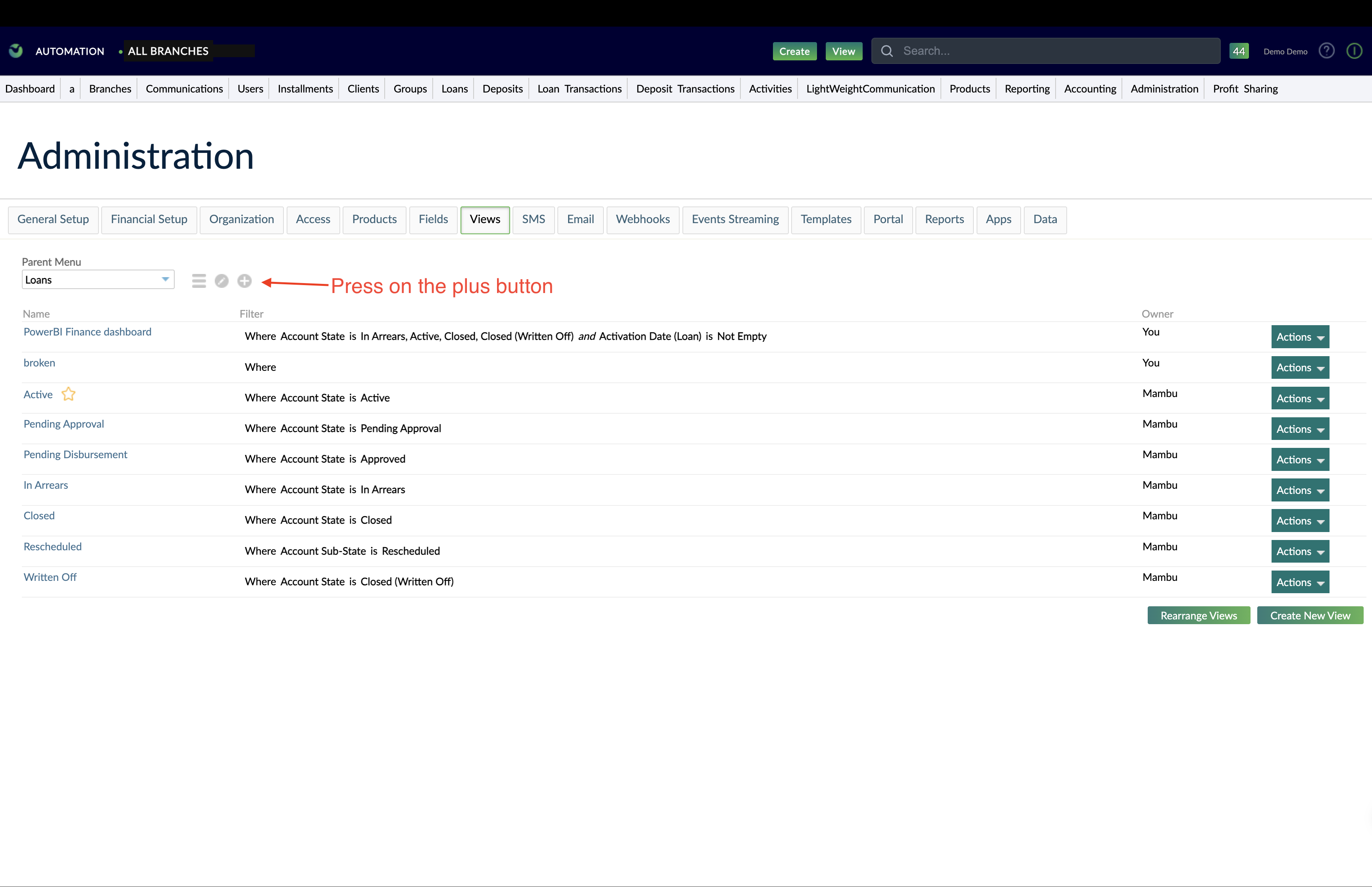 3. In the dialog: - Set **Type** to **Communications**. - Give it a meaningful name, for example `LightWeightCommunication`. 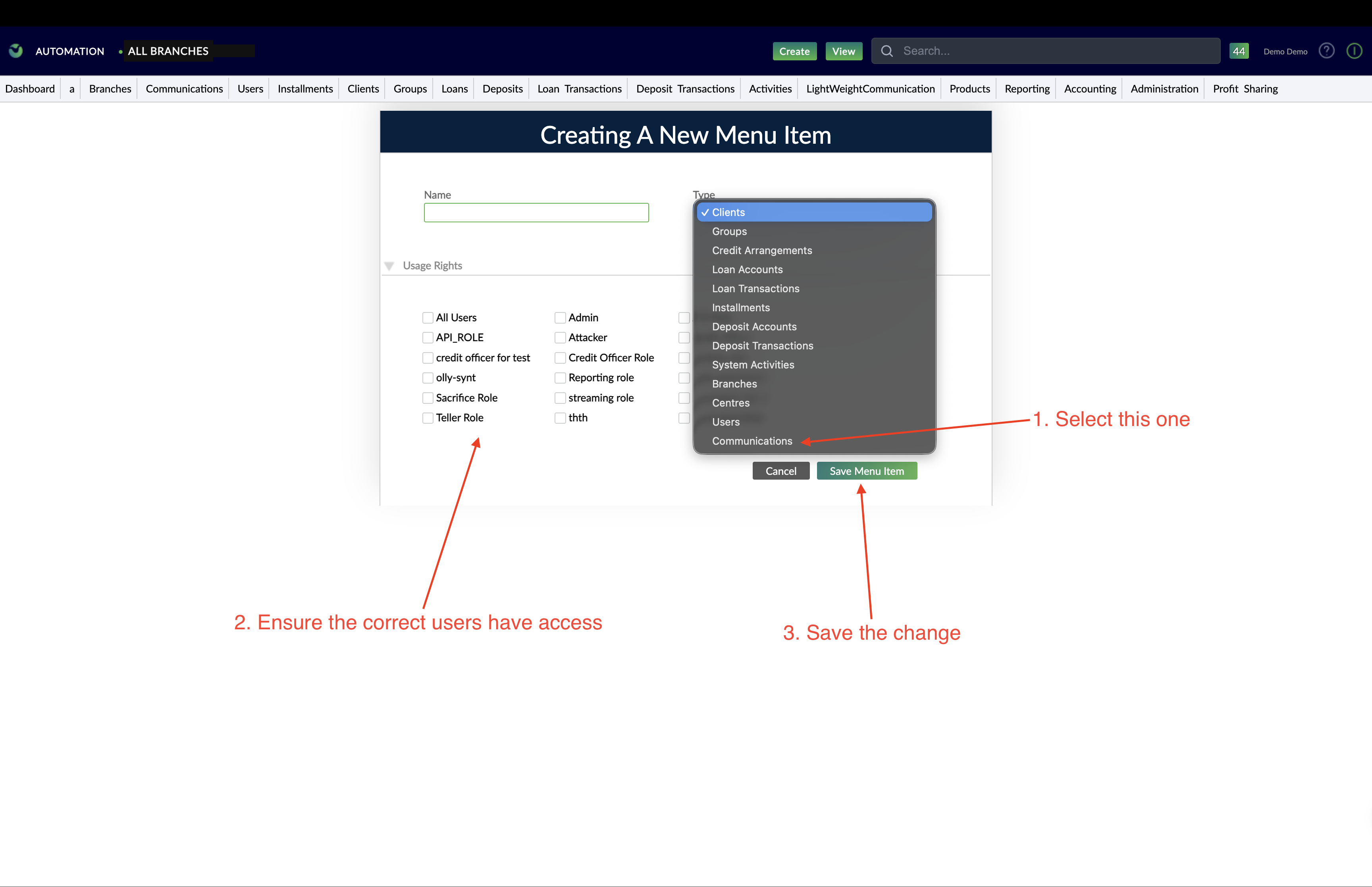 4. Assign the appropriate **permissions / roles** so that the users who need to troubleshoot notifications can access this view. 5. Save the changes. After saving, the new **Communications** view (for example, **LightWeightCommunication**) appears in the top horizontal navigation bar of the Mambu UI. ## Step 3 – Filter for the test email or SMS notification Now you can locate the test notification generated by your configuration test. 1. Click the **LightWeightCommunication** (or the name you chose) view in the top navigation bar. 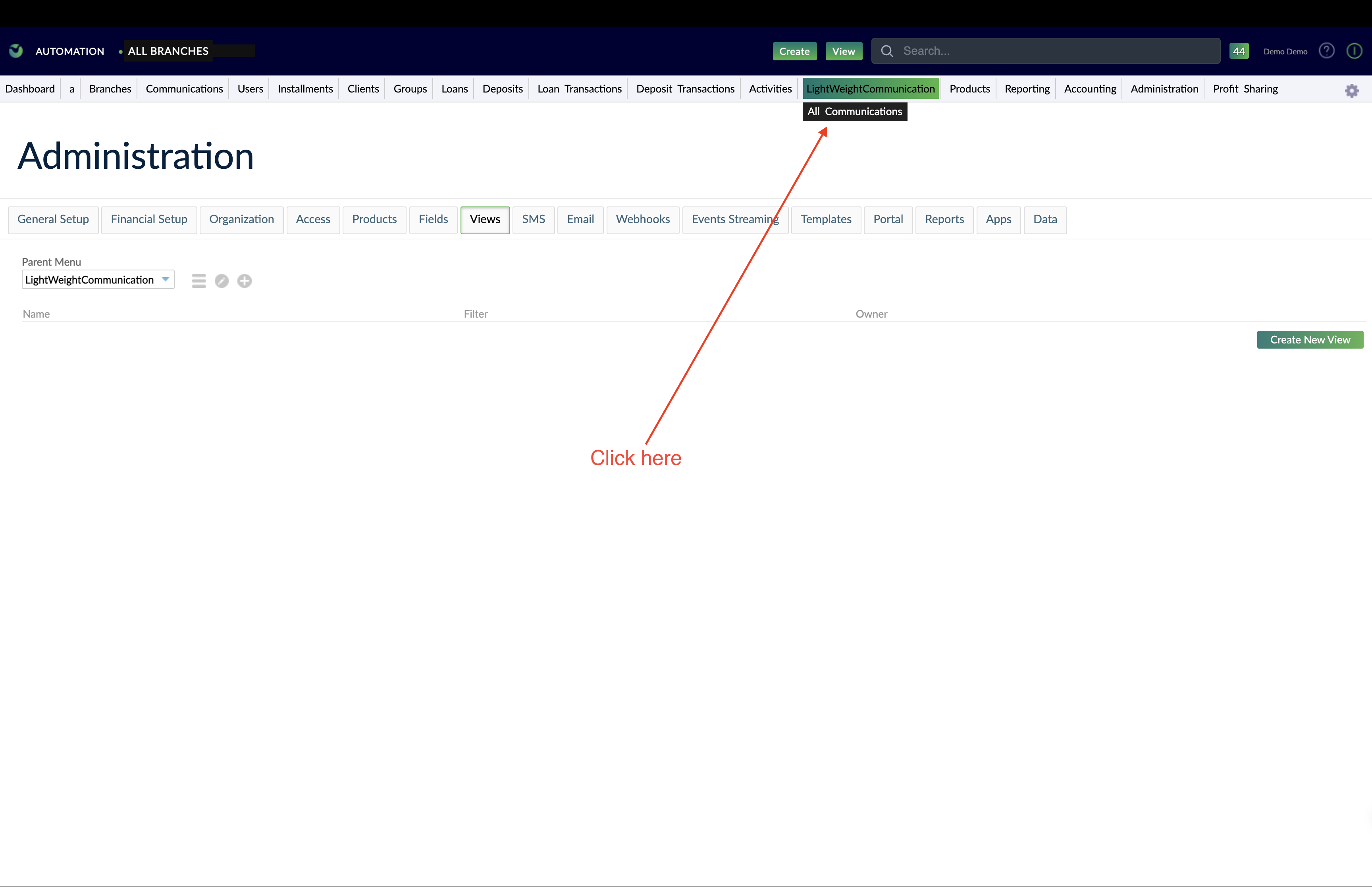 2. At the top of the page, open the filter dropdown labeled **No filter** and choose **Custom filter…**. 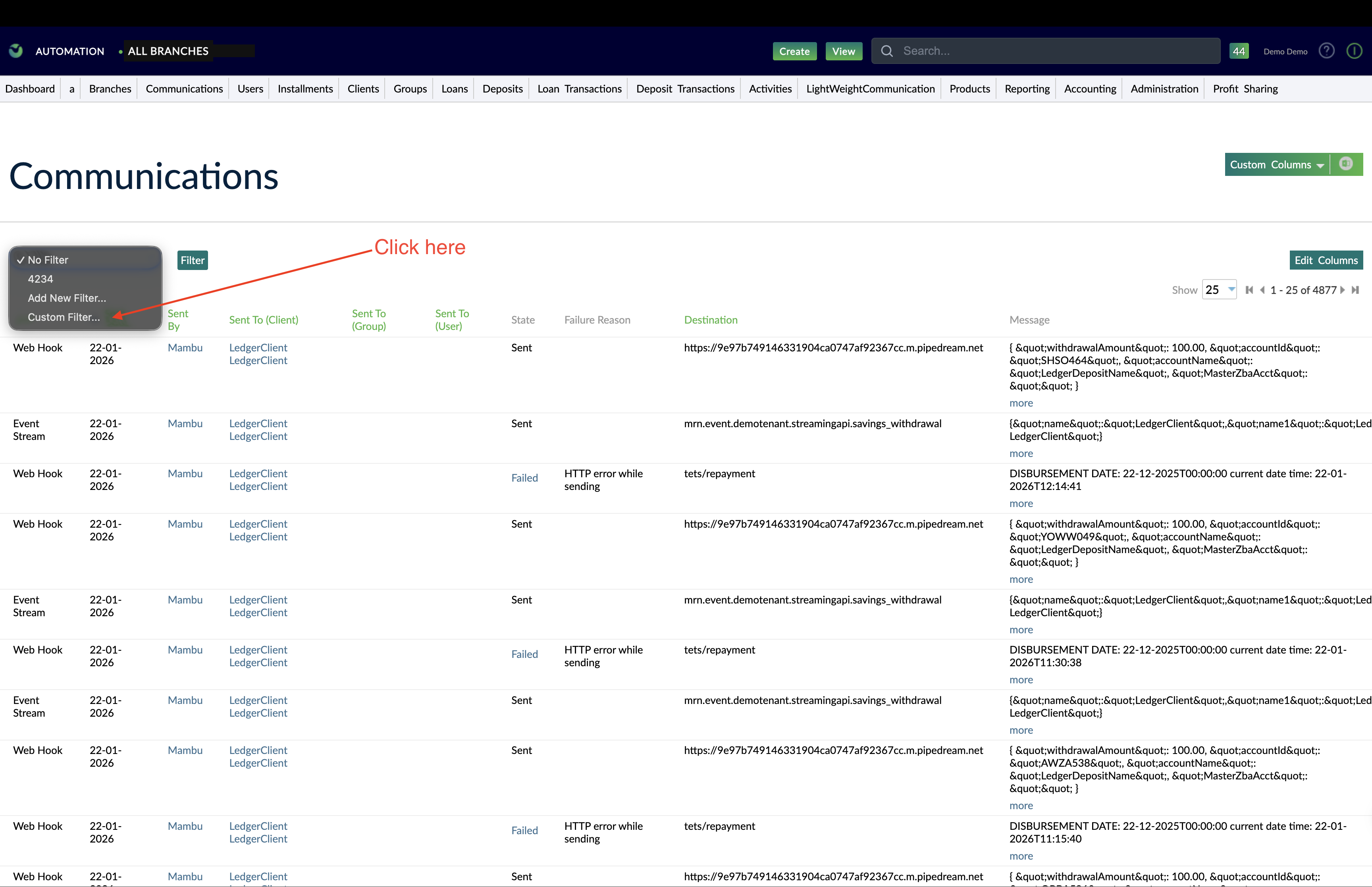 3. In the filter dialog: - Set **Type** to **Email** or **SMS**, depending on which configuration you tested. - Set **State** to **Failed**. - Restrict the **Creation date** (or similar date field) to **Today** (or the date and time window when you pressed the test button). 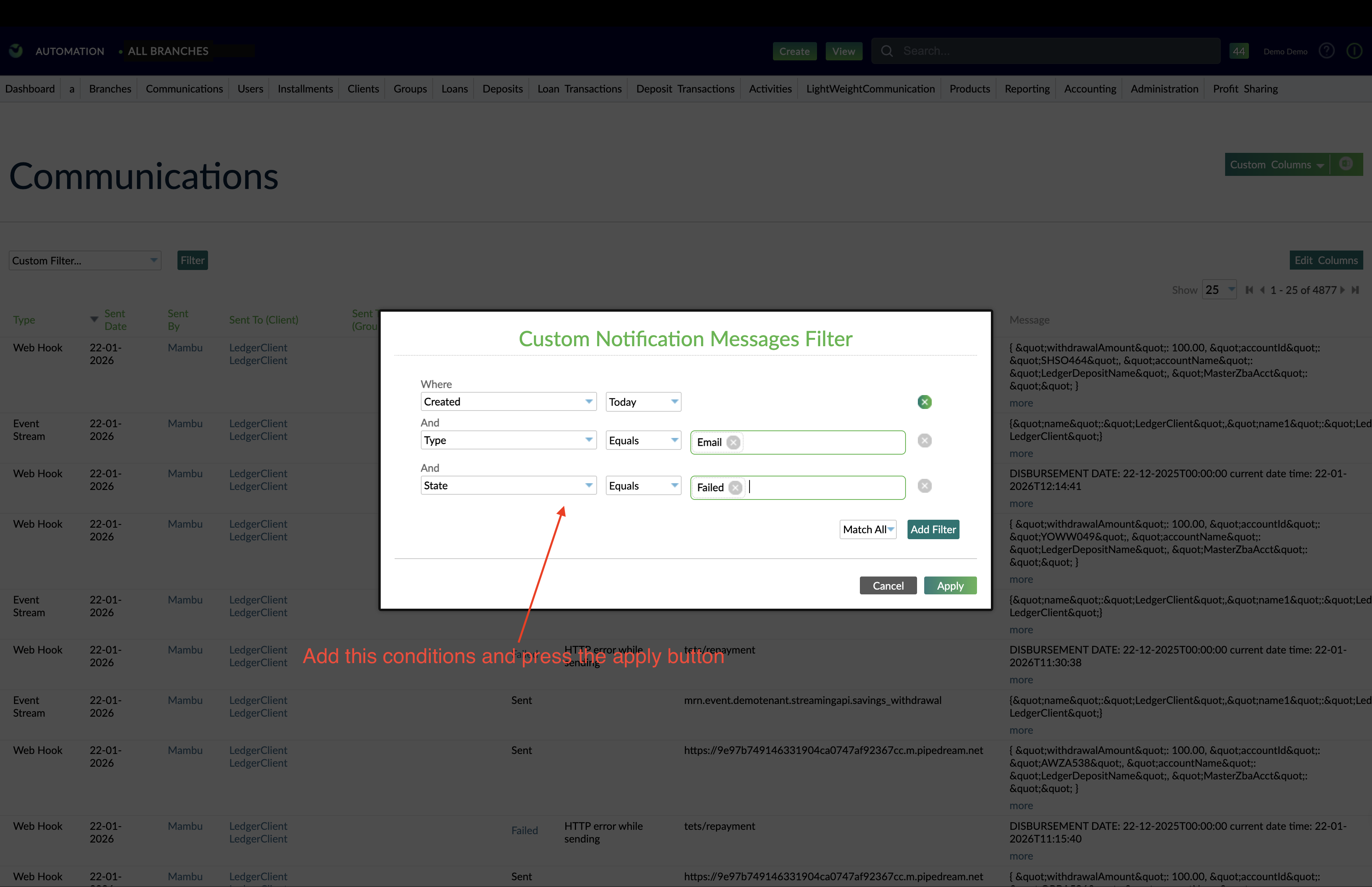 4. Click **Apply**. The dialog closes and the view refreshes to show only the notifications that match your filter. The failed test notification from your email/SMS configuration test should now be visible in the list. ## Step 4 – Add Failure Reason and Failure Details columns To understand *why* the setup failed, you need to see the diagnostic fields. 1. Click the green **Edit columns** button. 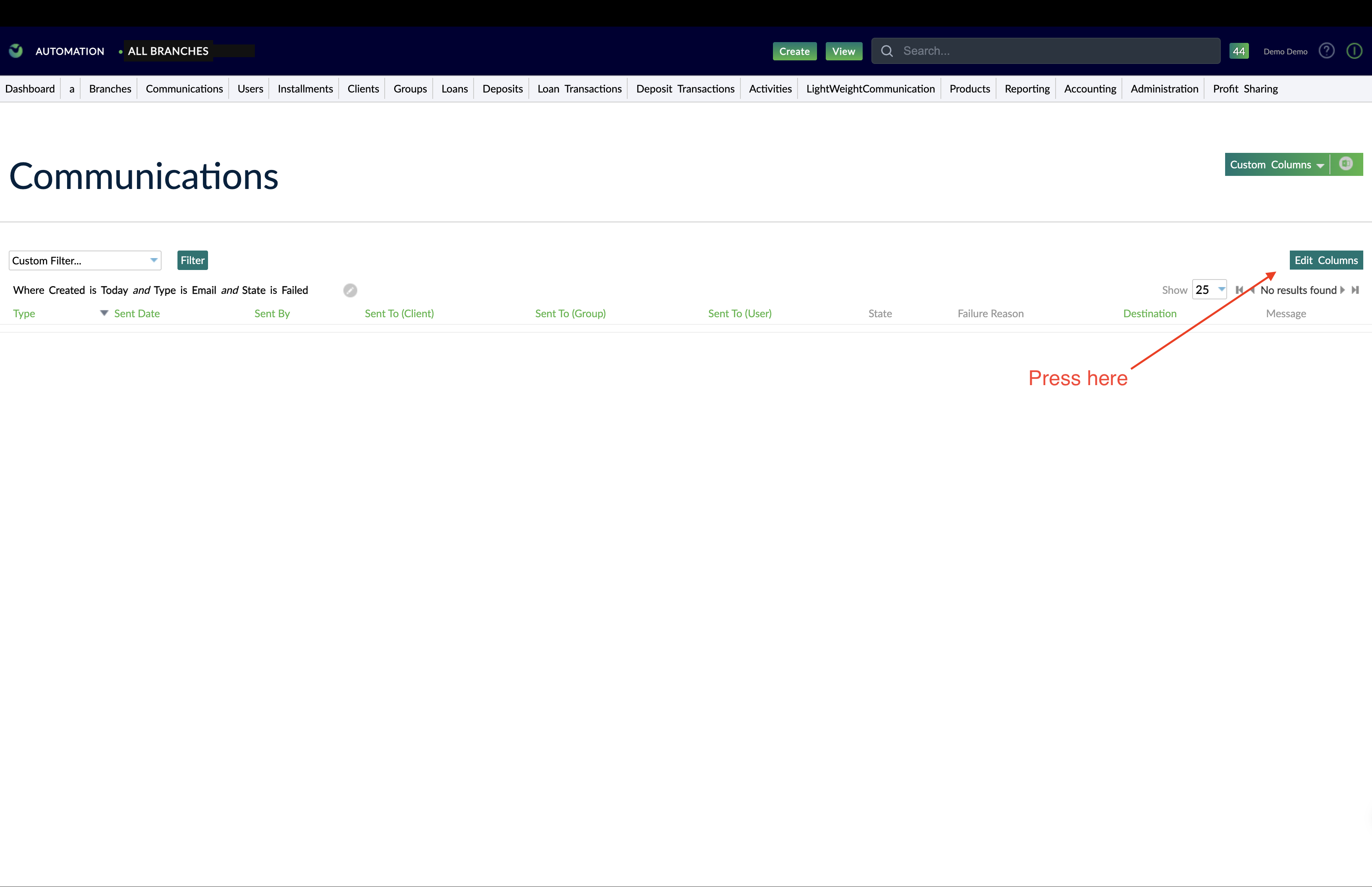 2. In the dialog: - Enable **Include timestamps**. - Add the following columns (search by name if needed): - **Failure Reason** - **Failure Details** 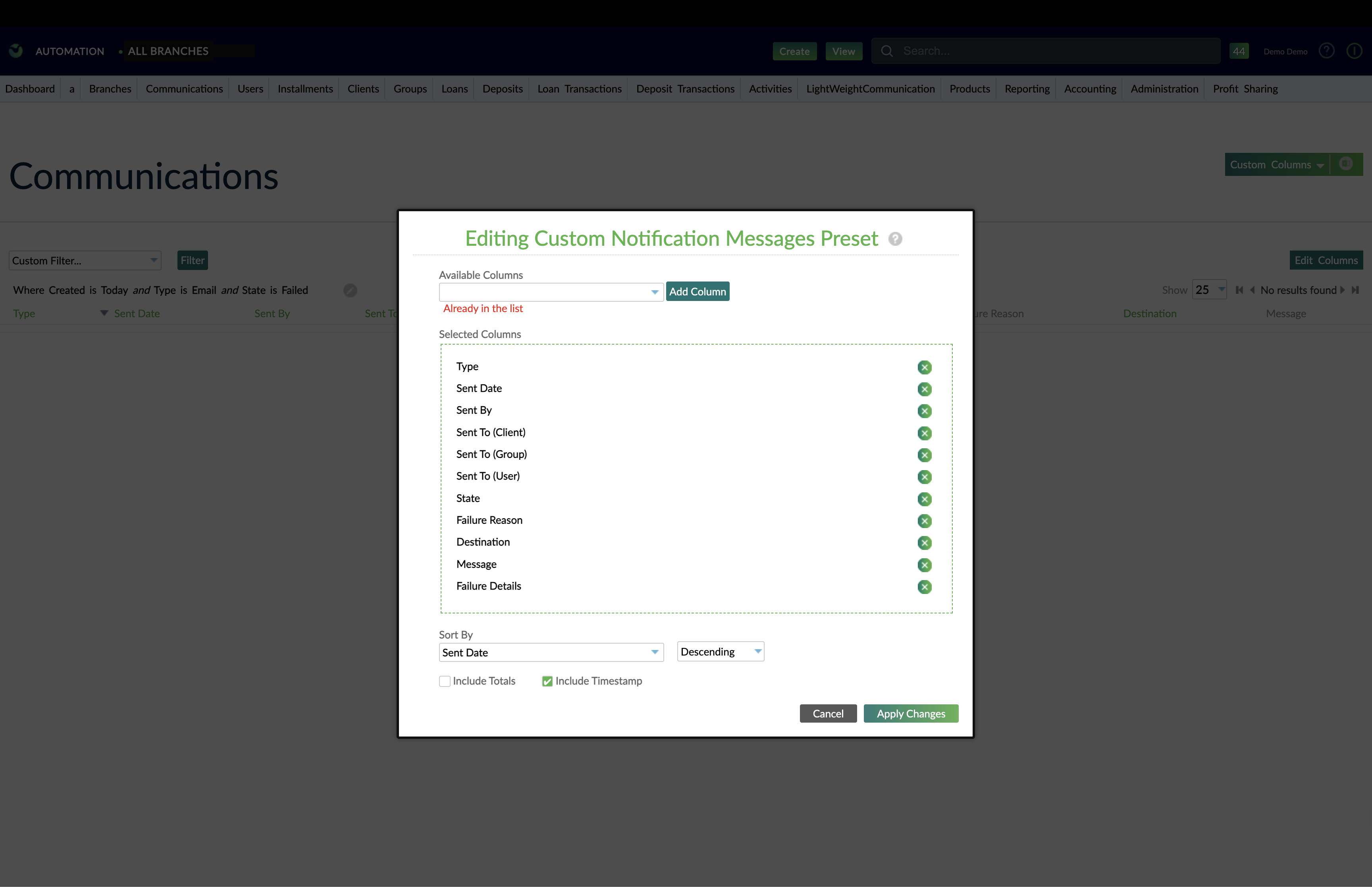 3. Click **Apply changes**. The dialog closes and the grid refreshes. The list is typically sorted so that the **most recent** notification (including your latest test) appears at the top. Locate the most recent failed notification that matches the time you pressed the **test configuration** button. ## Step 5 – Interpret the error for email and SMS setup Now use the **Failure Reason** and **Failure Details** to understand what went wrong with your setup. Typical patterns: ### 5.1 Authentication and credential issues Common examples: - **Failure Reason**: something like `INVALID_SMTP_CREDENTIALS`, `INVALID_SMS_GATEWAY_CREDENTIALS`, or a provider-specific credential error. - **Failure Details**: may mention “authentication failed”, “invalid username or password”, “invalid token”, or a provider error code. What to check: - SMTP or SMS provider username, password, token, or API key. - For Gmail / Google Workspace: - Confirm whether 2-step verification is enabled. - If yes, ensure you are using a valid app password for Mambu, not your normal account password. - Verify that the server host, port, and encryption settings (TLS/SSL) match the provider’s documentation. ### 5.2 Channel or service disabled Examples: - **Failure Reason**: `EMAIL_SERVICE_NOT_ENABLED`, `SMS_SERVICE_NOT_ENABLED`, or similar. - **Failure Details**: message indicating the channel is disabled. What to check: - In **Administration > Notifications > Email / SMS**, verify that: - The channel is **Enabled**. - Any required provider credentials are configured. - If you cannot access this area, contact an internal administrator with the necessary permissions. ### 5.3 Recipient / destination issues Even for a configuration test, Mambu needs a valid destination: - **Failure Reason**: `UNDEFINED_DESTINATION`, `MISSING_EMAIL_RECIPIENT`, `MISSING_SMS_RECIPIENT`, or a provider error indicating invalid address/number. - What to check: - The **Test recipient email** is valid and properly formatted. - The **Test phone number** is present and uses the correct international format (for example, `+| # | SEPA MULT | MESSAGE ELEMENT | SEPA CORE REQUIREMENTS |
|---|---|---|---|
| Document |
|
||
| 1..1 | FITo FICustomerCredit TransferV02 |
|
|
| 1 | 1..1 |
|
|
| 1.1 | 1..1 |
|
|
| 1.2 | 1..1 |
|
|
| 1.4 | 1..1 |
|
|
| 1.6 | 1..1 |
|
|
| 1.7 | 1..1 |
|
|
| 1.8 | 1..1 |
|
|
| 1.9 | 1..1 |
|
|
| 1.1 | 0..1 |
|
|
| 1.11 | 0..1 |
|
|
| 1.18 | 0..1 |
|
|
| 1.21 | 1..1 |
|
|
| 1..1 | **XML Tag** xs:choice | ||
| 1.22 | 1..1 |
|
|
| 1.24 | 1..1 |
|
|
| 1.25 | 0..1 |
|
|
| 1.26 | 0..1 |
|
|
| 1.27 | 0..1 |
|
|
| 2 | 1..n |
|
|
| 2.1 | 1..1 |
|
|
| 2.2 | 0..1 |
|
|
| 2.3 | 1..1 |
|
|
| 2.4 | 1..1 |
|
|
| 2.6 | 1..1 |
|
|
| 2.1 | 0..1 |
|
|
| 2.14 | 1..1 |
|
|
| 2.24 | 0..1 |
|
|
| 2.25 | 0..1 |
|
|
| 2.27 | 0..1 |
|
|
| 1..1 | **XML Tag** xs:choice | ||
| 2.28 | 1..1 |
|
|
| 2.29 | 1..1 |
|
|
| 2.33 | 1..1 |
|
|
| 2.34 | 1..1 |
|
|
| 2.35 | 0..1 |
|
|
| 2.44 | 0..1 |
|
|
| 2.45 | 0..2 |
|
|
| 2.46 | 0..1 |
|
|
| 1..1 | **XML Tag** xs:choice | ||
| 2.47 | 1..1 |
|
|
| 2.48 | 1..1 |
|
|
| 2.51 | 1..1 |
|
|
| 2.52 | 1..1 |
|
|
| 2.54 | 1..1 |
|
|
| 2.56 | 1..1 |
|
|
| 2.57 | 1..1 |
|
|
| 2.58 | 0..1 |
|
|
| 2.67 | 0..1 |
|
|
| 2.68 | 0..2 |
|
|
| 2.69 | 0..1 |
|
|
| 1..1 | **XML Tag** xs:choice | ||
| 2.7 | 1..1 |
|
|
| 2.71 | 1..1 |
|
|
| 2.74 | 1..1 |
|
|
| 2.75 | 0..1 |
|
|
| 2.76 | 0..1 |
|
|
| 2.78 | 0..1 |
|
|
| 1..1 | **XML Tag** xs:choice | ||
| 2.79 | 1..1 |
|
|
| 2.8 | 1..1 |
|
|
| 2.85 | 0..1 |
|
|
| 1..1 | **XML Tag** xs:choice | ||
| 2.86 | 1..1 |
|
|
| 2.9 | 0..1 |
|
|
| 2.91 | 0..1 |
|
|
| 2.92 | 0..1 |
|
|
| 2.95 | 0..1 |
|
|
| 2.96 | 0..1 |
|
|
| 2.97 | 1..1 |
|
|
| 1..1 | **XML Tag** xs:choice | ||
| 2.98 | 1..1 |
|
|
| 2.1 | 0..1 |
|
|
| 2.101 | 1..1 |
|
|
| Processing code | Description | Direction |
|---|---|---|
| 00 | Purchase | Debit |
| 01 | Withdrawal | Debit |
| 02 | Debit Adjustment | Debit |
| 09 | Purchase with Cash Back | Debit |
| 10 | Account Funding | Debit |
| 17 | Cash Disbursement | Debit |
| 18 | Scrip issue | Debit |
| 20 | Purchase Return Refund |
Credit |
| 21 | Deposit | Credit |
| 22 | Credit Adjustment | Credit |
| 23 | Check Deposit Guarantee | Credit |
| 24 | Check Deposit | Credit |
| 28 | Payment Transaction | Credit |
| 30 | Balance inquiry | None |
| Business case | MTI | DE3_1 | Purpose |
|---|---|---|---|
| Debit authorization request | 0100 | 00, 01, 02, 09, 10, 17, 18 | Create a debit hold if the available balance is sufficient. |
| Credit authorization request | 0100 | 20, 21, 22, 23, 24, 28 | Create a credit hold. |
| Incremental authorization request | 0100 | 00, 01, 02, 09, 10, 17, 18 | Increase a debit hold amount if the available balance is sufficient. |
| Balance inquiry | 0100 | 30 | Get the ledger and the available balances of a card account. |
| Debit authorization advice | 0120 | 00, 01, 02, 09, 10, 17, 18 | Create a debit hold without the available balance check. |
| Credit authorization advice | 0120 | 20, 21, 22, 23, 24, 28 | Create a credit hold. |
| Incremental authorization advice | 0120 | 00, 01, 02, 09, 10, 17, 18 | Increase a debit hold amount without the available balance check. |
| Final authorization advice | 0120 | 00, 01, 02, 09, 10, 17, 18 | Change a debit hold amount. |
| Declined authorization advice | 0120 | - | Fully reverse a hold. |
| Declined incremental authorization advice | 0120 | - | Reverse the increase of a hold. |
| Full authorization reversal | 0400, 0420 | - | Fully reverse a hold |
| Partial authorization reversal | 0400, 0420 | - | Partially reverse a hold. |
| Debit transaction request | 0200 | 00, 01, 02, 09, 10, 17, 18 | Create a debit transaction if the available balance is sufficient. |
| Credit transaction request | 0200 | 20, 21, 22, 23, 24, 28 | Create a credit transaction. |
| Debit transaction advice | 0220 | 00, 01, 02, 09, 10, 17, 18 | Create a debit transaction without the available balance check. |
| Credit transaction advice | 0220 | 20, 21, 22, 23, 24, 28 | Create a credit transaction. |
| Declined transaction advice | 0220 | - | Fully reverse a transaction. |
| Transaction reversal | 0400, 0420 | - | Fully reverse a transaction. |
| Declined request | 0100, 0200 | - | Decline authorization or transaction request. |
| Business case | MTI | ISO_MSG.3 | Purpose |
|---|---|---|---|
| Debit transaction presentment | 1240 | 00, 01, 02, 09, 10, 17, 18 | Create a debit transaction without the available balance check. |
| Credit transaction presentment | 1240 | 20, 21, 22, 23, 24, 28 | Create a credit transaction. |
| Presentment reversal | 1240 | - | Fully reverse a transaction. |
MBU Bennett Bank. - Branch:
Address: 1506 00502 Tel:
Deposits Account Statement
Printed on:
| Client Information: | Account Information: |
|---|---|
Name: | Product: |
| Transaction Date | Transaction ID | Transaction Type | Debit Amount | Credit Amount | Balance |
| FORMAT | FORMAT | FORMAT |
The options are:
This parameter will be used when calculating the aggregated account balance over the profit calculation cycle and profit payment cycle period.
| Default value | | Days in year | Profit calculation will be performed using Actual/365 days per year. | Default value | | Profit calculation start date | Identify the beginning date for the current profit sharing cycle. This date should be the same as the effective date or set in the future. | Yes | | Customer share loss | At the moment, the loss cannot be shared— the only available option is "No." | Default value | | **Profit sharing GL Accounts** | These are general ledger accounts used to record and track the allocation and distribution of profits to eligible accounts | Optional | | Profit suspense amount | This GL account is a temporary holding account used to record all Income categories amounts that are yet to be allocated | Optional | | Reserve Accounts | These GL accounts represent profit amount that have been set aside due to some reasons | Optional | | Bank P&L account | This GL account, a records the bank customer % from each account in profit calculation process | Optional | | Mudarib share account | This GL account is used to record the difference (amount) between customer share amount and final profit amount (adjusted customer share amount) | Optional | In addition to creating pools, you can: * Edit the existing pool and pool settings with the same effective date by selecting **Actions** > **Edit**. The profit calculation process will take the setting with the latest effective date. * View the existing pool settings by selecting **Actions** > **View**. * Copy the existing pool settings by selecting **Actions** > **Copy**. * Deactivate the existing pool by selecting **Actions** > **Edit** > **Inactive**. ## Configure incomes **Standard:** Revenue generated from Sharia-compliant financing and investment activities (e.g. Murabaha, Wakala, Ijarah, Sukuk). Only income from permissible sources is eligible for distribution to customers. **Business:** Income categories linked to the Pool define which revenue streams contribute to the distributable profit. Each income category specifies an Income Source type, which determines how the income participates in profit distribution: * **Financing Income** — income from the bank's financing products (Murabaha, Ijarah, Tawarruq, etc.) funded by customer deposits. Always involved in the distributable profit calculation, regardless of A/L check setting. * **Other Productive Asset Income** — income from the bank's non-financing productive assets (Sukuk, investment portfolios, interbank placements) funded by customer deposits. Only involved in distribution when the Asset/Liability Check is enabled at Pool level. Each Income Category is also linked to an Asset GL account (1:1) which is used as the asset balance source when A/L check is enabled at Pool level. Income covers the different income categories from the investments. For example, within a real estate investment pool you may have income categories for rental property income and another for business property income. Income categories are linked to specific deposit accounts, and associated with a defined number of pools. * In the **Configuration** > **Incomes** section of the **Profit Sharing** tab, click **Create income category**. You can configure the following parameters: | Parameter | Description | Required | | ----------- | ----------------------------------------------------------------------------------------------- | -------- | | Name | The name of the income category. Include at least 3 or more characters, symbols cannot be used. | Yes | | Description | Document additional details or context related to the income category. | No | Once an income category is created, it can have multiple different kinds of settings. For example, it can be derived from different sources, or be linked to different pools. To manage income settings for an income category: 1. Select **Actions** > **View settings**. This will show a list of the settings associated with the income. 2. In the income settings screen, click **Create income settings**. You can configure the following parameters: | Parameter | Description | Required | | ----------------- | ----------------------------------------------------------------------------------------------------------------------------------------------------------------------------------------------------------------------------------------------------------------- | ------------- | | Effective date | The date when the change should be implemented. | Yes | | Allocation method | Specifies the method employed for allocating income. Select one of the following options from the drop-down menu:| Payments Method | Pre-Payment Allocation | Mark Installment as Paid When | Adjust Payment Dates | Adjust Principal Payment Schedule | Adjust Interest Payment Schedule | Adjust Fee Payment Schedule | Adjust Penalty Payment Schedule | Adjust Number of Installments | Configure Payment Holidays |
|---|---|---|---|---|---|---|---|---|---|
| Standard and Optimized Payments | On Next Installments | Full Due is Paid (on/after Due Date) | ✔ | ✔ | ✔ | ✔ | |||
| Principal Expected is Paid (before/on Due Date) | ✔ | ✔ | |||||||
| On Upcoming Pending Installment Only | Full Due is Paid (on/after Due Date) | ✔ | ✔ | ✔ | ✔ | ||||
| Principal Expected is Paid (before/on Due Date) | ✔ | ✔ | |||||||
| Balloon Payments | No prepayment calculation | N/A | ✔ | ✔ |
| Repayment Method | Repayment Option | Payment Option | Adjust Payment Dates | Adjust Number of Installments |
|---|---|---|---|---|
| Amount | Principal Payment | Flat Amount | Yes | Yes |
| % of Outstanding Principal | Yes | Yes | ||
| % of Outstanding Principal After Last disbursement | Yes | Yes | ||
| Total Due Payment | Flat Amount | |||
| % of Total Balance | ||||
| % of Outstanding Principal Not Yet Due | Yes | Yes | ||
| Installments |
| Repayment Option | |||||||
|---|---|---|---|---|---|---|---|
| Amount | Installments | ||||||
| Principal Payment | Total Due Payment | ||||||
| Penalty Option | Flat Amount | % of Outstanding Principal | % of Outstanding Principal After Last Disbursement | Flat Amount | % of Total Balance | % of Outstanding Principal Not Yet Due | |
| No Penalty | Yes | Yes | Yes | Yes | Yes | Yes | Yes |
| Overdue Principal * # of Late Days * Penalty Rate | Yes | Yes | Yes | Yes | Yes | ||
| (Overdue Principal + Overdue Interest) * # of Late Days * Penalty Rate | Yes | Yes | Yes | Yes | Yes | ||
| Outstanding Principal * # of Late Days * Penalty Rate | Yes | Yes | Yes | Yes | |||
| Repayment Option | |||||||
|---|---|---|---|---|---|---|---|
| Amount | Installments | ||||||
| Principal Payment | Total Due Payment | ||||||
| Fee Type | Flat Amount | % of Outstanding Principal | % of Outstanding Principal After Last Disbursement | Flat Amount | % of Total Balance | % of Outstanding Principal Not Yet Due | |
| Manual Fee | Yes | Yes | Yes | Yes | Yes | Yes | Yes |
| Deducted Disbursement | Yes | Yes | Yes | Yes | Yes | Yes | Yes |
| Capitalized Disbursement | Yes | Yes | Yes | Yes | Yes | Yes | Yes |
| Upfront Disbursement | Yes | Yes | Yes | Yes | Yes | Yes | Yes |
| Late Repayment | Yes | Yes | Yes | Yes | |||
| Payment Due | |||||||
| Repayment Method | Repayment Option | Payment Option | Exclusive | Inclusive |
|---|---|---|---|---|
| Amount | Principal Payment | Flat Amount | Yes | |
| % of Outstanding Principal | Yes | |||
| % of Outstanding Principal After Last Disbursement | Yes | |||
| Total Due Payment | Flat Amount | |||
| % of Total Balance | ||||
| % of Outstanding Principal Not Yet Due | Yes | |||
| Installments |
If you have a question about how anything works or have come across something you haven't seen explained here, get in touch with our community of fellow users and Mambuvians where someone will lend a hand.
* If you don't already have an account you will be prompted to create one when you first visit the site.
--- # Running Proposals URL: https://docs.mambu.com/docs/running-proposals/ The profit sharing process consists of three steps: 1. [Profit Calculation](/docs/profit-calculation) 2. [Profit Approval](/docs/profit-approval) 3. [Profit Application](/docs/profit-application) The profit calculation process is triggered by the EOD (end-of-day) process. The default proposal is created on the second day of the profit calculation cycle. In the middle of this cycle, you can view indicative information for the period from the start day of the profit calculation cycle until the present day. At the end of the profit cycle, the profit calculation is finished and distributed for relevant accounts. For more information refer to [Manual and Automated EOD Process](/docs/manual-and-automated-eod-process). ## Testing in sandbox Currently we have provided the temporary option **Jobs** in the **Profit sharing** service, for manual triggering of the profit calculation process. 1. Navigate to **Profit Sharing** > **Jobs**. 2. For proposal generation, you will need to run a job on the second day of profit calculation cycle. 1. select a date from the calendar and click **Start job**. 3. For the proposal's final results, you will need to run a job on the first day of the next profit calculation cycle. 1. Select a date from the calendar and and click **Start job**. 4. For the cycle's final results you need to search for a job on the last day of the profit calculation cycle. 1. Select a date from the calendar and click **Search**. The list shows each pool cycle's calculation. The following fields are shown: | Field name | Description | | --- | --- | | ID | ID of the proposal. | | Pool ID | ID of the pool. | | Pool Name | Name of the pool. | | Equivalent Rate | The calculated percentage of profit in the pool for the cycle. This can be shown either in decimal or percentage, depending on the pool allocation. | | Average Balance | The average account balance for each pool. | | Status | The current status of the proposal. | | Profit Amount | The calculated (distributable) profit amount for the pool. _Profit amount_ = Total income - total expense. | | Total Income | The calculated total amount of income allocated to the pool. | | Total Expenses | The calculated total amount of expense allocated to the pool. | ## Reviewing profit cycles To view the complete breakdown of a proposal, select **Actions** > **View cycles**. 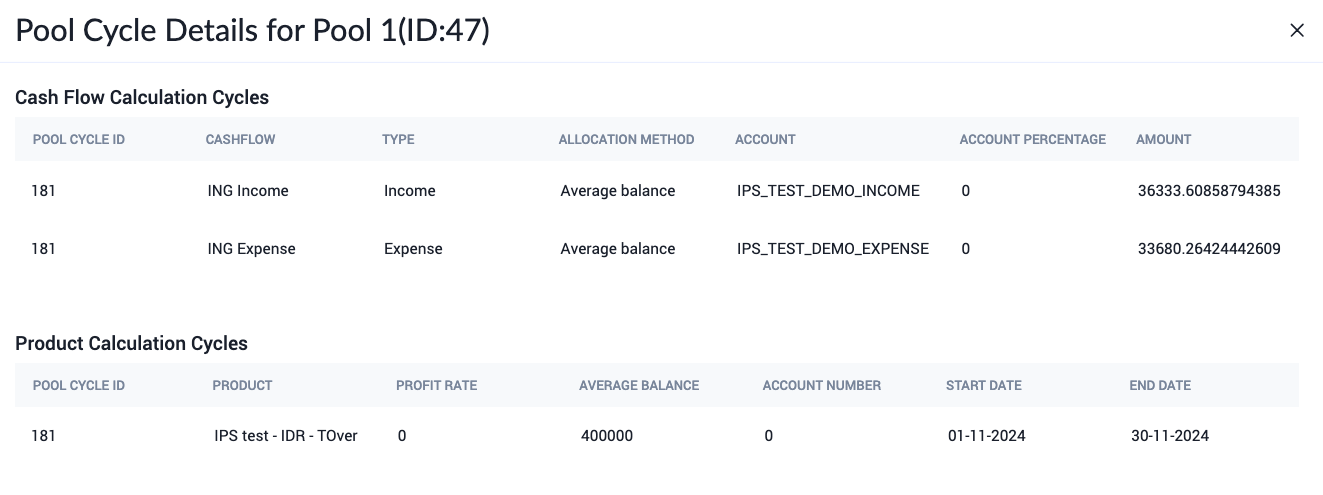 The overview shows the following information: ### Cash flow calculation cycles Cash flow calculation cycles give an overview of the total cashflow of the accounts in a pool. The following fields are shown in this section: | Field name | Description | | --- | --- | | Pool Cycle ID | The ID of the pool cycle. | | Cashflow | The income or expense association used for a cash flow calculation. | | Type | The type of account linked to the pool - either Income or Expense. | | Allocation Method | The allocation method for the pool calculation. | | Account | The GL account used in the pool. | | Account Percentage | The percentage of profit sharing allocated to that pool in each account. | | Amount | The total cash flow amount for the account. | ### Product calculation cycles Product calculation cycles show the average balance and profit rates for the products in a pool. The following fields are available in this section: | Field name | Description | | --- | --- | | Pool Cycle ID | The ID of the pool cycle. | | Product | The product used in the calculation cycle. | | Profit Rate | The percentage of profit accumulated in the calculation cycle. | | Average Balance | The average balance of the accounts in the product over the calculation period. | | Account Number | The number of accounts contained in the product. | | Start Date | The start date of the profit calculation cycle. | | End Date | The end date of the profit calculation cycle. | ## Generating proposals On the second day of a new profit calculation period, a proposal is automatically generated. 1. Navigate to **Profit Sharing** > **Proposals**. 2. There will be two tabs visible: **Open** and **Closed** 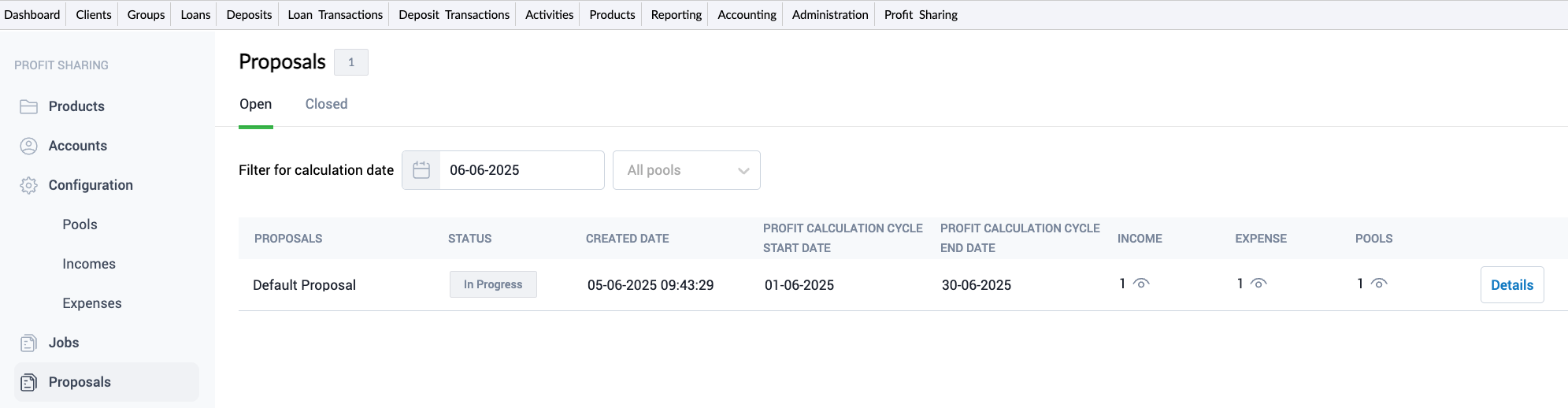 The **Open** tab shows indicative proposals that are currently being processed. Once the profit sharing process is complete, the proposal is moved to the **Closed** tab. Proposals here will have one of two statuses: * *Approved* - the profit calculation is approved but has not yet been applied to all accounts due to different payment cycle dates. * *Applied* - the calculated profit has been approved and successfully applied to all relevant accounts. :::note The profit sharing process is fully automated. As a result, proposals will appear in the **Closed** proposals tab once their profit cycle is complete. You will typically not see active proposals in the **Open** proposals tab. ::: ## Proposal details Proposals present the profit calculation results at the Pool, Product, and Account levels for all pools that share that period's start date and have common Income and Expense categories. 1. Navigate to **Profit Sharing** > **Proposals**. 2. Click the **Details** button. The **Proposal** screen will open, showing a breakdown of the entire profit calculations used to derive the profit sharing proposal.  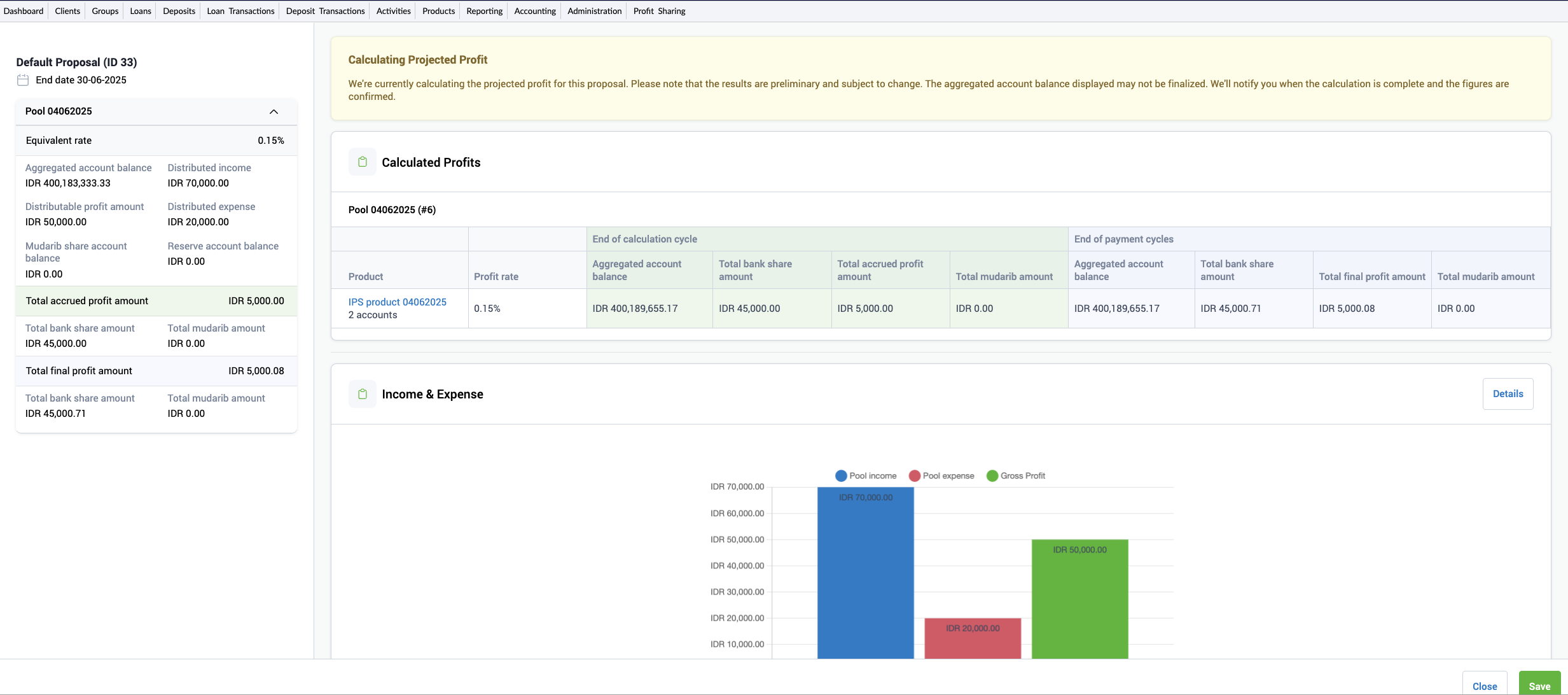 --- # Sandbox URL: https://docs.mambu.com/docs/sandbox/ Your Mambu instance includes a *production tenant* and a *sandbox tenant*. Your live application is hosted on your production tenant. While the sandbox tenant is a fully functional, isolated testing space that runs on a separate tenant. You can use your sandbox to test configurations, updates, and new products or features before making them available to your clients in production. This allows you to "play in the sandbox" to try out new features and workflows, train your staff, or develop applications without changing your live data. The complete Mambu UI and Mambu API are both fully available in the sandbox and production tenants. You may log into the Mambu UI at the following URLs: * Sandbox: `https://TENANT_NAME.sandbox.mambu.com` * Production: `https://TENANT_NAME.mambu.com` For more information on the sandbox API, see [Sandbox](/api/pages/api-v2/sandbox) in our API Reference. :::note If you have federated authentication enabled, you must set up separate applications for both tenants in your IdP. For more information, see [Using sandboxes with federated authentication enabled](/docs/enable-federated-authentication-with-mambu#using-sandboxes-with-federated-authentication). ::: The two tenants are part of the same instance, but are otherwise mostly independent. What you do in your sandbox does not affect production data, and vice versa, with one important exception: :::warning Sandbox tenants do not have redundant servers or database backups. We strongly recommend that you do not use a sandbox for live client data. ::: The sandbox is generally one version ahead of the production tenant. As such, it may include changes that are currently in, or may soon be in, the production tenant. For more information, see [Mambu Release Cycle](/docs/mambu-release-cycle). ## Sandbox management To manage your sandbox, go to the Customer Service Portal. For more information and instructions, see [Customer Service Portal - Sandbox Management](/docs/customer-service-portal#sandbox-management). ## Distinguishing the sandbox from production You may distinguish sandbox from production by looking at the base URL. Also, the sandbox UI has a blue bar with the label **Sandbox Environment** at the bottom of each page.  ## Populating your sandbox with data To populate your sandbox with data, you may: * Clone production data to your sandbox * Use Configuration as Code (CasC) ### Cloning production data to your sandbox There are two options available for cloning production data to your sandbox: **Clone with Production Anonymized Client Data** and **Clone with Production Data**. For more information on how to clone, see [Customer Service Portal - Cloning production to sandbox](/docs/customer-service-portal#cloning-production-to-sandbox). For security and compliance reasons, when you clone your production data to sandbox, API keys are not copied over. You must create new API keys for your newly cloned sandbox tenant. For more information, see [API Consumers - API keys](/docs/api-consumers#api-keys). #### Client data anonymization If you clone production with anonymized client data, your data will be modified as described below: **Notifications** | Action | Items | |---|---------------------------------------------------------------------------------------------------------------------------------------------------------------------------------------------------------------------------------------------------------------------------| | Unsubscribed | All clients are unsubscribed from notifications | | Deleted | - Notification requests associated with the client| Product Groups | Product Categories | Product Types | |||
| Current account | Savings account | Savings plan | Fixed deposit | ||
| Stored Value Accounts | Stored Value Accounts | Yes | No | No | No |
| Consumer Deposits | Daily Banking | Yes | No | No | No |
| Personal Deposits | No | Yes | Yes | Yes | |
| Business Deposits | Business Banking | Yes | No | No | No |
| Business Deposits | No | Yes | Yes | Yes | |
| Product Categories | Product Types | ||||
| Fixed Term Loan | Dynamic Term Loan | Interest-Free Loan | Tranched Loan | Revolving Credit | |
| Personal Lending | Yes | Yes | Yes | Yes | Yes |
| Purchase Financing | Yes | Yes | Yes | No | Yes |
| Retail Mortgages | No | Yes | No | Yes | No |
| SME Lending | Yes | Yes | Yes | Yes | Yes |
| Commercial | No | Yes | No | No | No |
| Total Balance | Overdraft Limit | Amount | Card Settlement Type | Execution Result | Expected Available Balance | Technical Overdraft Amount |
|---|---|---|---|---|---|---|
| -100 | 100 | 1 | Financial Request | fail | 0 | 0 |
| -100 | 100 | 1 | Financial Advice | success | -1 | 1 |
| 0 | 0 | 1 | Financial Request | fail | 0 | 0 |
| 0 | 0 | 1 | Financial Advice | success | -1 | 1 |
| 100 | 100 | 1 | Financial Request | success | 199 | 0 |
| 100 | 100 | 1 | Financial Advice | success | 199 | 0 |
| 100 | 100 | 201 | Financial Request | fail | 200 | 0 |
| 100 | 100 | 201 | Financial Advice | success | -1 | 1 |
If you have a question about how anything works or have come across something you haven't seen explained here, get in touch with our community of fellow users and Mambuvians where someone will lend a hand.
* If you don't already have an account you will be prompted to create one when you first visit the site.
--- # Understanding Users, Roles, and Permissions URL: https://docs.mambu.com/docs/understanding-users-roles-and-permissions/ A *user* is anyone who accesses and uses Mambu via the UI or the API. Users are assigned *permissions* which determine the information they can access and the tasks they can perform. Each permission has a name and covers one action or a small subset of action - for example `VIEW_CLIENT_DETAILS`. Permissions can be assigned to users either directly or through a role. A *role* is a way to group permissions and to control other forms of access within Mambu. For more information about roles, see [Roles](/docs/roles). For a full list of permissions, see [Permissions](/docs/permissions). :::note Roles or permissions may also be assigned to API consumers and apply in the same way. For more information, see [API Consumers](/docs/api-consumers). :::  ## Assigning permissions to a user You may choose to assign permissions to a user directly or they can be assigned through a role. You cannot do both. We recommend assigning permissions to users through roles because it allows for more control over access in Mambu. For more information, see [Access managed by role](#access-managed-by-role). :::note Some permissions may only be assigned to a role, and cannot be assigned directly to a user. ::: ### Permissions assigned directly to a user You can assign permissions directly to the user either via the Mambu UI or API. For more information, see [Creating a User - Permissions](/docs/creating-new-users#permissions). ### Permissions assigned through a role To assign permissions to a user through a role, you have to both create a role and assign all the relevant permissions to it, and assign the role to the user. A user can only have one role. Roles make it easier to add or remove permissions for multiple users as you only need to update the permission at the role level and not for each individual user who has been assigned a permission. ## Access managed by role There are activities and groups of information where access can only be managed by assigning a user a role instead of assigning a set of permissions directly to a user. These instances can be split up into two main types. The first type when access is granted to users that have a specific role assigned to them which is irrespective of what permissions are assigned to the role itself. For more information, see [Access granted to roles irrespective of assigned permissions](#access-granted-to-roles-irrespective-of-assigned-permissions). The second type is when users are granted access provided that they have a specific role assigned to them and that this role has specific permissions assigned to it. For more information, see [Access granted only to roles with appropriate permissions](#access-granted-only-to-roles-with-appropriate-permissions). ### Access granted to roles irrespective of assigned permissions In some cases, you grant access to specific pieces of information in Mambu using roles. In these cases, the access is granted to those roles irrespective of what permissions are assigned to them. #### Custom fields example For example, when you are working with custom fields there are two types of access that you can manage. One kind of access is to determine which users can view, create, edit, or delete custom field definitions. Another kind of access is to determine which users are able to manage custom field values for specific custom field definitions. To assign a user the right to view, create, edit, or delete custom field definitions you have to assign the appropriate permissions to them either directly or through a role; for example, by assigning the `EDIT_CUSTOM_FIELD` permission. However, to allow a user to enter a custom field value for a particular custom field definition when it appears in a form they have to have a specific role assigned to them and that role has to be selected in the **Rights** section of that particular custom field definition. The permissions assigned to the role are irrelevant in this case. The only way the user can have access to enter a custom field value is to have their role selected. For more information about custom field permissions, see [Custom field permissions](/docs/custom-fields#custom-field-definition-permissions) and for more information about granting access to roles to manage custom field information, see [Custom Fields - Rights section](/docs/custom-fields#configuring-rights-for-roles). ### Access granted only to roles with appropriate permissions In other cases, you have to assign appropriate permissions to a role and subsequently assign the role to a user for them to have access. Assigning permissions directly to a user will not work unless the option to grant access to all users is selected. For example, access to view menu items with views is managed at the role level with specific permission assignment. If the **All Users** option is not chosen for the **Clients** menu item then in order for a user to see the **Clients** menu item the role assigned to them must have the `VIEW_CLIENT_DETAILS` permission assigned to it and the role has to be selected in the **Usage Rights** section of the menu item form. If either of these conditions is not met, the user will not have access. For more information, see [Menu item types and permissions](/docs/menu-items#menu-item-types-and-permissions). ## Guidelines for assigning roles and permissions ### Administrators Administrators have access to sensitive data and can do practically anything in Mambu. We recommend you have a minimum of two administrators for account management purposes. For example, an administrator can reset another administrator's password. In the case of an account lockout it is useful to have another administrator in your organization. We recommend a maximum of four administrators in your organization for data security. ### General permission assignment We recommend assigning the least amount of access a user needs to get their job done, meaning the least permissive role or the least amount of permissions. For example, if you want a user to manage users, roles, access preferences, and federated authentication, we do not recommend assigning the administrator user type. Instead, we recommend you create a role titled "access admin" and assign this role to the user. ### Limiting role and user management permission assignment Role and user management permissions allow a user to alter the access settings for other users as well as their own user in the system. :::warning For security reasons, we strongly recommend tightly controlling which users have these permissions. ::: User management permissions: * `CREATE_USER` * `EDIT_USER` * `VIEW_USER_DETAILS` * `DELETE_USER` Role management permissions: * `CREATE_ROLE` * `EDIT_ROLE` * `VIEW_ROLE` * `DELETE_ROLE` --- # User Link Custom Field Showcase URL: https://docs.mambu.com/docs/user-link-custom-field-showcase/ Fields are values associated with a Mambu entity such as a client, group, or loan account. Native fields are fields Mambu provides by default. You may also create custom field definitions to capture additional relevant information. For more information, see [Custom Fields](/docs/custom-fields). By default, automated SMS and email notifications can only be sent to individual clients, members of a group, or credit officers. In this showcase, we will show how you can use a user link custom field definition to also send automated email or SMS notifications that relate to individual clients or groups to users in Mambu. Examples where this may be helpful, include: * Notifying a user about a change in client state. For example from pending approval to rejected or from active to blacklisted. * Notifying a user that their client has an unpaid repayment due. * Notifying a user that their client's loan was approved. ## Step 1: Create a custom field set To start the process of creating a user link custom field definition we must go to **Administration** > **Fields**. The automated email notifications that will be sent to a user may relate to either individual clients or groups. In our example, the notifications will relate to individual clients so we must select the **Client** entity when creating our custom field set and the associated custom field definition. We will create a standard custom field set called **Email Notifications**. For general steps on how to create a custom field set, see [Creating a new custom field set](/docs/custom-fields#creating-a-new-custom-field-set).  :::note User link custom field definitions for notifications can only be created for client or group entities. User link custom field definitions created for other entities will not be available when defining notifications. ::: Now that we have created the custom field set, we are ready to create the associated custom field definition. ## Step 2: Create a custom field definition Once we have created our **Email Notifications** custom field set, we are ready to create the **Subscribed Users** user link custom field definition. For general steps on how to create a custom field definition, see [Creating a custom field definition](/docs/custom-fields#creating-a-custom-field-definition). When creating the custom field definition we will use **Subscribed Users** as the name and use the **Type** dropdown to select **User Link**. We should verify that the **Email Notifications** custom field set is selected and that we have adjusted the usage settings appropriately to make the custom field definition available to all the necessary client types.  Now that we have created our **Subscribed Users** custom field definition, let's look at how we can assign users to individual clients. ## Step 3: Assign a user to a client To assign a user to an individual client, you must visit the client profile and select **Edit**. In the dialog, you must find the **Email Notifications** custom field set and use the **Subscribed Users** field to select the desired user you want to assign. The user will then be entered as the custom field value.  Now that we have assigned a user to an individual client, we may set up our automated notification. ## Step 4: Create an automated notification template You may set up either automated email or SMS notifications to be sent to users when certain client or group activity occurs. In our example, we will create an automated email notification by going to **Administration** > **Email**. The email notification will notify a user that a client they are assigned to has been approved. By default, when you select **Client** as the **Target** of your automated email notification, the only available recipients are client and credit officer. However, now that we have created our **Subscribed User** custom field definition we will find that this is an additional option in our recipients list. For more information on all the available fields when creating emails, see [Creating automated email notifications](/docs/automated-email-notifications#create-an-automated-email-template).  Now that we have created our automated email notification template, whenever an individual client that has a user assigned is approved, the assigned users will receive an email notification. --- # User Management and Audit Trail URL: https://docs.mambu.com/docs/user-management-and-audit-trail/ This article discusses how to manage users and use the audit trail feature in Mambu Payment Gateway once you already have your first user set up. For more information about registering your first user for Mambu Payment Gateway, see [Getting Started - Mambu Payment Gateway First User Registration](/docs/payments-settings#5-register-a-user-in-mambu-payment-gateway). User management in Mambu Payment Gateway is handled in **Security** > **Users**.  ## User roles Roles in the Mambu Payment Gateway determine what a user has access to. Users may be assigned one or multiple roles. See the table for a list of roles and what they may access: | Role | Description | | --- | --- | | Administrator | Manage system properties, AML status, scheduler settings, and users. | | AML Officer | View payments and AML status. | | Authorizer | View payments, audit trail, alerts, start/stop schedulers, and manage holidays. | | Viewer | View payments, alerts, and audit trail. | | Maker | View pending payments, alerts, and payment responses. | ## Multi-factor authentication (MFA) Mambu Payment Gateway supports two types of authentication, either regular authentication using just a username and password or multi-factor authentication (MFA) where a code is sent to a mobile phone number associated with your account. To enable MFA, an admin user must set up the SMS configuration in system properties. For more information, see [SMS Configuration](/docs/payment-gateway-system-properties#sms-configuration). MFA may be enabled for specific users when creating or editing them. :::warning Forgotten password If you have forgotten your password you can use the forgotten password link to receive an email containing a link to change your password. If MFA has been enabled for your account, you will also need to provide the code which will be sent to your mobile phone number. ::: ## Viewing Users To view a list of users, you must go to **Security** > **Users**. You may sort users in the users table by selecting the arrows in the column headings. This allows you to sort them alphabetically, by date, or by whether they have a certain setting enabled or not. You may also filter users by email, first name, last name, or role. ## Creating users Administrator users may create users. To create a new user: 1. On the main menu, go to **Security** > **Users**. 2. Select **Create user**. 3. Enter all the necessary information. 4. Select **Create user**. The new user will receive an email containing a link with which they can confirm their account and will be required to set a new password at first login.  ## Editing users Administrator users may edit users. To edit a user: 1. On the main menu, go to **Security** > **Users**. 2. Edit the information directly from the list. 3. Save the information by selecting the checkmark icon. You may: * Enable or disable a user. If a user is disabled they will no longer be able to log in to the Mambu Payment Gateway. * Enable or disable MFA. If MFA is enabled, a phone number is mandatory. * Edit the roles assigned to a user. ## Resetting a user password To reset a user password: 1. Find the user in the list of users that you need to reset the password for. 1. In the **Resend confirmation email** column, select **Send**. 1. The user will receive an email with a link to reset their password :::warning Passwords must contain: * One digit * One upper case letter * One special character * By default the length must be between 8 and 128 characters. You may change the minimum length by editing the **Password Minimum Length** value in Extra System Properies. For more information, see [Extra System Properties](/docs/payment-gateway-system-properties#extra-system-properties). ::: ## Audit trail Mambu Payment Gateway keeps an audit trail that tracks payment message changes as well as user actions. ### General audit trail The audit trail log accessible from **Security** > **Audit Trail** shows a list of all the actions that have been taken by either users or the Mambu Payment Gateway. The actions in the list may be filtered according to an action type or a time period or date.  ### Payment message audit trail You may also access a specific audi trail log for a payment message from the message detail screen. This feature enables you to track all stages through the payment flow. To view the audit trail log, select **Show audit trail** on the payment message detail screen. To close the audi trail log, select **Close audit trail**.   --- # Using JumpCloud as Your Identity Provider URL: https://docs.mambu.com/docs/using-jumpcloud-as-your-identity-provider/ This guide will walk you through the steps to set up Single Sign-On (SSO) with SAML 2 authentication in Mambu, using JumpCloud as your Identity Provider (IdP). ## Prerequisites - Administrator access to both Mambu and JumpCloud - Understanding of SAML 2.0 concepts - Roles Defined In Mambu - JumpCloud Groups Defined - Custom Attribute defined for groups to map RoleID ## Step 1: Configure JumpCloud as the IdP 1. Log in to the [JumpCloud Admin Portal](https://console.jumpcloud.com/). 2. Navigate to **User Authentication > SSO Applications**. 3. Click **+ Add New Application**. 4. Enter the name of the application in the Search field (e.g. Mambu) and select it. 5. Click **Next**. 1. In the Display Label, type your name for the application. - Optionally, you can enter a Description, adjust the User Portal Image and choose to hide or show the application in the User Portal. (e.g., "Mambu Sandbox/Prod SSO"). 2. In the **IdP Entity ID** field, enter a unique identifier for JumpCloud (e.g., `jumpcloud-mambu-sso`). 3. In the **SP Entity ID** field, you'll need to enter Mambu's SAML URL depending which one you are setting up: - **Production**: https://\If you have a question about how anything works or have come across something you haven't seen explained here, get in touch with our community of fellow users and Mambuvians where someone will lend a hand.
* If you don't already have an account you will be prompted to create one when you first visit the site.
--- # Working With Overdue Loans URL: https://docs.mambu.com/docs/working-with-overdue-loans/ When a borrower fails to make a scheduled repayment on time, their loan is said to have *gone into arrears*. Depending on the [arrears settings](/docs/arrears-settings) used when creating a product, loans will be marked as having gone into arrears either as soon as a due date has been reached and no payment registered, or, only after a certain grace period. With a grace period, a product can be created with, say three days of grace within which a loan will be marked as late but not in arrears. By doing this, borrowers can be given a little leeway before penalties or increased interest rates for loans in arrears are applied to their account. ## Identifying late repayments When viewing a loan account, you will see up to two indicators once a borrower has missed a scheduled repayment. For products with no grace period, a loan account will be marked as in arrears from the day after the due date. This is shown in the loan account overview page as **Days In Arrears**. For a product with a grace period, a loan will intially be marked simply as **Late** with the **Days Late** visible from the overview page. Any late payment will have an impact on the borrower's **On Time Repayment Rate**, which is displayed in their [Loan History](/docs/reviewing-a-clients-loan-history).  When the grace period ends and there has still not been a repayment made, the account will also start displaying the count of **Days In Arrears** and the state of the loan account will change from `Active` to `In Arrears`. As you can see from the example image, the **Days in Arrears** count shows the number of days late, minus the grace period configured for the product. ## Interest from arrears vs. regular interest in case of late installments on dynamic loans Mambu provides a breakdown of the costs of loans, allowing you to distinguish between the regular interest calculated using the Outstanding Principal Balance (in case of late installments) and the interest from arrears as a breakdown of this regular interest. ### Interest from arrears Interest from arrears is calculated separately and captured at the account and transaction level in custom views and custom filters.  The following formulas are used: * for simple and capitalized interest `Interest from Arrears = Overdue Principal * Annual Interest Rate * Number of Days in the Interval / Days in Year` * for compound interest `Interest from Arrears = (Overdue Principal + Overdue Interest) * ((1 + Annual Interest Rate)^)}-1)` ### Regular interest in case of late installments The regular interest in case of late installments, also known as *late interest*, depends on the **Accrue late interest** option at the product level. For a loan to accrue late interest, the option must be selected. Otherwise, interest will always be calcuated using the **Expected Principal Balance** regardless if there are late payments or not. This is how interest is calculated when installments are not paid on time and the loan accrues late interest: * for simple and capitalized interest `Interest = Outstanding Principal Balance * Annual Interest Rate * Number Of Days Late / Days In Year` * for compound interest `Interest = (Outstanding Principal + Unpaid Interest) * ((1 + Annual IR)^)}-1)` For more information about the different balances of a loan, see [Loan Account Overview Details](/docs/loan-account-overview-details). #### Example with simple interest Loan account setup: * Loan Amount = USD1000 * Interest Rate = 10% per year * Number of installments = 5 * First installment: March 1st, 2022 * Principal amount = USD200 * Interest amount = USD8.33 * Installment state: Late We calculate the interest from arrears on the next due date, April 1st: Interest from arrears = 200 * 10% * 30/360= USD1.67 If the installment had not been late, the interest amount would have been calculated as follows: Interest = 800 (Expected Principal Balance) * 10% * 30/360 = USD6.67 Since the installment is late, the interest is calculated as follows: Interest = 1000 (Outstanding Principal Balance) * 10% * 30/360 = USD8.33, currency rounded to 8.34. This amount reflects the late interest. Note that USD8.34 ( interest calculated at Outstanding Principal Balance) is the sum between USD6.67 (expected interest calculated at Expected Principal Balance) and USD1.67 (Interest from Arrears). So the interest applied by Mambu on April 1 (of USD8.34) is late interest since installment from March 1, was not paid and it includes the interest from arrears amount. :::note The following considerations should be kept in mind when handling overdue loans: * Interest from arrears is always part of the regular interest. It should never be added to the regular interest balance as this would mean duplicating the amount. * Interest from arrears becomes due immediately after application. It will be displayed in the **Interest from Arrears Due** balance in the account's overview page. * Interest from arrears is always paid first. * The arrears tolerance period does not affect the interest from arrears. Interest from arrears will be calculated even if we have an arrears tolerance period set on the account. ::: --- # Working with Payment Holidays URL: https://docs.mambu.com/docs/working-with-payment-holidays/ A *payment holiday* is a break in payments that you may offer clients when they have difficulty paying back a loan. No fee or penalty is charged during a payment holiday period, but you may configure the payment holiday so that interest is still accrued and applied after the payment holiday ends. For more information, refer to [Payment Holidays](/docs/payment-holidays/) ## Setting up payment holidays To set up a payment holiday: 1. When [editing a loan product](/docs/managing-loan-products), in the **Repayment Scheduling** section of the form, under **Repayment Schedule Editing**, select **Configure Payment Holidays**. 2. Open the loan account. 3. On the right-hand side of the screen, select **More** > **Edit Schedule**. 4. In the **Editing Repayment Schedule** dialog, under **Payment Holidays**, select the check boxes next to the installments for which you want to set up a payment holiday. 5. Save the changes. 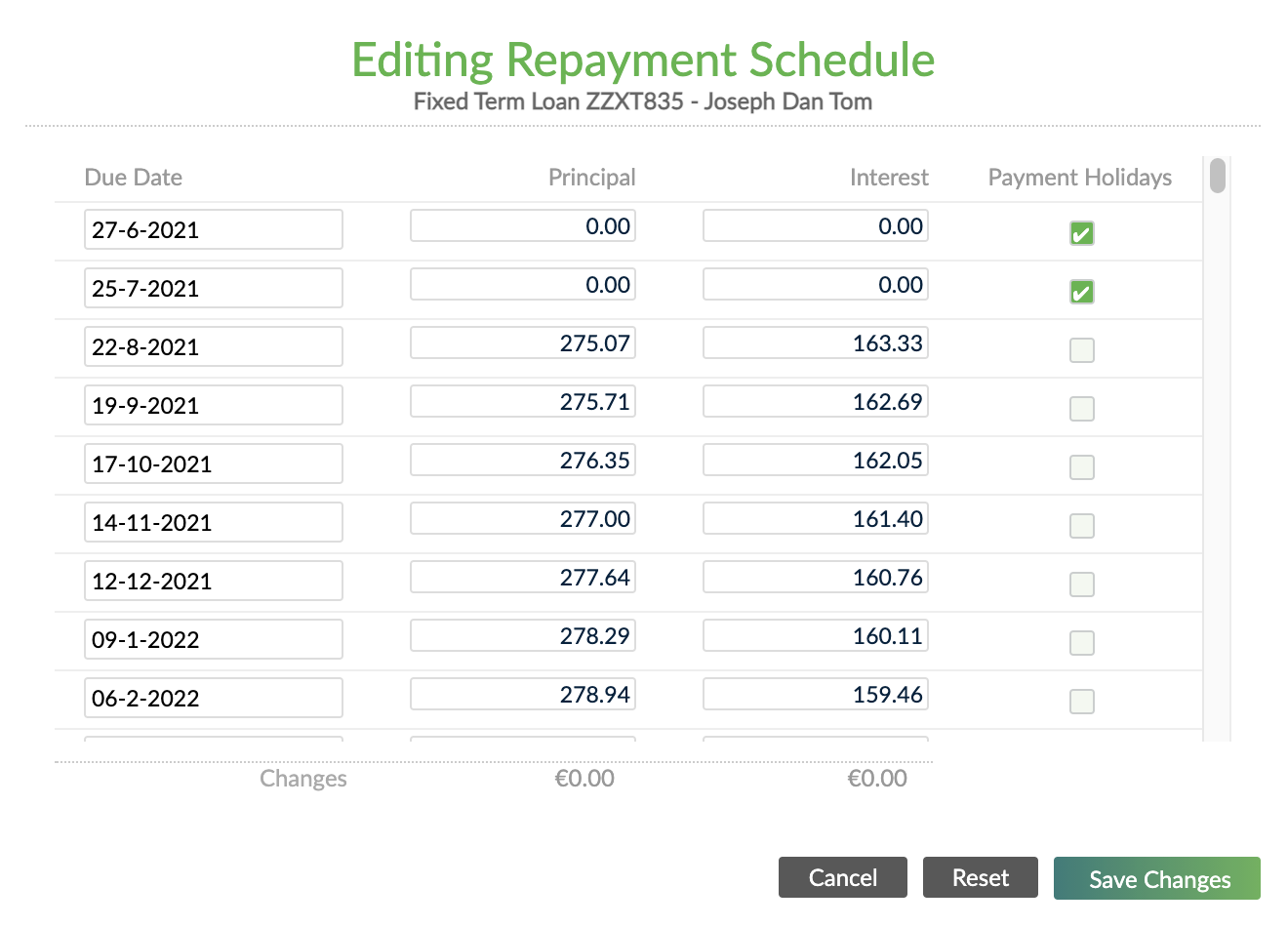 You can also set up a payment holiday via API v1.0 using the repayments endpoint: `/loans//repayments` For more information, see [Update Loan Repayments](/api/api-v1/repayments/update-loan-repayments) in our API v1.0 documentation. :::warning You cannot set up Payment Holiday if: * Installments are already paid or partially paid. * Interest, fees, or penalties have been applied. ::: With Payment Holiday, you can choose to apply: * **No principal, no interest**, meaning: * Installment(s) is marked as Grace. * Principal and interest are set to 0. * The schedule is extended with one or more installments depending on how the payment holiday was defined. * The maturity date of the loan account will be extended with the number of installments marked as Payment Holiday. * No penalties or fees are charged. * **Principal, but no interest**: The interest rate is set to 0. ## Applying interest after payment holidays After the payment holiday period ends, you can apply the accrued interest using the Mambu API. The way that you do so differs, depending on whether the loan is dynamic term or fixed term. For both operations, the total due will be increased by the interest amount. ### Dynamic term loans For dynamic term loans, you will use **the v2 API**. Make a `POST` request to the `/loans/:applyInterest`endpoint, specifying `isPaymentHolidaysInterest=true`, and specifying the value of `paymentHolidaysInterestAmount` as the amount of interest accrued during the payment holiday that you wish to apply with the current installment. For more information and request examples, see [Loan Accounts - Apply Interest](/api/api-v2/loans/apply-interest) in our API v2 Reference. ### Fixed term loans For fixed term loans, you will use **the v1 API**. Make a `PATCH` request to the `/loans//repayments` endpoint, specifying how much of the interest accrued during the payment holiday you wish to apply with the remaining installments. For more information and request examples, see [Update Loan Repayments](/api/api-v1/repayments/update-loan-repayments) in our API v1 Reference. --- # Writing Off a Loan URL: https://docs.mambu.com/docs/writing-off-a-loan/ *Writing off* a loan account takes the remaining loan balances off the portfolio, registering them as a loss. To write off a loan account: 1. Open the loan account. 2. On the right-hand side of the screen, select **Close** > **Write Off**. In the **Write Off Loan Account** dialog, you'll see an overview of the loan's **Outstanding Balances** consisting of principal, interest, fees and penalties. 3. Add a note about the reason you are writing off the account. 4. Select **Write Off**.  This will settle the remaining loan balances with a specific transaction type (Write off), and close the account, changing its state to **Closed (Written off)** . :::note A Loan account can only be written off if the [minimum days in arrears before write off ](/docs/internal-controls setting allows it.) ::: *** ## Collecting Securities If the loan has guaranteed amounts from other client's savings accounts, you can collect the guaranteed amounts before you write off the loan account. If selected, these amounts will be withdrawn from the deposit account and entered as a payment on the loan account before the write off transaction is posted, thus effectively reducing the amount to be written off. :::note Only users with the specific "Collect Securities" permission have access to this additional automation. ::: ## Undoing a Write Off You may need to revert the write off action and change the state of the loan account. To undo a write off: 1. Open the loan account. 2. On the right-hand side of the screen, select **More** > **Undo Write Off**. 3. Add a comment about the reason you are undoing the write off. 4. Select **Change State**. This will reopen the loan account and revert the loan write off transactions, so the account will go back to the state it was before the write off. --- # Cbe - v9.165 URL: https://docs.mambu.com/release-notes/cbe/v9/v9.165/ This page contains the following releases for v9.165: * [v9.165](#v9165) * [v9.165.7](#v91657) * [v9.165.6](#v91656) * [v9.165.5](#v91655) * [v9.165.4](#v91654) * [v9.165.3](#v91653) * [v9.165.2](#v91652) * [v9.165.1](#v91651) **Database changes** — see the [table at the bottom of the page](#database-changes) for the full list of schema modifications. ## v9.165 **Release Dates** * **Sandbox:** 03.06.2026 --- ## Features ### Data #### Custom field limits now enabled in sandbox environments Custom field limits are now enforced in sandbox environments, giving you a more accurate preview of production behaviour during testing. *Internal references:* [ADM-3613](https://mambucom.jira.com/browse/ADM-3613) #### Health check API message updated The health check API response message has been updated to reflect current system status more accurately. *Internal references:* [ADM-3618](https://mambucom.jira.com/browse/ADM-3618) #### Schedule correctly recalculated after custom repayment The loan schedule is now correctly computed and displayed after a custom repayment (overpayment or prepayment) is posted, preventing incorrect schedule states. *Internal references:* [LPRC-2914](https://mambucom.jira.com/browse/LPRC-2914) #### Additional work - Non-customer-facing backend and infrastructure changes. --- ## Improvements ### Data #### Cursor-based pagination for Search API A new, more performant cursor-based search method is now available as an alternative to offset-and-limit pagination. Instead of an offset, callers supply a `cursor` query parameter (use `"_"` to start from the beginning of the data set); each response then returns an `Items-Next-Cursor` header containing the cursor value to pass in the next call — when that header is empty, the full data set has been traversed. Cursor-based searching is supported for journal entries (`/gljournalentries:search`), deposit transactions (`/deposits/transactions:search`), and loan transactions (`/loans/transactions:search`); items are always sorted by the cursor field (`entryId` for journal entries, `transactionId` for deposit and loan transactions), and at least one `BETWEEN` filter on `creationDate` or `valueDate` must be present. *Internal references:* [SCAL-904](https://mambucom.jira.com/browse/SCAL-904) #### Extended comparison operators for LONG custom fields The `MORE_THAN`, `LESS_THAN`, and `BETWEEN` operators are now supported when filtering on custom fields of the `LONG` data type, enabling more precise range-based searches. *Internal references:* [SCAL-937](https://mambucom.jira.com/browse/SCAL-937) #### Groundwork for upcoming features - Internal caching layer being built for accounting configuration data (general settings, accounting rules, and accounting closures) to improve journal-entry posting performance. - Groundwork for resumable cloning imports for large database tables. - Groundwork for moving the IPS UI React codebase and Pool/Pool Settings API contracts into the CBE codebase. - Groundwork for cashflow REST API endpoints in support of the income and expense category merge initiative. - Groundwork for backward compatibility of deposit product-to-account propagation for interest availability changes. #### Additional work - Non-customer-facing internal maintenance, configuration tuning, infrastructure changes, build tooling updates, and backend-only fixes across data, EOD, accounting, notifications, and platform services. --- ### Analytics #### Restricted view access for users with Manage Streaming permissions A security vulnerability has been resolved where users with **Manage Streaming** permissions could view non-streaming notification templates by manipulating the URL; permissions are now strictly enforced so that each role can only access the templates it is authorised to see. *Internal references:* [NTF-2741](https://mambucom.jira.com/browse/NTF-2741) #### Faster loading of Client, Group, and User pages Optimised the notification count query on the **Client**, **Group**, and **User** UI pages; when the notification count is very large, the **Communications** button no longer displays a count (avoiding a slow query) but remains fully functional so users can still open and view all notifications. *Internal references:* [NTF-2906](https://mambucom.jira.com/browse/NTF-2906) #### Improved notification creation performance Reduced the data retrieved during placeholder processing, resulting in faster notification creation. *Internal references:* [NTF-2860](https://mambucom.jira.com/browse/NTF-2860) #### More resilient streaming publisher connections Increased the application timeout interval for the streaming publisher so that transient message-broker or network issues are tolerated for up to two minutes before a reconnect is attempted, rather than failing immediately. *Internal references:* [NTF-3059](https://mambucom.jira.com/browse/NTF-3059) #### Faster and more reliable template subscription processing The template subscription process now attempts to subscribe clients in a single bulk insert first, falling back to batched inserts only if the single insert times out, improving both speed and reliability. *Internal references:* [NTF-2796](https://mambucom.jira.com/browse/NTF-2796) #### Improved SQL performance for client and group data retrieval SQL query optimisations now apply to the `GET /api/groups` (full details) and `POST /api/clients:search` endpoints, specifically in the image-retrieval area, reducing unnecessary database round-trips. *Internal references:* [NTF-3045](https://mambucom.jira.com/browse/NTF-3045) #### Graceful shutdown of streaming threads during deployments Streaming threads are now cleanly closed during application deployments, preventing in-flight messages from being dropped or left in an inconsistent state. *Internal references:* [NTF-2934](https://mambucom.jira.com/browse/NTF-2934) #### Additional work - Internal notifications maintenance, logging enhancements, and test improvements. --- ### Deposits #### `interestAccrualCalculation` field available on Deposit Products API The `interestAccrualCalculation` field is now supported across all Deposit Products API endpoints: `GET` (single and list) endpoints now return the field, and the `POST` and `PUT` endpoints accept it so products can be created and updated with the correct accrual calculation method configured. *Internal references:* [DIF-1689](https://mambucom.jira.com/browse/DIF-1689), [DIF-1490](https://mambucom.jira.com/browse/DIF-1490), [DIF-1489](https://mambucom.jira.com/browse/DIF-1489) #### Groundwork for upcoming features - Groundwork for interest rate changes based on value dates, including backward-compatibility handling for product propagation. #### Additional work - Non-customer-facing deposit configuration and batching optimisation changes. --- ### Mortgages #### Additional work - Backend-only mortgage fixes and internal test improvements. --- ### Transactions and Interest #### Additional work - Non-customer-facing transactions and interest backend fixes. --- ### Accounting #### Additional work - Backend-only accounting changes, including summary algorithm and GL account filter improvements. --- ### Islamic Banking #### Groundwork for upcoming features - Groundwork for IPS balance summary job scheduling and pool configuration REST API integration in support of the Islamic Profit Sharing feature set. --- ### Developer #### Additional work - Internal security hardening for inter-service communication and non-customer-facing developer tooling updates. --- ## Bug fixes ### Access Control #### SSO certificate expiry experience improved Users now receive clearer feedback when an SSO certificate is approaching or has passed its expiry date, reducing the risk of unexpected authentication failures. *Internal references:* [CIAM-3117](https://mambucom.jira.com/browse/CIAM-3117) ### Clients and Groups #### Client state correctly updated when multiple accounts are closed simultaneously The client state is now correctly changed to inactive when multiple accounts are closed at the same time via API. *Internal references:* [NTF-2870](https://mambucom.jira.com/browse/NTF-2870) ### Lending #### Preview Pay Off Amounts API now compatible with interest-free revolving credit accounts The `Preview Pay Off Amounts` API endpoint no longer throws an error when called against revolving loan accounts with zero interest. *Internal references:* [REV-3813](https://mambucom.jira.com/browse/REV-3813) #### Product-level floor amount settings locked after first account is created The **Include Interest in Floor Amount** and **Include Fees in Floor Amount** fields on the product level are now correctly disabled once the first account has been created, preventing unintended configuration changes. *Internal references:* [REV-3572](https://mambucom.jira.com/browse/REV-3572) #### Repayment amount validation now correctly checked against Total Due When posting a repayment against a specific instalment, the amount from the payload is now validated against the instalment's **Total Due** rather than **Total Expected**. *Internal references:* [LPRC-2588](https://mambucom.jira.com/browse/LPRC-2588) #### Loan schedule no longer incorrect after account termination The repayment schedule is now correctly generated following a loan account termination. *Internal references:* [LPRC-2571](https://mambucom.jira.com/browse/LPRC-2571) ### Mortgages #### Interest-only loan schedule correctly recalculated after a backdated Payment Holiday on the first instalment Adding a backdated Payment Holiday on the first instalment of an interest-only loan no longer produces an incorrect repayment schedule. *Internal references:* [MTGE-606](https://mambucom.jira.com/browse/MTGE-606) #### AdjustInterestForFirstInstallment setting now saved correctly in the UI Changes made to the **AdjustInterestForFirstInstallment** setting in the UI are now persisted as expected. *Internal references:* [MTGE-561](https://mambucom.jira.com/browse/MTGE-561) #### Interest-only products now visible in the UI after feature enablement Interest-only loan products are now correctly displayed in the UI once the relevant feature is enabled. *Internal references:* [MTGE-607](https://mambucom.jira.com/browse/MTGE-607) #### Total Due no longer incorrectly updated after an edit due date action Editing a due date no longer causes the **Total Due** amount on the schedule to be recalculated incorrectly. *Internal references:* [MTGE-579](https://mambucom.jira.com/browse/MTGE-579) #### Expected closing balance now shown for partially paid instalments The expected closing balance is now correctly displayed for instalments with a **Partially Paid** status. *Internal references:* [MTGE-578](https://mambucom.jira.com/browse/MTGE-578) #### Interest-only loan creation correctly blocked when feature toggle is disabled It is no longer possible to create interest-only loan accounts when the corresponding feature toggle is turned off. *Internal references:* [MTGE-571](https://mambucom.jira.com/browse/MTGE-571) #### Configuration as Code loan product update no longer returns an error The `PUT` loan product operation via Configuration as Code now completes successfully without errors. *Internal references:* [MTGE-555](https://mambucom.jira.com/browse/MTGE-555) #### Negative amounts on the schedule no longer appear when paying off an interest-only loan Paying off an interest-only loan account no longer produces negative amounts on the repayment schedule. *Internal references:* [MTGE-548](https://mambucom.jira.com/browse/MTGE-548) #### Manual interest application no longer blocked when instalment due date falls on the current date Applying interest manually, or alongside a repayment, now works correctly in scenarios where the instalment due date is the current date. *Internal references:* [MTGE-547](https://mambucom.jira.com/browse/MTGE-547) #### Total Due now consistent between preview schedule and post-creation schedule for loans with AIR The **Total Due** figures shown in the preview schedule now match those on the schedule generated after loan account creation for loans with an Adjusted Interest Rate. *Internal references:* [MTGE-543](https://mambucom.jira.com/browse/MTGE-543) #### Working day adjustment no longer affects Total Due for equal instalment loans Moving a due date forward or backward to the next or previous working day no longer incorrectly alters the **Total Due** amount for equal instalment loans. *Internal references:* [MTGE-536](https://mambucom.jira.com/browse/MTGE-536) #### Closing balance correctly calculated after a late repayment The closing balance on the repayment schedule is now accurately recalculated following a late repayment. *Internal references:* [MTGE-524](https://mambucom.jira.com/browse/MTGE-524) #### PMT of next instalment no longer incorrectly updated after repeated interest rate start date changes Changing the interest rate start date multiple times no longer causes the payment amount (PMT) of the next instalment to be calculated incorrectly. *Internal references:* [FSE-460](https://mambucom.jira.com/browse/FSE-460) #### Additional work - Internal mortgage test fixes. ### Deposits #### Centre and Credit Officer activities now display correctly in the UI Centre and Credit Officer activity information is now visible and rendered correctly on the UI. *Internal references:* [DIF-1717](https://mambucom.jira.com/browse/DIF-1717) #### Correct interest rate now shown when posting interest availabilities The interest rate displayed when posting interest availabilities now reflects the accurate value. *Internal references:* [DIF-1675](https://mambucom.jira.com/browse/DIF-1675) ### Developer #### Custom date field format corrected on Configuration as Code endpoints The format of custom date-type fields on the Configuration as Code endpoints is now consistent and correctly structured. *Internal references:* [ADM-3414](https://mambucom.jira.com/browse/ADM-3414) ### Data #### Attachment handling improved to prevent orphaned files on database rollback Uploaded attachments are no longer deleted from permanent storage during a database transaction rollback, eliminating orphaned files and improving data integrity. *Internal references:* [NTF-2785](https://mambucom.jira.com/browse/NTF-2785) #### Additional work - Internal data and infrastructure fixes. --- **Database changes** — see the [table at the bottom of the page](#database-changes) for the full list of schema modifications during the v9.165 cycle. ## v9.165.7 **Release Date**: 03.06.2026 --- ## Improvements ### Notifications #### Additional work - Internal notifications maintenance. --- ## v9.165.6 **Release Date**: 03.06.2026 --- This release contains the following: * Internal maintenance improvements to the archival processes for transaction and savings deposit custom field data within the core banking engine. ## v9.165.5 **Release Date**: 03.06.2026 --- ## Improvements ### Data #### Additional work - Non-customer-facing infrastructure and configuration changes. --- ## v9.165.4 **Release Date**: 03.06.2026 --- ## Improvements ### Data #### Additional work - Non-customer-facing data and infrastructure maintenance. --- ## Bug fixes ### Data #### Fee adjustment now correctly refreshes the repayment schedule Fixed an issue where adjusting a FEE transaction did not automatically refresh the schedule. *Internal references:* [REV-3865](https://mambucom.jira.com/browse/REV-3865) --- ## v9.165.3 **Release Date**: 03.06.2026 --- ## Improvements ### Data #### Additional work - Non-customer-facing data and infrastructure maintenance. --- ## v9.165.2 **Release Date**: 03.06.2026 --- ## Improvements ### Data #### Additional work - Non-customer-facing infrastructure and configuration changes. --- ## v9.165.1 **Release Date**: 03.06.2026 --- ## Features ### Mortgages #### Groundwork for upcoming features - Groundwork for fee capitalisation rollback support in mortgage processing. --- ## Improvements ### Data #### Additional work - Non-customer-facing infrastructure and configuration changes. ---Subscribe to our RSS feed to get the latest release notes directly in your reader.
RSS --- See below for the list of all available release notes: ## CBE (Mambu Core Banking Engine) ### V9 * **[v9.192](/release-notes/cbe/v9/v9-192)** * [v9.192.1](/release-notes/cbe/v9/v9-192#v91921) * **[v9.191](/release-notes/cbe/v9/v9-191)** * [v9.191.6](/release-notes/cbe/v9/v9-191#v91916) * [v9.191.5](/release-notes/cbe/v9/v9-191#v91915) * [v9.191.4](/release-notes/cbe/v9/v9-191#v91914) * [v9.191.3](/release-notes/cbe/v9/v9-191#v91913) * [v9.191.2](/release-notes/cbe/v9/v9-191#v91912) * [v9.191.1](/release-notes/cbe/v9/v9-191#v91911) * **[v9.190](/release-notes/cbe/v9/v9-190)** * [v9.190.4](/release-notes/cbe/v9/v9-190#v91904) * [v9.190.3](/release-notes/cbe/v9/v9-190#v91903) * [v9.190.2](/release-notes/cbe/v9/v9-190#v91902) * [v9.190.1](/release-notes/cbe/v9/v9-190#v91901) * **[v9.189](/release-notes/cbe/v9/v9-189)** * [v9.189.8](/release-notes/cbe/v9/v9-189#v91898) * [v9.189.5](/release-notes/cbe/v9/v9-189#v91895) * [v9.189.7](/release-notes/cbe/v9/v9-189#v91897) * [v9.189.6](/release-notes/cbe/v9/v9-189#v91896) * [v9.189.4](/release-notes/cbe/v9/v9-189#v91894) * [v9.189.3](/release-notes/cbe/v9/v9-189#v91893) * [v9.189.2](/release-notes/cbe/v9/v9-189#v91892) * [v9.189.1](/release-notes/cbe/v9/v9-189#v91891) * **[v9.188](/release-notes/cbe/v9/v9-188)** * [v9.188.3](/release-notes/cbe/v9/v9-188#v91883) * [v9.188.2](/release-notes/cbe/v9/v9-188#v91882) * [v9.188.1](/release-notes/cbe/v9/v9-188#v91881) * **[v9.187](/release-notes/cbe/v9/v9-187)** * [v9.187.4](/release-notes/cbe/v9/v9-187#v91874) * [v9.187.3](/release-notes/cbe/v9/v9-187#v91873) * [v9.187.2](/release-notes/cbe/v9/v9-187#v91872) * [v9.187.1](/release-notes/cbe/v9/v9-187#v91871) * **[v9.186](/release-notes/cbe/v9/v9-186)** * [v9.186.2](/release-notes/cbe/v9/v9-186#v91862) * [v9.186.1](/release-notes/cbe/v9/v9-186#v91861) * **[v9.185](/release-notes/cbe/v9/v9-185)** * [v9.185.4](/release-notes/cbe/v9/v9-185#v91854) * [v9.185.3](/release-notes/cbe/v9/v9-185#v91853) * [v9.185.2](/release-notes/cbe/v9/v9-185#v91852) * [v9.185.1](/release-notes/cbe/v9/v9-185#v91851) * **[v9.184](/release-notes/cbe/v9/v9-184)** * [v9.184.3](/release-notes/cbe/v9/v9-184#v91843) * [v9.184.2](/release-notes/cbe/v9/v9-184#v91842) * [v9.184.1](/release-notes/cbe/v9/v9-184#v91841) * **[v9.183](/release-notes/cbe/v9/v9-183)** * [v9.183.6](/release-notes/cbe/v9/v9-183#v91836) * [v9.183.5](/release-notes/cbe/v9/v9-183#v91835) * [v9.183.4](/release-notes/cbe/v9/v9-183#v91834) * [v9.183.3](/release-notes/cbe/v9/v9-183#v91833) * [v9.183.2](/release-notes/cbe/v9/v9-183#v91832) * [v9.183.1](/release-notes/cbe/v9/v9-183#v91831) * **[v9.182](/release-notes/cbe/v9/v9-182)** * [v9.182.2](/release-notes/cbe/v9/v9-182#v91822) * [v9.182.1](/release-notes/cbe/v9/v9-182#v91821) * **[v9.181](/release-notes/cbe/v9/v9-181)** * [v9.181.1](/release-notes/cbe/v9/v9-181#v91811) * **[v9.180](/release-notes/cbe/v9/v9-180)** * [v9.180.1](/release-notes/cbe/v9/v9-180#v91801) * **[v9.179](/release-notes/cbe/v9/v9-179)** * [v9.179.4](/release-notes/cbe/v9/v9-179#v91794) * [v9.179.3](/release-notes/cbe/v9/v9-179#v91793) * [v9.179.2](/release-notes/cbe/v9/v9-179#v91792) * [v9.179.1](/release-notes/cbe/v9/v9-179#v91791) * **[v9.178](/release-notes/cbe/v9/v9-178)** * [v9.178.7](/release-notes/cbe/v9/v9-178#v91787) * [v9.178.6](/release-notes/cbe/v9/v9-178#v91786) * [v9.178.5](/release-notes/cbe/v9/v9-178#v91785) * [v9.178.4](/release-notes/cbe/v9/v9-178#v91784) * [v9.178.3](/release-notes/cbe/v9/v9-178#v91783) * [v9.178.2](/release-notes/cbe/v9/v9-178#v91782) * [v9.178.1](/release-notes/cbe/v9/v9-178#v91781) * **[v9.177](/release-notes/cbe/v9/v9-177)** * [v9.177.4](/release-notes/cbe/v9/v9-177#v91774) * [v9.177.3](/release-notes/cbe/v9/v9-177#v91773) * [v9.177.2](/release-notes/cbe/v9/v9-177#v91772) * [v9.177.1](/release-notes/cbe/v9/v9-177#v91771) * **[v9.176](/release-notes/cbe/v9/v9-176)** * [v9.176.1](/release-notes/cbe/v9/v9-176#v91761) * **[v9.175](/release-notes/cbe/v9/v9-175)** * [v9.175.3](/release-notes/cbe/v9/v9-175#v91753) * [v9.175.2](/release-notes/cbe/v9/v9-175#v91752) * [v9.175.1](/release-notes/cbe/v9/v9-175#v91751) * **[v9.174](/release-notes/cbe/v9/v9-174)** * [v9.174.6](/release-notes/cbe/v9/v9-174#v91746) * [v9.174.5](/release-notes/cbe/v9/v9-174#v91745) * [v9.174.4](/release-notes/cbe/v9/v9-174#v91744) * [v9.174.3](/release-notes/cbe/v9/v9-174#v91743) * [v9.174.2](/release-notes/cbe/v9/v9-174#v91742) * [v9.174.1](/release-notes/cbe/v9/v9-174#v91741) * **[v9.173](/release-notes/cbe/v9/v9-173)** * [v9.173.2](/release-notes/cbe/v9/v9-173#v91732) * [v9.173.1](/release-notes/cbe/v9/v9-173#v91731) * **[v9.172](/release-notes/cbe/v9/v9-172)** * [v9.172.4](/release-notes/cbe/v9/v9-172#v91724) * [v9.172.3](/release-notes/cbe/v9/v9-172#v91723) * [v9.172.2](/release-notes/cbe/v9/v9-172#v91722) * [v9.172.1](/release-notes/cbe/v9/v9-172#v91721) * **[v9.171](/release-notes/cbe/v9/v9-171)** * [v9.171.4](/release-notes/cbe/v9/v9-171#v91714) * [v9.171.3](/release-notes/cbe/v9/v9-171#v91713) * [v9.171.2](/release-notes/cbe/v9/v9-171#v91712) * [v9.171.1](/release-notes/cbe/v9/v9-171#v91711) * **[v9.170](/release-notes/cbe/v9/v9-170)** * [v9.170.4](/release-notes/cbe/v9/v9-170#v91704) * [v9.170.3](/release-notes/cbe/v9/v9-170#v91703) * [v9.170.2](/release-notes/cbe/v9/v9-170#v91702) * [v9.170.1](/release-notes/cbe/v9/v9-170#v91701) * **[v9.169](/release-notes/cbe/v9/v9-169)** * [v9.169.3](/release-notes/cbe/v9/v9-169#v91693) * [v9.169.2](/release-notes/cbe/v9/v9-169#v91692) * [v9.169.1](/release-notes/cbe/v9/v9-169#v91691) * **[v9.168](/release-notes/cbe/v9/v9-168)** * [v9.168.6](/release-notes/cbe/v9/v9-168#v91686) * [v9.168.5](/release-notes/cbe/v9/v9-168#v91685) * [v9.168.4](/release-notes/cbe/v9/v9-168#v91684) * [v9.168.3](/release-notes/cbe/v9/v9-168#v91683) * [v9.168.2](/release-notes/cbe/v9/v9-168#v91682) * [v9.168.1](/release-notes/cbe/v9/v9-168#v91681) * **[v9.167](/release-notes/cbe/v9/v9-167)** * [v9.167.10](/release-notes/cbe/v9/v9-167#v916710) * [v9.167.9](/release-notes/cbe/v9/v9-167#v91679) * [v9.167.8](/release-notes/cbe/v9/v9-167#v91678) * [v9.167.7](/release-notes/cbe/v9/v9-167#v91677) * [v9.167.6](/release-notes/cbe/v9/v9-167#v91676) * [v9.167.5](/release-notes/cbe/v9/v9-167#v91675) * [v9.167.4](/release-notes/cbe/v9/v9-167#v91674) * [v9.167.3](/release-notes/cbe/v9/v9-167#v91673) * [v9.167.2](/release-notes/cbe/v9/v9-167#v91672) * [v9.167.1](/release-notes/cbe/v9/v9-167#v91671) * **[v9.166](/release-notes/cbe/v9/v9-166)** * [v9.166.7](/release-notes/cbe/v9/v9-166#v91667) * [v9.166.6](/release-notes/cbe/v9/v9-166#v91666) * [v9.166.5](/release-notes/cbe/v9/v9-166#v91665) * [v9.166.4](/release-notes/cbe/v9/v9-166#v91664) * [v9.166.3](/release-notes/cbe/v9/v9-166#v91663) * [v9.166.2](/release-notes/cbe/v9/v9-166#v91662) * [v9.166.1](/release-notes/cbe/v9/v9-166#v91661) * **[v9.165](/release-notes/cbe/v9/v9-165)** * [v9.165.7](/release-notes/cbe/v9/v9-165#v91657) * [v9.165.6](/release-notes/cbe/v9/v9-165#v91656) * [v9.165.5](/release-notes/cbe/v9/v9-165#v91655) * [v9.165.4](/release-notes/cbe/v9/v9-165#v91654) * [v9.165.3](/release-notes/cbe/v9/v9-165#v91653) * [v9.165.2](/release-notes/cbe/v9/v9-165#v91652) * [v9.165.1](/release-notes/cbe/v9/v9-165#v91651) ### Connectors * **[v1.2.4](/release-notes/connectors/v1-2-4)** * **[v1.2.1](/release-notes/connectors/v1-2-1)** * **[v1.2.0](/release-notes/connectors/v1-2-0)** * **[v1.1.0](/release-notes/connectors/v1-1-0)** * **[v1.0.0](/release-notes/connectors/v1-0-0)** ### Notifications * **[Notifications v1.77](/release-notes/notifications/Notifications v1-77)** * **[v1.77](/release-notes/notifications/v1-77)** * **[v1.75](/release-notes/notifications/v1-75-0)** * **[v1.73](/release-notes/notifications/v1-73-0)** * **[v1.69](/release-notes/notifications/v1-69-0)** * **[v1.68](/release-notes/notifications/v1-68-0)** * **[v1.63](/release-notes/notifications/v1-63-0)** ## Payments * **[v1.44.97](/release-notes/payments/v1-44-97)** * **[v1.44.96](/release-notes/payments/v1-44-96)** * **[v1.44.91](/release-notes/payments/v1-44-91)** * **[v1.44.87](/release-notes/payments/v1-44-87)** * **[v1.44.86](/release-notes/payments/v1-44-86)** * **[v1.44.85](/release-notes/payments/v1-44-85)** --- # Notifications - v1.63.0 URL: https://docs.mambu.com/release-notes/notifications/v1.63.0/ ## v1.63.0 **Release Dates** * **Sandbox:** 27.03.2026 --- ## Improvements ### Notifications #### Enhanced Notification Service Reliability Improved the notification service startup process to ensure consistent performance and eliminate configuration-related interruptions that could impact message delivery. ### General #### Enhanced Monitoring and Diagnostics Improved system monitoring capabilities to provide better visibility into platform operations, enabling faster issue identification and resolution for enhanced service reliability. --- For more information on the release timeline, see [Mambu Release Cycle](/docs/mambu-release-cycle). Note that if a database backup was in progress during the release process, it has to be requested again. --- # Notifications - v1.68.0 URL: https://docs.mambu.com/release-notes/notifications/v1.68.0/ ## v1.68.0 **Release Dates** * **Sandbox:** 27.03.2026 --- ## Improvements ### Notifications #### Enhanced Webhook Notification Configuration Organizations can now programmatically enable or disable webhook notifications by template type. The new configuration includes comprehensive validation to ensure reliable delivery and proper setup. --- For more information on the release timeline, see [Mambu Release Cycle](/docs/mambu-release-cycle). Note that if a database backup was in progress during the release process, it has to be requested again. --- # Notifications - v1.69.0 URL: https://docs.mambu.com/release-notes/notifications/v1.69.0/ ## v1.69.0 **Release Dates** * **Sandbox:** 27.03.2026 --- ## Bug fixes ### Notifications #### Improved Notification Delivery Reliability Enhanced the notification system's handling of messages in pending states to ensure consistent delivery across all channels including webhooks, SMS, and email communications. --- For more information on the release timeline, see [Mambu Release Cycle](/docs/mambu-release-cycle). Note that if a database backup was in progress during the release process, it has to be requested again. --- # Notifications - v1.73.0 URL: https://docs.mambu.com/release-notes/notifications/v1.73.0/ ## v1.73.0 **Release Dates** * **Sandbox:** 27.03.2026 --- ## Improvements ### Enhanced Event Streaming Diagnostics Improved diagnostic capabilities for event streaming operations to ensure more reliable notification delivery and faster issue resolution. This enhancement provides better visibility into system operations, enabling our support team to proactively monitor and maintain optimal streaming performance for your integrations. --- For more information on the release timeline, see [Mambu Release Cycle](/docs/mambu-release-cycle). Note that if a database backup was in progress during the release process, it has to be requested again. --- # Notifications - v1.75.0 URL: https://docs.mambu.com/release-notes/notifications/v1.75.0/ ## v1.75.0 **Release Dates** * **Sandbox:** 31.03.2026 --- ## Features ### Circuit Breaker Poller for Notifications Dispatcher Introduces automated recovery testing for notification templates that have been temporarily disabled due to failures. The system now performs controlled dispatch tests on templates in HALF_OPEN state, automatically transitioning them back to normal operation once they pass the configured number of test messages (max_half_open_tests). Failed recovery attempts extend the cooldown period and revert templates to OPEN state. Includes comprehensive logging of all state transitions with tenant and template context, plus Prometheus metrics for monitoring circuit recovery rates and open circuit counts. ### Retry Poller for Notifications Dispatcher Implements intelligent retry processing for failed notification messages through a dedicated background poller. Messages marked as ON_RETRY are reprocessed using configurable batch sizes and pacing controls to prevent downstream system overload. The system increments retry_count on each failure and automatically marks messages as FAILED when they exceed MAX_RETRIES threshold. All retry attempts update the failure_aggregate table for corresponding tenant_id and template_id combinations, with full support for concurrent execution across multiple pods using row-level locking. ### Circuit Breaker Evaluator Job and Failure Aggregate Tracking Establishes core circuit breaker decision engine with new failure_aggregate table for tracking per-template failure metrics by (tenant_id, template_id). The Evaluator Job runs periodically to analyze failure patterns and automatically opens circuits by inserting entries into on_hold_templates when FAIL_THRESHOLD is exceeded. Key parameters including FAIL_THRESHOLD, COOLDOWN_SEC, and MAX_HALF_OPEN_TESTS are externally configurable. The system preserves cumulative failure data for observability and uses fail_count_snapshot deltas to detect new failure incidents without duplicate circuit opens. --- ## Improvements ### AWS Secret Manager Integration for Encrypted Message Processing The Notifications service now supports AWS Secrets Manager for retrieving AEAD keysets required for decrypting MessageQueueItem payloads. The implementation includes a 24-hour cache using Caffeine to minimize AWS API calls and reduce latency. The system fetches the complete Tink keyset JSON in a single operation and leverages AWS SDK v2's built-in retry mechanisms for resilience. Failed decryption attempts are tracked via `notifications.secret.decrypt.failure` metrics and logged with AWS secret version IDs for debugging. ### Local Tink Decryption Support for Development Environments Local development environments can now decrypt MessageQueueItem payloads using mock Tink keysets configured in config.YAML. The implementation supports both plaintext legacy messages (tinkKeyId=NULL) and encrypted messages using the Header Detachment pattern. Decryption failures automatically mark messages as FAILED state and increment the `notifications.decryption.failure` metric. The LocalSecretFetcher reads keyset configuration directly from the YAML file, while SubscriberApplication handles environment-specific wiring based on the ENVIRONMENT_VENDOR system property. --- ## Bug fixes ### Fixed NullPointerException in SMS notification dispatch causing notification failures Resolved a critical null pointer exception that was preventing SMS notifications from being dispatched through the Infobip SMS gateway. The error occurred during HTTP client initialization when the executor service parameter was unexpectedly null, causing the entire notification dispatch process to fail. This fix ensures SMS notifications are processed reliably without interruption. --- For more information on the release timeline, see [Mambu Release Cycle](/docs/mambu-release-cycle). --- # Notifications - v1.77 URL: https://docs.mambu.com/release-notes/notifications/v1.77/ This page contains the following releases for v1.77: * [v1.77](#v177) ## v1.77 **Release Dates** * **Sandbox:** 26.05.2026 --- ## Bug fixes ### Notifications #### Webhook delivery reliability improvements We fixed a bug where outbound webhook notifications intermittently failed with a 60-second timeout caused by stale network connections. A proactive connection rotation mechanism now refreshes the internal connection pool every 5 minutes, ensuring webhooks are dispatched using fresh connections and improving overall delivery reliability. --- For more information, see [Mambu Release Cycle](/docs/mambu-release-cycle). --- # Payments - v1.44.85 URL: https://docs.mambu.com/release-notes/payments/v1.44.85/ ## v1.44.85 **Release Dates** * **Sandbox:** 30.03.2026 --- ## Features ### Feature flag implementation for SEPA 2025 rulebook changes Feature flag added to control the rollout of SEPA 2025 rulebook compliance updates. The flag is initially disabled, allowing controlled activation of the new payment processing capabilities. ### Enhanced camt.056 processing for SEPA 2025 naming conventions Incoming camt.056 payment cancellation messages now support shortened naming convention references. The system processes camt.056 messages where OrgnlMsgNmId references "pacs.008" instead of the full version format "pacs.008.001.0X", while maintaining backward compatibility with existing full version references. ### Enhanced pacs.004 processing for SEPA 2025 naming conventions Incoming pacs.004 payment return messages now support shortened naming convention references. The system processes pacs.004 messages where OrgnlMsgNmId contains "pacs.008" instead of the full version format, enabling proper reconciliation with original payments while maintaining backward compatibility. ### Enhanced pacs.002 processing for SEPA 2025 naming conventions Incoming pacs.002 payment status messages now support shortened naming convention references. The system processes pacs.002 messages where OrgnlMsgNmId contains "pacs.008" instead of the full version format "pacs.008.001.08" or "pacs.008.001.09", enabling correct linking to original payment instructions while maintaining backward compatibility. ### Relaxed validation for incoming pacs.009 debtor account requirements Incoming pacs.009 FI-to-FI transfer messages no longer require debtor account ID validation. The system now processes incoming pacs.009 payments and books them in CBE even when the debtor account ID field is missing, while maintaining all other existing validations. Creditor account ID remains mandatory for successful processing. --- ## Improvements ### Enhanced Kafka Event Handling for SEPA Credit Transfer Processing Implemented comprehensive logging and duplicate mitigation measures for SEPA CT outgoing payments (pacs.008) processing. Added detailed logging to InitiateSettlementHandler for complete event tracking and introduced unique indexing on (aggregate_id, type) in the event table to prevent duplicate Kafka event consumption that could result in duplicate XML messages to customers. ### Default Configuration for Incoming Direct Debit Retry Processing Resolved NullPointerException in AML processing for incoming SEPA Direct Debit (SDD) transactions. The system now handles missing incomingDirectDebitRetryDays system property configuration by implementing appropriate default values or alerts, ensuring uninterrupted AML result processing flow. ### Updated IBAN Plus Directory Integration Retrieved and integrated the latest IBAN Plus file from SWIFT network (swift.com) in XML format. This update ensures current IBAN validation data is available for payment processing and compliance verification. ### Enhanced Exception Logging for Outgoing Direct Debit Scheduler Improved diagnostic capabilities for OutgoingDDScheduler by adding complete stack trace logging. This enhancement facilitates faster issue resolution and reduces alert noise by providing detailed context for exception handling. --- ## Bug fixes ### Fixed SQL query error in SEPA block header retrieval The SQL query in SepaRepository for retrieving SEPA block headers has been corrected. The query now properly includes the missing parameter binding for INSTGAGT_GEN field, ensuring accurate retrieval of SEPA block header sequence numbers based on message ID, message name ID, input/output block type, and instructing agent generation parameters. --- For more information on the release timeline, see [Mambu Release Cycle](/docs/mambu-release-cycle). --- # Payments - v1.44.86 URL: https://docs.mambu.com/release-notes/payments/v1.44.86/ ## v1.44.86 **Release Dates** * **Sandbox:** 30.03.2026 --- ## Features ### Enhanced pacs.007 Message Processing with SEPA 2025 Shortened Naming Convention MPG now processes incoming pacs.007 return messages that reference original pacs.003 transactions using the shortened naming convention "pacs.003" in the OrgnlMsgNmId field. This update ensures compliance with SEPA 2025 rulebook requirements while maintaining backward compatibility with full version naming (pacs.003.001.0X). The system correctly reconciles returns with original SEPA Credit Transfer transactions and handles unlinked returns through established procedures. ### Enhanced pacs.004 Message Processing with SEPA 2025 Shortened Naming Convention MPG now processes incoming pacs.004 return messages that reference original pacs.003 transactions using the shortened naming convention "pacs.003" in the OrgnlMsgNmId field. This enhancement supports SEPA 2025 compliance for SEPA Direct Debit returns while preserving backward compatibility with existing full version references. The system maintains proper reconciliation with original transactions and applies standard handling for unlinked returns. ### Enhanced pacs.002 Status Report Processing with SEPA 2025 Shortened Naming Convention MPG now processes incoming pacs.002 status report messages that reference original pacs.003 transactions using the shortened naming convention "pacs.003" in the OrgnlMsgNmId field. This update enables proper linking of status reports to original SEPA Direct Debit instructions in accordance with SEPA 2025 rulebook requirements. The system maintains backward compatibility with full version naming and implements appropriate error handling for invalid references. ### Legal Entity Identifier (LEI) Code Capture and API Integration MPG now captures and stores Legal Entity Identifier (LEI) codes from the Ultimate Debtor field (CdtTrfTxInf/UltmtDbtr/Id/OrgId/LEI) in incoming pacs.008 messages. Stored LEI data is accessible through the Payment Details API and included in Instructions API responses, enhancing transaction transparency and supporting regulatory compliance requirements for ultimate fund originator identification. ### Enhanced camt.087 Payment Modification Processing with SEPA 2025 Shortened Naming Convention MPG now processes incoming camt.087 payment modification request messages that reference original pacs.008 transactions using the shortened naming convention "pacs.008" in the OrgnlMsgNmId field. This enhancement ensures compliance with SEPA 2025 rulebook requirements while maintaining backward compatibility with full version references (pacs.008.001.0X). Payment modification requests are handled according to established business rules. ### Enhanced camt.029 Resolution Processing with SEPA 2025 Shortened Naming Convention MPG now processes incoming camt.029 resolution messages that reference original pacs.008 transactions using the shortened naming convention "pacs.008" in the OrgnlMsgNmId field. This update supports SEPA 2025 compliance for payment cancellation request resolutions while maintaining backward compatibility with full version naming. The system properly evaluates and actions cancellation requests according to business rules. ### Enhanced pacs.028 Status Inquiry Processing with SEPA 2025 Shortened Naming Convention MPG now processes incoming pacs.028 status inquiry messages that reference original messages using shortened naming conventions (e.g., "camt.056") in the OrgnlMsgNmId field. This enhancement ensures proper validation and linking of status inquiries under SEPA 2025 rules while maintaining backward compatibility with full version references (camt.056.001.0X). Status requests are processed efficiently with appropriate validation and linking capabilities. --- ## Improvements ### Enhanced Payment Data Sanitization for Pacs.003 Messages Payment details validation now includes comprehensive sanitization before database storage. The system validates and removes illegal characters from incoming payment data, particularly in /DrctDbtTxInf/RmtInf fields, and generates alerts when non-compliant characters are detected. This ensures compliance with SEPA extended character set requirements. ### Improved Rejection Code Accuracy for Closed Account Payments Incoming payments failing due to closed accounts now return the correct AC04 rejection code instead of the generic AC06 code. The system performs additional account state validation via `GET /api/deposits/` and adds an optional errorSource field to ApiError events (CreditTransactionFailed, FailPaymentOrder, PaymentOrderFailed) to distinguish between closed and blocked account states without altering customer-facing information. ### Updated IBAN Plus Directory Integration IBAN Plus file retrieval process has been updated to access the latest monthly flat files from SWIFT's download area. The system now retrieves XML format files from the most recent available date through the SWIFTRef portal. ### Payment Data Sanitization for Pacs.003 Processing Incoming payment processing now includes validation and sanitization of payment details before database storage. The parseAndValidate method in IncomingScheduler.processPacs003 removes illegal character sequences and creates alerts for non-compliant data, ensuring adherence to SEPA character set standards. ### IBAN Plus File Retrieval Process Enhancement Monthly IBAN Plus file download process has been streamlined for accessing flat files through SWIFT's MySwift portal. The system now supports automated retrieval of XML format files from the SWIFTRef download area with improved file selection for the most current monthly datasets. ### Accurate Rejection Codes for Failed Account Transactions Payment rejection handling now uses appropriate reason codes based on actual account states. The system distinguishes between closed (AC04) and blocked (AC06) accounts by performing additional validation calls and enriching transaction events with account state information, improving payment processing accuracy while maintaining backward compatibility. --- ## Bug fixes ### Fixed transaction identification in incoming pacs.028 messages to prevent incorrect recalls Resolved issue where incoming pacs.028 transactions were identified only by txId and msgNmId, which could result in incorrect transaction recalls. Transaction identification now uses the complete key set: MSGNMID, TXID, DBTRAGT, STTLDT, INOUTTRN to ensure unique identification across multiple originator banks. ### Resolved NullPointerException in AML processing when Debtor Account is missing in Pacs 009 Fixed AcceptCustomerProfile handler error that occurred when processing Pacs 009 messages without Debtor Account information. The system now properly handles missing debtor account data during AML result processing without throwing NullPointerException. ### Enhanced transaction identification for incoming pacs.028 messages in external gateway Improved transaction identification logic for incoming scheduler pacs.028 messages by expanding identification parameters beyond txId and msgNmId. Transactions are now identified using MSGNMID, TXID, DBTRAGT, STTLDT, INOUTTRN to prevent duplicate key conflicts between originator banks and ensure accurate transaction recall operations. --- For more information on the release timeline, see [Mambu Release Cycle](/docs/mambu-release-cycle). --- # Payments - v1.44.87 URL: https://docs.mambu.com/release-notes/payments/v1.44.87/ ## v1.44.87 **Release Dates** * **Sandbox:** 30.03.2026 --- ## Features ### LEI Code Processing for Instant Payments MPG now captures and stores Legal Entity Identifier (LEI) codes from Ultimate Debtor information in incoming pacs.008 Instant payment messages. The system extracts LEI data from the CdtTrfTxInf/UltmtDbtr/Id/OrgId/LEI path in pacs.008.001.08 messages and stores it with the associated payment transaction. Stored Ultimate Debtor LEI codes are accessible through the Payment Details API and included in Instructions API responses for enhanced regulatory transparency and analytical capabilities. ### Shortened Naming Convention Support for camt.056 Cancellation Messages MPG now processes incoming camt.056 payment cancellation messages that reference original pacs.008 transactions using the shortened naming convention "pacs.008" in the OrgnlMsgNmId field. This update ensures compliance with SEPA 2025 rulebook requirements while maintaining backward compatibility with existing full version naming conventions (pacs.008.001.0X). The system correctly processes and actions cancellation requests regardless of the naming convention used. ### Shortened Naming Convention Support for pacs.004 Return Messages MPG now processes incoming pacs.004 payment return messages that reference original pacs.008 Instant transactions using the shortened naming convention "pacs.008" in the OrgnlMsgNmId field. The system successfully validates and links returns to original payments using either the shortened "pacs.008" format or the full version format (pacs.008.001.0X), ensuring proper reconciliation and compliance with SEPA 2025 rulebook standards. --- ## Improvements ### Enhanced logging for outgoing payment scheduler operations Improved logging capabilities in the outgoing payment scheduler to provide better visibility into SEPA transaction processing. The system now includes comprehensive trace logs for instant payment cancellation rejection methods, enabling clearer determination of successful transaction collection. Enhanced exception handling provides detailed context information, including specific method names and operational details when errors occur. ### Payment Components engine updated to version 25.18.0-RC for 2025 rulebook compliance Implemented Payment Components engine version 25.18.0-RC to support 2025 rulebook changes. The updated engine includes new validation libraries for regulatory compliance items and is deployed under the existing 2025 rulebook changes feature flag. This update ensures payment processing adheres to the latest industry standards and regulatory requirements. ### Improved diagnostic logging for outgoing payment gateway operations Enhanced logging framework for the outgoing payment gateway scheduler to provide better operational visibility. Added comprehensive logging for instant payment cancellation rejection processing methods, including success/failure indicators for SEPA transaction collection. Improved exception handling now includes method-specific context and detailed error information to reduce troubleshooting time. --- ## Bug fixes ### Fixed processing of camt.029 cancellation messages with original message name identification Resolved an issue where inbound camt.029 cancellation messages failed to process when containing `pacs.008` references. The system now correctly recognizes and processes these original message name identifiers, ensuring cancellation requests are properly actioned or evaluated without triggering "Unrecognized original message name id" errors. ### Fixed error handling for pacs.002 messages with invalid transaction references Corrected the invalid reference scenario processing for inbound pacs.002 messages. When a pacs.002 message contains an OrgnlMsgNmId like "pacs.008" but the referenced transaction cannot be found, the system now properly triggers the appropriate error handling and rejection process instead of failing to process the message. --- For more information on the release timeline, see [Mambu Release Cycle](/docs/mambu-release-cycle). --- # Payments - v1.44.88 URL: https://docs.mambu.com/release-notes/payments/v1.44.88/ ## v1.44.88 **Release Dates** * **Sandbox:** 30.03.2026 --- ## Features ### Enforced Single Outgoing Recall Request for SEPA Instant Payments MPG now enforces compliance with SEPA scheme rules by allowing only one recall request (camt.056) per original SEPA Instant Payment (pacs.008). When attempting to initiate a second recall for the same transaction, the system will reject the request with a clear error message: "A recall request has already been sent for this payment." The API will return a 400 Conflict response for duplicate recall attempts, while successful first-time recalls receive standard success responses. This enforcement operates on a per-transaction basis, allowing separate recalls for different payments while maintaining scheme compliance. ### Updated Timestamp Handling for Outgoing SEPA Instant Payments (pacs.008) Outgoing pacs.008 Instant messages now capture timestamps at the moment MPG receives the payment creation API call, rather than when the message leaves the payment engine. This change ensures compliance with SEPA 2025 rulebook requirements for the 10-second processing window. The AccptncDtTm field now uses millisecond precision with the format pattern: [0-9](-[0-9])T[0-9](:[0-9]) (\\.[0-9][1-9])?(Z|([-+][0-9](:[0-9])?)). Example format: 2025-08-11T15:43:05.789+02:00. ### Enhanced Processing for Incoming pacs.028 Messages with Shortened Naming Convention MPG now processes incoming pacs.028 status inquiry messages that reference original payment instructions using shortened naming conventions in the OrgnlMsgNmId field (e.g., "camt.056" instead of "Camt.056.001.0X"). This update ensures compatibility with SEPA 2025 rules while maintaining backward compatibility with existing full naming convention formats. The system successfully validates and links these messages for efficient status inquiry handling. ### Enhanced Processing for Incoming camt.029 Messages with Shortened Naming Convention MPG now correctly processes incoming camt.029 payment cancellation resolution messages that reference pacs.008 Instant payments using shortened naming conventions in the OrgnlMsgNmId field (e.g., "pacs.008" instead of "pacs.008.001.0X"). This enhancement ensures compliance with SEPA 2025 rulebook requirements for handling cancellation request resolutions while maintaining full backward compatibility with existing naming convention formats. --- ## Bug fixes ### Fixed null pointer exception in camt.056 additional information processing Resolved a critical issue where empty additional information fields in incoming camt.056 cancellation requests caused null pointer exceptions during camt.029 response generation. The fix ensures proper handling of transactions when additional info is not populated, preventing system crashes in the authorize/deny workflow through the /authorize/deny endpoint. ### Corrected inbound message validation for camt.056 OrgnlMsgNmId field Fixed validation logic for the OrgnlMsgNmId field in inbound camt.056 messages to properly handle invalid short message name identifiers. This resolves scenario 6.3 validation failures and ensures compliant processing of cancellation request messages. ### Enhanced camt.056 to camt.029 transaction flow error handling Improved error handling in the OutgoingScheduler for instant payment cancellation rejections when processing camt.056 messages with missing additional information. The fix prevents null pointer exceptions in both InstantCamt029V3Translator and Camt029V3Translator when generating outgoing camt.029 responses for transactions in TO_BE_REJECTED state. --- For more information on the release timeline, see [Mambu Release Cycle](/docs/mambu-release-cycle). --- # Payments - v1.44.89 URL: https://docs.mambu.com/release-notes/payments/v1.44.89/ ## v1.44.89 **Release Dates** * **Sandbox:** 30.03.2026 --- ## Features ### Internal Processing SLA for Outgoing Instant Payments MPG now enforces a strict 5-second internal processing window for outgoing SEPA Instant Payments. When you initiate a payment via API, MPG monitors the complete internal flow (message creation, AML checks, fund reservation) and automatically cancels the payment if processing exceeds 5 seconds. The system uses payment message timestamps as reference and removes any created reservations during cancellation. You will receive immediate notification if a payment is cancelled due to timeout, with the payment status updated to "cancelled". ### Timeout Handling for Outgoing Instant Payments MPG automatically releases fund reservations for outgoing SEPA Instant Payments if no pacs.002 confirmation is received within 10 seconds. The payment remains in "pending-settlement" status. If a late pacs.002 arrives after the 10-second window, MPG processes it immediately: rejections follow standard behavior, while acceptances trigger direct account debiting without reservation. If insufficient funds are available, MPG debits your pre-configured process account. Event notifications are sent at the 12-second mark and upon final payment resolution. ### Configuration of Instant Payment SLA Timer MPG now enforces a 5-second processing timer for incoming SEPA Instant Payments to ensure scheme SLA compliance. The system validates timestamps from incoming pacs.008 messages and must complete all processing within 5 seconds. Successful processing within the window creates account bookings and sends positive pacs.002 (ACCP) responses. If the 5-second window is exceeded, MPG prevents booking creation and immediately sends a pacs.002 reject message with appropriate timeout reason codes. ### Regulatory Change: LEI Code Addition to Processing Logic MPG now captures and stores Legal Entity Identifier (LEI) codes from the Ultimate Debtor field in incoming pacs.003 messages. The system parses LEI data from the CdtTrfTxInf/UltmtDbtr/Id/OrgId/LEI path in pacs.003.001.08 messages and associates it with the specific payment transaction. Stored Ultimate Debtor LEI information is accessible through the Payment Details API and included in Instructions API responses, enhancing transparency for regulatory and analytical requirements. --- ## Improvements ### Enhanced validation and performance improvements for /api/v1/instructions endpoint Implemented comprehensive validation layer and performance optimizations for the /api/v1/instructions endpoint. Added validation for non-existent filters with 400 error responses, mandatory filter combinations requiring both dateFrom and dateTo parameters to be either filled or empty, and requirement that dateFrom/dateTo must include one of messageId, messageType, or paymentsId. Enhanced query performance with pre-counting mechanism for large result sets and appropriate response handling. ### Optimized SEPA Instant settlement processing flow Removed timeout validation in the internal transaction credit settlement handler for SEPA Instant payments. The system now processes settlement requests without timeout checks after sending positive ACCP pacs.002 responses, streamlining the settlement flow for AML-approved instant credit transfers and improving processing efficiency for asynchronous settlement operations. ### Updated IBAN Plus directory integration Retrieved and integrated the latest IBAN Plus file from SWIFT network in XML format. Updated directory references to ensure accurate IBAN validation and routing for international payment processing, maintaining compliance with current SWIFT standards and improving payment instruction accuracy. ### Validation framework implementation for /api/v1/instructions endpoint Deployed enhanced validation framework for the /api/v1/instructions endpoint with feature toggle controls. Implemented filter validation layer, mandatory parameter combinations for dateFrom/dateTo fields, and query performance improvements. Feature toggle enabled in sandbox environment with planned production deployment following customer testing period to ensure backward compatibility. --- ## Bug fixes ### Instruction endpoint now correctly processes camt.029.001.08 and camt.027.001.06 bulk transactions Fixed issue where the instruction endpoint was ignoring specific CAMT message types (camt.029.001.08 and camt.027.001.06) during bulk transaction processing. This was causing incomplete batch returns where expected record counts did not match actual returned records, leading to premature batch termination in downstream processing jobs. ### Authorization hold settlement now correctly handles insufficient funds after pacs.002 timeout Resolved BALANCE_BELOW_ZERO error that occurred when pacs.002 messages arrived after timeout expiration and the debited account had insufficient funds. The system now properly settles transactions by debiting the suspense account instead of failing with "Authorization Hold Settlement Failed" status. ### AML response timeout handling improved for outgoing instant payments Fixed timing issue in outgoing instant payment flow where authorization holds were incorrectly released when AML results arrived after the 5-second internal processing timeout. The system now properly manages fund release timing based on the actual timeout threshold rather than AML response arrival time. ### Event tenant assignment corrected in external gateway Resolved issue where incoming events were persisted with incorrect tenant information, causing events to be stored in one schema while generated events were published to a different tenant's topic. Tenant ID determination and persistence now maintain consistency throughout the event processing pipeline. ### Gateway visibility restored for pacs.028 messages with short originalMessageNameId Fixed issue preventing pacs.028 messages with abbreviated originalMessageNameId values from appearing in the gateway interface. ### Incoming instant pacs.002 error handling standardized for invalid originalMessageNameId Corrected inconsistent behavior when processing incoming instant pacs.002 messages with invalid originalMessageNameId values (e.g., "pacs.123"). The system now properly saves notifications with appropriate failure causes instead of triggering unhandled alerts, aligning with standard pacs.002 processing behavior. ### Bulk transaction instruction endpoint processing enhanced for CAMT message types Addressed missing transaction records in bulk processing where camt.029.001.08 and camt.027.001.06 messages were not being mapped to final API response objects. This ensures complete batch processing and accurate record counts for downstream systems. ### Alert messaging improved for pacs.002 invalid original message ID errors Enhanced error message clarity when pacs.002 messages contain invalid or shortened original message name IDs. Alert messages now properly display the actual originalMessageNameId value instead of showing "null" references, improving troubleshooting capabilities. --- For more information on the release timeline, see [Mambu Release Cycle](/docs/mambu-release-cycle). --- # Payments - v1.44.90 URL: https://docs.mambu.com/release-notes/payments/v1.44.90/ ## v1.44.90 **Release Dates** * **Sandbox:** 30.03.2026 --- For more information on the release timeline, see [Mambu Release Cycle](/docs/mambu-release-cycle). --- # Payments - v1.44.91 URL: https://docs.mambu.com/release-notes/payments/v1.44.91/ ## v1.44.91 **Release Dates** * **Sandbox:** 30.03.2026 --- ## Improvements ### Resolved timeout handling for outgoing SEPA instant payments with late confirmations Fixed issue where outgoing SEPA instant payments showed "Rejected Timeout" status but were successfully processed by the central bank, resulting in funds being credited to receiver accounts without proper debiting from customer accounts. The system now correctly handles pacs.008 messages that are accepted after the timeout period, ensuring proper account reconciliation with txId tracking. ### Enabled SEPA 2025 rulebook compliance configuration Implemented configuration flags to support SEPA 2025 requirements: enable2025RulebookChanges flag for general SEPA 2025 features, sepaInstantTimeoutInSeconds set to 10 seconds for incoming instant payments, sepaInstantOutgoingTimeoutInSeconds set to 5 seconds for outgoing pacs.008 messages, and sepaOutgoingInstantPacs002WaitingTimeInSeconds set to 10 seconds for incoming pacs.002 timeout handling. ### Added feature flag control for outgoing instant payment timeout processing Implemented enableSepaInstantOutgoingTimeout feature flag to control the Internal Processing Timeout functionality for outgoing instant payments, providing granular control over timeout behavior in production environments. ### Configured default debit account for late instant payment confirmations Established default debit account ZSYW111 for Indexo tenant to handle scenarios where pacs.002 confirmations arrive after 10 seconds and the original debtor account has insufficient funds. This ensures proper settlement of outgoing instant credit transfers even when confirmations are delayed. ### Corrected account debiting for timeout-accepted instant payments Resolved issue where funds remained unbooked when outgoing SEPA instant payments were accepted by the central bank after the 10-second timeout threshold. The system now properly debits funds from debtor accounts even when reservations are reversed due to late acceptance, maintaining accurate account balances for payments with delayed confirmations. ### Optimized timeout handling and processing delays for instant payments Addressed performance issues in sandbox environment where 4-second delays between payment initiation and AML callout processing, combined with AML validation time, caused payments to exceed the 10-second timeout threshold. Improved processing efficiency to prevent legitimate payments from being incorrectly rejected due to internal processing delays. --- For more information on the release timeline, see [Mambu Release Cycle](/docs/mambu-release-cycle). --- # Payments - v1.44.92 URL: https://docs.mambu.com/release-notes/payments/v1.44.92/ ## v1.44.92 **Release Dates** * **Sandbox:** 30.03.2026 --- ## Improvements ### Enhanced logging for /api/v1/payments:settleInstantPayment endpoint Improved error tracking and debugging capabilities for the settleInstantPayment API endpoint. The system now logs all exceptions and execution paths when returning 400 status codes, enabling faster issue resolution and more comprehensive error investigation. ### Updated IBAN Plus file integration with SWIFT directory Updated integration to retrieve the latest IBAN Plus file from the SWIFT directory. The system now accesses monthly flat files in XML format from the SWIFTRef download area, ensuring current IBAN validation data is maintained. ### Comprehensive logging implementation for /api/v1/payments:settleInstantPayment Added detailed logging functionality to the settleInstantPayment API endpoint. All exception handling and execution paths are now tracked when 400 errors occur, providing complete visibility into payment settlement processes for improved troubleshooting. --- ## Bug fixes ### Fixed timestamp format for outgoing instant payments to comply with W3C standards The timestamp format for outgoing instant payments has been corrected to remove trailing zeros, ensuring compliance with W3C recommendations and regulatory requirements. This resolves formatting inconsistencies where outgoing payments displayed timestamps with trailing zeros while incoming payments correctly omitted them. --- For more information on the release timeline, see [Mambu Release Cycle](/docs/mambu-release-cycle). --- # Payments - v1.44.93 URL: https://docs.mambu.com/release-notes/payments/v1.44.93/ ## v1.44.93 **Release Dates** * **Sandbox:** 30.03.2026 --- ## Improvements ### Updated pacs.009 scheduler timing configuration for production environment Updated the pacs.009 scheduler timing configuration for the outgoing-financial-institution-credit-transfer-ISO20022 scheduler in production. The scheduler now operates from 4:00 to 14:45 UTC starting March 27, 2026 EOB, modified from the previous 5:00 to 15:45 UTC timeframe. ### Updated pacs.009 scheduler timing configuration with dual timeframe support Updated the pacs.009 scheduler timing configuration for the outgoing-financial-institution-credit-transfer-ISO20022 scheduler in production to support dual operational timeframes. The scheduler operates from 5:00 to 15:45 UTC starting Monday October 27, and from 4:00 to 14:45 UTC prior to Sunday October 26, with automatic transitions on October 23rd and October 26th. ### Fixed GET instruction API error for incoming camt.027 messages Resolved a SERVICE_INVALID error occurring when calling GET /api/v1/instructions?direction=I&messageId= for incoming camt.027 messages. The fix addresses the NoSuchMethodException for ClaimNonReceiptV06.getClmNonRct() by correcting the FIELDPATH handling in the Camt027MessageBuilder for incoming messages, which previously saved paths with /ClmNonRct/ prefix while outgoing messages did not. ### Scaled up production environment resources Increased resource allocation and scaling configuration for the production environment to support enhanced performance and capacity requirements. ### Completed impact assessment for payment batch booking process enhancement Delivered feasibility and impact assessment for implementing partial settlement functionality in payment batch processing. The assessment covers the technical effort and operational impact of allowing payment batches (R-messages) to proceed with partial booking when individual payments contain errors, particularly incorrect original message IDs, while marking faulty transactions and sending appropriate notifications. ### Updated payment component library with postal address validation fix Updated the payment component library to resolve validation errors with hybrid postal address formatting. The fix addresses SEPA_EPC_INST002 validation failures that occurred when postal addresses contained both structured elements (PstCd, TwnNm, Ctry) and unstructured elements (AdrLine) in hybrid format configurations. ### Replaced deprecated organization settings API with internal configuration Replaced the deprecated /api/settings/organization endpoint with internal tenant-specific configuration for setting value dates in backdated transactions. This change addresses API V1 access restrictions and ensures proper timezone handling through internal configuration mapping rather than external API calls. ### Created timezone configuration mapping for multi-environment support Implemented TIME_ZONE_ID_MAP configuration mapping across all environments to support tenant-specific timezone settings. The configuration retrieves timezone values from the tenant.organization_view table and maps them per environment, enabling proper timezone handling for payment processing operations. ### Updated payment component library with postal address validation improvements Applied the latest payment component library update that includes fixes for postal address validation issues. This update resolves hybrid postal address format validation errors where combinations of structured and unstructured address elements previously triggered SEPA_EPC_INST002 validation failures. ### Replaced deprecated organization API with timezone configuration mapping Implemented internal timezone configuration mapping to replace calls to the deprecated /api/settings/organization endpoint. The new configuration uses tenant-specific timezone settings retrieved from the organization database, ensuring proper timezone handling for backdated transaction value date calculations without relying on deprecated API endpoints. ### Updated payments component library to latest version Updated the payments component library to the most recent version, incorporating the latest fixes and improvements for payment processing functionality. ### Enhanced ps-scheduler logging for improved operational visibility Added comprehensive logging to the ps-scheduler component to provide better operational visibility and troubleshooting capabilities for payment scheduling operations. --- ## Bug fixes ### Fixed null pointer exception in camt.027 message processing when transaction list is empty Resolved a critical error that occurred when processing camt.027 messages with empty transaction lists. The instruction endpoint now properly handles cases where no transaction details are available, preventing system failures during message processing. ### Fixed instruction endpoint error for pacs.004 bulk message processing Corrected a 500 error in the instruction endpoint when processing pacs.004 bulk messages. The fix addresses message type routing issues that occurred after the 2025 regulatory changes, where pacs.003.001.08 messages were incorrectly processed as pacs.008 format, and resolves the missing getAmdmntInd() method exception. ### Fixed outgoing instant payment rejection logic for insufficient funds scenarios Corrected the payment flow for outgoing instant credit transfers when positive pacs.002 confirmations arrive after the 10-second timeout and insufficient funds exist in both debtor and default accounts. Payments now remain in pending_settlement status instead of being incorrectly rejected, with proper notification mechanisms for fund shortage situations. ### Fixed settlement date assignment for pacs.009 payments processed after cut-off time Resolved an issue where outgoing pacs.009 FI-to-FI payments processed outside scheduled hours were assigned incorrect settlement dates. The system now properly manages cut-off time enforcement to prevent processing of pacs.009 transfers beyond scheduler boundaries. --- For more information on the release timeline, see [Mambu Release Cycle](/docs/mambu-release-cycle). --- # Payments - v1.44.94 URL: https://docs.mambu.com/release-notes/payments/v1.44.94/ ## v1.44.94 **Release Dates** * **Sandbox:** 30.03.2026 --- ## Improvements ### Enhanced Gateway Dispatch Error Logging with Aggregate ID Added aggregateId parameter to gateway dispatch error logs to improve troubleshooting capabilities for Kafka dispatch failures. This enhancement provides more granular error tracking and faster resolution of GatewayDispatchToKafkaErrorAlert incidents. ### PACS.007 Processing Flow Investigation for Bulk Payment Status Discrepancies Investigated PACS.007 message processing flow following bulk payment processing issues where 346 reversed payments incorrectly received REVERSE_REJECTED status instead of REVERSE_ACCEPTED. The investigation identified status handling discrepancies in OutgoingDDScheduler for payments with txId references, particularly affecting storno transaction processing and alert generation with MS03 reason codes. ### Enhanced OutgoingScheduler Logging for Improved Incident Analysis Improved logging completeness for OutgoingScheduler processing flows to support more effective incident investigation and SF case analysis. Enhanced log coverage provides better visibility into scheduler progress and processing states during troubleshooting scenarios. ### Increased HTTP Timeout Values for CSM and AML Callouts Updated CALLOUT_HTTP_CONNECT_TIMEOUT_MS and CALLOUT_HTTP_READ_TIMEOUT_MS configuration values from default 10 seconds to 30 seconds for Check24 environments (production and sandbox). This aligns timeout settings with other client configurations and improves callout reliability for external service integrations. ### SWIFT IBAN Plus Directory File Retrieval Retrieved latest IBAN Plus directory file in XML format from SWIFT reference data portal (swift.com) for payment validation and routing purposes. Updated reference data ensures accurate IBAN validation against current SWIFT standards. ### Multi-Threading Implementation for Incoming PACS.003 Bulk Processing Implemented multi-threading batch processing enhancement for IncomingScheduler.processIncomingNotifications to improve PACS.003 bulk payment processing performance. Each incoming notification now processes on dedicated threads with maximum 5 concurrent threads, requiring corresponding CPU allocation increases for gateway-api pods. ### SEPABLKHEDSN Column Null Value Handling in Incoming Scheduler Updated incoming scheduler processing to prevent "Column 'SEPABLKHEDSN' cannot be null" database errors during payment message processing. This fix ensures proper column value handling for SEPA bulk header sequence numbers. ### AML Notification Retry Policy Investigation and Enhancement Investigated and improved AML retry policy following production issues where notifications failed with 500 status codes and generated multiple ScheduleAction commands. Enhanced retry logic includes improved logging across ps-scheduler and po-external-gateway-api services, optimized retry intervals, and better alert handling for failed AML callout notifications. ### Error Message Information Disclosure Remediation Implemented generic error message handling for the /props endpoint to prevent exposure of internal SQL statements, database structure, and MySQL driver details. Replaced verbose error responses containing PreparedStatementCallback and MysqlDataTruncation exceptions with sanitized client-facing messages while preserving detailed logging for server-side troubleshooting. ### Bootstrap Library Security Update Updated Bootstrap JavaScript library from vulnerable version 3.4.1 to current maintained version to address CVE-2024-6484 XSS vulnerability. Removed end-of-life Bootstrap 3.x dependency and upgraded to supported version with active security maintenance. --- ## Bug fixes ### Fixed error when decreasing incomingDirectDebitRetryDays system property Resolved an issue where decreasing the incomingDirectDebitRetryDays system property caused transaction status synchronization failures between po-external-gateway and po-api-projection. The payment service will now correctly handle FailPaymentOrderevents with IncomingDirectDebitRetryExhausted cause and stop inappropriate retry attempts when the retry period is reduced. --- For more information on the release timeline, see [Mambu Release Cycle](/docs/mambu-release-cycle). --- # Payments - v1.44.95 URL: https://docs.mambu.com/release-notes/payments/v1.44.95/ ## v1.44.95 **Release Dates** * **Sandbox:** 30.03.2026 --- ## Improvements ### Optimized pacs.003 batch processing performance for direct debit transactions Removed the handleReversals method from pacs.003 batch processing to significantly improve processing performance. This optimization ensures that when pacs.007 reversal notifications are processed before their corresponding pacs.003 notifications, the system now handles the reversal logic through the standard retry scheduler flow rather than during batch processing. The change maintains proper transaction state management while reducing processing overhead for high-volume direct debit batches. ### Updated IBAN Plus directory integration with latest SWIFT reference data Enhanced the IBAN Plus file retrieval process to use the most recent monthly flat files from swift.com. The system now automatically accesses the latest XML format IBAN Plus directory through the SWIFT Download Area, ensuring payment validation uses current international banking directory information for improved transaction accuracy and compliance. --- ## Bug fixes ### Fixed missing IncomingDirectDebitReceivedEvents when pod restarts during pacs.003 batch processing Resolved an issue where pod restarts during pacs.003 bulk processing with enablePacs003BatchTransactionProcessing = true would cause incomplete transaction handling. The system now properly executes handleReversals and persistBatchIncomingDirectDebitReceivedEvent steps for all transactions in the batch after restart, ensuring complete SEPA transaction processing continuity. --- For more information on the release timeline, see [Mambu Release Cycle](/docs/mambu-release-cycle). --- # Payments - v1.44.96 URL: https://docs.mambu.com/release-notes/payments/v1.44.96/ ## v1.44.96 **Release Dates** * **Sandbox:** 30.03.2026 --- ## Features ### Enhanced Instructions Endpoint with Single Transaction Retrieval The Instructions endpoint now supports retrieving details for a single transaction using the new txId parameter. When direction, messageType, messageId, and txId are all provided, the system prioritizes txId and returns the specific transaction details, ignoring other parameters. This eliminates the need to fetch entire bulk transaction sets or use unbounded queries, reducing database load and improving query performance. --- ## Improvements ### IBAN Plus directory file retrieval process updated Updated the process for retrieving IBAN Plus directory files from SWIFT network. The system now accesses monthly XML format files through the SWIFTRef download area, ensuring up-to-date IBAN validation data for payment processing. ### AML result processing failure for outgoing instant credit transfers resolved Fixed intermittent failures in AML result processing for outgoing instant credit transfers that occurred daily since November 27, 2025. The issue prevented transaction status updates from BULKED to SENT_PENDING_CONFIRMATION, causing authorization hold reversals due to pacs.002 timeouts. Enhanced error logging for database update operations to improve failure detection and troubleshooting. ### Wiremock service removed from sandbox deployment pipeline Removed po-wiremock service from the sandbox environment deployment pipeline to streamline the deployment process and reduce unnecessary service dependencies in the testing environment. --- For more information on the release timeline, see [Mambu Release Cycle](/docs/mambu-release-cycle). --- # Payments - v1.44.97 URL: https://docs.mambu.com/release-notes/payments/v1.44.97/ ## v1.44.97 **Release Dates** * **Sandbox:** 31.03.2026 --- ## Improvements ### Enhanced notification service logging for improved troubleshooting Improved logging capabilities in the notification service to provide better diagnostic information and faster issue resolution. ### Resolved timeout issues on Incoming SEPA Direct Debit page Fixed timeout issues affecting the Incoming SEPA Direct Debit page during high-volume processing periods. The page now loads reliably when displaying pending and processed incoming pacs.003 payments, particularly during end-of-month operations when bulk message processing is at peak volume. ### Updated IBAN Plus reference file to latest version Retrieved and implemented the most recent IBAN Plus reference file from SWIFT to ensure accurate IBAN validation and processing capabilities. ### Fixed AML result processing failure for Outgoing Instant Credit Transfers Resolved an issue where AML accepted results were not properly processed for outgoing instant credit transfers, which previously caused transaction status updates to fail and prevented pacs.008 messages from being sent. The fix ensures proper status transitions from PENDING_AML to TO_BE_SENT and subsequent processing steps complete successfully. --- ## Bug fixes ### Fixed pacs.004 direct debit transaction status incorrectly showing REJECTED instead of RECEIVED Fixed an issue where pacs.004 direct debit transactions displayed a status of REJECTED when they should have shown RECEIVED. This occurred when original pacs.003 transactions were returned or refunded. The system now correctly sets pacs.004 transaction status to RECEIVED ('01') when the original pacs.003 status is RETURNED ('03') or REFUNDED ('34'). ### Fixed missing sepablk data error when updating rejected credit transfer status Resolved an error in external-gateway FailPaymentOrderHandler where suspended credit transfers being rejected would fail due to missing sepablk data. The system now properly handles sepatrnhed transaction and AML status updates to REJECTED without encountering null sepablk references in TemporaryDataService. ### Fixed duplicate transaction processing issue in incoming pacs.008 with same txId across different bulks Corrected the transaction filtering logic in incoming pacs.008 processing that incorrectly skipped transactions with identical txId values when they appeared in different bulks. The SepaRepository.filterOutExistingTransactions method now properly considers bulk differentiation, ensuring all valid transactions are processed regardless of txId duplication across separate bulks. ### Fixed user account remaining disabled after password reset following failed login attempts Resolved an issue where user accounts disabled after 5 failed login attempts remained disabled even after password reset. The system now properly re-enables user accounts during the password reset process, restoring normal access without requiring manual intervention. --- For more information on the release timeline, see [Mambu Release Cycle](/docs/mambu-release-cycle). --- # About Mambu API V1 URL: https://docs.mambu.com/api/pages/api-v1/about-mambu-api-v1/ ## Posting Data API requests that post data can either use URL-encoded query parameters or a JSON body to enter data. The `Content-Type` header must be set to `application/json` for the JSON request. The examples to the right, show the two methods for posting data. Note that for some requests, much more information can be posted using the JSON input than is available with query parameters. > Using query parameters ```curl curl -d "type=APPROVAL" https://user:pword@test.mambu.com/api/loans/4028329c3ad6c515013ad6d0f6e40006/transactions ``` > Using JSON: ```curl curl -H "Accept: application/json" -H "Content-Type: application/json" -X POST -d ' https://user:pword@test.mambu.com/api/loans/4028329c3ad6c515013ad6d0f6e40006/transactions` ``` ### Example The example to the right makes a request using the username `user`, the password `pword` to the tenant `demo` to retrieve all repayments for loan account `abc` > Request with authorization made ... ``` https://user:pword@demo.mambu.com/api/loans/abc/repayments ``` > And returns a response such as: ```json [ { "encodedKey": "402832b4380a2d8801380a9cac860010", "parentAccountKey": "402832b4380a2d8801380a9cac41000f", "dueDate": "2012-07-28T00:00:00+0200", "principalDue": "190", "principalPaid": "0", "interestDue": "25.45", "interestPaid": "0", "state": "PENDING" }, { "encodedKey": "402832b4380a2d8801380a9cac870011", "parentAccountKey": "402832b4380a2d8801380a9cac41000f", "dueDate": "2012-08-28T00:00:00+0200", "principalDue": "190", "principalPaid": "0", "interestDue": "26.29", "interestPaid": "0", "state": "PENDING" } ] ``` :::note Using the `Authorization` header You can alternatively supply your username and password directly via the `Authorization` header in the format `Basic ` where `base64-encoded-string` is the base 64 encoded value of your username and password separated by a colon ':', ie `dXNlcm5hbWU6cGFzc3dvcmQ=` would be the result for `username:password`. ::: --- # Audit Trail and the User-Agent Header URL: https://docs.mambu.com/api/pages/api-v1/audit-trail-and-the-user-agent-header/ > Error when User Agent header is not provided ```json { "errors": [ { "errorCode": 4, "errorSource": "The user agent cannot be null when the Audit Trail feature is enabled", "errorReason": "INVALID_PARAMETERS" } ] } ``` Audit trail tracks all activities performed in the Mambu Core Banking system via the UI or API v1 and v2. For more information, see [Audit Trail](/docs/audit-trail) in our User Guide. When the audit trail feature is enabled, you **must** provide a `User-Agent` header for **all requests to any endpoint**, or the request will fail with the error message `The user agent cannot be null when the Audit Trail feature is enabled`. Note that if you are using a REST client like Postman or Curl, this header is probably provided automatically. However, if you generate a request to the API, you must provide it yourself. The User-Agent header provides information regarding the browser and operating system (such as the browser version), and information about the library or tool issuing the request (such as the client Java version). It is generally used to assist with debugging problems. --- # Authentication URL: https://docs.mambu.com/api/pages/api-v1/authentication/ Mambu supports two methods for authenticating API requests: * Basic authentication, using Mambu UI login credentials for a user account with **API** access permissions. * API keys, which are unique UUID tokens provided in an `apiKey` header (Early Access Feature). ## Basic Authentication > Example using curl ```shell curl --location --request GET 'https://TENANT_NAME.mambu.com/api/users' \ --header 'Authorization: Basic U29tZVVzZXI6T3BlblNlc2FtZQ==' ``` For basic authorization, provide your username and password directly via the `Authorization` header in the format `Basic `, where `base64-encoded-string` is the base-64-encoded value of your username and password separated by a colon ':'. For example, a user with the username `SomeUser` and the password `OpenSesame` would take the value `SomeUser:OpenSesame` and base-64 encode it, yielding `U29tZVVzZXI6T3BlblNlc2FtZQ==`. They would then provide an `Authorization` header for their request with the value `Basic U29tZVVzZXI6T3BlblNlc2FtZQ==`. See the example `GET` requests to the `/users` endpoint using curl. Note that the login credentials must be for an account with **API** access permissions. For more information, see [Creating a User - Access Rights](/docs/creating-new-users#access-rights) in our User Guide. :::note To ensure the username and password cannot be intercepted, all requests must use HTTPS. ::: ## API Keys API keys are tokens that you provide in an `apiKey` header to authenticate requests. They are generated by API consumers, which are an abstraction similar to an OAuth client. API consumers are currently an Early Access Feature. If you would like to request access to this feature, please get in touch with your Mambu Customer Success Manager to discuss your requirements. For more information on API consumers and keys, see [API Consumers](/docs/api-consumers) in our User Guide. --- # Base URLs URL: https://docs.mambu.com/api/pages/api-v1/base-urls/ The base URL for API requests is: * `https://TENANT_NAME.mambu.com/api` :::note Replace `TENANT_NAME` above with the tenant name in your Mambu tenant URL. ::: To make API requests to your tenant's sandbox, use the following base URL: * `https://TENANT_NAME.sandbox.mambu.com/api` For more information, see the [Sandbox](/api/pages/api-v1/sandbox) section. --- # Custom View Filtering URL: https://docs.mambu.com/api/pages/api-v1/custom-view-filtering/ Custom views are used to define and display specific groups or subsets of clients, users, loan accounts, and other entities. Examples of custom views include: * Listing all clients in an active state. * Listing all loan accounts that are 90 days in arrears. * Listing all the withdrawal transactions higher than USD700,000. Custom views may be used to configure tabs and reports in the Mambu UI. Once they are defined, they may also be used to filter requests with the Mambu v1 API. Several `GET` requests allow filtering the returned results with the criteria defined by an existing custom view. This can be a quick and convenient way to easily filter requests. For more information on using custom views to filter requests, see [Custom Views and API v1](/docs/custom-views-and-api-v1) in our User Guide. For general information, see [Custom Views](/docs/custom-views). --- # Data Types and Examples URL: https://docs.mambu.com/api/pages/api-v1/data-types-and-examples/ ## Clients **Get all loan transactions for a specific client** ```json POST /api/clients/search { "filterConstraints":[ { "filterSelection":"ID", "filterElement":"EQUALS", "dataItemType":"CLIENT", "value":"197495342" } ], "sortDetails":{ "sortingColumn":"ID", "sortingOrder":"DESCENDING" } } ``` |Filter Selection Parameter|Data Type| |---|---| |`CREDIT_OFFICER_KEY`|`KEY`| |`CLIENT_ROLE_KEY`|`KEY`| |`BRANCH_KEY`|`KEY`| |`CENTRE_KEY`|`KEY`| |`GROUP_KEY`|`KEY`| |`ENCODED_KEY`|`KEY`| |`FULL_NAME`|`STRING`| |`FIRST_NAME`|`STRING`| |`MIDDLE_NAME`|`STRING`| |`LAST_NAME`|`STRING`| |`CREATION_DATE`|`DATE_UTC`| |`LAST_MODIFIED_DATE`|`DATE_UTC`| |`ID`|`STRING`| |`DEPOSITS_BALANCE`|`MONEY`| |`LOANS_BALANCE`|`MONEY`| |`PENDING_LOAN_AMOUNT`|`MONEY`| |`APPROVED_LOAN_AMOUNT`|`MONEY`| |`TOTAL_BALANCE`|`MONEY`| |`TOTAL_DUE`|`MONEY`| |`HOME_PHONE_NUMBER`|`STRING`| |`MOBILE_PHONE_NUMBER`|`STRING`| |`EMAIL_ADDRESS`|`STRING`| |`CLIENT_ADDRESS`|`STRING`| |`BIRTHDATE`|`DATE`| |`GENDER`|`ENUM`| |`LOAN_CYCLE`|`NUMBER`| |`GROUP_LOAN_CYCLE`|`NUMBER`| |`CLIENT_STATE`|`ENUM`| |`PORTAL_STATE`|`ENUM`| |`PREFERRED_LANGUAGE`|`ENUM`| |`GROUP_ID`|`STRING`| ## Groups **Get all groups created in specific date range** ```json POST /api/groups/search { "filterConstraints":[ { "filterSelection":"CREATION_DATE", "filterElement":"BETWEEN", "value":"2015-01-01", "secondValue":"2015-06-20" } ] } ``` **Get all groups that have the custom field definition with the encoded key `8afac14a34d69cd00134d70c0abe00d3` and custom field value `test`** ```json POST /api/groups/search { "filterConstraints":[ { "filterSelection":"8afac14a34d69cd00134d70c0abe00d3", "filterElement":"EQUALS", "value":"test", "dataFieldType":"CUSTOM" } ] } ``` |Filter Selection Parameter|Data Type| |---|---| |`CLIENT_ROLE_KEY`|`KEY`| |`BRANCH_KEY`|`KEY`| |`CENTRE_KEY`|`KEY`| |`CREDIT_OFFICER_KEY`|`KEY`| |`ENCODED_KEY`|`KEY`| |`GROUP_NAME`|`STRING`| |`CREATION_DATE`|`DATE_UTC`| |`LAST_MODIFIED_DATE`|`DATE_UTC`| |`ID`|`STRING`| |`PREFERRED_LANGUAGE`|`ENUM`| |`DEPOSITS_BALANCE`|`MONEY`| |`LOANS_BALANCE`|`MONEY`| |`TOTAL_BALANCE`|`MONEY`| |`NUMBER_OF_MEMBERS`|`NUMBER`| |`LOAN_CYCLE`|`NUMBER`| ## Loan Accounts **Get all loans that are in two different products** ```json POST /api/loans/search { "filterConstraints":[ { "filterSelection":"PRODUCT_KEY", "filterElement":"IN", "values":[ "ff8080814eaa832d014eaa88e24d034c", "ad8080814eaa832d014eaa88e252034e" ] } ] } ``` **Get all loan accounts created within a date range** ```json POST /api/loans/search { "filterConstraints":[ { "filterSelection":"CREATION_DATE", "filterElement":"BETWEEN", "value":"2015-06-15", "secondValue":"2015-06-20" } ] } ``` **Get all loan accounts that have the custom field value `test`. This custom field definition is of type string and it belongs to a loan entity** ```json POST /api/loans/search { "filterConstraints":[ { "filterSelection":"8a808085507f02b901507f02f59700ea", "filterElement":"EQUALS", "value":"test" }, { "filterSelection":"CREATION_DATE", "dataItemType":"CLIENT", "filterElement":"ON", "value":"2015-10-19" } ] } ``` |Filter Selection Parameter|Data Type| |---|---| |`ACCOUNT_HOLDER_KEY`|`KEY`| |`PRODUCT_KEY`|`KEY`| |`LOAN_RISK_LEVEL_KEY`|`KEY`| |`ENCODED_KEY`|`KEY`| |`LOAN_NAME`|`STRING`| |`ACCOUNT_ID`|`STRING`| |`ACCOUNT_HOLDER_ID`|`STRING`| |`RECIPIENT`|`STRING`| |`CREATION_DATE`|`DATE_UTC`| |`APPROVAL_DATE`|`DATE`| |`LAST_MODIFIED_DATE`|`DATE_UTC`| |`LAST_SET_TO_ARREARS_DATE`|`DATE`| |`LAST_LOCKED_DATE`|`DATE`| |`CLOSED_DATE`|`DATE`| |`DAYS_IN_ARREARS`|`NUMBER`| |`DAYS_LATE`|`NUMBER`| |`ACCOUNT_SUB_STATE`|`ENUM`| |`ACCOUNT_STATE`|`ENUM`| |`LOAN_AMOUNT`|`MONEY`| |`DISBURSED_TRANCHES_AMOUNT`|`MONEY`| |`NUM_INSTALLMENTS`|`NUMBER`| |`PRINCIPAL_DUE`|`MONEY`| |`PRINCIPAL_PAID`|`MONEY`| |`PRINCIPAL_BALANCE`|`MONEY`| |`INTEREST_DUE`|`MONEY`| |`INTEREST_PAID`|`MONEY`| |`INTEREST_BALANCE`|`MONEY`| |`INTEREST_ACCRUED`|`MONEY`| |`FEES_DUE`|`MONEY`| |`FEES_BALANCE`|`MONEY`| |`FEES_PAID`|`MONEY`| |`PENALTY_CALCULATION_METHOD`|`ENUM`| |`PENALTY_DUE`|`MONEY`| |`PENALTY_PAID`|`MONEY`| |`PENALTY_BALANCE`|`MONEY`| |`PENALTY_ACCRUED`|`MONEY`| |`PENALTY_RATE`|`BIG_DECIMAL`| |`ARREARS_TOLERANCE_PERIOD`|`NUMBER`| |`INTEREST_RATE`|`BIG_DECIMAL`| |`INTEREST_SPREAD`|`BIG_DECIMAL`| |`TOTAL_PAID`|`MONEY`| |`TOTAL_BALANCE`|`MONEY`| |`TOTAL_DUE`|`MONEY`| |`FIRST_REPAYMENT_DATE`|`DATE`| |`LAST_PAYMENT_DATE`|`DATE`| |`LAST_PAYMENT_AMOUNT`|`MONEY`| |`EXPECTED_MATURITY_DATE`|`DATE`| |`RESCHEDULED_ACCOUNT_ID`|`STRING`| |`REFINANCED_ACCOUNT_ID`|`STRING`| |`ORIGINAL_ACCOUNT_ID`|`STRING`| |`TAX_RATE`|`BIG_DECIMAL`| |`TAX_PAID`|`MONEY`| |`TAX_DUE`|`MONEY`| |`HAS_SETTLEMENT_ACCOUNT`|`BOOLEAN`| |`INTEREST_COMMISSION`|`BIG_DECIMAL`| |`FUNDS_AMOUNT`|`MONEY`| |`FUNDING_PERCENTAGE`|`BIG_DECIMAL`| |`NUMBER_OF_FUNDS`|`NUMBER`| |`FUNDS_ENABLED`|`BOOLEAN`| |`AVAILABLE_AMOUNT`|`MONEY`| |`WAS_RESCHEDULED`|`BOOLEAN`| |`WAS_REFINANCED`|`BOOLEAN`| |`PREPAYMENTS_RECALCULATION`|`ENUM`| |`APPLY_INTEREST_ON_PREPAYMENT_METHOD`|`ENUM`| |`LATE_PAYMENT_RECALCULATION_METHOD`|`ENUM`| |`REDRAW_BALANCE`|`MONEY`| |`EXPECTED_PRINCIPAL_REDRAW`|`MONEY`| ## Tranches **Get all loan accounts where loan disbursement tranches have been defined but not yet disbursed** ```json POST /api/loans/search { "filterConstraints":[ { "filterSelection":"DISBURSEMENT_TRANSACTION_KEY", "dataItemType":"TRANCHE", "filterElement":"EMPTY" } ] } ``` **Get all loan accounts with a loan disbursement tranche where the amount is `100`** ```json POST /api/loans/search { "filterConstraints":[ { "filterSelection":"AMOUNT", "dataItemType":"TRANCHE", "filterElement":"EQUALS", "value":"100" } ] } ``` |Filter Selection Parameter|Data Type| |---|---| |`ENCODED_KEY`|`KEY`| |`PARENT_ACCOUNT_KEY`|`KEY`| |`DISBURSEMENT_TRANSACTION_KEY`|`KEY`| |`AMOUNT`|`MONEY`| |`EXPECTED_DISRBUSEMENT_DATE`|`DATE`| ## Disbursement Details **Get all loans disbursed during March 2021** ```json POST /api/loans/search { "filterConstraints":[ { "filterSelection":"DISBURSEMENT_DATE", "dataItemType":"DISBURSEMENT_DETAILS", "filterElement":"BETWEEN", "value":"2021-03-01", "secondValue":"2021-03-30" } ] } ``` |Filter Selection Parameter|Data Type| |---|---| |`EXPECTED_DISBURSEMENT_DATE`|`DATE`| |`DISBURSEMENT_DATE`|`DATE`| ## Savings Accounts **Get all `APPROVED` and `PENDING_APPROVAL` savings accounts** ```json POST /api/savings/search { "filterConstraints":[ { "filterSelection":"ACCOUNT_STATE", "filterElement":"IN", "values":[ "PENDING_APPROVAL", "APPROVED" ] } ] } ``` |Filter Selection Parameter|Data Type| |---|---| |`ACCOUNT_HOLDER_KEY`|`KEY`| |`PRODUCT_KEY`|`KEY`| |`CURRENCY_CODE`|`KEY`| |`OVERDRAFT_RISK_LEVEL_KEY`|`KEY`| |`ENCODED_KEY`|`KEY`| |`ACCOUNT_ID`|`STRING`| |`ACCOUNT_HOLDER_ID`|`STRING`| |`RECIPIENT`|`STRING`| |`CREATION_DATE`|`DATE_UTC`| |`APPROVAL_DATE`|`DATE`| |`ACTIVATION_DATE`|`DATE`| |`LAST_MODIFIED_DATE`|`DATE_UTC`| |`MATURITY_DATE`|`DATE`| |`CLOSED_DATE`|`DATE`| |`ACCOUNT_STATE`|`ENUM`| |`ACCOUNT_NAME`|`STRING`| |`RECOMENDED_DEPOSIT_AMOUNT`|`MONEY`| |`DEPOSIT_AMOUNT`|`MONEY`| |`MAX_WITHDRAWAL_AMOUNT`|`MONEY`| |`TARGET_AMOUNT`|`MONEY`| |`BALANCE`|`MONEY`| |`MAX_BALANCE`|`MONEY`| |`ACCRUED_INTEREST`|`MONEY`| |`INTEREST_RATE`|`BIG_DECIMAL`| |`OVERDRAFT_INTEREST_ACCRUED`|`MONEY`| |`OVERDRAFT_AMOUNT`|`MONEY`| |`OVERDRAFT_EXPIRY_DATE`|`DATE`| |`LAST_SET_TO_ARREARS_DATE`|`DATE`| |`OVERDRAFT_INTEREST_RATE`|`BIG_DECIMAL`| |`OVERDRAFT_INTEREST_SPREAD`|`BIG_DECIMAL`| |`OVERDRAFT_LIMIT`|`MONEY`| |`OVERDRAFT_AVAILABLE_LIMIT`|`MONEY`| |`OVERDRAFT_IN_ARREARS`|`MONEY`| |`OVERDRAFT_DAYS_IN_ARREARS`|`NUMBER`| |`INTEREST_DUE`|`MONEY`| |`FEES_DUE`|`MONEY`| |`LENGTH_IN_DAYS`|`NUMBER`| |`ACCOUNT_TYPE`|`ENUM`| |`CURRENT_INTEREST_TIER_INDEX`|`NUMBER`| |`CURRENT_INTEREST_TIER_STARTING_BALANCE`|`MONEY`| |`CURRENT_INTEREST_TIER_ENDING_BALANCE`|`MONEY`| |`CURRENT_INTEREST_TIER_RATE`|`BIG_DECIMAL`| |`CURRENT_OVERDRAFT_INTEREST_TIER_INDEX`|`NUMBER`| |`CURRENT_OVERDRAFT_INTEREST_TIER_STARTING_BALANCE`|`MONEY`| |`CURRENT_OVERDRAFT_INTEREST_TIER_ENDING_BALANCE`|`MONEY`| |`CURRENT_OVERDRAFT_INTEREST_TIER_RATE`|`BIG_DECIMAL`| |`TAX_APPLIED`|`MONEY`| |`TAX_RATE`|`BIG_DECIMAL`| ## Transactions **Get the repayments transactions for loans that are more than 10 days in arrears** ```json POST /api/loans/transactions/search { "filterConstraints":[ { "filterSelection":"DAYS_IN_ARREARS", "filterElement":"MORE_THAN", "dataItemType":"LOANS", "value":"10" }, { "filterSelection":"EVENT", "filterElement":"EQUALS", "dataItemType":"LOAN_TRANSACTION", "value":"REPAYMENT" } ] } ``` |Filter Selection Parameter|Data Type| |---|---| |`PARENT_ACCOUNT_KEY`|`KEY`| |`PRODUCT_TYPE_KEY`|`KEY`| |`USER_KEY`|`KEY`| |`BRANCH_KEY`|`KEY`| |`CENTRE_KEY`|`KEY`| |`PARENT_ACCOUNT_HOLDER_KEY`|`KEY`| |`CURRENCY_CODE`|`KEY`| |`PRODUCT_ID`|`STRING`| |`WAS_REVERSED`|`BOOLEAN`| |`TYPE_IS_REVERSAL`|`BOOLEAN`| |`INTERNAL_TRANSFER`|`BOOLEAN`| |`TRANSACTION_CHANNEL_KEY`|`KEY`| |`ENCODED_KEY`|`KEY`| |`TRANSACTION_ID`|`LONG`| |`TILL_ID`|`STRING`| |`ENTRY_DATE`|`DATE`| |`TRANSACTION_DATE`|`DATE_UTC`| |`EVENT`|`ENUM`| |`AMOUNT`|`MONEY`| |`ADVANCE_POSITION`|`MONEY`| |`ARREARS_POSITION`|`MONEY`| |`EXPECTED_PRINCIPAL_REDRAW`|`MONEY`| |`ORIGINAL_AMOUNT`|`MONEY`| |`ORIGINAL_AMOUNT_CURRENCY_CODE`|`STRING`| |`BALANCE `(Deprecated. Use `TOTAL_BALANCE`)|`MONEY`| |`TOTAL_BALANCE`|`MONEY`| |`PRINCIPAL_BALANCE`|`MONEY`| |`REDRAW_BALANCE`|`MONEY`| |`PRINCIPAL_PAID`|`MONEY`| |`INTEREST_PAID`|`MONEY`| |`DEFERRED_INTEREST`|`MONEY`| |`FEES_PAID`|`MONEY`| |`FEE_KEY`|`KEY`| |`FEE_TYPE`|`ENUM`| |`PENALTY_PAID`|`MONEY`| |`BRANCH`|`STRING`| |`CENTRE`|`STRING`| |`PARENT_ACCOUNT`|`STRING`| |`PARENT_ACCOUNT_ID`|`STRING`| |`PARENT_ACCOUNT_HOLDER`|`STRING`| |`PARENT_ACCOUNT_HOLDER_ID`|`STRING`| |`TAX_RATE`|`BIG_DECIMAL`| |`TAX_AMOUNT`|`MONEY`| |`INTEREST_RATE`|`BIG_DECIMAL`| |`PRINCIPAL_PAYMENT_FLAT_AMOUNT`|`MONEY`| |`PRINCIPAL_PAYMENT_PERCENTAGE`|`BIG_DECIMAL`| |`TOTAL_DUE_FLAT_AMOUNT`|`MONEY`| |`TOTAL_BALANCE_PERCENTAGE`|`BIG_DECIMAL`| |`OVERDRAFT_INTEREST_RATE`|`BIG_DECIMAL`| |`OVERDRAFT_LIMIT`|`MONEY`| ## Notifications **Get all notification messages for `LOAN_CREATED` notifications** ```json POST /api/notifications/messages/search { "filterConstraints":[ { "filterSelection":"EVENT", "filterElement":"EQUALS", "value":"LOAN_CREATED" } ] } ``` |Filter Selection Parameter|Data Type| |---|---| |`SENDER_KEY`|`KEY`| |`RECIPIENT_CLIENT_KEY`|`KEY`| |`RECIPIENT_GROUP_KEY`|`KEY`| |`RECIPIENT_USER_KEY`|`KEY`| |`ENCODED_KEY`|`KEY`| |`CREATION_DATE`|`DATE_UTC`| |`SENT_DATE`|`DATE_UTC`| |`STATE`|`ENUM`| |`FAILURE_REASON`|`ENUM`| |`DESTINATION`|`STRING`| |`TYPE`|`ENUM`| |`EVENT`|`ENUM`| ## General Ledger Journal Entries **Get the journal entry with entry id `1`, posted by the user with the encoded key `8a8080a254a9659b0154a965a69a0004`** ```json POST /api/gljournalentries/search { "filterConstraints":[ { "filterSelection":"USER_KEY", "filterElement":"EQUALS", "value":"8a8080a254a9659b0154a965a69a0004" }, { "filterSelection":"ENTRY_ID", "filterElement":"EQUALS", "value":"1" } ] } ``` |Filter Selection Parameter|Data Type| |---|---| |`PRODUCT_TYPE`|`ENUM`| |`GL_ACCOUNT_KEY`|`KEY`| |`USER_KEY`|`KEY`| |`ENCODED_KEY`|`STRING`| |`ENTRY_ID`|`NUMBER`| |`DATE`|`DATE`| |`CREATION_DATE`|`DATE`| |`TRANSACTION_ID`|`STRING`| |`GL_ACCOUNT_ID`|`STRING`| |`GL_ACCOUNT_TYPE`|`ENUM`| |`SOURCE`|`ENUM`| |`DEBIT`|`MONEY`| |`CREDIT`|`MONEY`| ## Lines of Credit **Get all lines of credit identified by state `CLOSED`** ```json POST /api/linesofcredit/search { "filterConstraints":[ { "filterSelection":"STATE", "filterElement":"IN", "values":[ "CLOSED" ] } ] } ``` **Get all lines of credit identified by exposure limit types `APPROVED_AMOUNT` and `OUTSTANDING_AMOUNT`** ```json POST /api/linesofcredit/search { "filterConstraints":[ { "filterSelection":"EXPOSURE_LIMIT_TYPE", "filterElement":"IN", "values":[ "APPROVED_AMOUNT","OUTSTANDING_AMOUNT" ] } ] } ``` |Filter Selection Parameter|Data Type| |---|---| |`ID`|`STRING`| |`START_DATE`|`DATE`| |`EXPIRY_DATE`|`DATE`| |`APPROVAL_DATE`|`DATE`| |`STATE`|`ENUM`| |`SUBSTATE`|`ENUM`| |`EXPOSURE_LIMIT_TYPE`|`ENUM`| ## Object Search **Search through all object types for the object that might contain `john`** ```json GET /api/search?query=john&type=[CLIENT,USER]&limit=10 { "CLIENT": [ { "selectionType": "CLIENT", "displayString": "John Demo", "resultID": "517706810", "resultKey": "8a42711a4428c1f101442a1bbcbc0009" }, { "selectionType": "CLIENT", "displayString": "John Master", "resultID": "603117506", "resultKey": "8a42711a4428c1f101442a1ee710001b" } ], "CREDIT_OFFICER": [ { "selectionType": "CREDIT_OFFICER", "displayString": "johnty billingsworth", "resultID": "johntybilling", "resultKey": "8a19dab474909bc8017490f2fb9006a8" } ], "USER": [ { "selectionType": "USER", "displayString": "John Doe", "resultID": "61", "resultKey": "8a54e5b44449337f01444b03efa3000e" } ], "SAVINGS_ACCOUNT": [], "CUSTOM_FIELD_SELECTION": [], "CENTRE": [], "FILTER_CUSTOM_FIELD_SELECTION": [], "BRANCH": [], "LOAN_ACCOUNT": [], "GROUP": [], "LINE_OF_CREDIT": [] } ``` |Object type|Keyword fields| |---|---| |`CLIENT`|first name, middle name, last name, id| |`GROUP`|group name, id| |`LOAN_ACCOUNT`|account id| |`SAVINGS_ACCOUNT`|account id| |`USER`|first name, last name, username| |`BRANCH`|branch name, branch id| |`CENTRE`|centre name, centre id| --- # Detail Level URL: https://docs.mambu.com/api/pages/api-v1/detail-level/ Some Mambu API v1 endpoints support two levels of detail for responses, basic details and full details. To retrieve a response in full details, you must set the `fullDetails` query parameter to `true`. ## Basic details By default, Mambu API v1 will return basic details, this includes all first level elements of an object. ## Full details Some endpoints can return full details, this includes everything from basic details as well as all custom field values, any address or contact information, and any other related objects. --- # Filter Constraints URL: https://docs.mambu.com/api/pages/api-v1/filter-constraints/ Example query with an array of filters on a standard field and a custom field definition and its value, and a sorting order ```json { "filterConstraints":[ { "filterSelection":"CREATION_DATE", "filterElement":"BETWEEN", "value":"2015-01-01", "secondValue":"2015-06-20" }, { "filterSelection":"MY_CUSTOM_FIELD", "filterElement":"EQUALS", "dataItemType":"CLIENT", "dataFieldType":"CUSTOM", "value":"BIG spenders" } ], "sortDetails":{ "sortingColumn":"lastModifiedDate", "sortingOrder":"DESCENDING" } } ``` ### `filterContraints` array |Parameter|Value| |--- |--- | |filterSelection|The field on which the constraint will be applied. For custom fields, the custom field definition encoded key must be provided.| |filterElement|The constraint operator. Available filter elements can be found below.| |value|The constraint value. Required for filter elements with one or two values.| |secondValue|The constraint second value. Required for filter elements with two values.| |dataItemType|The entity where the field on which to apply the constraint is located. If the field is located in the same entity with the entity being searched, this field is optional. Possible values:ENABLED or DISABLED.
---
# API Reference: organization/holidays
URL: https://docs.mambu.com/api/v2/organization/holidays/
**Holidays**: Allows you to manage holidays.
GET /organization/holidays
Summary: Get holidays
PUT /organization/holidays
Summary: Update holidays
---
# API Reference: organization/holidays/general
URL: https://docs.mambu.com/api/v2/organization/holidays/general/
**Holidays**: Allows you to manage holidays.
POST /organization/holidays/general
Summary: Create holidays
Parameters: Idempotency-Key (header): Key that can be used to support idempotency on this POST. Must be a valid UUID(v
GET /organization/holidays/general/{holidayIdentifier}
Summary: Get holiday
Parameters: holidayIdentifier (path, required): The ID or encodedKey of the holiday.
DELETE /organization/holidays/general/{holidayIdentifier}
Summary: Delete holiday
Parameters: holidayIdentifier (path, required): The ID of the holiday to be deleted.
---
# API Reference: organization/holidays/nonworkingdays
URL: https://docs.mambu.com/api/v2/organization/holidays/nonworkingdays/
**Holidays**: Allows you to manage non-working days.
GET /organization/holidays/nonworkingdays
Summary: Get non-working days
PUT /organization/holidays/nonworkingdays
Summary: Update non-working days
---
# API Reference: organization/identificationDocumentTemplates
URL: https://docs.mambu.com/api/v2/organization/identificationdocumenttemplates/
**ID Templates**: Allows you to get ID templates.
GET /organization/identificationDocumentTemplates
Summary: Get ID templates
---
# API Reference: organization/transactionChannels
URL: https://docs.mambu.com/api/v2/organization/transactionchannels/
**Transaction Channels**: Allows you to manage transaction channels.
GET /organization/transactionChannels
Summary: Get transaction channels
POST /organization/transactionChannels
Summary: Create transaction channel
Description: Create transaction channel. **Note**: A new Transaction Channel will be linked to the active custom fields that are defined for all available channels. However, if a custom field does not have every entity available it must be linked manually.
Parameters: Idempotency-Key (header): Key that can be used to support idempotency on this POST. Must be a valid UUID(v
GET /organization/transactionChannels/{transactionChannelId}
Summary: Get transaction channel
Parameters: transactionChannelId (path, required): The ID of the transaction channel to be returned.
PUT /organization/transactionChannels/{transactionChannelId}
Summary: Update transaction channel
Parameters: transactionChannelId (path, required): ID for the transaction channel to be updated.
DELETE /organization/transactionChannels/{transactionChannelId}
Summary: Delete transaction channel
Parameters: transactionChannelId (path, required): The ID of the transaction channel to be deleted.
---
# API Reference: profitsharing/cash-flows
URL: https://docs.mambu.com/api/v2/profitsharing/cash-flows/
**CashFlows**: Allows create, get, update, and delete of cash flows.
GET /profitsharing/cash-flows
Summary: Allows retrieval of a list of cash flows
POST /profitsharing/cash-flows
Summary: Create a new cash flow
Parameters: Idempotency-Key (header): Key that can be used to support idempotency on this POST. Must be a valid UUID(v
GET /profitsharing/cash-flows/{cashFlowId}
Summary: Allows retrieval of a single cash flow
Parameters: cashFlowId (path, required): The id of the cash flow
PUT /profitsharing/cash-flows/{cashFlowId}
Summary: Update an existing cash flow
Parameters: cashFlowId (path, required): The id of the cash flow
POST /profitsharing/cash-flows/{cashFlowId}/settings
Summary: Create new settings for a cash flow
Parameters: Idempotency-Key (header): Key that can be used to support idempotency on this POST. Must be a valid UUID(v; cashFlowId (path, required): The id of the cash flow
GET /profitsharing/cash-flows/{cashFlowId}/settings/{cashFlowSettingsId}
Summary: Retrieves the settings for a cash flow
Parameters: cashFlowId (path, required): The id of the cash flow; cashFlowSettingsId (path, required): The id of the cash flow settings
PUT /profitsharing/cash-flows/{cashFlowId}/settings/{cashFlowSettingsId}
Summary: Update settings for an existing cash flow
Parameters: cashFlowId (path, required): The id of the cash flow; cashFlowSettingsId (path, required): The id of the cash flow settings
---
# API Reference: profitsharing/pools
URL: https://docs.mambu.com/api/v2/profitsharing/pools/
**Pools**: Allows you to get, create, update, and delete pool.
GET /profitsharing/pools
Summary: Allows retrieval of a list of pools
POST /profitsharing/pools
Summary: Create a new investment pool
Parameters: Idempotency-Key (header): Key that can be used to support idempotency on this POST. Must be a valid UUID(v
GET /profitsharing/pools/{poolId}
Summary: Allows retrieval of a single pool
Parameters: poolId (path, required): The id of the pool
PUT /profitsharing/pools/{poolId}
Summary: Update an existing investment pool
Parameters: poolId (path, required): The id of the pool
POST /profitsharing/pools/{poolId}/settings
Summary: Create new settings for investment pool
Parameters: Idempotency-Key (header): Key that can be used to support idempotency on this POST. Must be a valid UUID(v; poolId (path, required): The id of the pool
GET /profitsharing/pools/{poolId}/settings/{poolSettingsId}
Summary: Retrieves settings for an investment pool
Parameters: poolId (path, required): The id of the pool; poolSettingsId (path, required): The id of the pool settings
PUT /profitsharing/pools/{poolId}/settings/{poolSettingsId}
Summary: Update settings for an existing investment pool
Parameters: poolId (path, required): The id of the pool; poolSettingsId (path, required): The id of the pool settings
---
# API Reference: profitsharing/product-settings
URL: https://docs.mambu.com/api/v2/profitsharing/product-settings/
**ProductSettings**: Allows create, get, update, and delete of product settings.
POST /profitsharing/product-settings
Summary: Create new product settings
Parameters: Idempotency-Key (header): Key that can be used to support idempotency on this POST. Must be a valid UUID(v
GET /profitsharing/product-settings/{productSettingsId}
Summary: Allows retrieval of product settings
Parameters: productSettingsId (path, required): The id of the product settings
PUT /profitsharing/product-settings/{productSettingsId}
Summary: Update existing product settings
Parameters: productSettingsId (path, required): The id of the product settings
POST /profitsharing/product-settings:search
Summary: Allows the retrieval of product settings based on criteria
---
# API Reference: profitsharing/proposals
URL: https://docs.mambu.com/api/v2/profitsharing/proposals/
**Proposals**: Allows to retrieve proposals.
POST /profitsharing/proposals/{proposalId}/approve
Summary: Allows approval of a proposal
Parameters: Idempotency-Key (header): Key that can be used to support idempotency on this POST. Must be a valid UUID(v; proposalId (path, required): The identifier of the proposal
POST /profitsharing/proposals/{proposalId}/pool-cycles/{poolCalculationCycleId}/product-cycles/{productCalculationCycleId}/account-details:search
Summary: Allows the retrieval of proposal accounts details and account payment/profit cycle calculation by proposal id and other params.
Parameters: proposalId (path, required): The identifier of the proposal; poolCalculationCycleId (path, required): The identifier of the pool calculation cycle; productCalculationCycleId (path, required): The identifier of the product calculation cycle
POST /profitsharing/proposals:search
Summary: Allows the retrieval of proposals calculation
Parameters: Idempotency-Key (header): Key that can be used to support idempotency on this POST. Must be a valid UUID(v
---
# API Reference: setup/general
URL: https://docs.mambu.com/api/v2/setup/general/
**General Setup**: Allows you to get the general setup.
GET /setup/general
Summary: Get general setup
---
# API Reference: setup/organization
URL: https://docs.mambu.com/api/v2/setup/organization/
**Organization Details**: Allows you to get or update the organization details.
GET /setup/organization
Summary: Get organization details
PUT /setup/organization
Summary: Update organization details
---
# API Reference: streaming/publisher/stats
URL: https://docs.mambu.com/api/v2/streaming/publisher/stats/
**StreamingPublisher**: Provides operational statistics about the Mambu streaming events publisher — for example, the number of events that have not yet been delivered downstream. Use this endpoint to monitor the health of your streaming integration alongside the rest of the core v2 admin API.
This endpoint does not return event payloads. To consume the actual event stream — creating subscriptions, reading events, and committing cursors — see the [Mambu Streaming API](/api/streaming/mambu-streaming-api).
GET /streaming/publisher/stats
Summary: Get streaming publisher statistics
---
# API Reference: subscriptions
URL: https://docs.mambu.com/api/v2/subscriptions/
**Subscription**: Allows you to get, create, or delete streaming events subscriptions.
POST /subscriptions
Summary: Allows the creation of a streaming events subscription
DELETE /subscriptions/{subscriptionId}
Summary: Allows the deletion of a streaming events subscription
Parameters: subscriptionId (path, required): The Id of subscription.
POST /subscriptions/{subscriptionId}/cursors
Summary: Commits offsets of the subscription
Parameters: subscriptionId (path, required): The Id of subscription.
GET /subscriptions/{subscriptionId}/events
Summary: Get subscription events
Parameters: subscriptionId (path, required): The Id of subscription.
GET /subscriptions/{subscriptionId}/stats
Summary: Get subscription statistics
Parameters: subscriptionId (path, required): The Id of subscription.
---
# API Reference: tasks
URL: https://docs.mambu.com/api/v2/tasks/
**Tasks**: Allows you to get, create, update, or delete tasks. A task represents a human task that can be assigned by one user to another.
GET /tasks
Summary: Gets tasks
POST /tasks
Summary: Create task
Parameters: Idempotency-Key (header): Key that can be used to support idempotency on this POST. Must be a valid UUID(v
GET /tasks/{taskId}
Summary: Get task
Parameters: taskId (path, required): The ID or encoded key of the task.
PUT /tasks/{taskId}
Summary: Update task
Parameters: taskId (path, required): The ID or encoded key of the task.
DELETE /tasks/{taskId}
Summary: Delete task
Parameters: taskId (path, required): The ID or encoded key of the task.
PATCH /tasks/{taskId}
Summary: Partially update task
Parameters: taskId (path, required): The ID or encoded key of the task.
---
# API Reference: templates
URL: https://docs.mambu.com/api/v2/templates/
**Templates**: A template is the configuration of the handler defined for a certain event.
POST /templates
Summary: Create a new template
Description: This endpoint creates a new template, performing all necessary validations. Note: Currently, only Webhook templates are supported.
GET /templates/{templateId}
Summary: Get template by id
Description: This endpoint retrieves a specific template, regardless of its type (webhook, SMS, or email), based on the provided templateId.
Parameters: templateId (path, required): The ID of the template to be retrieved.
DELETE /templates/{templateId}
Summary: Delete an existing template
Description: This endpoint deletes an existing webhook template identified by the provided templateId.
Parameters: templateId (path, required): The ID of the template to be deleted.
PATCH /templates/{templateId}
Summary: Update an existing template
Description: This endpoint updates an existing template, performing all necessary validations on the updated object. Note: Currently, only Webhook templates are supported. A valid PATCH request contains an array of PATCH operation objects.These objects can be:
REPLACE Operation:{
\"op\": \"REPLACE\",
\"path\": \"<path for replacement>\",
\"value\": \"<new value for the property>\"
}path: Can be an editable property of the webhook template or the ID of a filter constraint or request header (\"path\": \"<nested object id>/<nested object property to be edited>\") along with the property to be edited.value: Mandatory.REMOVE Operation:{
\"op\": \"REMOVE\",
\"path\": \"<path_for_removal>\"
}path: Can be a nullable property of the webhook template or the ID (\"path\": \"<nested object id>\") of an existing filter constraint or request header.value should be set.ADD operation{
\"op\": \"ADD\",
\"path\": \"<property_to_add_value_for>\",
\"value\": \"<value_for_the_property>\"
}path: Can be a template property.{
\"op\": \"ADD\",
\"path\": \"headers/<header property>\",
\"value\": \"<value to be added for specified property for the new header>\"
}{
\"op\": \"ADD\",
\"path\": \"filterConstraints/<filter constraint property>\",
\"value\": \"<value to be added for specified property for the new filter constraint>\"
}PATCH call, you can add only one new request header and one new filter constraint. If multiple attempts are made to add within the same array, only the last value for each type will be populated in the newly added nested object of each type.PATCH, ADD works for addition only (given the custom syntax with the headers or filterConstraints identifiers) and REPLACE is the one used for the replacement of the values of the nested objects' properties.