Configuring Expenses
Expenses cover the different expense categories for the investment pool. For example, within a real estate investment pool you may have income categories for rental property expenses and another for business property expenses.
You can:
- Create different expense categories by selecting Create Expense Category.
- Edit existing options by selecting the Actions button and then choosing Create New Version.
- View existing options by selecting the Actions button and then opting for View.
- Copy existing options by selecting the Actions button and then choosing Create New Expense from This.
- Deactivate existing options by selecting the Actions button and choosing Deactivate.
- Delete existing options by selecting the Actions button and then opting for Delete.
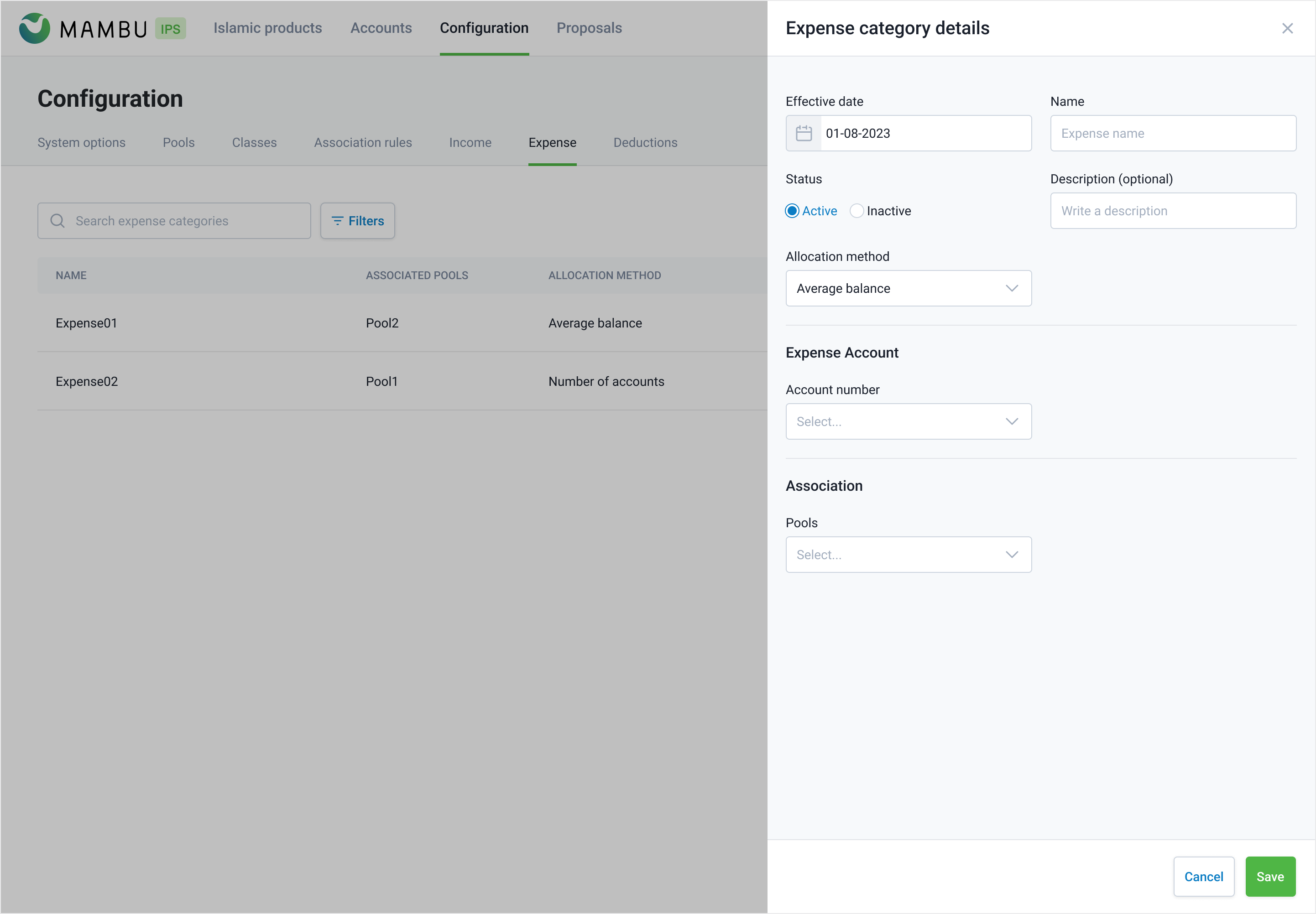
Expenses parameters
| Parameter | Description | Required |
|---|---|---|
| Effective date | The date when the change should be implemented. | YES |
| Name | The name of the expense category. Include at least 3 or more letters or numbers, symbols cannot be used. | YES |
| Status | Whether the expense category is currently active or inactive | YES |
| Description | Document additional details or context related to the subject. | NO |
| Account | Identifies the account associated with the expense. | YES |
| Allocation method | Specifies the method employed for allocating profits (Select option from drop-down: Average balance; Number of accounts; Percentage) | YES |
| Pools | The pools that are associated within the profit-sharing system. | YES |