Managing Islamic Deposit Accounts
Observation
To observe Islamic deposit accounts for a particular Islamic product, follow these steps:
- Navigate to Islamic Products.
- Select Actions for the specific product of interest.
- Choose View Accounts.
All deposit accounts that are using Islamic deposit products can be observed here - Navigate to Accounts.
Add Islamic rules
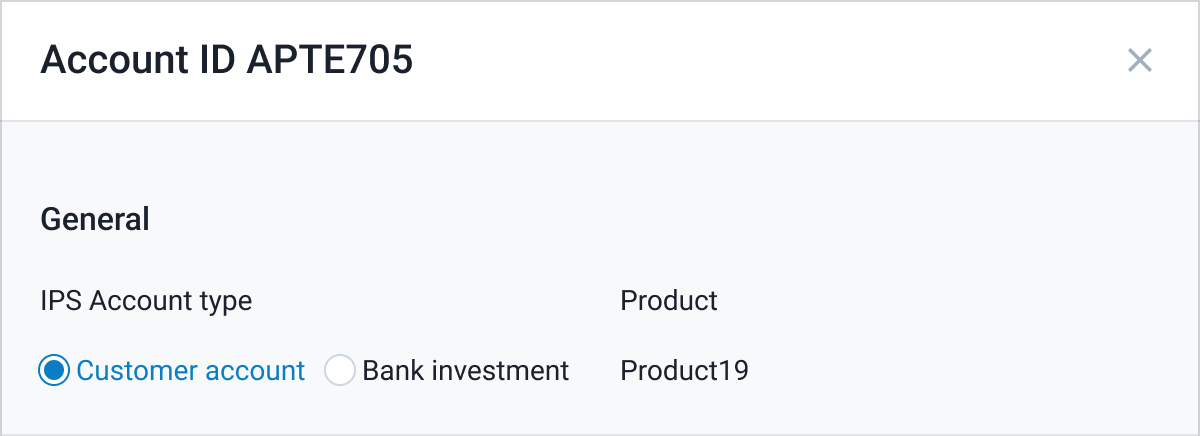
Here you can define the account's Profit sharing rule - IPS account type:
- Select Actions and Edit for specific account
- Save your edits by clicking Save.
Link accounts to Class
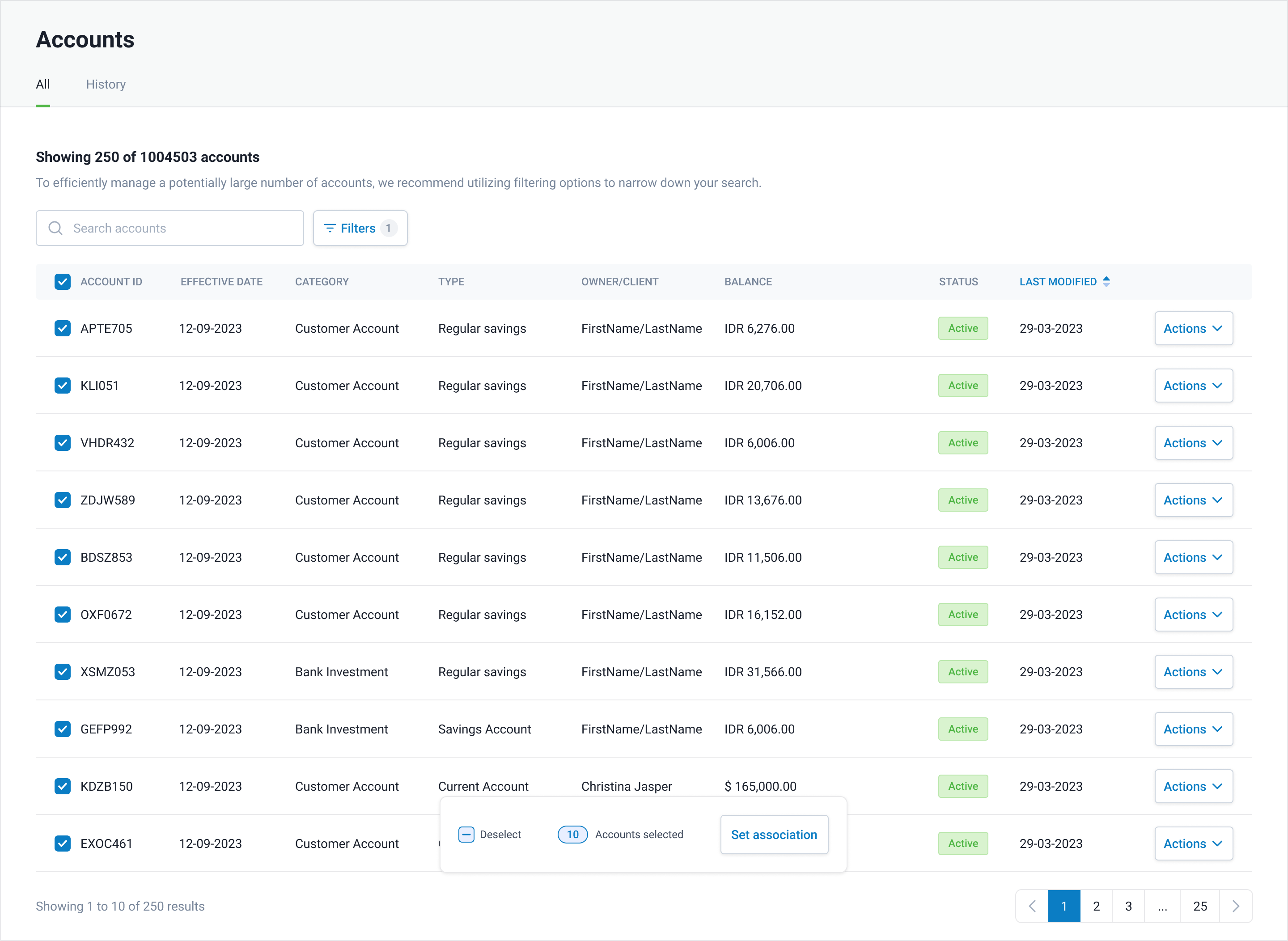
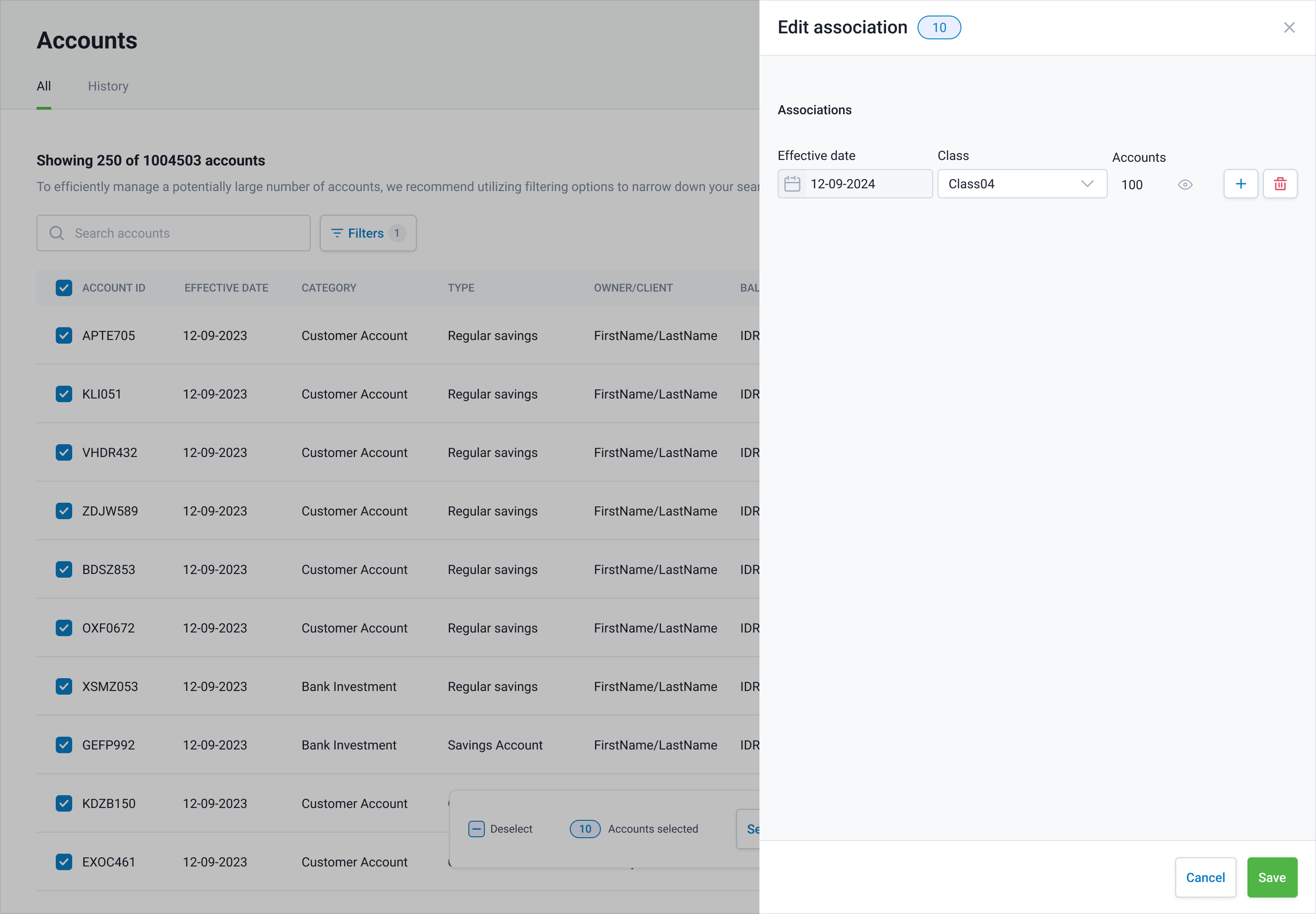
Here you can set associations of account with Profit sharing Class:
- Select Account or Accounts.
- Select Set association.
- Select or delete Class from the list.
Islamic accounts parameters
| Parameter | Description | Required |
|---|---|---|
| Effective date | The date when the change should be implemented. | YES |
| Product | The deposit product to use for this deposit account. | YES |
| IPS Account type | The account type for profit sharing calculations. Customer account - client account (as a partner in investment). Bank investment - bank account (as a partner in investment) NOTE: default value - Customer account. | YES |
| Class | The linking of an account to a class for profit-sharing calculations. If an account is not associated with a class, it will not be included in profit calculations. | NO |