Changing the interest rate
You can change the interest rate at account level for the following loan products:
- Dynamic Term Loans using the Declining Balance Equal Installment interest calculation method with either Standard or Balloon payment methods and all pre-payment recalculations.
- Dynamic Term Loans with a fixed interest rate, using the Declining Balance interest calculation method, and No Recalculation set as pre-payment recalculation.
- Revolving Credit Loans with a fixed interest rate.
You may only change interest rates for revolving credit loans when Interest Rate Source is set to Fixed Interest Rate. When Interest Rate Source is set to Index Interest Rate, changing the spread on Revolving Credit loans is not currently supported.
The interest rate and the index rate can be changed in the Mambu UI or via the API. For more information on changing rates with the API, see Change interest rate and Create index rate in our API Reference.
Fixed interest rates
Fixed interest rates normally don’t change for the entire term of the loan. However, if you must change them after a period, you have the possibility to do so.
You can increase or decrease the fixed interest rate at the account level for any Active or Active in Arrears accounts.
To change the fixed interest rate:
- Open the loan account.
- On the right-hand side of the screen, select More > Edit Interest Rate.
- In the Editing Interest Rate dialog, enter a new interest rate and select the date from which you want the interest to change. The date can be in the present, backdated, or in the future.
- Save your changes.
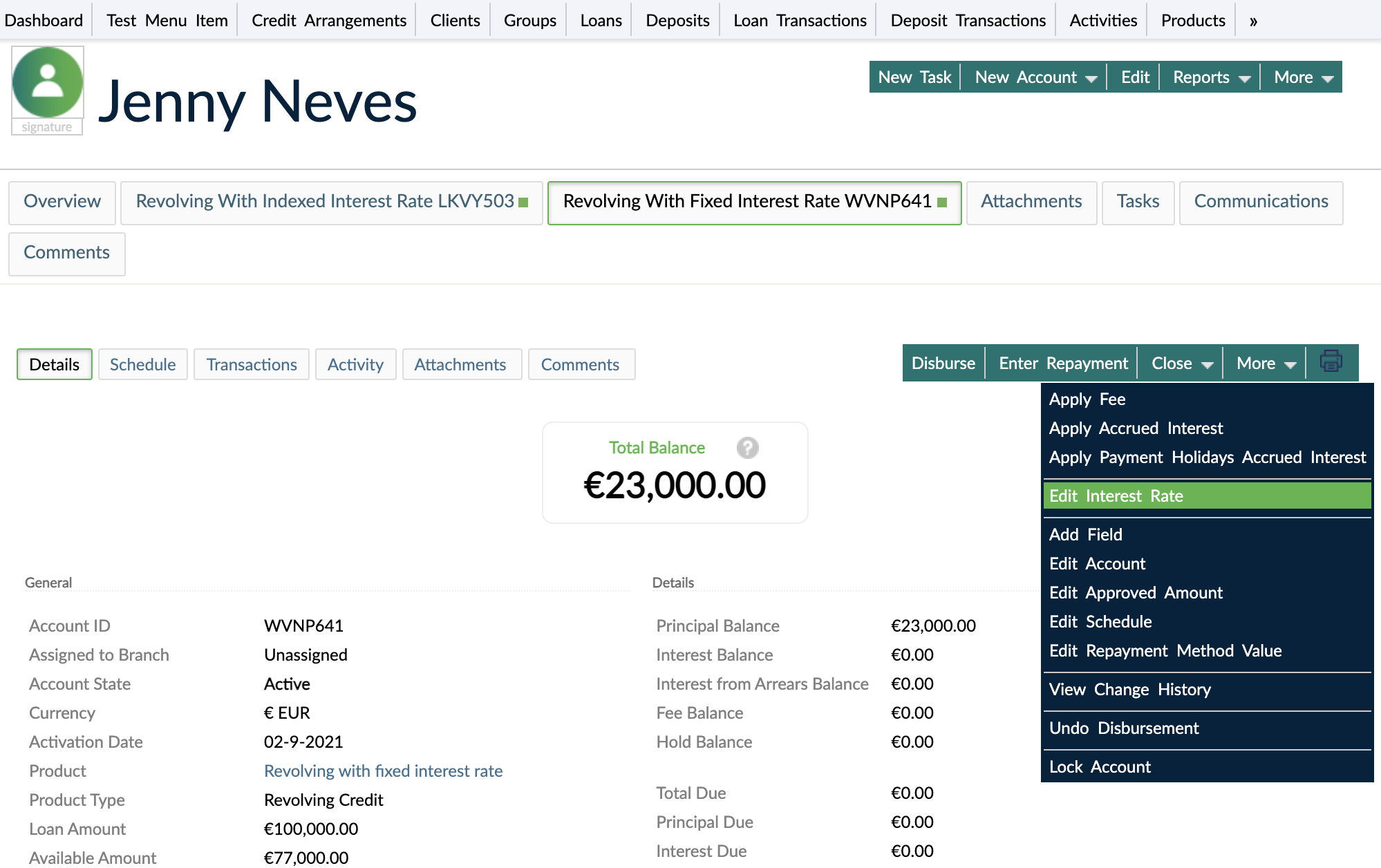
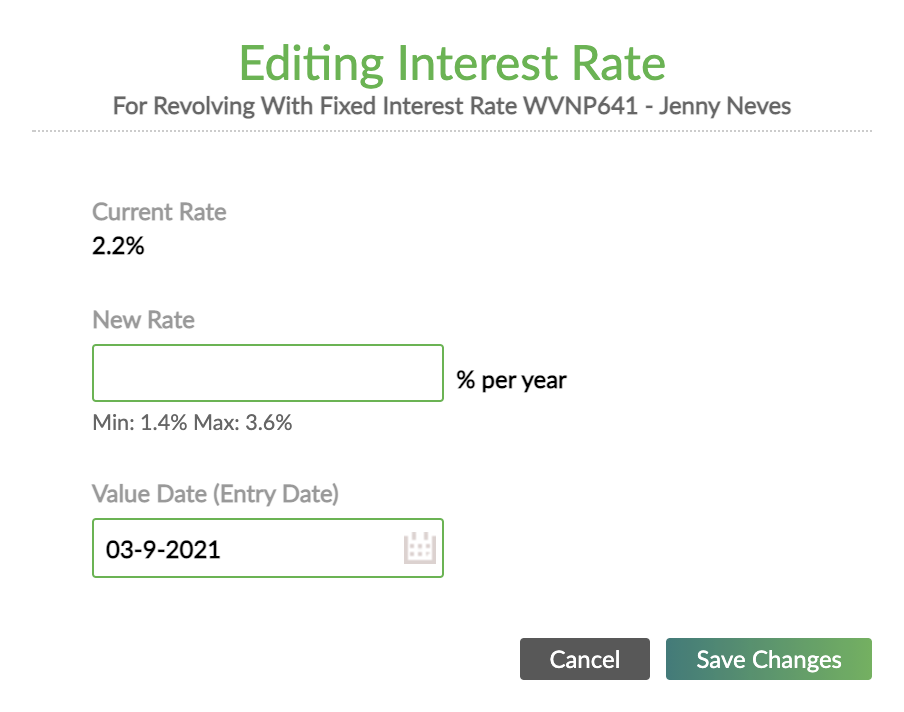
You may change the interest rate multiple times. Mambu will always apply the most recent rate. Future changes of interest rates are visible on the effective date. After you change the interest rate, the effect on the schedule will be visible in the Schedule tab.
The Interest Rate Changed transaction is a non-financial transaction and cannot be reversed. For this reason, all backdated and current Interest Rate Changed transactions will be visible in the Transactions tab.
Index interest rates
Index interest rates, also known as variable or adjustable rates, are calculated as the sum of a reference benchmark index interest rate and a specified spread or margin. As a result, index interest rates change when the benchmark index interest rate changes.
You can manually change either one of these components with the following results:
- When you change a reference index rate, all loan accounts using this reference are also changed.
- When you change the spread, only the specific loan account you are updating will be affected.
To change the interest reference, see Customizing Index Interest Rates & Tax Rates.
To change the interest spread:
- Open the loan account.
- On the right-hand side of the screen, select More > Edit Interest Spread.
- In the Editing Interest Spread dialog, enter a new interest spread and select the date from which you want the spread to change. The date can be in the present, backdated or in the future.
- Save your changes.
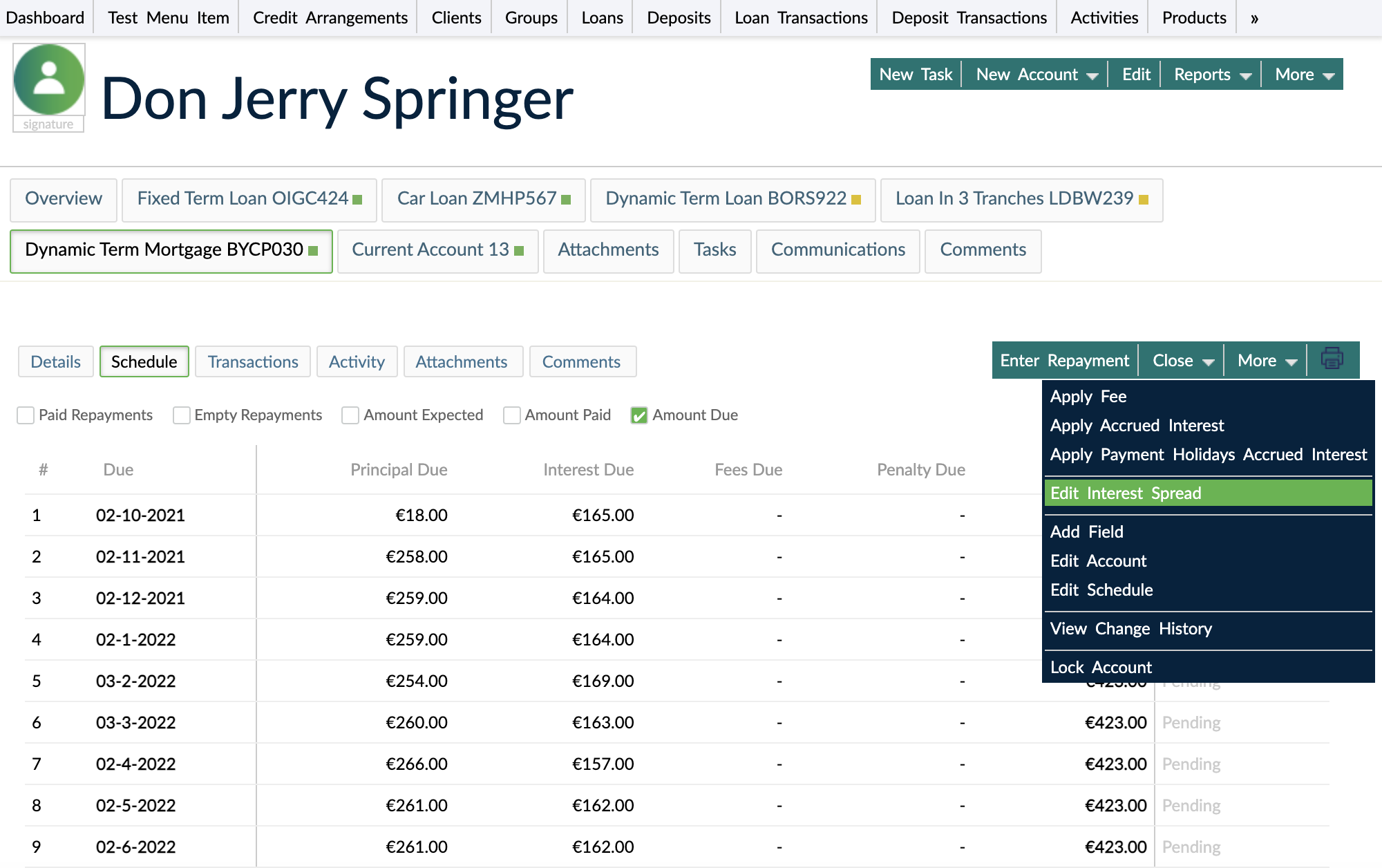
You cannot change an interest rate to a time before an existing Repayment transaction or before an existing Interest applied transaction.
To avoid validation conflicts, always ensure that index rate source updates are created before applying any account-level interest spread changes intended for the same value date.
Adjustable interest rates
On the same loan account, you can have both interest rate sources and to switch from fixed interest rate to index interest rate and the other way around throughout the life cycle of the loan. You can set as many interest rate sources as you wish, which offers flexibility.