Import Database clone
Overview
After you have obtained a database dump, you can proceed and import it into the local instance of MySql Server.
Import
Please follow the steps below to perform the operation:
-
Ensure the dump file is not in an archived format, but as plain SQL - extract it if needed.
-
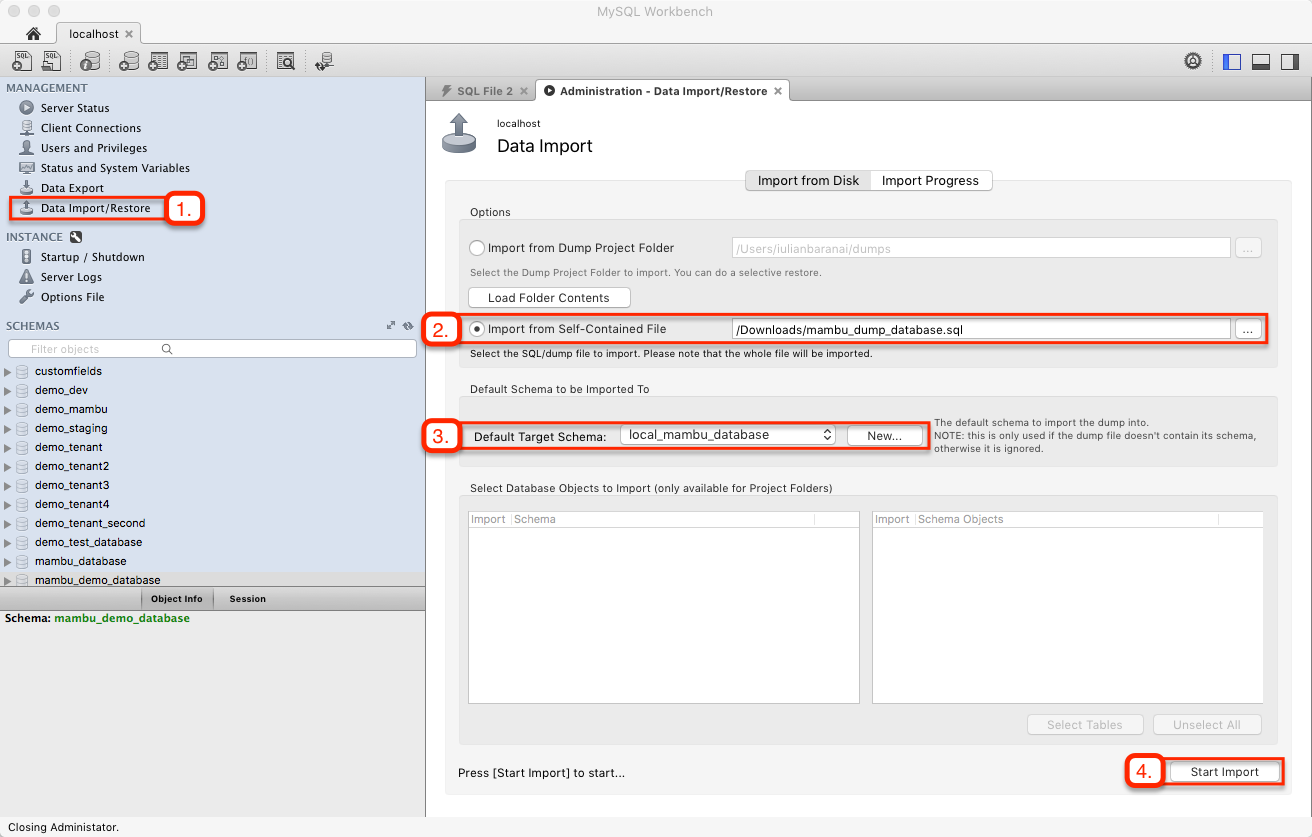
Open MySQL Workbench and in the Management tab, select Data Import/Restore
-
Choose Import from Self-Contained File and select the dump file
-
Create a new Database Schema as a target or mention an existing empty one
-
Click Start Import (the process might take a few moments).
Test
After a confirmation message is displayed, can perform a double check on the just imported database:
-
Go to the Schemas tab and hit Refresh button
-
Search in the available schemas and the new database should be present
-
Look for tables - all Mambu tables should be listed.