Sandbox
Your Mambu instance includes a production tenant and a sandbox tenant. Your live application is hosted on your production tenant. While the sandbox tenant is a fully functional, isolated testing space that runs on a separate tenant. You can use your sandbox to test configurations, updates, and new products or features before making them available to your clients in production. This allows you to "play in the sandbox" to try out new features and workflows, train your staff, or develop applications without changing your live data.
The complete Mambu UI and Mambu API are both fully available in the sandbox and production tenants. You may log into the Mambu UI at the following URLs:
- Sandbox:
https://TENANT_NAME.sandbox.mambu.com - Production:
https://TENANT_NAME.mambu.com
For more information on the sandbox API, see Sandbox in our API Reference.
If you have federated authentication enabled, you must set up separate applications for both tenants in your IdP. For more information, see Using sandboxes with federated authentication enabled.
The two tenants are part of the same instance, but are otherwise mostly independent. What you do in your sandbox does not affect production data, and vice versa, with one important exception:
Sandbox tenants do not have redundant servers or database backups. We strongly recommend that you do not use a sandbox for live client data.
The sandbox is generally one version ahead of the production tenant. As such, it may include changes that are currently in, or may soon be in, the production tenant. For more information, see Mambu Release Cycle.
Sandbox management
To manage your sandbox, go to the Customer Service Portal. For more information and instructions, see Customer Service Portal - Sandbox Management.
Distinguishing the sandbox from production
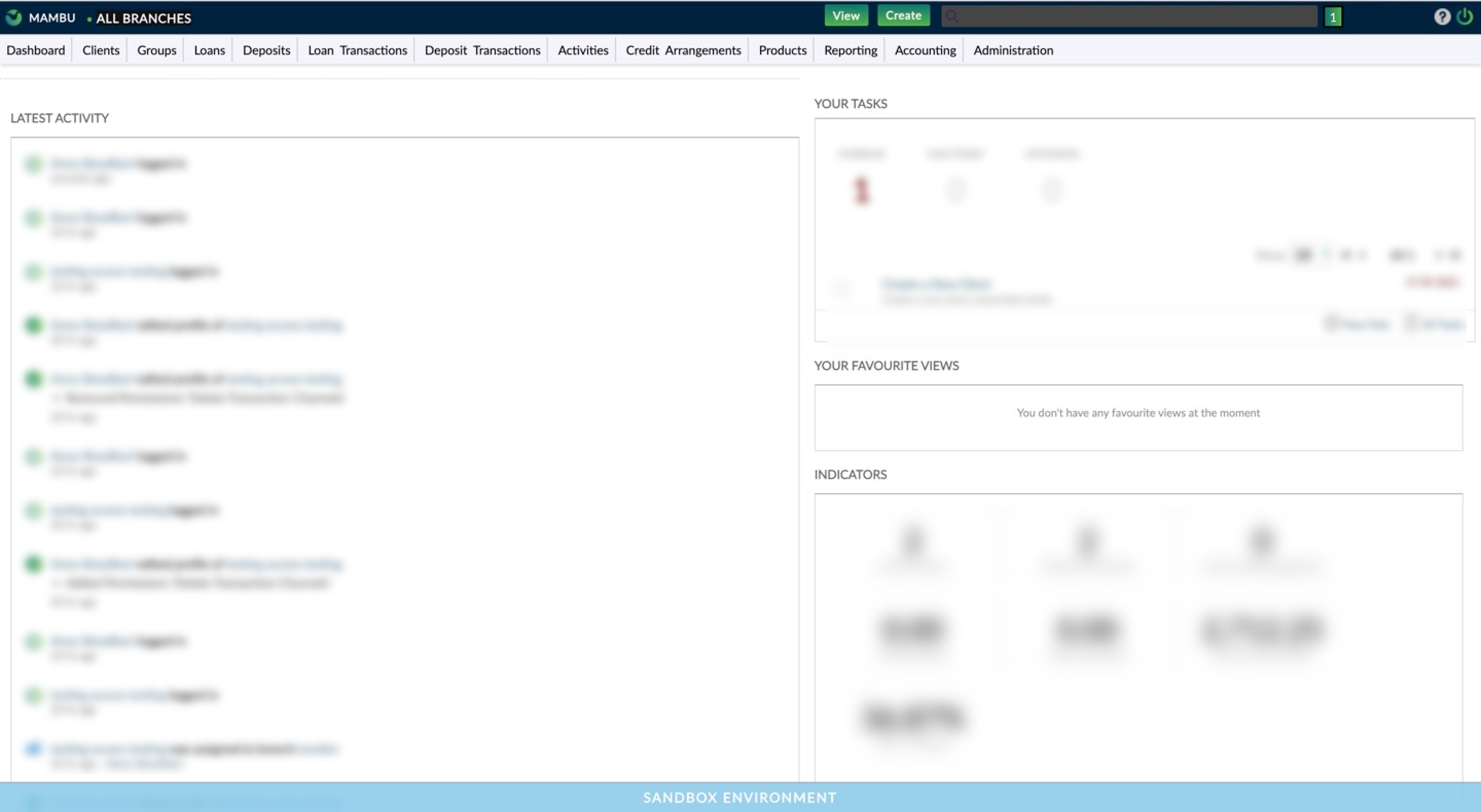
You may distinguish sandbox from production by looking at the base URL. Also, the sandbox UI has a blue bar with the label Sandbox Environment at the bottom of each page.
Populating your sandbox with data
To populate your sandbox with data, you may:
- Clone production data to your sandbox
- Use Configuration as Code (CasC)
Cloning production data to your sandbox
There are two options available for cloning production data to your sandbox: Clone with Production Anonymized Client Data and Clone with Production Data. For more information on how to clone, see Customer Service Portal - Cloning production to sandbox.
For security and compliance reasons, when you clone your production data to sandbox, API keys are not copied over. You must create new API keys for your newly cloned sandbox tenant. For more information, see API Consumers - API keys.
Client data anonymization
If you clone production with anonymized client data, your data will be modified as described below:
Notifications
| Action | Items |
|---|---|
| Unsubscribed | All clients are unsubscribed from notifications |
| Deleted | - Notification requests associated with the client - Notification messages associated with the client - Notification messages associated with client's loan accounts - Notification messages associated with client's savings accounts - Client tasks |
Client fields
| Action | Items |
|---|---|
| Obfuscated | - First name - Last name |
| Deleted | - Middle name, gender, notes, email address, birth date, home phone, mobile phones, address, assigned branch key, assigned centre key, assigned credit officer key. - Client identification documents (also corresponding attachments from remote file storage) - Client profile picture and signature picture (from images table) - Client attachments (from remote file storage and documents table) - Client custom field values - Portal preferences - Client comments - Client activities (activities, sub-activities and field change items) |
Client loan accounts
| Action | Items |
|---|---|
| Obfuscated | - Loan name |
| Deleted | - Notes - Custom field values for client loan accounts - Attachments for client loan accounts (from remote file storage and documents table) - Client loan accounts transactions |
| Deleted | - Transaction comments - Transactions custom field values |
Client loan accounts guarantees
| Action | Items |
|---|---|
| Obfuscated | - Asset name |
| Deleted | - Guarantees custom field values |
Client loan repayments
| Action | Items |
|---|---|
| Deleted | - Repayments notes - Comments for client loan accounts - Client loan accounts activities (activities, sub-activities and field change items) |
Client deposit accounts
| Action | Items |
|---|---|
| Obfuscated | - Account name |
| Deleted | - Notes - Custom field values for client savings accounts - Attachments for client savings accounts (from remote file storage and documents table) |
Client savings accounts transactions
| Action | Items |
|---|---|
| Deleted | - Transaction comments - Transactions custom fields - Comments for client savings accounts - Client savings accounts activities (activities, sub-activities and field change items) |
Client lines of credit
| Action | Items |
|---|---|
| Deleted | - Notes - Custom field values for client lines of credit - Attachments for client lines of credit (from remote file storage and documents table) - Lines of credit activities (activities, sub-activities and field change items) |
Client guarantees (guarantees in which the client is guarantor)
| Action | Items |
|---|---|
| Obfuscated | - Asset name |
| Deleted | - Guarantees custom field values |
The cloning process does not clone the infrastructure queues used by Notifications (Streaming, Webhook, SMS, and Email). As a result, notification dispatch will not work out-of-the-box after a clone.
Workaround
Before reusing Notifications in the cloned sandbox, duplicate your notification templates in the target sandbox. This rebuilds the configuration so the system can produce and dispatch new messages from the sandbox environment. If you use custom routing, ensure any external endpoints and credentials are updated for sandbox use.
Using Configuration as Code to populate your sandbox
Configuration as Code is a feature that allows you to batch configure Mambu elements using YAML-formatted requests. For more information, see Configuration as Code Overview.