Editing Accounts
You can only edit deposit accounts' terms and conditions when the account isn't active yet. After accounts are approved and in the Active state, only the name, notes and custom field values can be changed.
To edit an account:
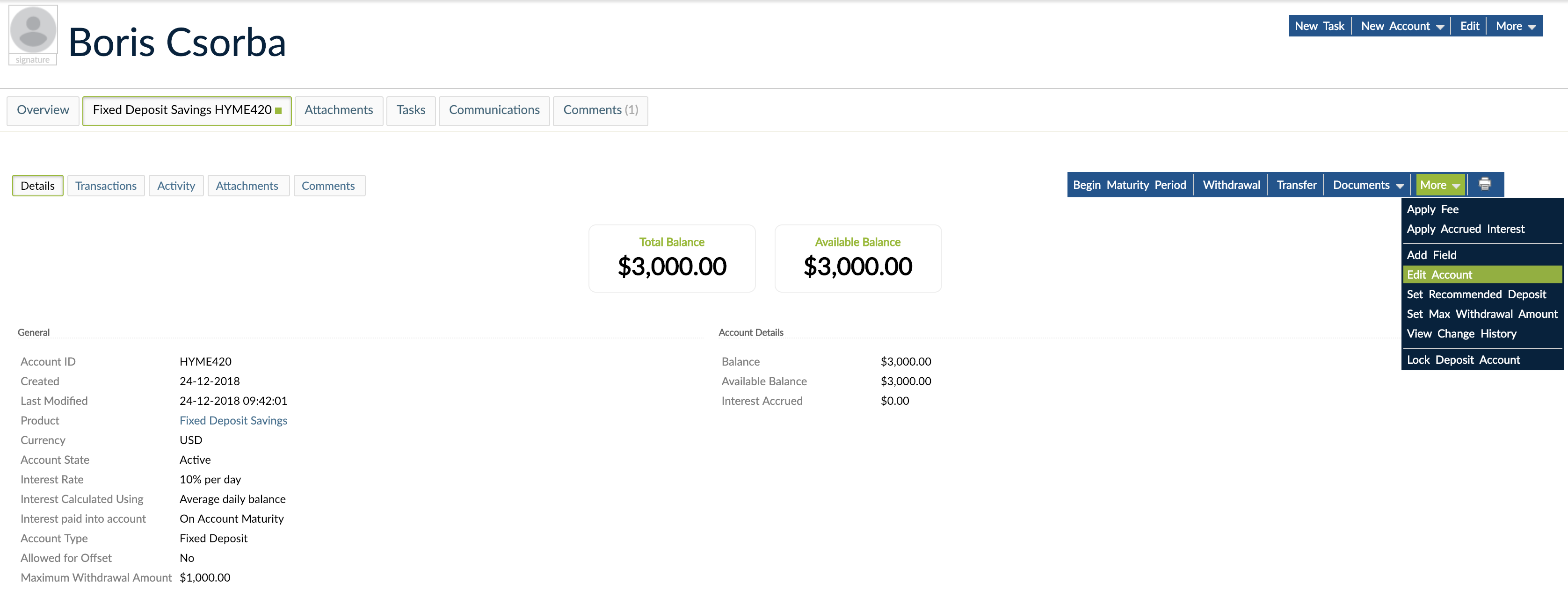
- Open the deposit account.
- On the right-hand side of the screen, click on More > Edit Account.
- Make the changes by editing the name, custom field value, or notes.
- Click on Save.
To enter a value for a custom field definition:
- Open the deposit account .
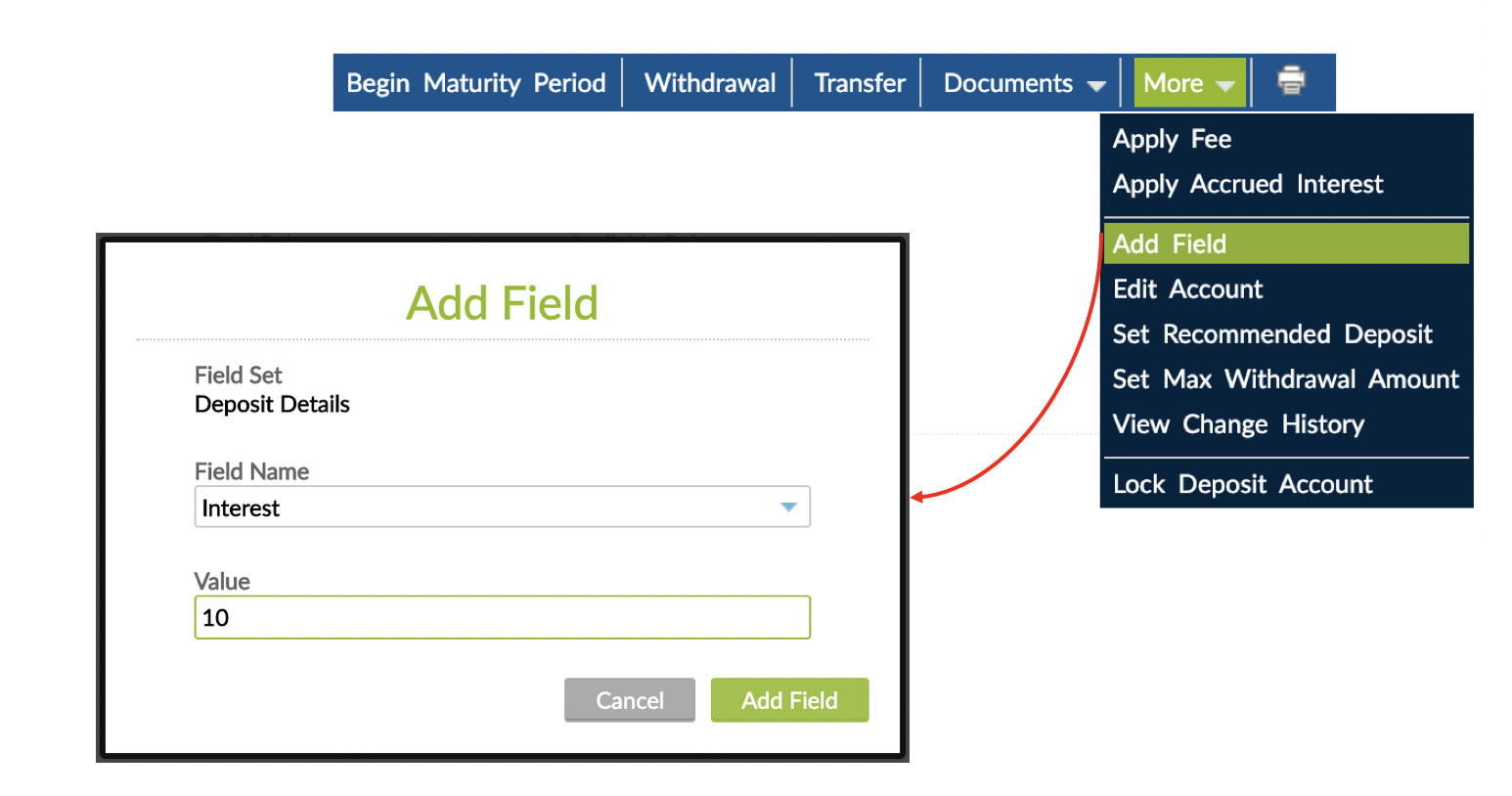
- On the right-hand side of the screen, click on More > Add Field.
- Enter the custom field definition name and its value.
- Click on Add Field.