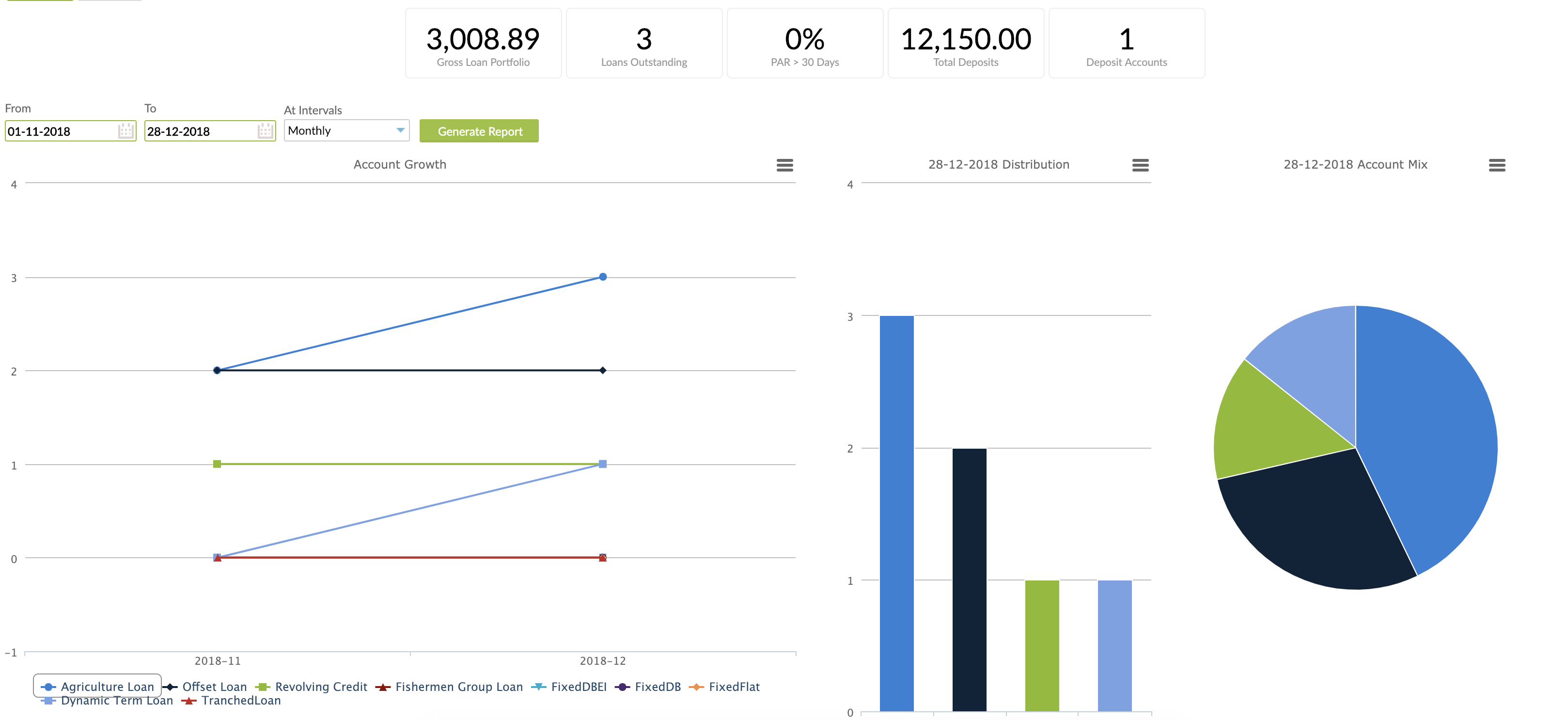
Management Reports
Mambu provides various management reports via the Mambu UI under the Reporting menu item.
A user must have the necessary permissions to view these reports - see Permissions and management reports below for more information.
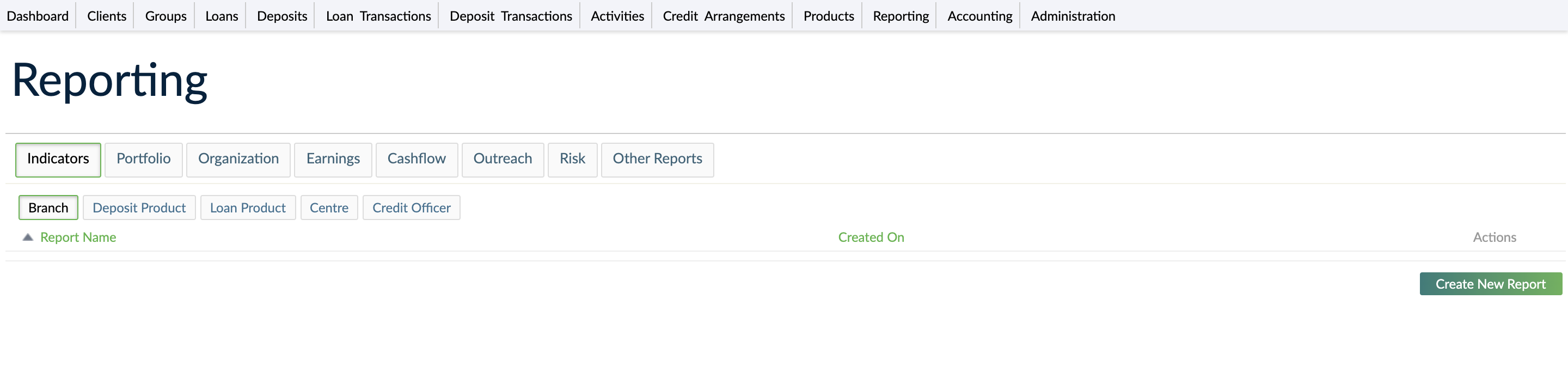
The Reporting page gives you access to seven tabs that represent the management reports available:
In addition to these management reports, Mambu provides additional reporting capabilities. For more information, see Custom Views, Jasper Reports Overview, and Accounting Reports.
Permissions and management reports
In order to access the Reporting menu item, you must have the View Historical Data (VIEW_INTELLIGENCE) and View Reports (VIEW_REPORTS) permissions.
The following permissions control what you are able to do with management reports:
- View Historical Data
VIEW_INTELLIGENCE - View Reports
VIEW_REPORTS - Create Reports
CREATE_REPORTS - Edit Reports
EDIT_REPORTS - Delete Reports
DELETE_REPORTS
For more information, see Permissions and Menu item types and permissions.
Indicator reports
Mambu provides a set of default indicators based on five different entities:
- Branches
- Deposit products
- Loan products
- Centres
- Credit officers
Creating an indicator report
To create an indicator report:
- Select the entity for which you want to create the indicator.
- Select Create New Report.
- In the Creating New Report dialog, enter all the necessary information. For more information on fields, see Indicator report fields.
- Select Save Changes.
To view the indicator report, select the name of the report in the list.
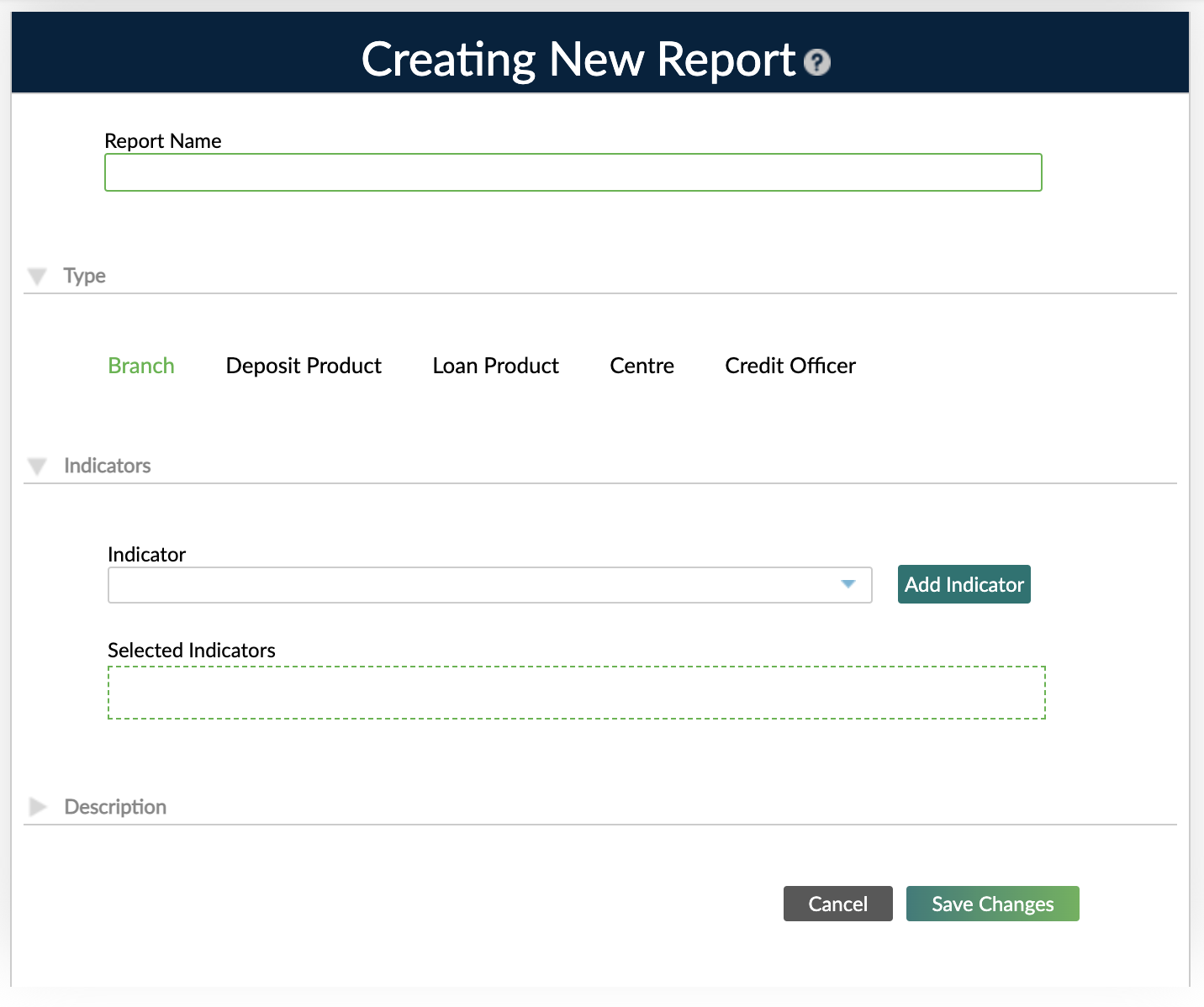
Indicator report fields
| Field | Description | Required |
|---|---|---|
| Name | The name for the report. Maximum length of 255 characters. | ✔ |
| Type | The indicator report entity. The type is determined when selecting a tab before creating the report, and it cannot be modified. The available entities are: branch, centre, loan product, deposit product, and credit officer. | ✔ |
| Indicators | The list of indicators to be included in the report. The list is determined by the entity type selected. For more information about the available indicators, see Indicators. | ✘ |
| Description | The description for the report. | ✘ |
Editing indicator reports
To edit an indicator report, either:
- Find the indicator report in the list of reports and select Edit .
- Visit the indicator report page and select Actions > Edit.
To edit reports, you must have the Edit Reports (EDIT_REPORTS) permissions assigned to your user.
To remove an indicator used in the report, select Delete next to the indicator.
Deleting indicator reports
To delete an indicator report, either:
- Find the indicator report in the list of reports and select Delete .
- Visit the indicator report page and select Actions > Delete.
To be able to delete reports, you must have the Delete Reports (DELETE_REPORTS) permissions assigned to your user.
Exporting indicator reports
The table generated from the indicator report can be exported as an xlsx Excel spreadsheet file. However, the graphs and diagrams cannot be exported.
Portfolio report
Portfolio reports provide an overview of your loan portfolio. You can see the number of accounts, their accumulated balance, and how they have changed across time.
To generate a portfolio report:
- Use the Branch field to select a branch.
- Use the From and To fields to select the start and end dates. Maximum date range of one year allowed.
- Use the At Intevals dropdown to select the interval - daily or weekly.
- Select Generate Report .
The charts cannot be modified or customized.
The information is divided in three sections: Overview, Accounts and Historical.
Overview report
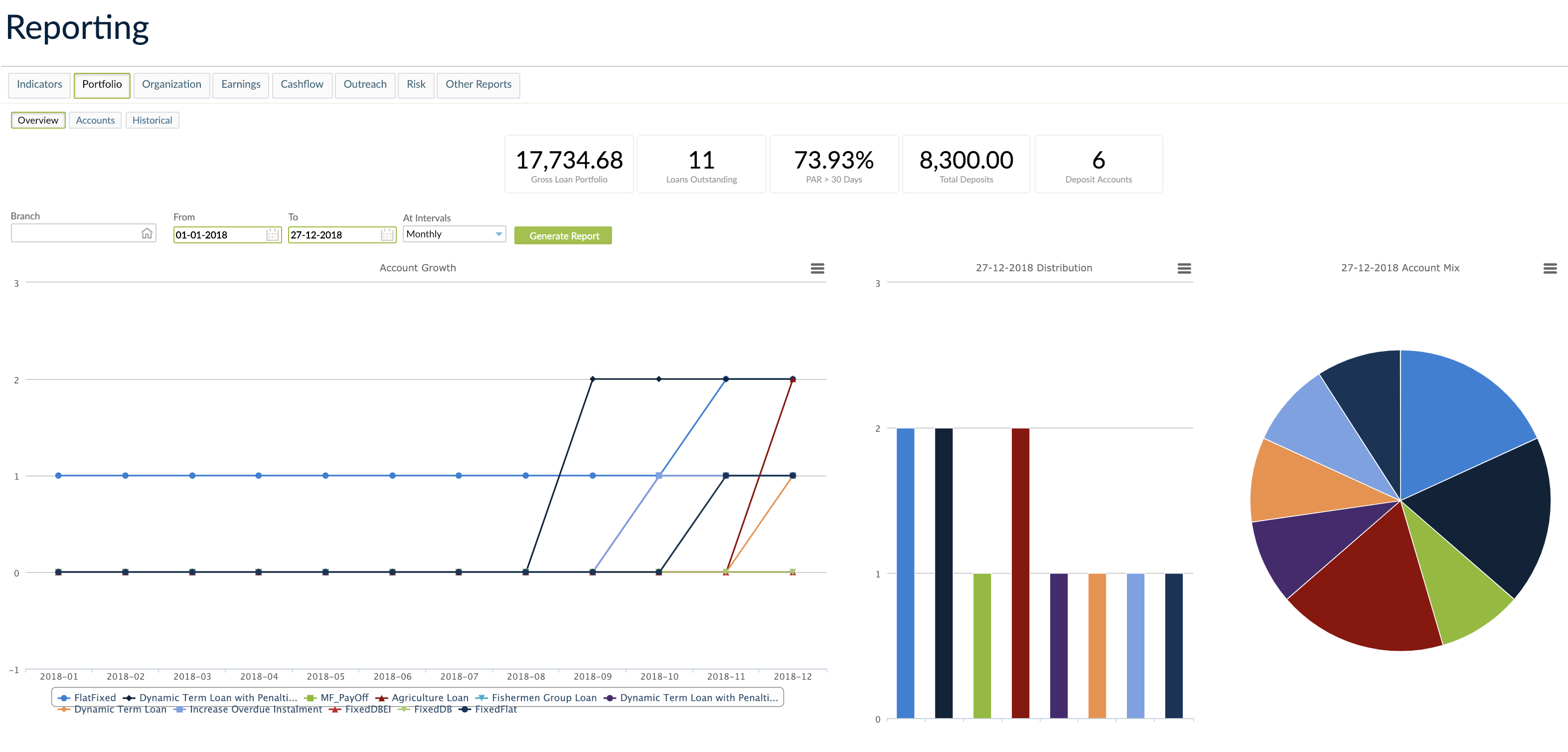
This section is an overview of your organization, mainly regarding its size and account distribution.
The report is divided in two sections. At the header, you will find general indicators that provide a quick overview of your organization. In the main body below, you will find a visualization of your account growth and distribution by number of accounts and balances.
Accounts report
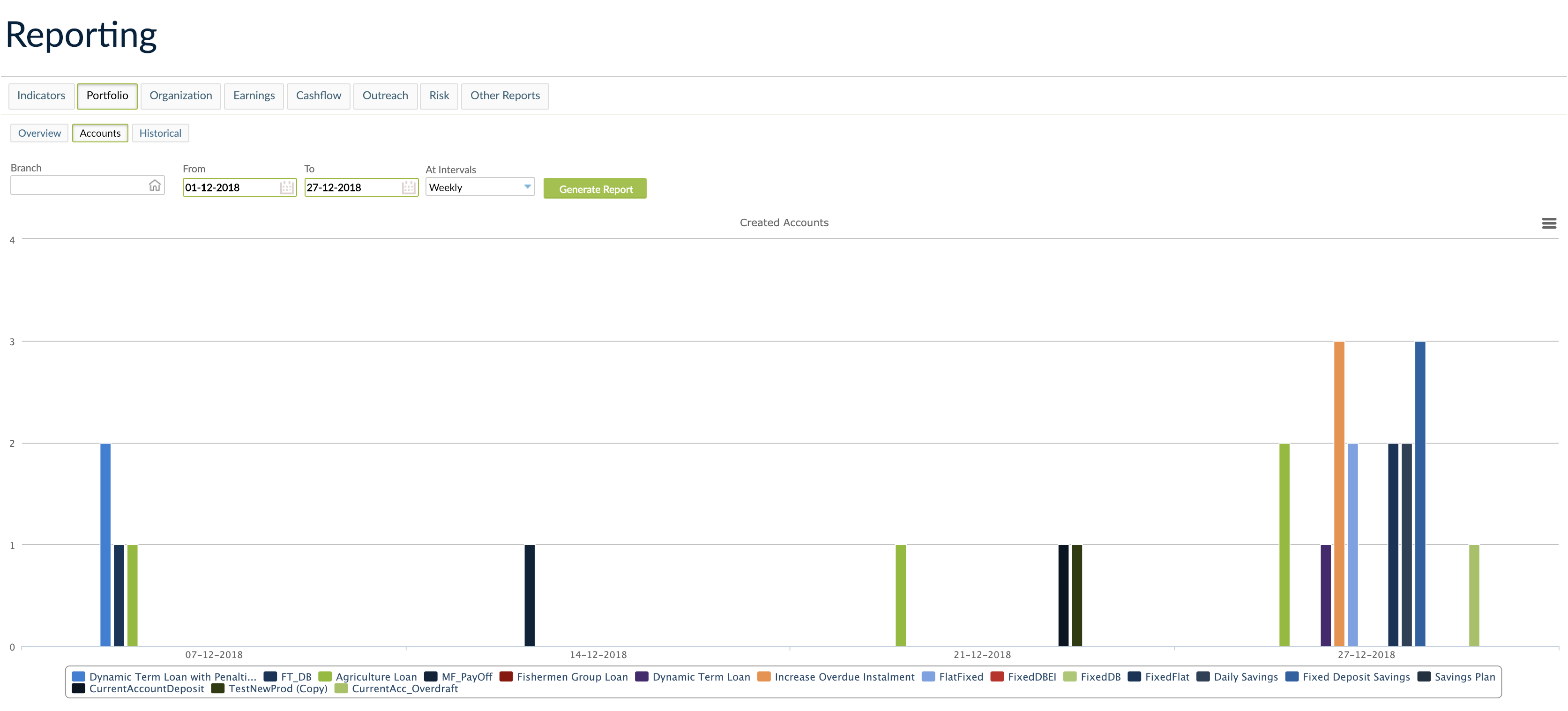
Three interactive graphs show the evolution of your accounts portfolio: Created Accounts, Disbursed Loans, and Written Off Loans.
Historical report
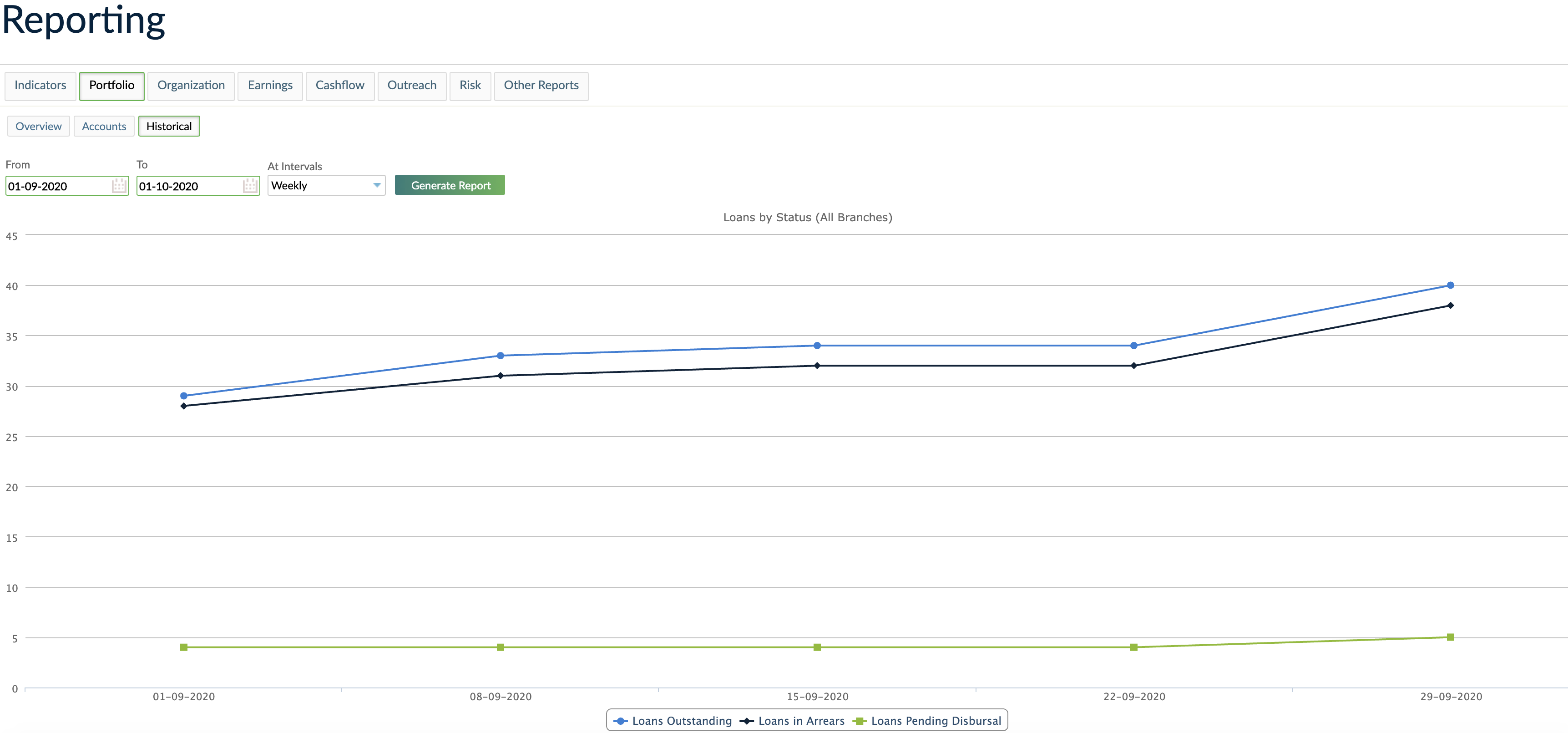
This report shows changes over time in several interactive graphs: Loans by Status, Capital Structure, Portfolio Risk, and Average Loan Balance.
When you select Weekly reporting, the data points shown are from the same day of each week, for the duration of the time interval selected.
When the interval does not correspond to full weeks, the report will be made until the last day of a full week.
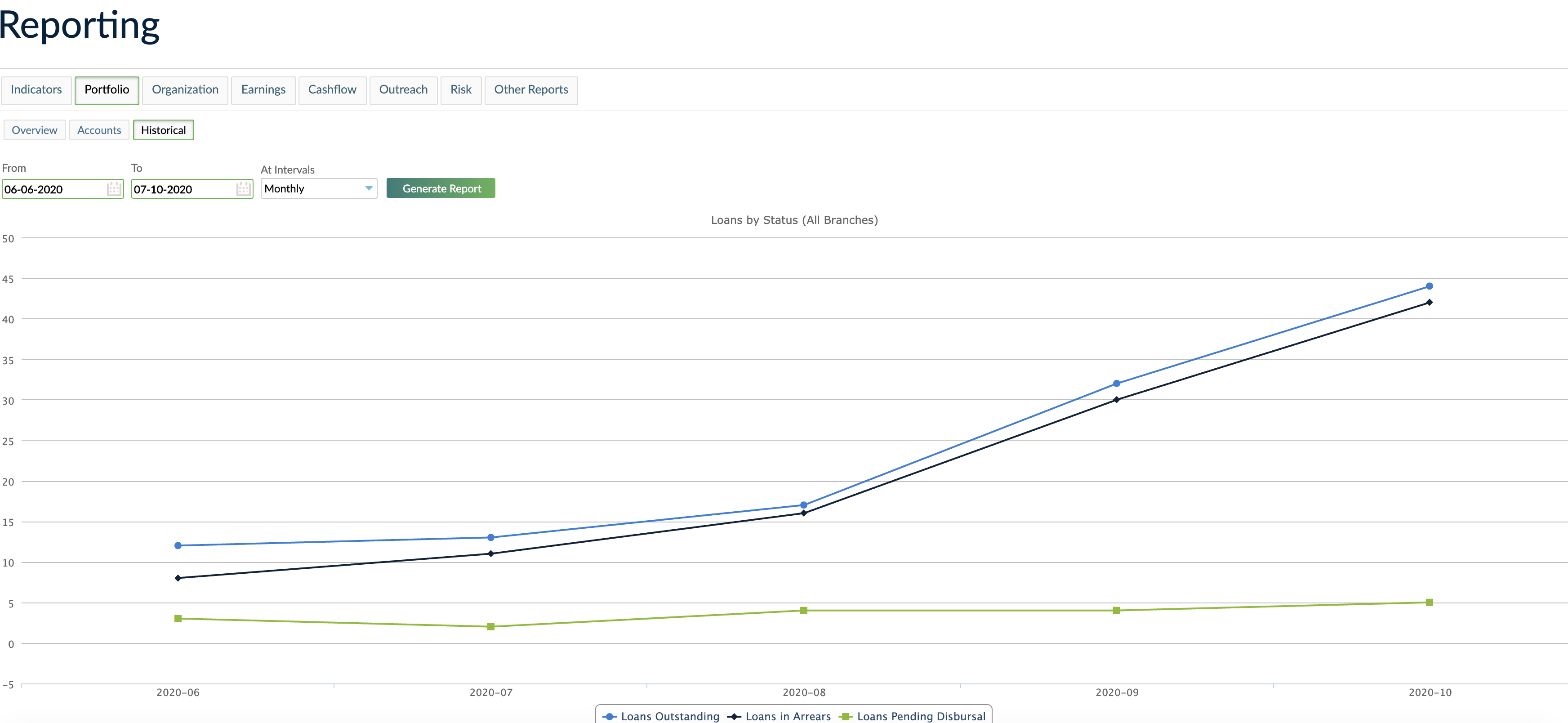
When you select Monthly reporting, each month in the selected time range has one data point in the graph, which always corresponds to the same day of the month. For example, when selecting the interval June 6, 2020 to October 6, 2020, the data points correspond to June 6, July 6, August 6, September 6, and October 6.
Organization report
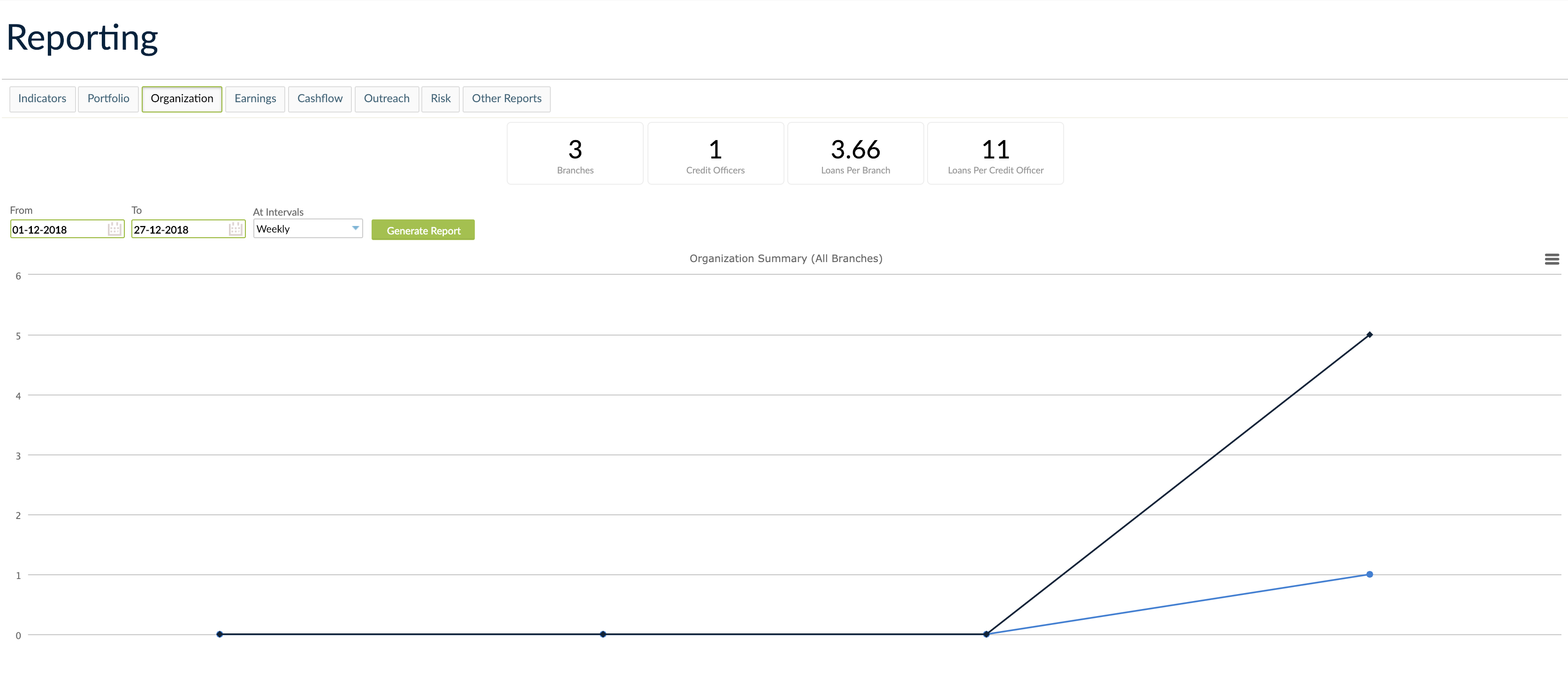
The organization report provides information about your organization, including:
- Number of branches
- Number of credit officers
- Loans per branch
- Loans per credit officer
To generate the organization report:
- Use the From and To fields to select the start and end dates. Maximum date range of one year allowed.
- Use the At Intevals dropdown to select the interval - daily or weekly.
- Select Generate Report .
Earnings report
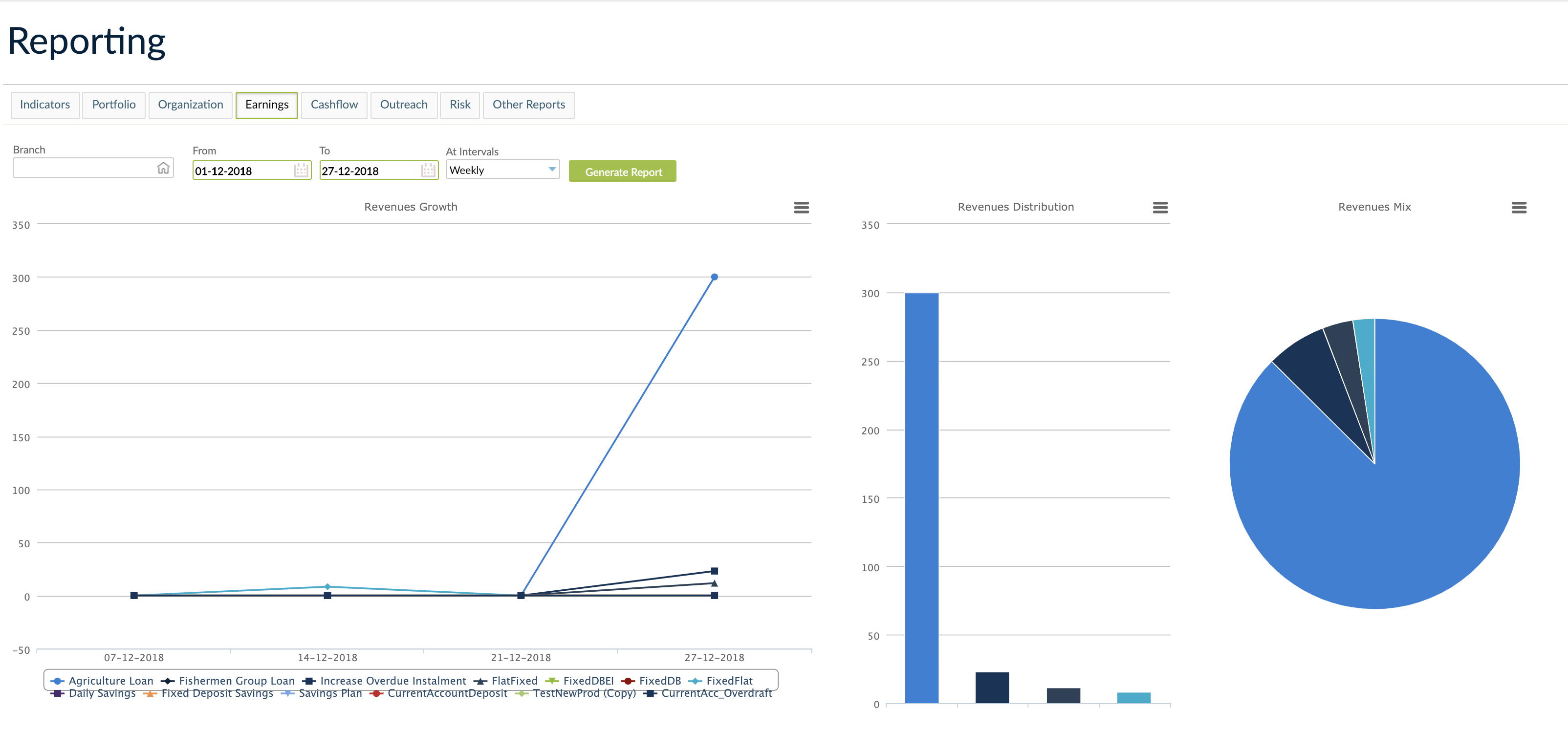
The earnings report gives you a view of revenues and expenses related to your financial products, showing their growth, distribution and mix for each product and per branch.
To generate the earnings report:
- Use the Branch field to select a branch.
- Use the From and To fields to select the start and end dates. Maximum date range of one year allowed.
- Use the At Intevals dropdown to select the interval - daily or weekly.
- Select Generate Report .
Cashflow report
This report only provides information entered in the base currency of your organization. Data entered in a different currency will be omitted.
Moreover the cashflow report provided here does not include all the information included in a regular cashflow report. You may need to procure other cashflow reports for your accounting needs.
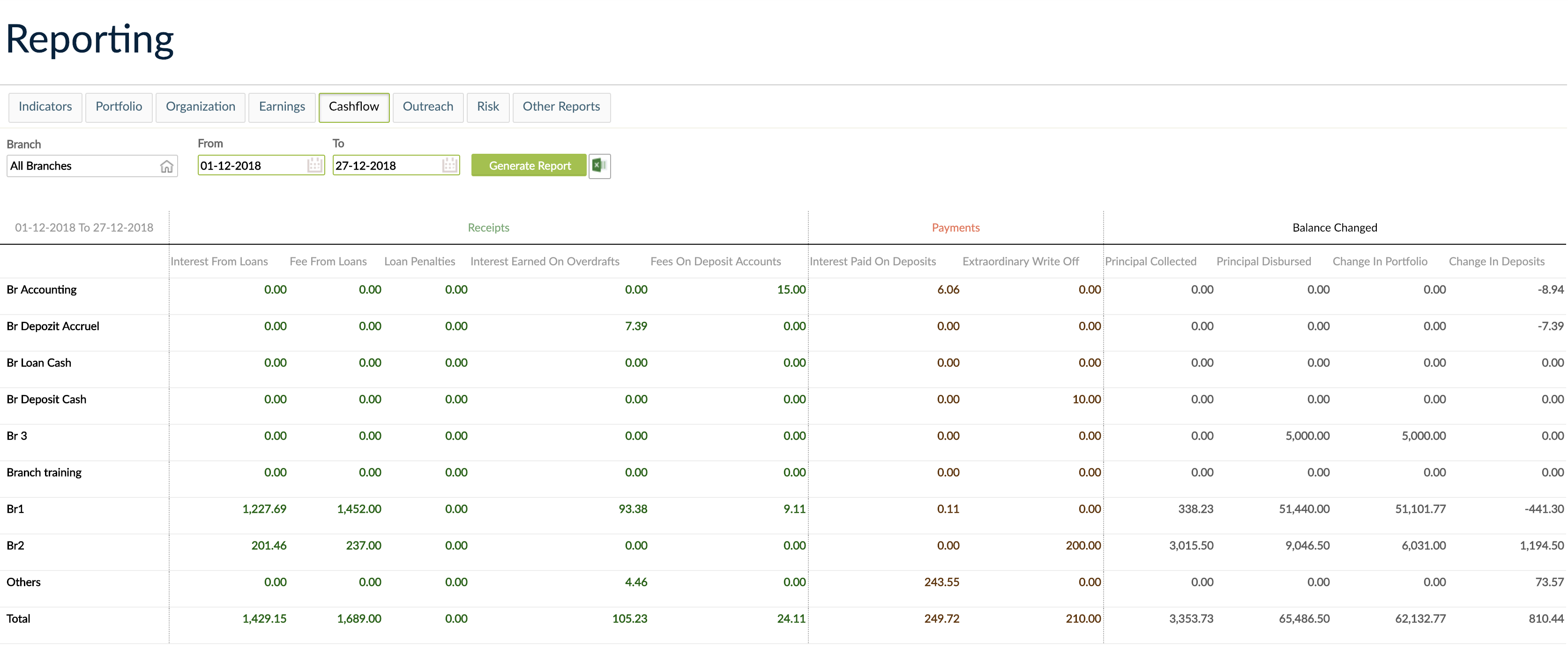
The cashflow report displays information for indicators related to receipts, payments, and the changed balance.
To generate the cashflow report:
- Use the Branch field to select a branch.
- Use the From and To fields to select the start and end dates. Maximum date range of one year allowed.
- Use the At Intevals dropdown to select the interval - daily or weekly.
- Select Generate Report .
Indicators in the cashflow report
Income
- Interest from Loans: The amount of paid interest of all repayments.
- Fees from Loans The amount of paid fees of all repayments and fee charged transactions. Includes all type of fees, including the disbursement fees.
- Loan Penalties: The amount of paid penalties of all repayments.
- Interest on Deposits: The amount of interest applied on deposit accounts. The value is positive if interest was charged, or zero.
- Fees on Savings: The difference between the savings fees that were applied and the savings fees reduced amounts.
Expenses
- Interest Earned on Overdrafts: A negative value means that interest was charged. In this case, it is calculated as described above for interest on deposit.
- Extraordinary Write-Off: The sum of overdraft amounts from all savings transactions that have been written-off during this period, to which we also add:
- The difference between loan amount - principal paid, if a loan account is in closed written off state, and
- The principal amount from the write off transaction, if the a loan account is in closed rescheduled or refinanced state.
Balance Changed
- Principal Collected: Amount of principal of all repayments.
- Principal Disbursed: Amount of principal that was disbursed.
- Change in Portfolio (assets): Principal disbursed - principal collected.
- Change in Deposits (liabilities): Sum of all savings transactions amounts.
Outreach report
The outreach report provides information about:
- The number of clients
- The number of groups
- The number of borrowers
- The number of savers
- The percentage of female borrowers
Risk report
For more information on the risk report, see Risk Report under the managing risk section of Loans.
Other reports
The Other Reports tab gives you access to Jasper Reports that you have imported and that are not assigned to an entity. For more information, see Jasper Reports Overview.
Modifying chart data
You can easily show or hide products or data in the management reports charts in Mambu. When viewing a chart, you can select the item in the chart summary box to either hide or show it.