Repayments Schedule Editing
When creating a new loan product, you can control the extent to which loan schedules can be edited by selecting the desired Repayments Schedule Editing options in the Repayment Scheduling section of the form.
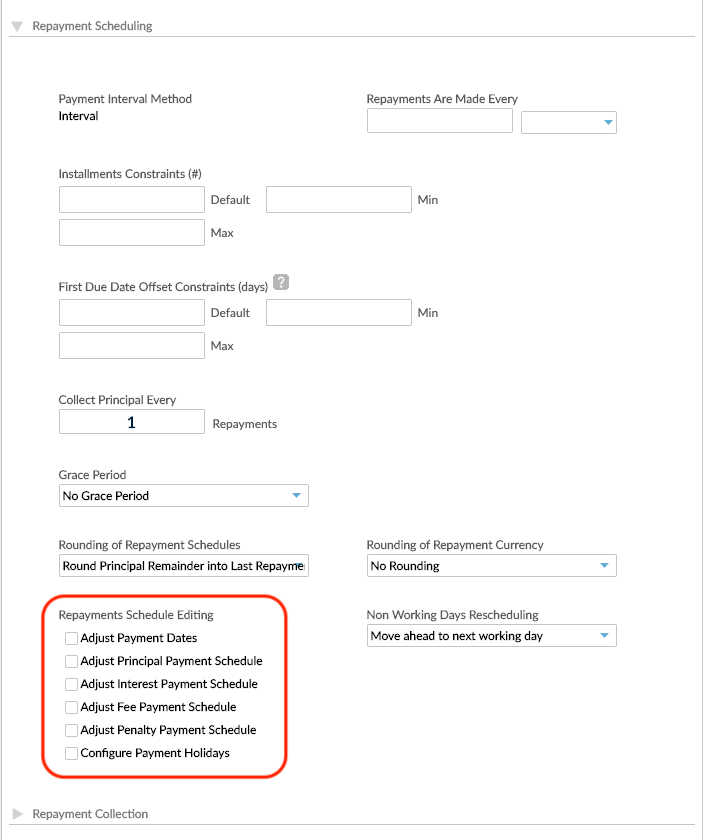
If you enable Repayments Schedule Editing for the loan product, you can edit the repayments schedule of the loan accounts created under that product at the time the loan account is created, as well as in the later states of the loan account, Partial Application, Pending Approval, Active, or In Arrears. For more information about the loan account states, see Loan Account's Life Cycle and States.
The following Repayment Schedule Editing options can be activated for loan products:
- Adjust Payment Dates
- Adjust Principal Payment Schedule
- Adjust Interest Payment Schedule
- Adjust Fee Payment Schedule
- Adjust Penalty Payment Schedule
- Configure Payment Holiday
For more infomation about each of these options, see Editing or Customizing Repayment Schedules.
These Repayment Schedule Editing options are available for Fixed Term and Dynamic Term loan products.
Repayment schedule editing options for Fixed Term loan products
The option to edit the schedule is available for all Fixed Term products, using any Interest Calculation Method:
- Flat
- Declining Balance
- Declining Balance (Equal Installments)
Fixed term products have the additional flexibility of editing the repayment schedules for each account individually. This can be used to adjust due dates, apply or waive fees and penalties, and to reallocate balances.
Repayment schedule editing options for Dynamic Term loan products
For Dynamic Term loans, the available Repayment Schedule Editing options depend on the Interest Calculation Method. With dynamic loans, interest is always calculated based on the principal in the schedule, so the interest is never directly editable.
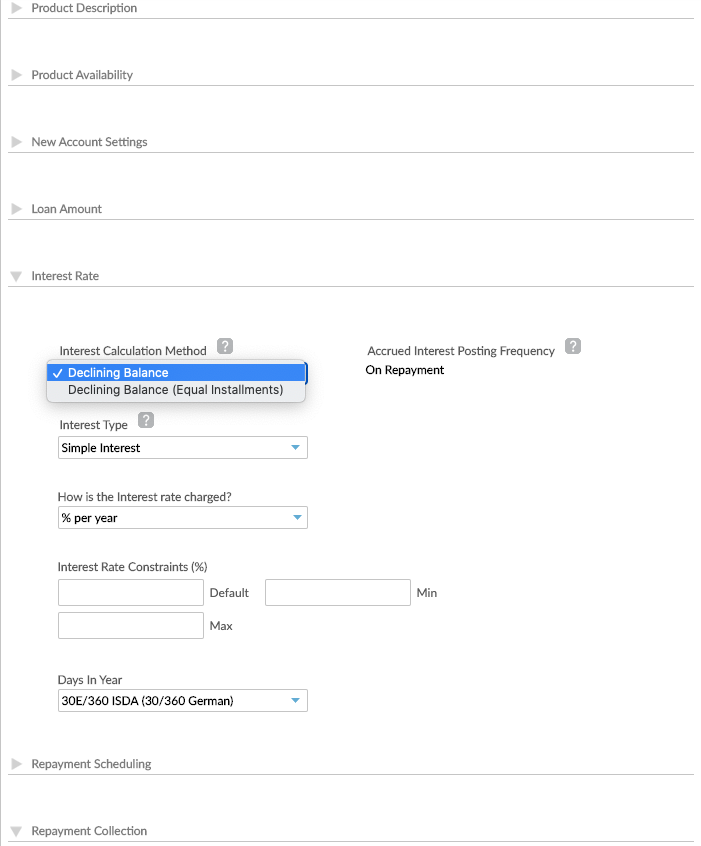
For Dynamic Loans, when you select Adjust Number of Installments, Adjust Payment Dates and Adjust Principal Payment Schedule are automatically selected as well.
Repayment schedule editing options for Dynamic Term loan products with Declining Balance interest calculation method
Dynamic Term loans with the Interest Calculation Method Declining Balance offer the following Repayment Schedule Editing options, depending on the Pre-Payments Recalculation method.
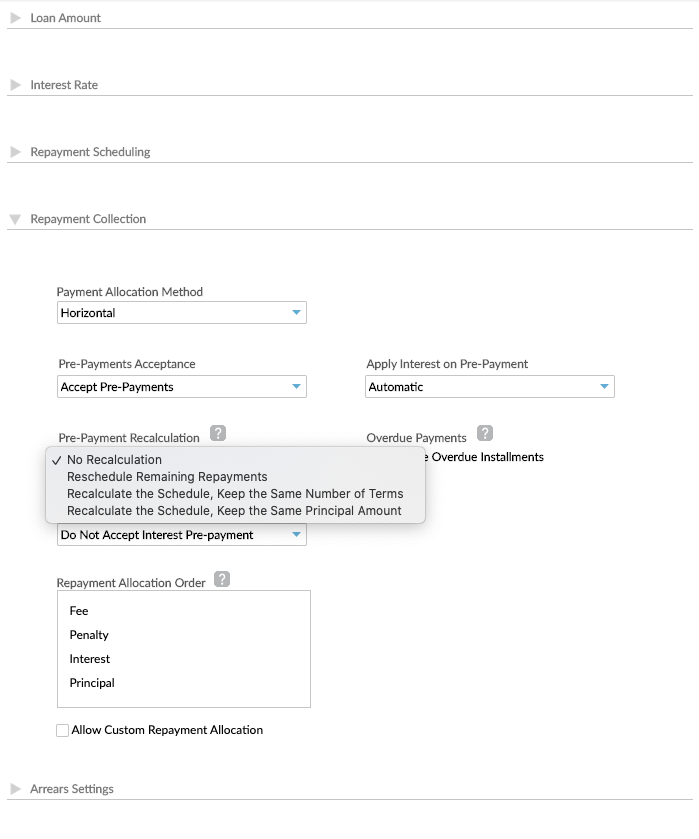
| Prepayments Recalculation | Adjust Payment Dates | Adjust Principal Payment Schedule | Adjust Interest Payment Schedule | Adjust Fee Payment Schedule | Adjust Penalty Payment Schedule | Adjust Number of Installments | Configure Payment Holidays |
|---|---|---|---|---|---|---|---|
| No Recalculation | ✔ | ✔ | ✔ | ✔ | |||
| Reschedule Remaining Repayments | |||||||
| Recalculate the Schedule, Keep the Same Number of Terms | ✔ | ✔ | ✔ | ✔ | |||
| Recalculate the Schedule, Keep the Same Principal Amount | ✔ | ✔ | ✔ |
Repayment schedule editing options for Dynamic Term loan products with Declining Balance (Equal Installments) interest calculation method
Dynamic Term loans with the Interest Calculation Method Declining Balance (Equal Installments) offer the different Repayment Schedule Editing possibilities depending on options selected.
| Payments Method | Pre-Payment Allocation | Mark Installment as Paid When | Adjust Payment Dates | Adjust Principal Payment Schedule | Adjust Interest Payment Schedule | Adjust Fee Payment Schedule | Adjust Penalty Payment Schedule | Adjust Number of Installments | Configure Payment Holidays |
|---|---|---|---|---|---|---|---|---|---|
| Standard and Optimized Payments | On Next Installments | Full Due is Paid (on/after Due Date) | ✔ | ✔ | ✔ | ✔ | |||
| Principal Expected is Paid (before/on Due Date) | ✔ | ✔ | |||||||
| On Upcoming Pending Installment Only | Full Due is Paid (on/after Due Date) | ✔ | ✔ | ✔ | ✔ | ||||
| Principal Expected is Paid (before/on Due Date) | ✔ | ✔ | |||||||
| Balloon Payments | No prepayment calculation | N/A | ✔ | ✔ |
If you wish to use the Repayment Schedule Editing for On Upcoming Pending Installments Only, please get in touch with your Mambu Customer Success Manager or contact us through Mambu Support to discuss your requirements.
Change the monthly repayment due date
For Dynamic Term loans with Declining Balance (Equal installments) interest calculation method, you can change the monthly repayment due date. This functionality is available via API 2.0 only. For more information, see our API Reference.
For example:
- If the next expected installment due date is the 10th and on the 3rd a customer requests a change of the due date to 25th, then the installment amount being moved from the 10th to the 25th increases by the additional 15 days of interest. However, the future installments amount doesn't change.
- If the next expected installment due date is the 15th and on the 3rd a customer requests a change of the due date to the 5th, then the installment amount being moved from the 15th to the 5th decreases by the additional 10 days of interest. However, the future installments amount doesn't change.
- We recommend that you don't change the monthly repayment date if there are multiple monthly repayment dates at a product or account level.
- We recommend that you don't change the monthly repayment date if the due date has passed.
Repayments schedule editing for Revolving Loans and Credit Cards
For Revolving Loans and Credit Cards, you can also control the extent to which loan schedules can be edited. For more information, see Revolving Loans & Credit Cards.