Configuring Access
Mambu MCP is currently available as a Limited Availability feature. To request access or more information, contact your Mambu account executive or your customer success manager.
Mambu MCP is governed by design. Access is deny-by-default: every execute operation is off until you deliberately enable it, and what each user can reach is configured at both the tenant and the user level.
The Layers of Access
An operation runs only when every layer allows it. A later layer can narrow what an earlier layer allows, but never widen it.
| # | Layer | What it controls | Applies to |
|---|---|---|---|
| 1 | Tenant MCP Configuration | Which operations are available anywhere in the tenant. | Mambu Agents and external MCP clients |
| 2 | User MCP Configuration | Which of those operations a specific user may reach. | External MCP clients only |
| 3 | Client MCP Configuration | An optional narrowing a user sets in their own client. | External MCP clients only |
| 4 | Mambu User Permissions | What the user could already do in the underlying Mambu system. | Mambu Agents and external MCP clients |
A user's effective access is the combination of all four layers. Layers 1 to 3 are enforced by Mambu MCP, and the fourth is enforced by the APIs of the underlying Mambu system.
Tenant-Level Configuration
In Agent Studio, open MCP under Configure, then open Mambu Core MCP. Choose which operations are enabled for the tenant, group by group or individually. This affects both Mambu Agents that use the Mambu MCP connection and users who connect through an external MCP client. Remember to save your changes to apply them.
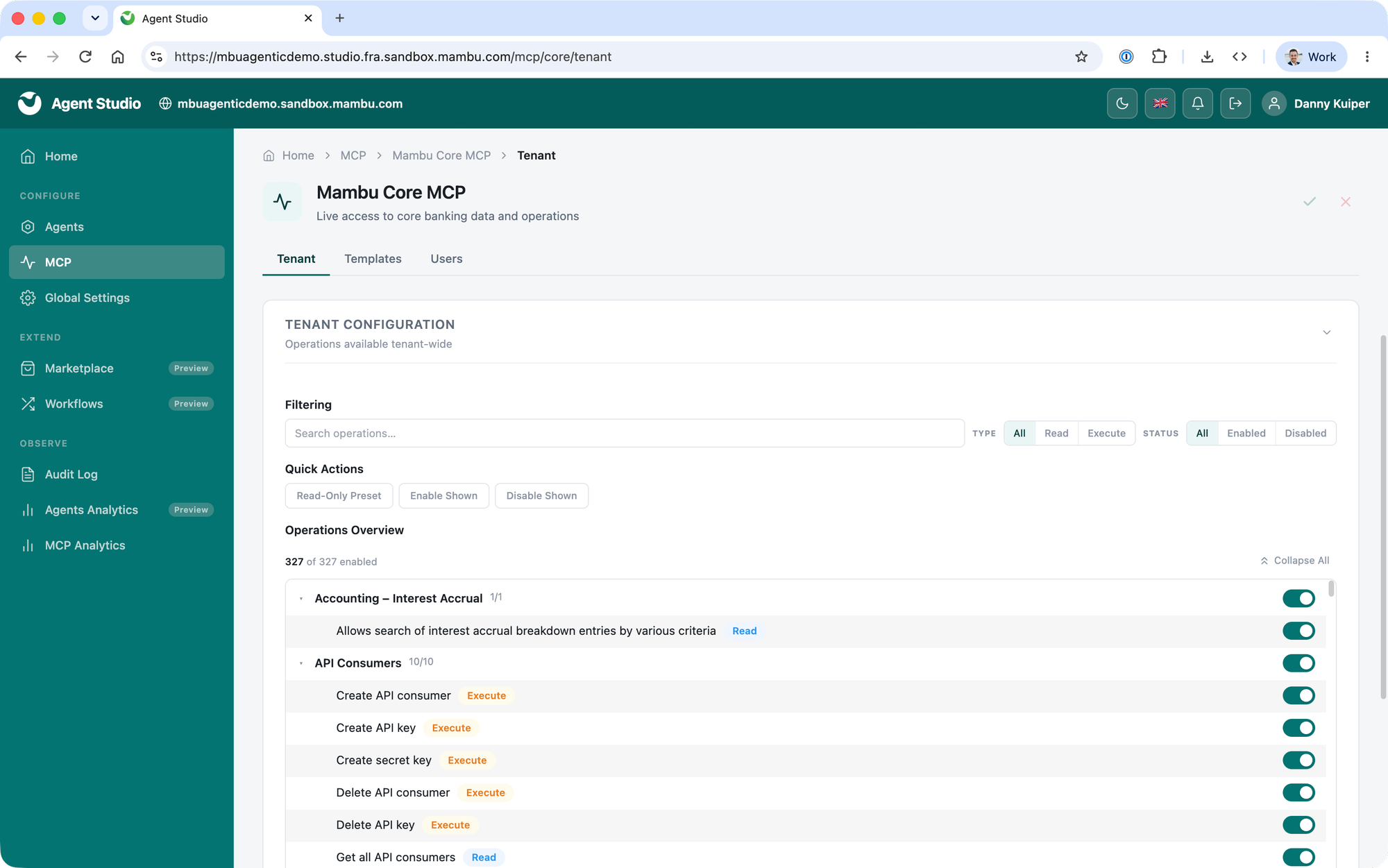
- Read operations (list, get, search, download, find) retrieve data and change nothing.
- Execute operations are opt-in, enabled per operation. Everything that changes data stays off until you switch it on.
Some operations are never exposed, no matter the configuration:
- Archiving
- Database backup
Templates and Users
These settings apply only to users connecting through an external MCP client, not to Mambu Agents.
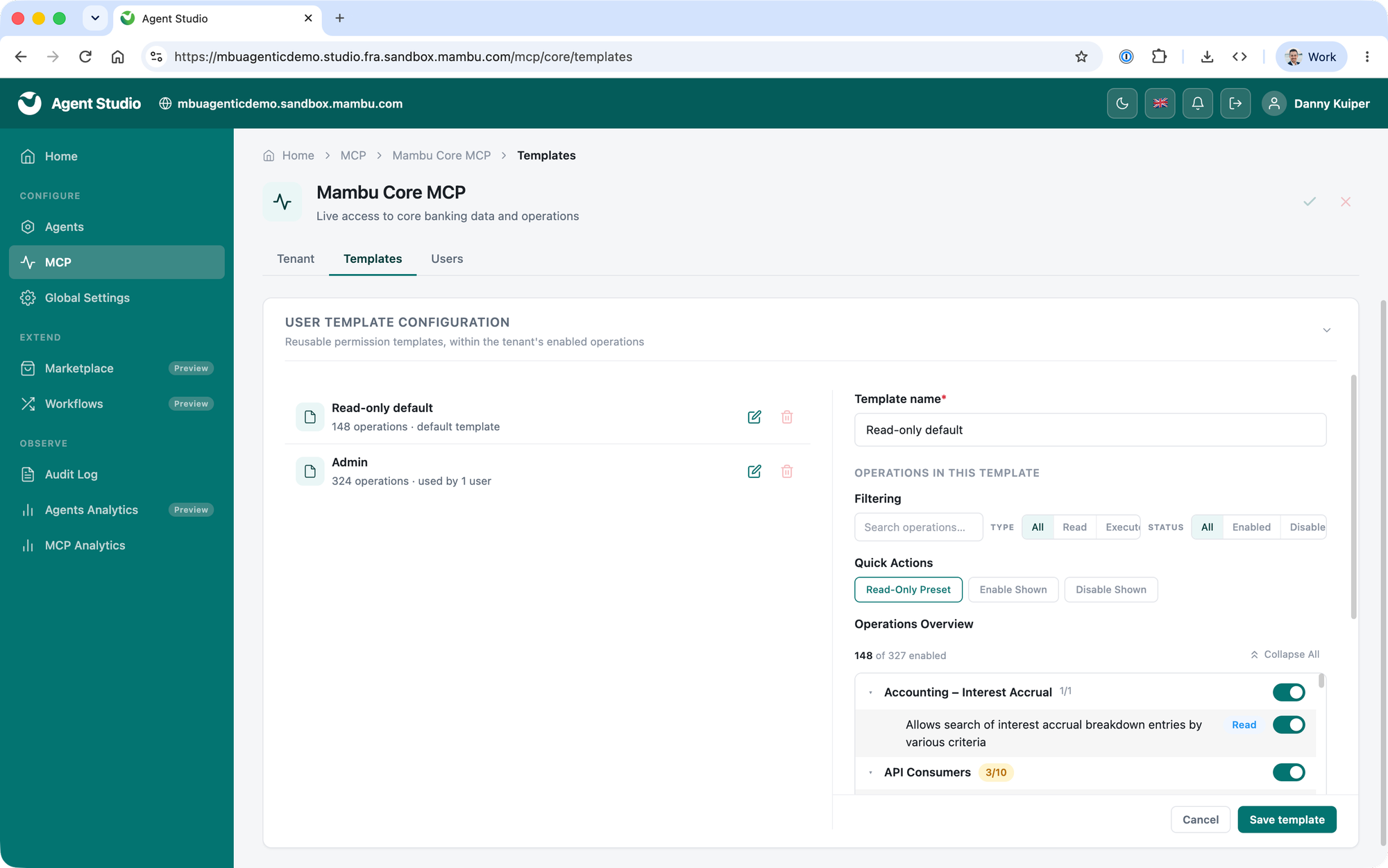
On the Templates tab, define reusable permission templates: a named set of operations you configure once and apply to many users, so you do not set up each person by hand. A template can only draw from the operations enabled at tenant level, so anything disabled for the tenant cannot be switched on in a template.
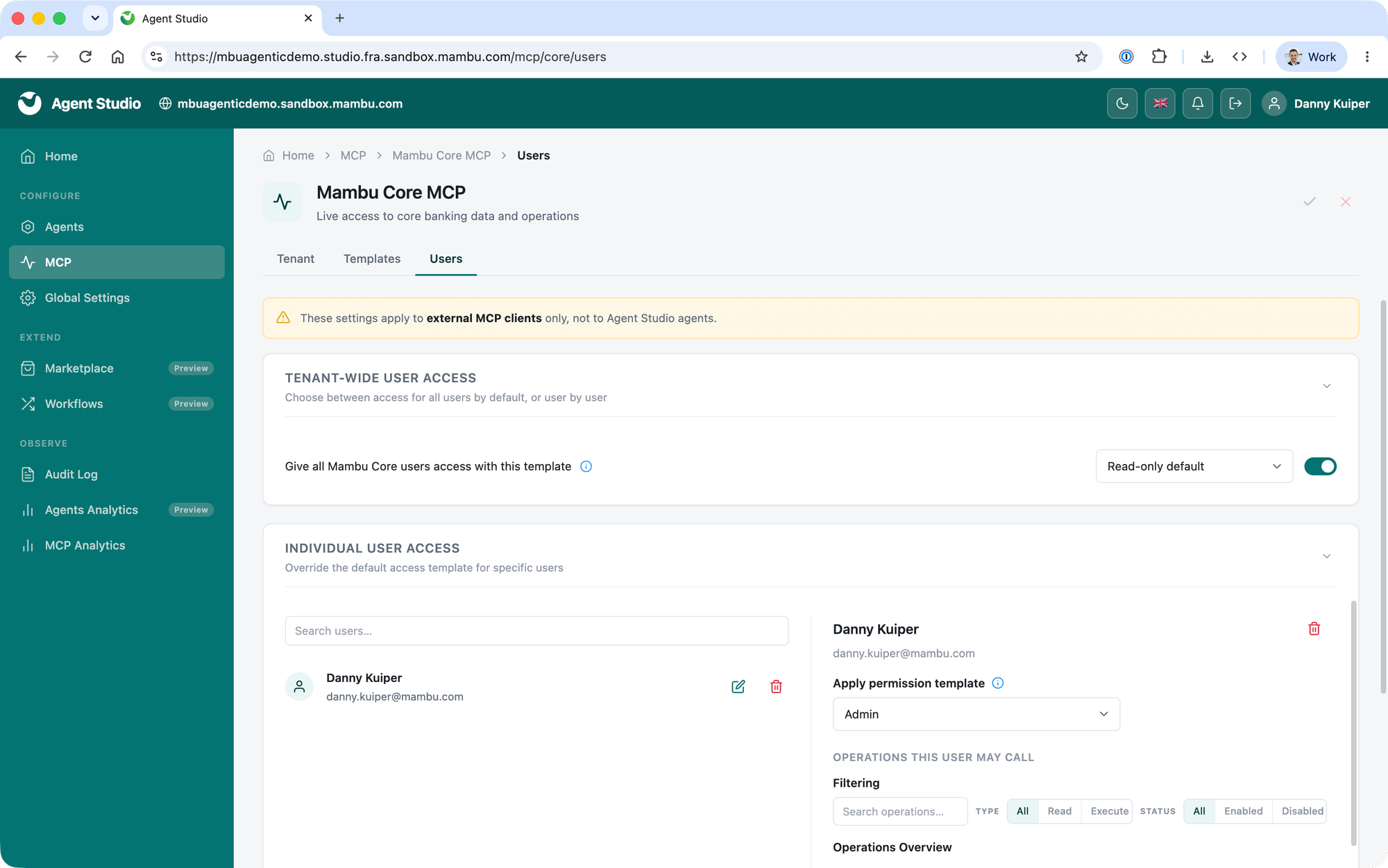
On the Users tab, a tenant-wide toggle controls who can use the Mambu MCP connection through an external MCP client to reach the underlying Mambu system:
- Toggle on. Every Mambu Core user is granted access through the selected default template. You can still override that template for named individuals, for example to widen access for specific users while keeping a narrow default for everyone else.
- Toggle off. Only the users you add under individual user access can connect. Everyone else has no access through an external MCP client.
Client Scope
A user can further narrow their own access from within their client. It is a voluntary restriction only: it cannot grant anything the tenant and user configuration in Agent Studio has not already allowed. For how to set it, see Connecting Your Client (Restricting Operations).
Mambu User Permissions
Mambu MCP always respects the permissions configured for the authenticated user in the underlying system. For example, if a user cannot see a loan account in the Mambu UI, they cannot see it through an MCP-connected agent either.
Multi-Tenancy
Currently, every tenant has only one entry point, and credentials for one tenant cannot reach another. An MCP request is always scoped to a single tenant. To combine or compare data across tenants, an MCP client must authenticate to each one separately and make separate requests.