Configuring an Agent
Mambu Agents is currently available as a Limited Availability feature. To request access or more information, contact your Mambu account executive or your customer success manager.
This page explains how to configure an agent in Agent Studio, component by component. Every agent is built from the same parts: its DNA, its skills, its connections to Mambu, its Knowledge Base, and its guardrails, each managed on its own tab in the agent editor.
DNA: The Agent's Identity
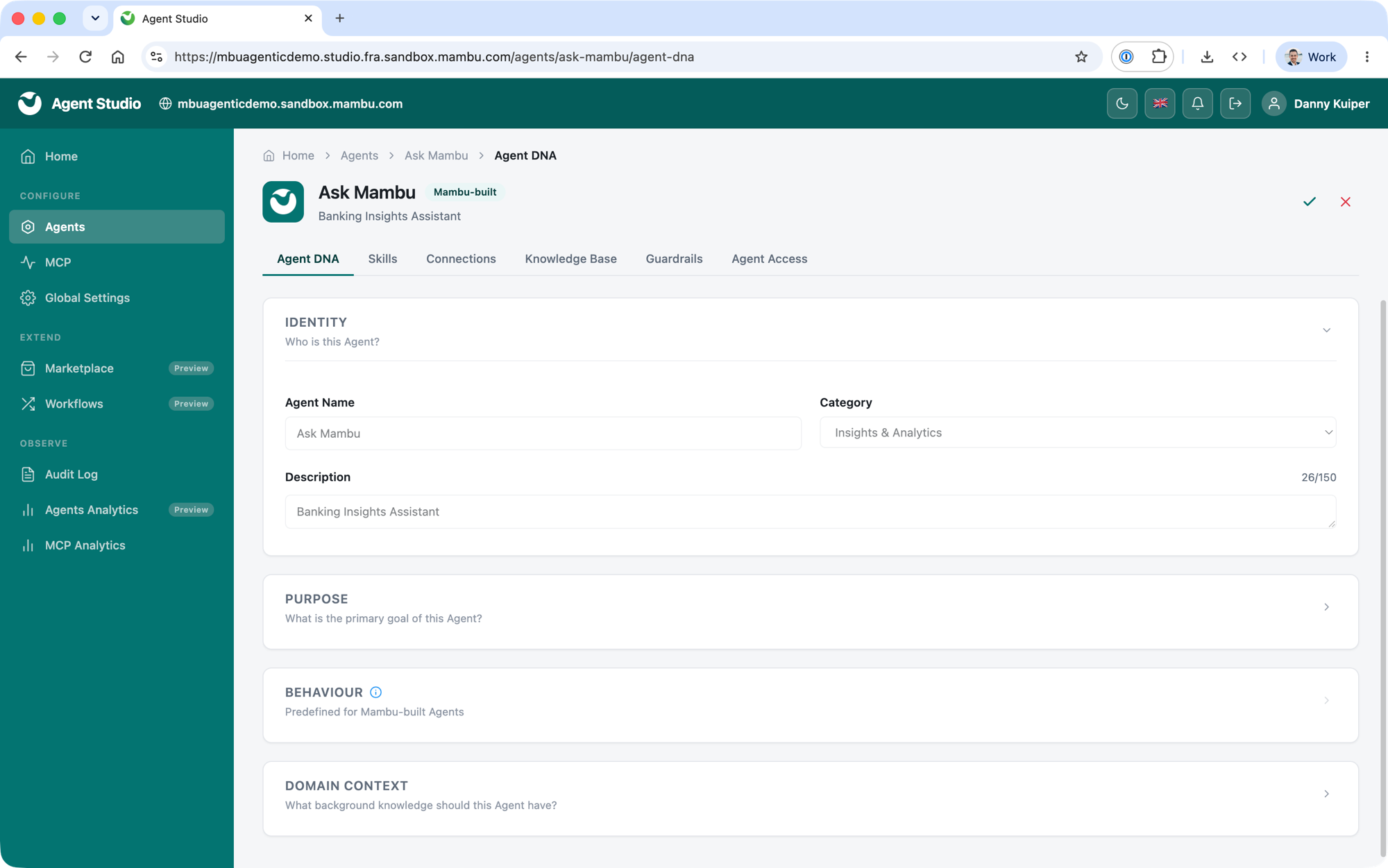
The DNA defines who the agent is and what it is for. It includes:
- Identity. The agent's name, category, and description, as it appears to your users.
- Purpose. What the agent exists to do, which also defines the agent's scope.
- Behavior. How the agent responds. For Agents built by Mambu, behavior is predefined and cannot be changed.
- Domain context. The tenant-specific layer of an agent's instructions. Use it to enrich the agent with knowledge particular to your organisation, the things it cannot derive from the Mambu Core connection alone. For example:
- Custom field definitions and what they represent in your context
- Preferred language, currency, and timezone
- Company-specific terminology or product names
- Any other context that helps the agent give more relevant responses to your users
Skills: What the Agent Can Do
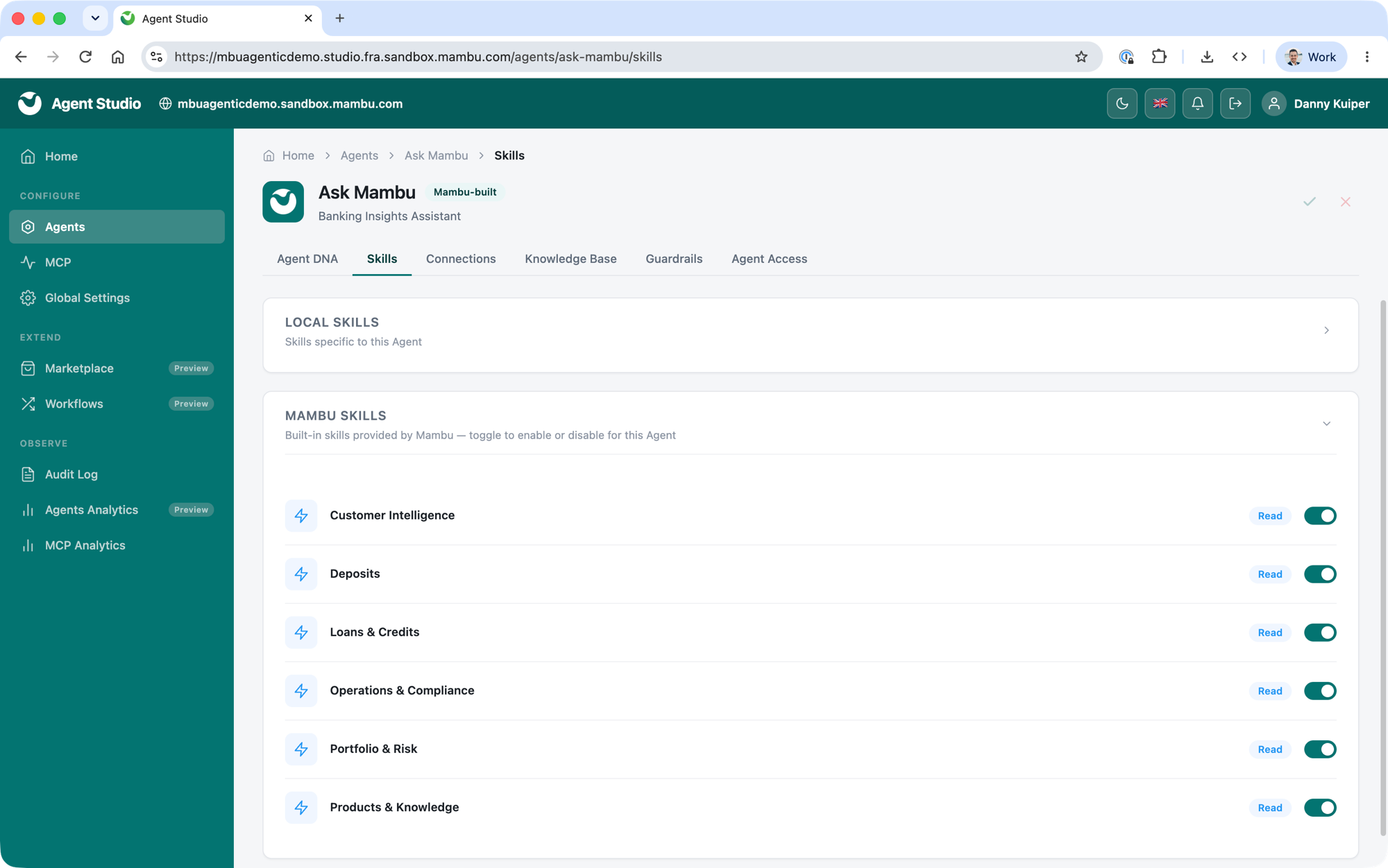
Skills are the individual capabilities an agent can perform, such as retrieving a client summary or checking a loan's status. They come in two kinds:
- Mambu skills. Built-in skills provided by Mambu. Toggle each one on or off for the agent.
- Local skills. Skills specific to a single agent, which you create and manage yourself.
To create a local skill, give it a name, a short description, and a summary that tells the agent when to use it, then add a skill definition that describes how to carry the task out. Write the definition in plain language, as if briefing a colleague. State what the skill is for, what information it needs, the steps to follow, and how the result should be presented. Keep each skill focused on a single task.
Each skill either reads data or executes an action. Execute skills perform write operations and require guardrails. A shorter, focused set helps an agent choose the right skill. You are responsible for the content of any skills you add. See Governance and Trust for who is responsible for what.
Connections: Connecting to the Outside World
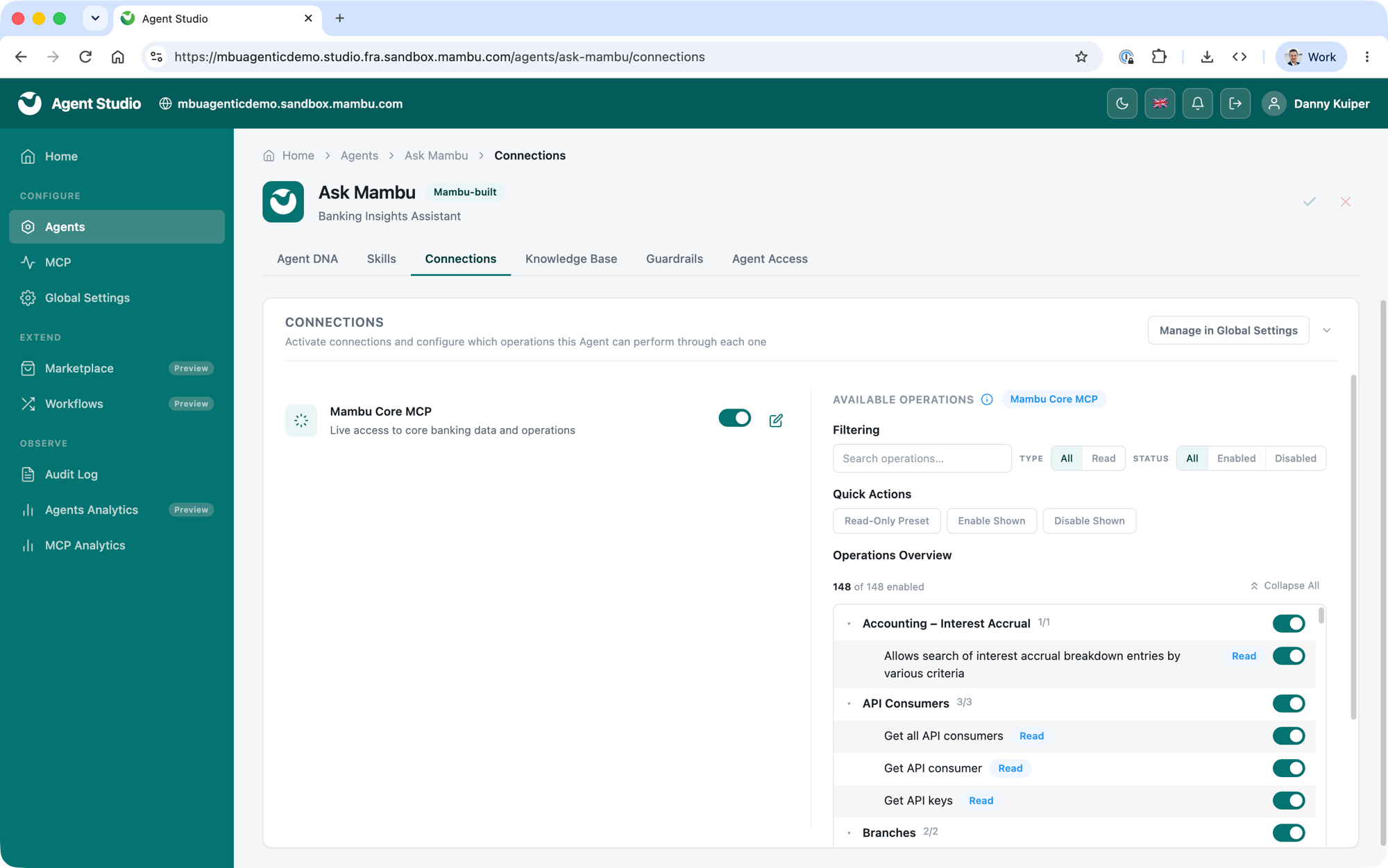
Connections define how an agent reaches external systems and data. On the Connections tab you activate the connections available to an agent and configure which operations it may perform through each one. This is where you set the connection-specific permissions for the agent you are configuring.
Every agent is subject to the permissions set at tenant level. In the agent's connection settings you can tighten these further, but you cannot enable an operation that is not enabled for the tenant. For more guidance on configuring the Mambu MCP connection tenant-wide, see Configuring Access in the Mambu MCP documentation.
Knowledge Base: Your Data Becomes the Context
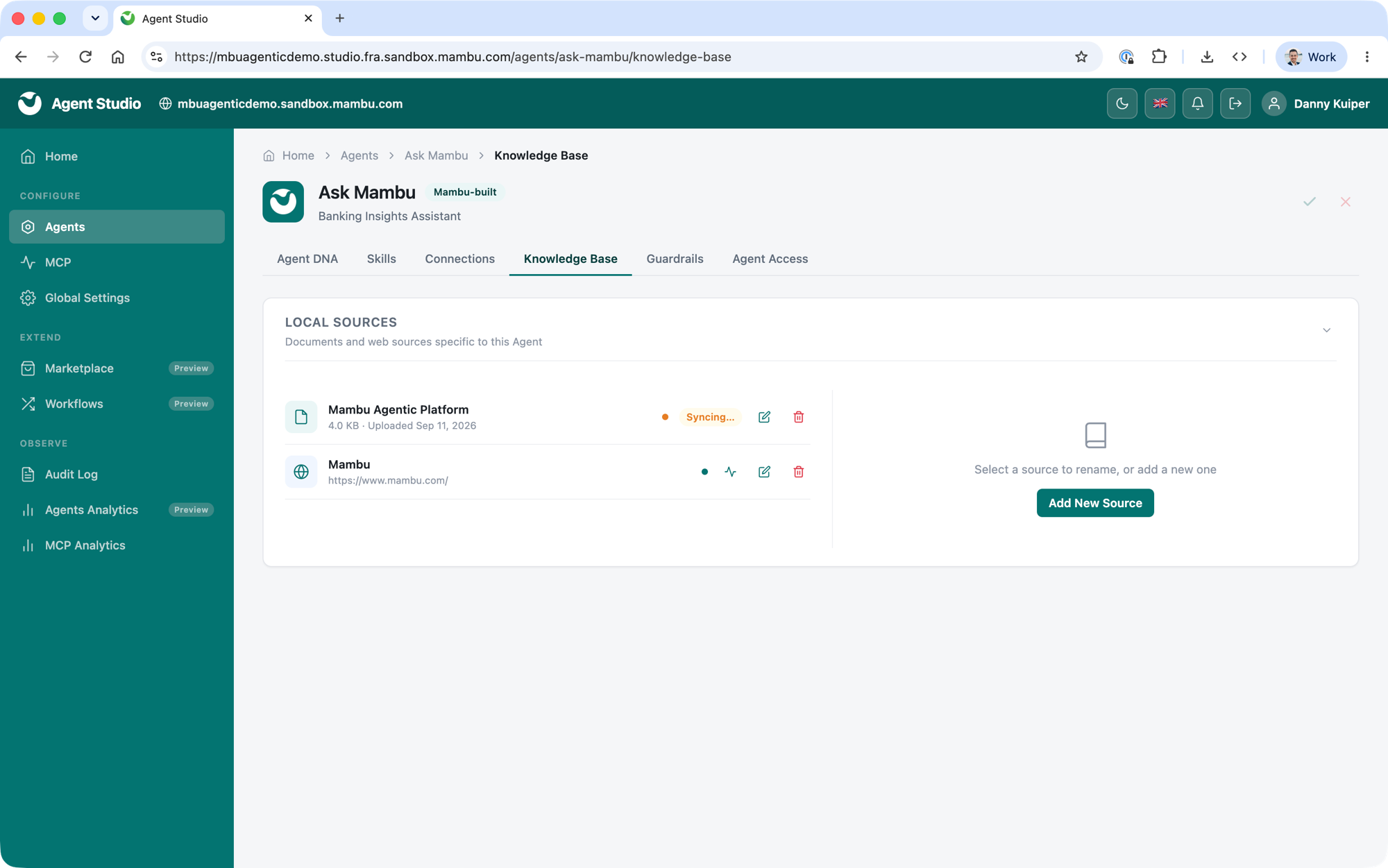
Knowledge sources turn your own material into the context an agent reasons with, so answers reflect your data and your bank. They can include:
- Product user guides, explaining how your organisation uses Mambu.
- Internal policy documents, so the agent can answer on your own rules.
- Static reference files for quick answers to common questions.
You can add sources as PDF, DOCX or Markdown documents, or as web page URLs. Each source can be up to 10 MB, and knowledge sources share a per-tenant storage allowance with custom skills. For the exact limits, see Platform Limitations. As with skills, you are responsible for the content you upload. See Governance and Trust for who is responsible for what.
Guardrails: Controls on Agent Behaviour
Guardrails sit between an agent and your data and are evaluated on every request and every action, independently of the model. They keep an agent within the limits you set: deterministic rules block prohibited requests consistently, and the model is instructed to act within the agent's definition. See Governance and Trust.
Agent Access: Who Can Use the Agent
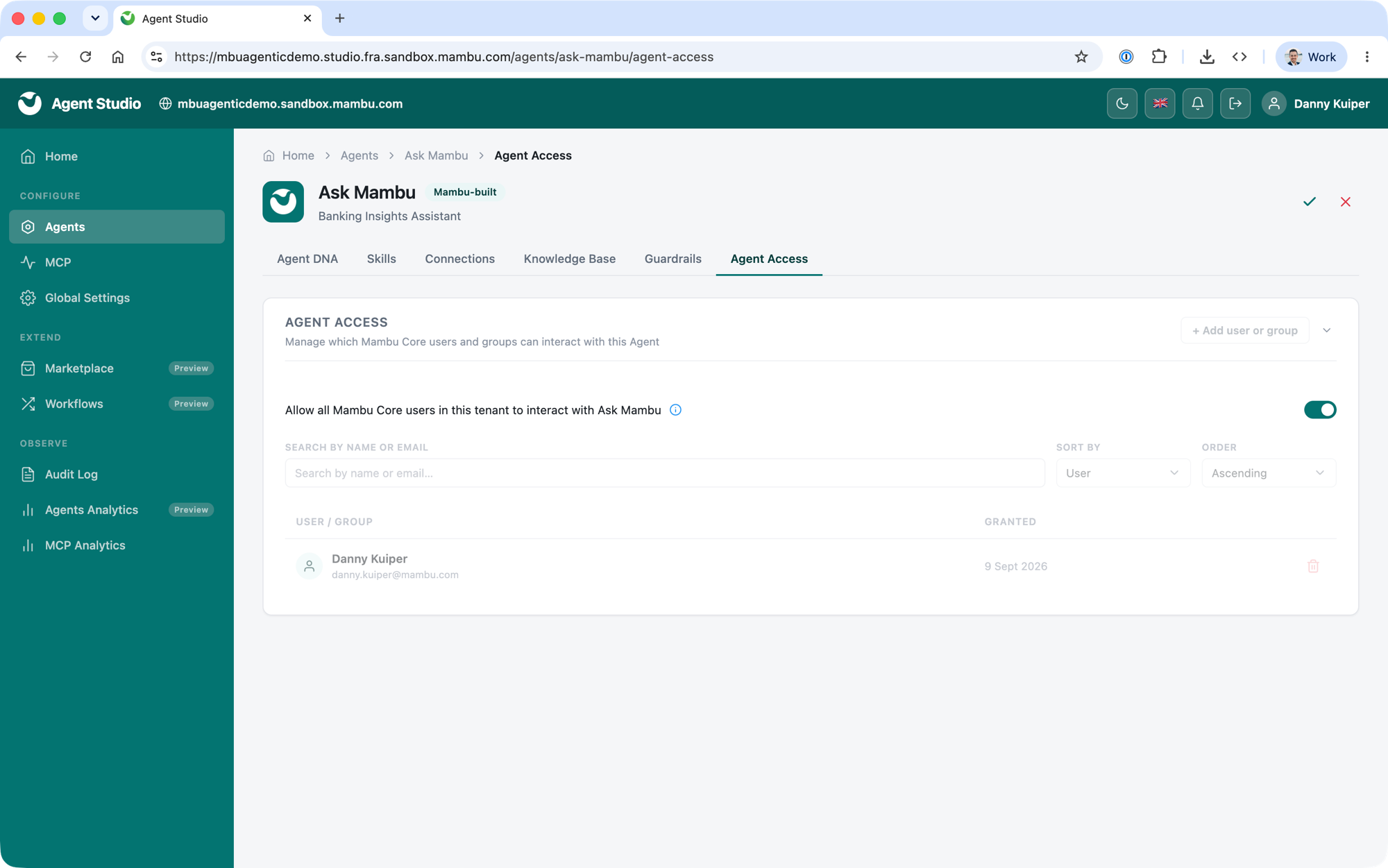
You control which Mambu Core users can see and interact with each agent, on the agent's Agent Access tab.
- Specific users or groups. Grant access to individual Mambu Core users or groups.
- All users. Allow all Mambu Core users in this tenant to interact with the agent.
Access is checked every time a user opens the chat window or sends a message, so a permission you change in Mambu Core takes effect on the agent's next request.